

Edit any PDF in your browser
Fix a date, mark up a draft, reorder pages and black out private details, then download the edited PDF.
Every tool for the job, in one editor.
Edit text and images, comment, organise pages, fill in forms and sign, all in the same window.
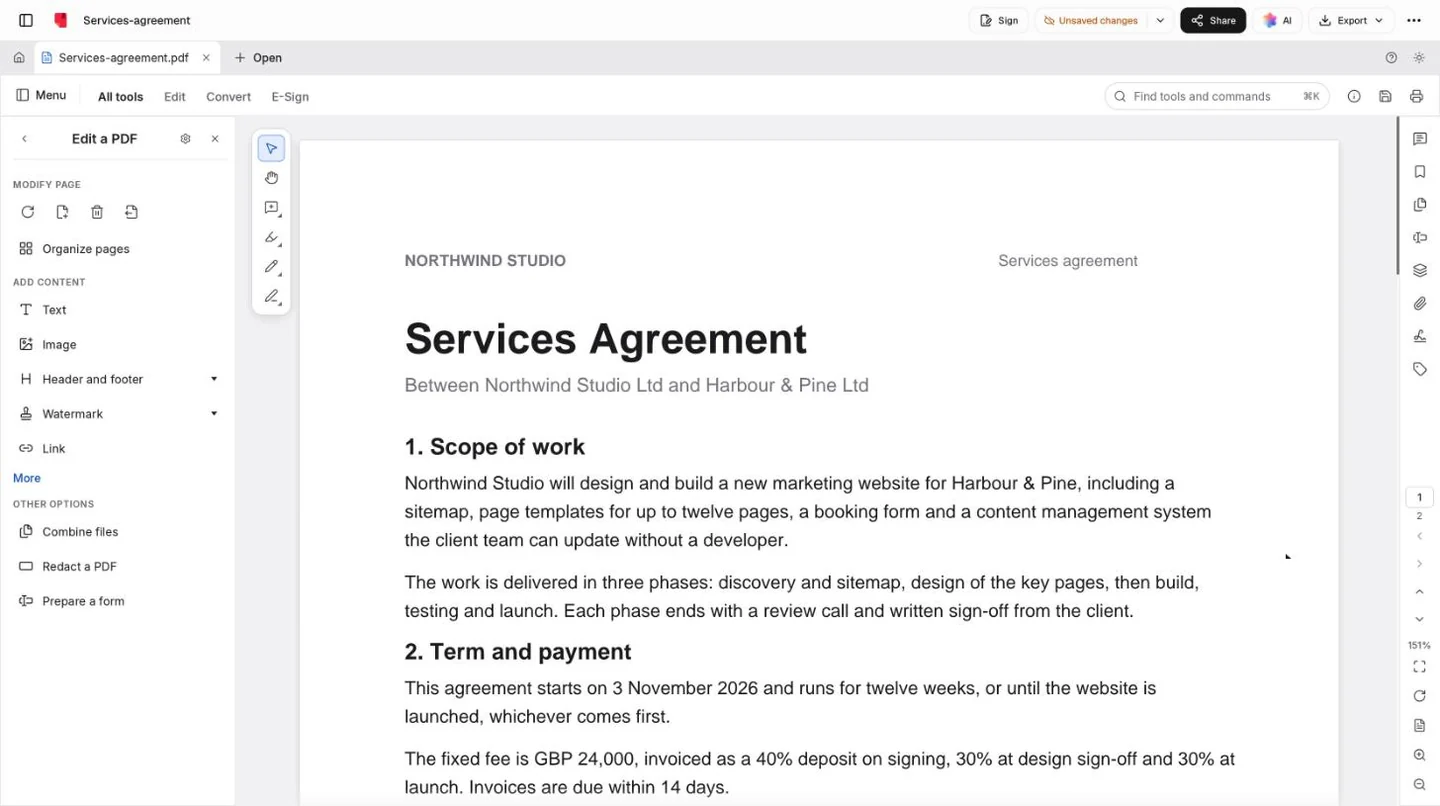
The same page, before and after.
A date corrected, a line highlighted, an account number redacted, a note and a DRAFT watermark. Drag the handle to compare.
Pages, organised like cards on a table.
Organize pages shows the whole document at once. Select a few, change them together, and undo anything.
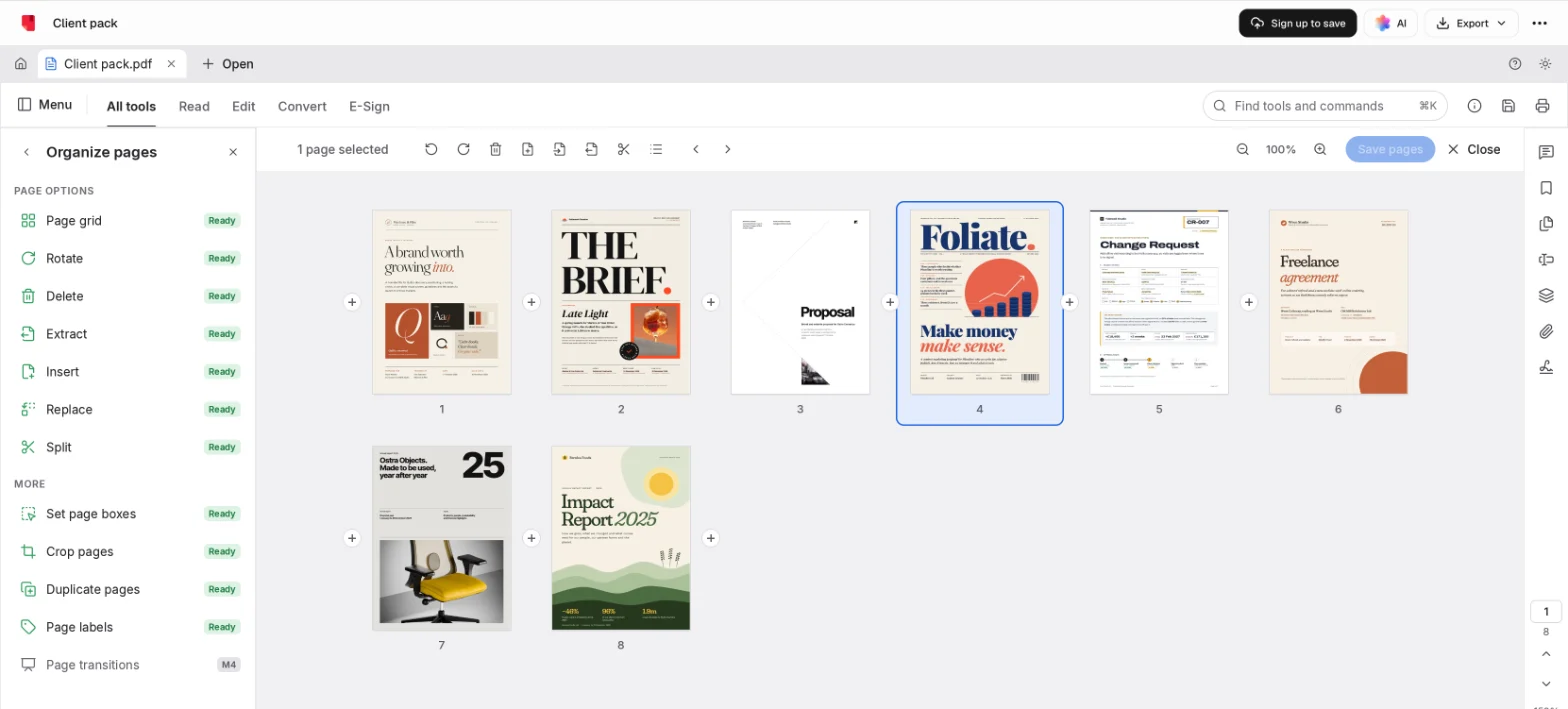
Move, turn and tidy
Drag pages into order, rotate sideways scans, and delete, duplicate or crop the rest.
Combine files
Merge several PDFs into one, each file kept as a bookmark.
Extract and split
Copy chosen pages into a new PDF, or split one every few pages.
Before it leaves your hands.
Three things worth doing before a contract, an invoice or a report goes outside your team.
Redact what they shouldn’t see
Mark text or an area and apply: what’s underneath is removed, not covered. Find text and redact catches every match at once.
Protect it with a password
Ask for a password to open the PDF, to change it, or both.
Remove hidden information
Clear the metadata, attachments, hidden text and old comments that travel with a PDF unseen.
Common questions.
Something else on your mind? Ask us in the chat, bottom right of the page.
Is this PDF editor free?
Yes. Opening a PDF, editing it and downloading the edited copy are included on the Free plan. There are no page limits or daily caps set by the page; very large files depend on your device’s memory.
Where is my PDF kept?
The editor needs a free account, and when you save, the PDF goes to your Docsiv workspace Drive. Only people in your workspace can open it until you share a link.
What kind of edits suit a PDF?
Small, finishing ones: fixing a word, a date or a figure, adding text, images, links and comments, page numbers and watermarks, reordering pages, filling in forms, signing and redacting. Choose Edit text & images and click a line or an image to change it. A PDF stores text as placed lines, not flowing paragraphs, so rewriting whole sections or changing the layout is better done in the original document; the Word editor opens .docx files.
Does redaction really remove the text?
Yes. Marking text or an area only flags it; applying redaction removes what’s underneath from the PDF, rather than drawing a box over it. Find text and redact marks every match of a word or number at once. It can’t be undone in the saved copy, so keep your original.
Can I reorder, combine or split PDFs?
Yes. Organize pages shows every page as a thumbnail: rotate, delete, duplicate, insert blank pages or pages from another file, and move them about. Combine files merges several PDFs into one, Extract copies chosen pages into a new PDF, and Split divides one every few pages.
Can I add page numbers or a watermark?
Yes. Header and footer adds page numbers, dates and your own text to every page, Watermark puts a word like DRAFT or CONFIDENTIAL across them, and Bates numbering is there for legal files.
Can I edit a scanned PDF?
A scan is a picture of a page, so there are no lines of text to change. You can still type on it, comment, sign and redact areas. The Recognize text tool can add a searchable text layer to scans in Latin-script languages.
Can I password-protect the edited PDF?
Yes. Protect using password asks for a password to open the file, to change it, or both, and Remove hidden information clears metadata and other leftovers before you share it.
Starting from nothing?
Describe the document and Docsiv AI writes it as a simple PDF you can then edit here. Or open your own PDF at the top of the page.