

A Google Forms alternative that looks like your brand
Your colours and fonts, one question per screen if you like, logic on any answer and a signature at the end. Free with an account, like Google Forms.















Which one to choose.
Both are free with an account. They’re good at different things, so here’s the short version.
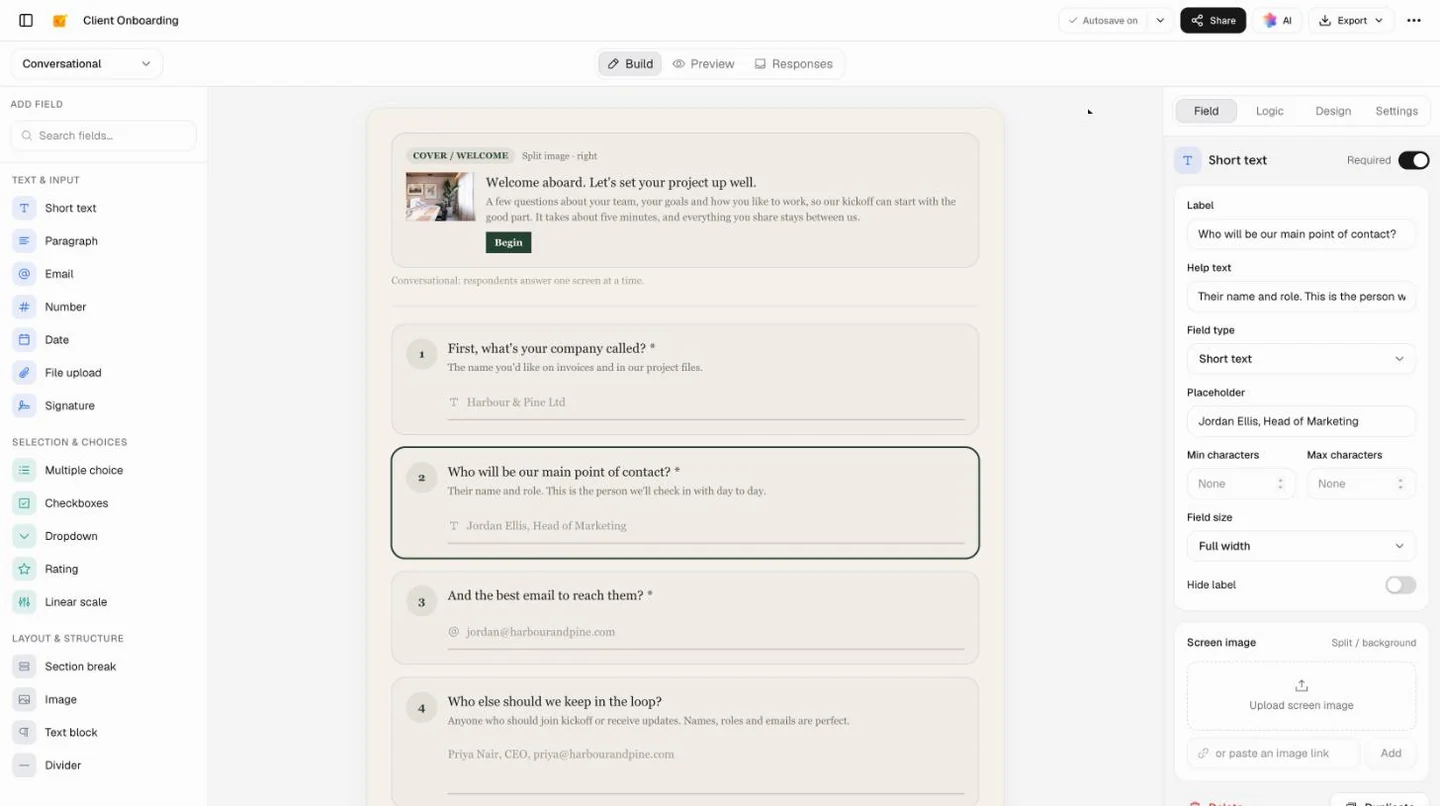
Choose Docsiv for forms clients see
When the form should look like your brand, ask one thing at a time or end with a signature, and sit beside the proposal and invoice.
Stay with Google Forms for quizzes and Sheets
Graded quizzes, file uploads, answers landing live in a Google Sheet and charts of the results are where Google Forms is ahead.
Where it feels different for the people answering.
Most of the change is on the other side of the link: a form that looks like you and asks one thing at a time.
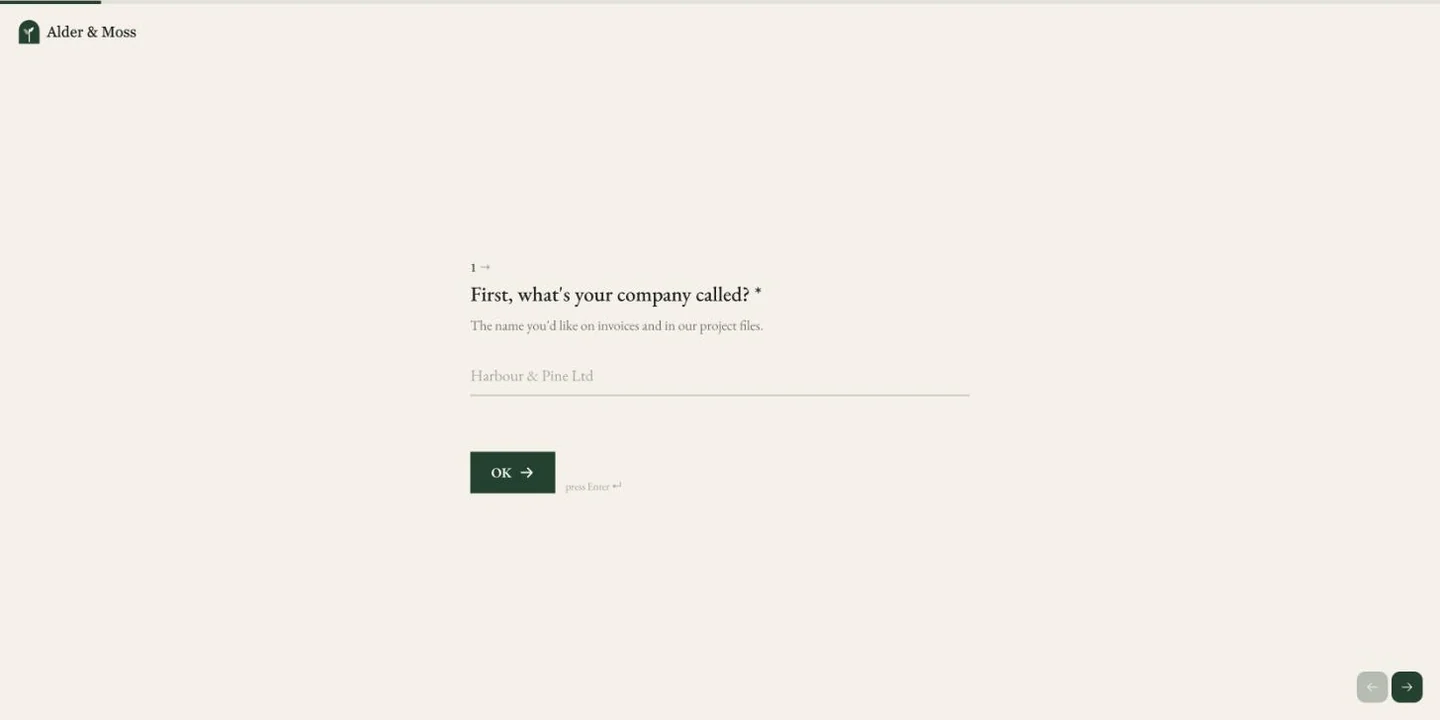
One question per screen
A welcome screen, then one question at a time, each with a photo beside it if you like. People see the next question, not the length of the form.
Your colours, fonts and logo
Pick a theme, then set the colours, font, fields, buttons and corners, and put your logo on every screen.
A signature to finish
End a sign-off or consent form with a signature question: people type their full name to sign.
Beside your client paperwork
The form and its responses sit in your Docsiv workspace with the proposal before it and the invoice after.
Switch over in four steps.
Your Google Form stays where it is until the new one is ready, so nothing is lost on the way.
- Step 1
List your questions
Copy the questions out of your Google Form, with a word on each one’s type.
- Step 2
Ask Docsiv AI to rebuild it
Paste the list and say how it should look. Or add each question yourself from the palette.
- Step 3
Redo the logic and the look
Turn section jumps into show and hide rules, then set the theme and your logo.
- Step 4
Publish, then switch the link
Share the new link and keep the Google Form open until the first responses arrive here.
Forms people bring over.
Start from a finished template instead of a blank form, then paste in your own questions.
 Event feedbackThe post-event survey most teams start in Google Forms, one question per screen in your colours.Event Feedback Survey
 Team pulse surveysA three-minute check-in on workload and support, with follow-ups only where someone is struggling.Team Pulse Survey
 Client onboardingContacts, goals and access gathered before the kickoff, beside the proposal they signed.Client Onboarding
 Contact formA short form for your site, embedded in the page at its own height.Contact Form
Find the right starting point, or describe yours and let Docsiv AI draft it.
Explore all templatesCommon questions.
Something else on your mind? Ask us in the chat, bottom right of the page.
Is it free like Google Forms?
Yes, with a free Docsiv account, just as Google Forms needs a Google account. Building, publishing and collecting responses are on the Free plan. Free-plan forms show a small “Made with Docsiv” link at the bottom; paid plans can turn it off and add more AI credits, members and e-signatures.
Is it better than Google Forms?
For some forms. If the form goes to clients and should look like your brand, flow one question at a time or end with a signature, Docsiv does more. If you want answers live in Google Sheets, a graded quiz, file uploads or charts of the results, Google Forms is the better choice.
Can I import a Google Form?
Not directly. Rebuild it from the question types, which mostly match one for one, or, with an account, paste your list of questions into Docsiv AI and ask it to recreate the form.
Do responses go to Google Sheets?
Not live. Responses are kept with the form in Docsiv, and you can download them as a CSV file, which Google Sheets and Excel open. There are no summary charts either. If a live sheet or charts matter, stay with Google Forms.
Do respondents need an account?
No. Anyone with the link can answer without signing in. (Google Forms asks people to sign in to Google when a form takes file uploads or allows one response per person.)
Can people upload files, as they can in Google Forms?
Not yet. The builder has a file upload question for Preview, but shared links leave it out for now. Until then, ask for a link to the files in a short text question.
Can I make a graded quiz?
No. There’s no quiz mode or automatic grading, so for tests and classroom quizzes Google Forms is the better tool.
Which Google Forms questions carry over?
Short answer, paragraph, multiple choice, checkboxes, dropdown, linear scale, rating, date, sections, text and images all have a match, and section jumps become show-and-hide rules. There’s no time question, grid, video block or quiz setting: use short text for a time and one choice question per grid row.
Bring your form over
Paste your Google Form’s questions and say how it should look. Docsiv AI rebuilds it in your colours, ready to publish. Free with an account.