

Build forms and surveys online
Intake forms, feedback surveys and sign-ups in your colours. Share one link and every answer comes back to your workspace.















Build it where you can see it.
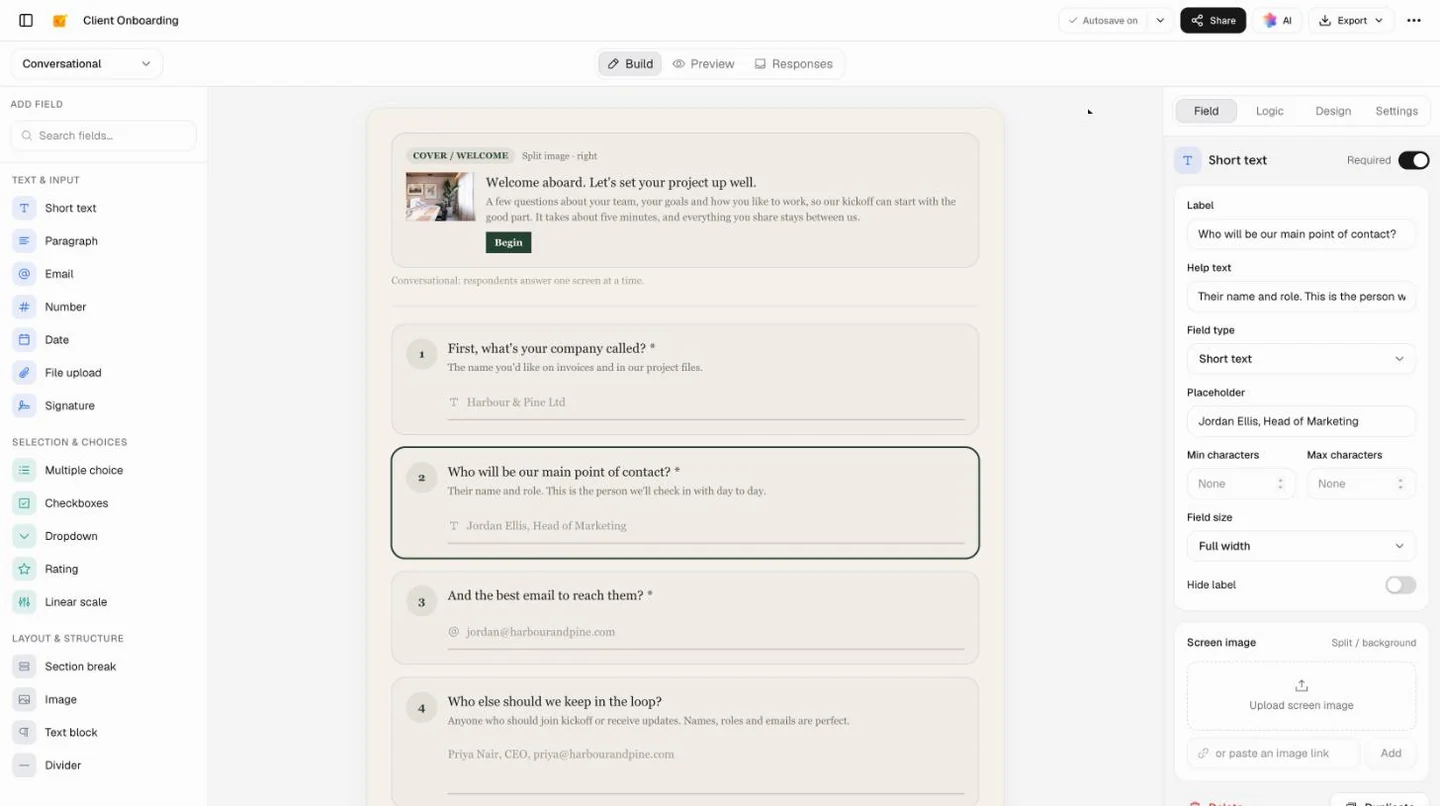
Questions down the left, the form as people will see it in the middle, and the chosen question’s settings on the right. Here’s the Client Onboarding template, open to edit.
Three ways to fill it in.
Pick the layout that suits the people answering. Switch whenever you like: the questions, logic and look stay as they are.
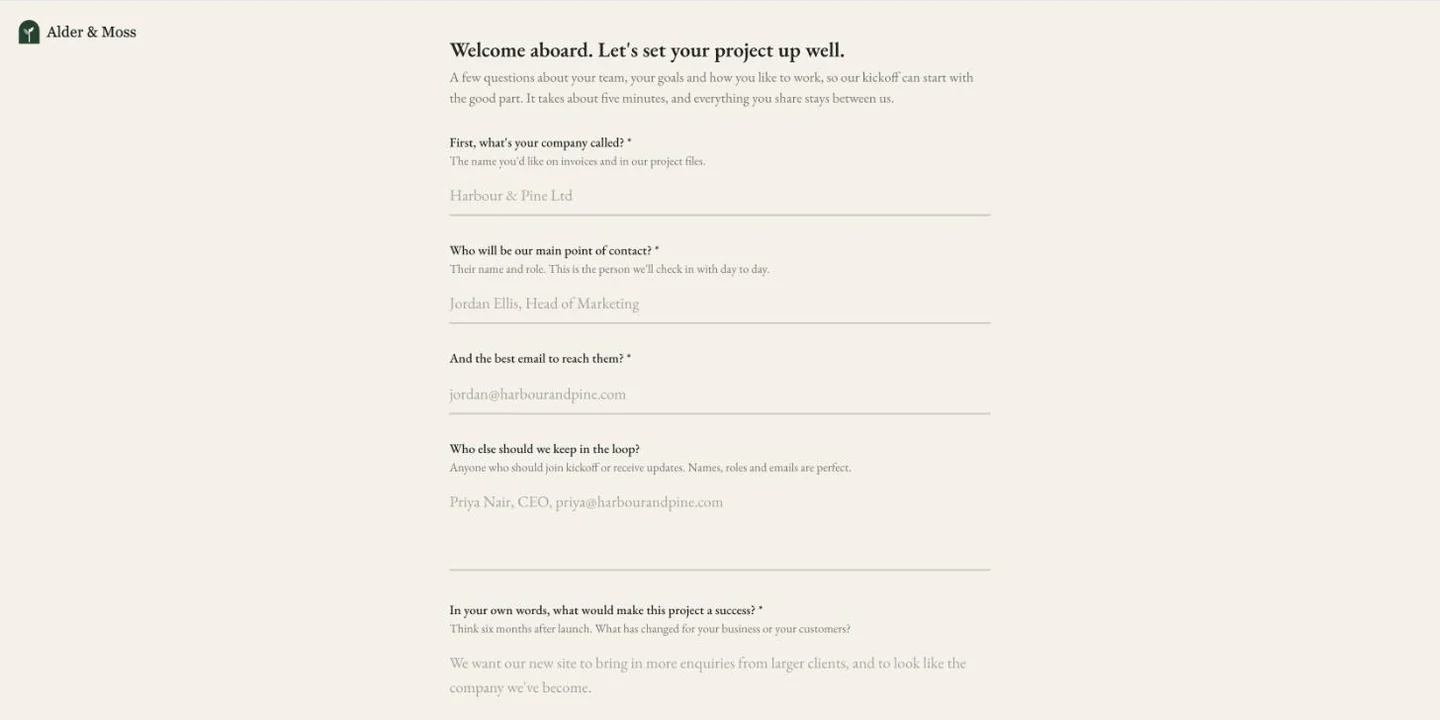
Single page
Every question on one scrolling page, for sign-ups, RSVPs and quick requests.
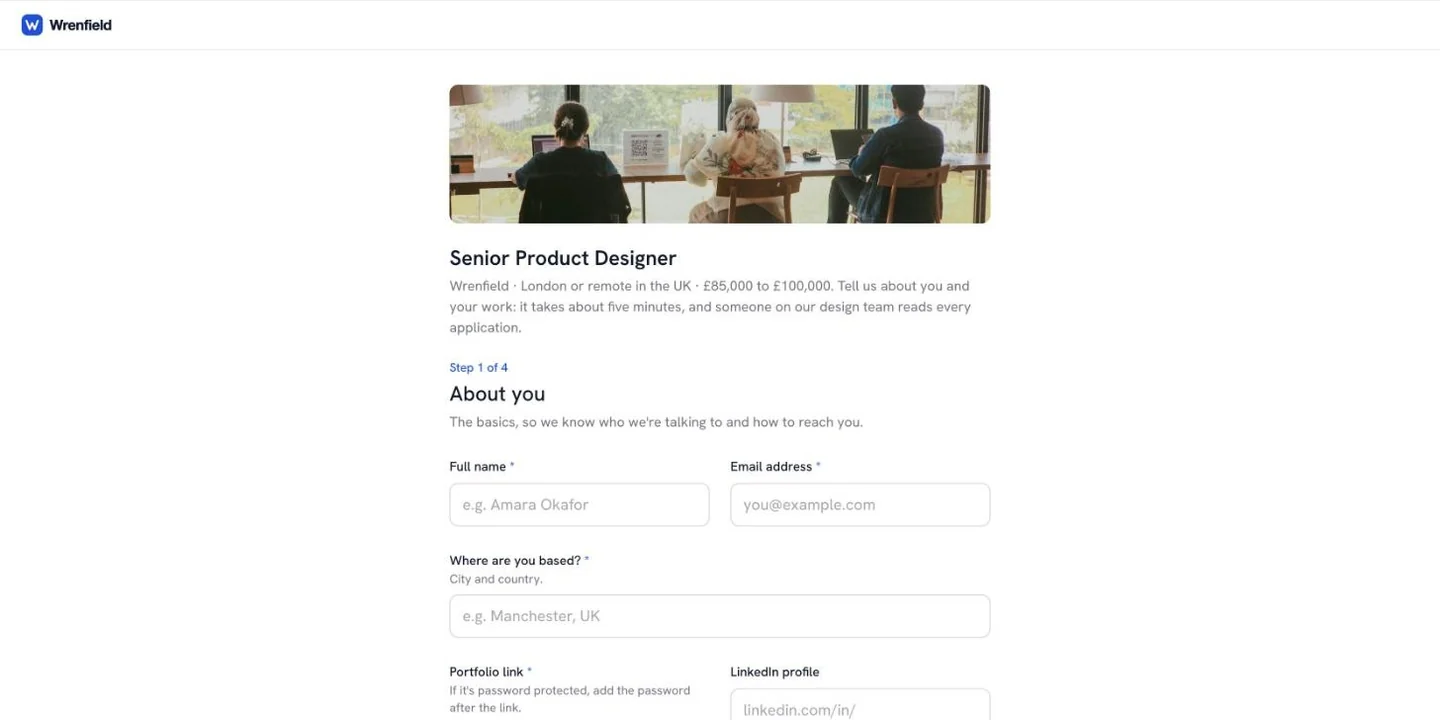
Multi-step
A new page at each section break, so people always know which step they’re on.
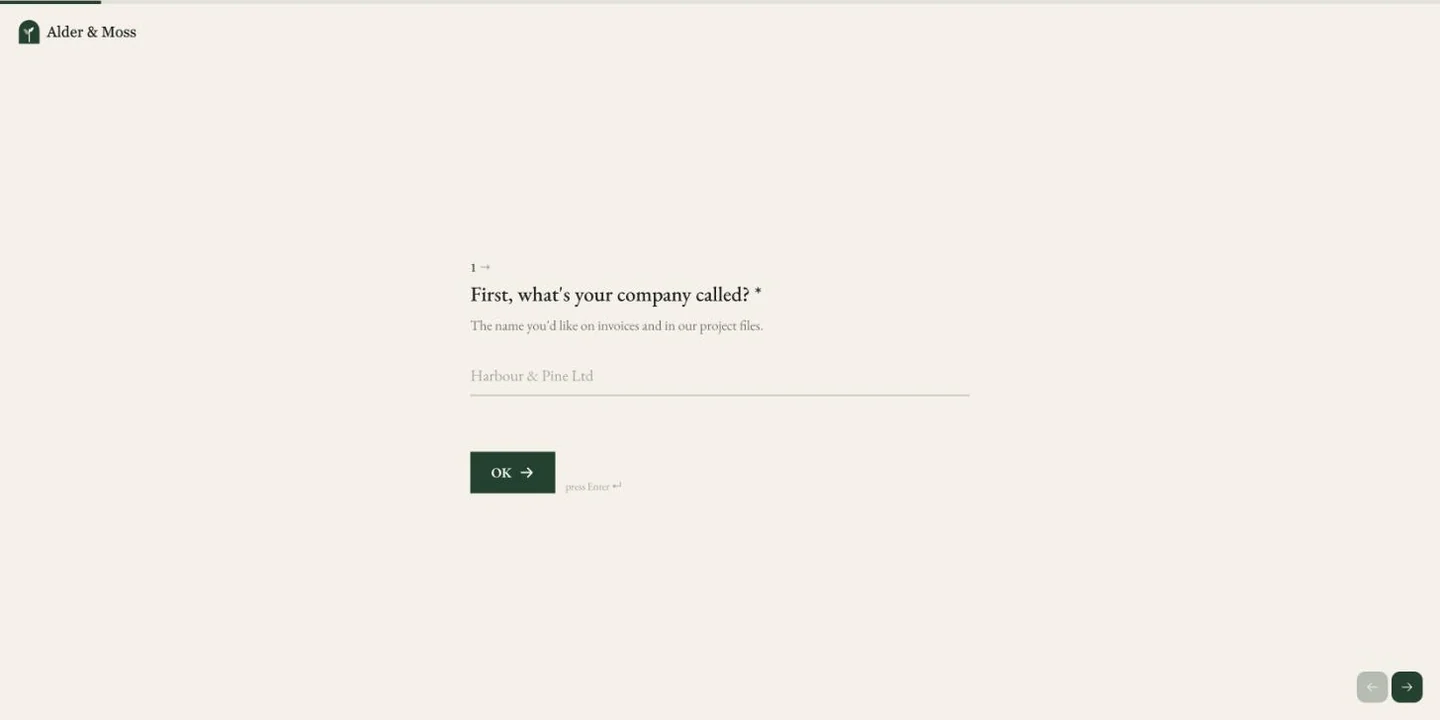
One question per screen
A welcome screen, then one question at a time, so surveys feel short.
Once the questions are in, the rest is quick.
Add the follow-ups, make it look like you, share it and watch the answers come in.
Follow-ups that fit the answer
A rule shows a question only when an earlier answer calls for it, so an unhappy customer gets a different follow-up from a delighted one.
Your colours, fonts and logo
Start from a theme, then set the colours, font, buttons and corners, and put your logo on every screen.
One link, or on your website
Publish and share the link, or paste the embed code into your site, where the form grows to its own height.
Every answer in one table
Responses arrive as rows that open into the full answers. Download them as a CSV for Excel or Google Sheets.
Start from a form that already works.
Each template is a finished form with its questions, logic and look in place. Change the words and it’s yours.
 Client intakeContacts, goals, the accounts you’ll need and who signs off, gathered before the kickoff call.Client Onboarding
 Feedback surveysA two-minute score with a different follow-up for unhappy, neutral and delighted customers.Customer Feedback Survey
 Event registrationAttendee details, pass type, sessions and dietary needs on one page, with guest questions only for a plus-one.Event Registration
 HiringFour short steps, with a follow-up only for people who need sponsorship.Job Application
Find the right starting point, or describe yours and let Docsiv AI draft it.
Explore all templatesCommon questions.
Something else on your mind? Ask us in the chat, bottom right of the page.
Is the form builder free?
Yes, with a free Docsiv account. Building forms, publishing a link and collecting responses are all on the Free plan. Forms on the Free plan carry a small “Made with Docsiv” link at the bottom, which paid plans can turn off; paid plans also add more AI credits, members and e-signatures.
Why do I need an account to build a form?
Because a form is only useful once it collects answers, and those come back to your workspace. The account keeps the form and its responses together in Docsiv, where the people you work with can open them too.
Do people need an account to fill it in?
No. Anyone with the form’s link can open it and respond without signing in or creating anything.
Which question types can I use?
Short text, paragraph, email, number, date, multiple choice, checkboxes, dropdown, star rating, linear scale and a typed signature, where people sign by typing their full name. Section breaks, text blocks, images and dividers lay the form out.
Can people upload files through the form?
Not yet. There’s a file upload question, and it works when you fill the form in yourself in Preview, but shared links leave it out for now. Until it’s there, ask for a link to the files in a short text question.
Does it support conditional logic?
Yes. A rule looks at an earlier answer (is, is not, is one of, greater than, less than, answered or empty) and shows or hides a question. In the one-question-per-screen layout, a rule can also jump ahead or end the form.
Where do the responses go?
Into the form’s Responses tab: a table with a row per response, which opens into the full answers. Download them all as a CSV file for Excel, Google Sheets or Numbers whenever you need them elsewhere.
Can I put the form on my website?
Yes. Copy the embed code from the form’s link panel and paste it into your site: the form sits in the page and grows to its own height. You can also send people to a page of yours after they submit.
What would you like to ask?
Describe the form and who it’s for, and Docsiv AI drafts the questions, the logic and the look. Free with an account.