

AI report generator for agencies
Attach the month’s exports and Docsiv AI writes the client report: the summary, what changed and why, charts and next month’s plan, on designed pages in your brand or theirs. You check it, share it and see it read.
The Reports app and Docsiv AI come with a free account.

The report, not the dashboard.
Dashboards such as Looker Studio or AgencyAnalytics collect the numbers. Docsiv turns a month of them into the document your client reads: what happened, why, and what you’ll do next.
- Your numbers
- Google Analytics export
- Search Console export
- Ad platform export
- Last month’s report
CSV or Excel exports, pasted figures, PDFs and notes.
- Docsiv AI
- Reads the figures and last month’s
- Writes the summary and what changed
- Builds charts and tables you can edit
- Plans next month with you
You check every figure before it goes out.
- The report
- A link or a published page
- A PDF for their files
- Slides for the review call
Designed pages in your brand or your client’s.
Pages clients turn to first.
Six report templates, each a complete report with sample numbers in place: SEO, paid ads, social, a website audit, a quarterly business review and sales. Here’s the page from each that clients ask about.
- Keyword moversSEO Report
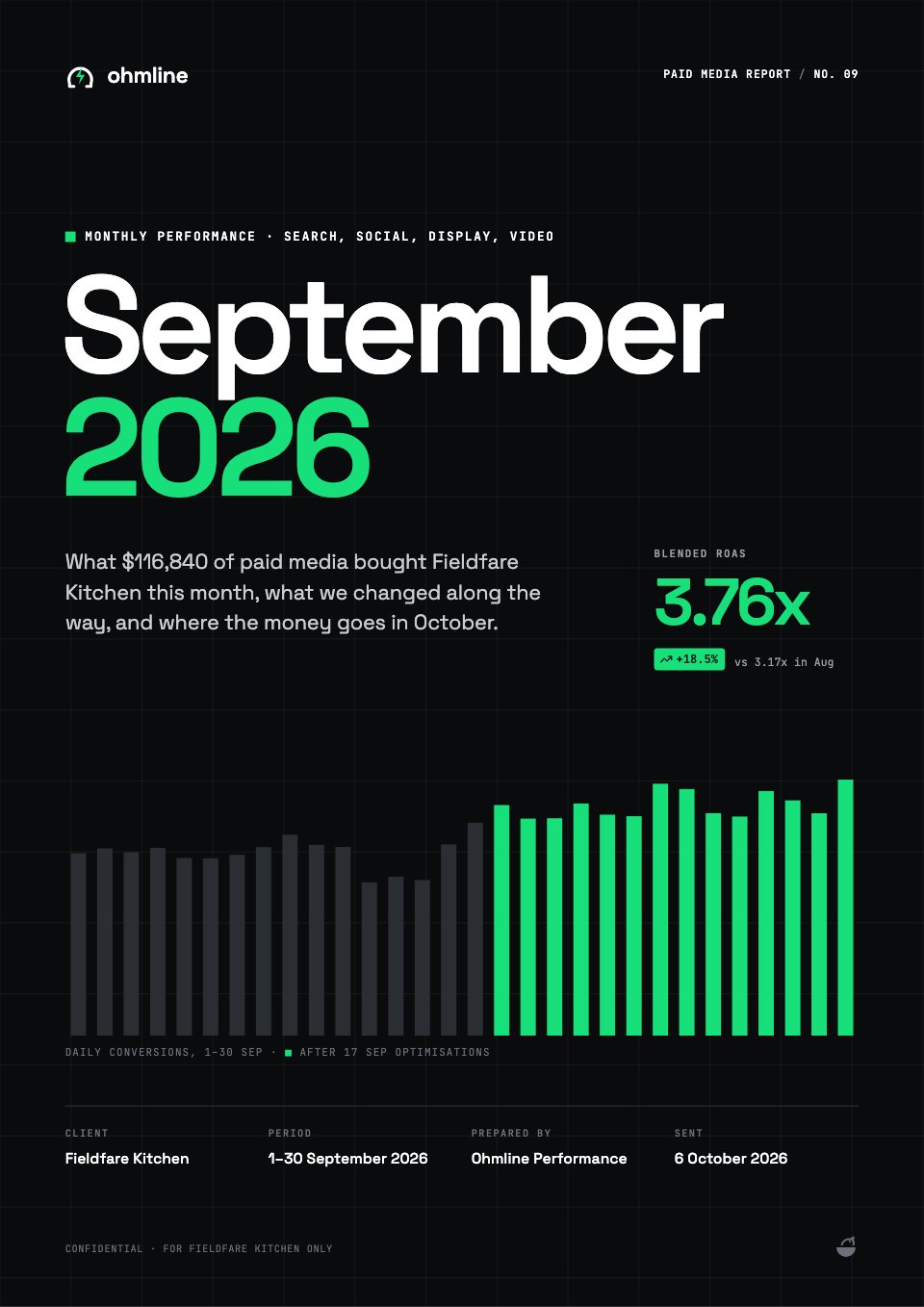
- Budget and pacingPaid Ads Report
- Top postsSocial Media Report
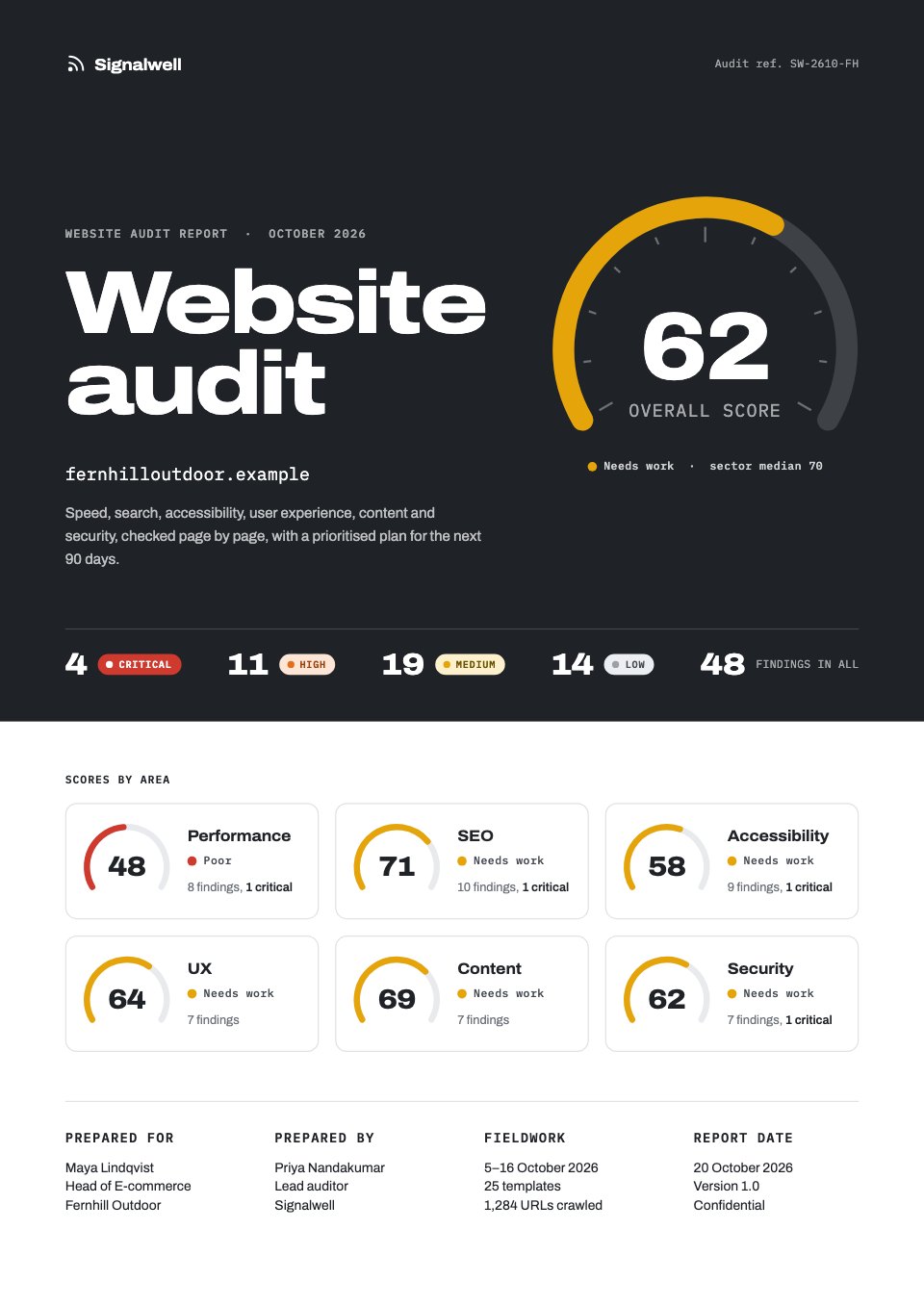
- Audit scorecardWebsite Audit
- Goals against resultsQuarterly Business Review
- Bookings against targetSales Report
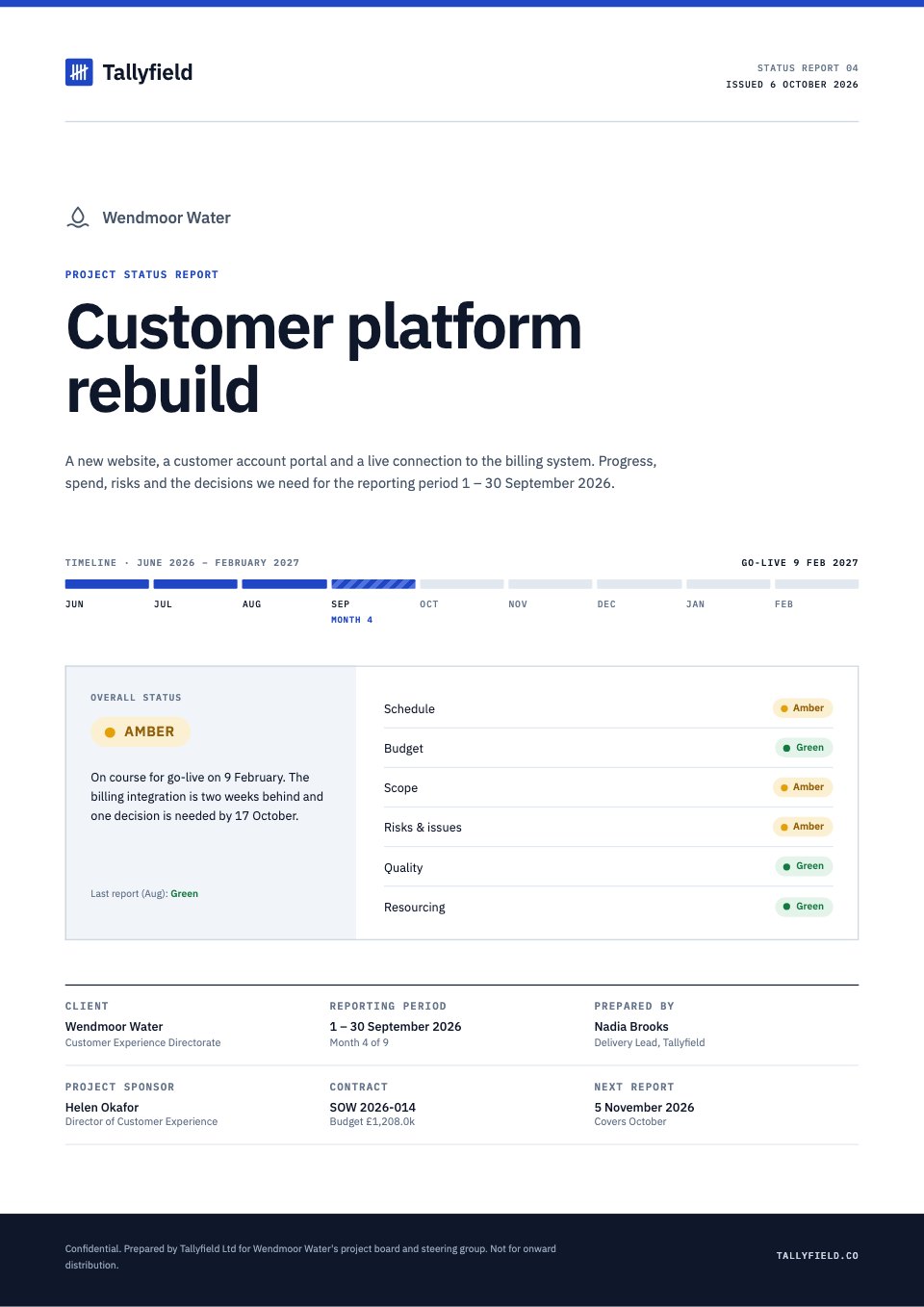
Monthly marketing, project status, research and annual reports too, and quarterly reviews as slides.
Explore all templatesMonth-end reporting, step by step.
The same five steps every month, for every client. What each needs is marked.
- Export the monthFree accountDownload this month’s numbers from your analytics and ad platforms as CSV or Excel, or copy the table.
- Ask for the reportFree accountAttach the exports and tell Docsiv AI which client and month. Point it at last month’s report in Drive to keep the same shape.
- Check every figureFree accountEach chart is drawn from labels and values you can open and edit. Read the summary against your source.
- Send itFree accountShare a link with the client as a viewer or commenter, publish it as a web page, or download a PDF.
- See it readPro and TeamAnalytics shows who opened it, for how long and which pages they stayed on.
Made for the client who reads it.
A report earns its place when the client opens it, understands it and replies. These help it do that.
- In your client’s brandAsk Docsiv AI for a client’s brand from their website and save it as a kit: logo, colours and fonts, ready for every report you make them.Free account
- Know it was readSee who opened the report, how long they spent and how far they read, page by page. Views are counted on every plan; Pro and Team show them.Pro and Team
- Questions on the pageShare the link as Can comment and clients pin questions to the chart they’re about. You answer in the thread, and the report stays the record.Free account
- Slides for the review callAsk Docsiv AI to turn the report into a deck for the quarterly review, then present it or export it to PowerPoint.Free account


In their own words.
What agencies and teams say after moving their client work into Docsiv.
The Boost GroupApsticVirtual XcellenceRecruit Hunt
“Proposals used to take a day across four tools. Now we send them branded from one place, and clients sign the same afternoon.”
“Our decks, proposals and reports live in one place now. The team works on the same files instead of passing versions around, and AI gets us to a first draft fast.”
“We replaced our proposal tool, our deck tool and our e-sign tool in one afternoon. Everything our clients see now goes out in our brand.”
RecruitHunt uses Docsiv for recruitment, staffing and AEC client work.
What it doesn’t do.
Docsiv writes and designs the report. Collecting the data and sending on a schedule stay with your other tools.
- No data connections
It doesn’t connect to Google Analytics, Search Console or ad accounts, so nothing updates by itself.
Export the month as CSV or Excel and attach it. - No scheduled reports
Reports aren’t built or emailed on a timetable.
Share the link or PDF when you’ve checked it. - No live client dashboards
A report is a document for one period, not a dashboard that refreshes.
Keep your dashboard tool for live numbers, and report from its export. - It doesn’t check its own figures
The AI can misread a column or a date range in an export.
Check every figure against its source before you send.
Comparing reporting tools?
Side by side with tools agencies use for client documents, and the free report tools that come with a free account.
Compare
Free tools
Common questions.
Something else? Ask us in the chat, bottom right of the page, or see pricing.
How does Docsiv write a client report?
Attach the month’s exports, such as a CSV from Google Analytics or an Excel file from your ad platform, or paste the figures, and tell Docsiv AI the client and the month. It writes the summary, what changed and why, and next month’s plan onto designed report pages with charts and tables. You check it and send it.
Does it connect to Google Analytics or ad platforms?
No. Docsiv doesn’t pull data from Google Analytics, Search Console or ad platforms. Export the numbers as CSV or Excel and attach them, or keep your dashboard tool and bring its export.
Can it keep the same structure every month?
Yes. Ask Docsiv AI to use last month’s report in your Drive as the model, and it keeps the pages and order with this month’s numbers. Or start each month from the same template.
How accurate are the numbers?
The AI works from the figures you give it, and every chart is drawn from labels and values you can open and check. Read each figure against your source before you send: the AI can misread a column or a date range.
Can I put each report in my client’s brand?
Yes. Ask Docsiv AI for the client’s brand from their website and save it as a brand kit, then ask for the report in that brand. Or use your own agency’s brand.
Can I see whether the client read it?
On Pro and Team, Analytics shows who opened a shared or published report, how long they spent and how far they read, page by page.
How much does it cost?
Reports and their templates are on every plan. Docsiv AI uses credits: Free includes 500 a month, Pro ($20 a month) 10,000, and Team ($60 a month for up to five people) 35,000 shared.
Can I turn a report into slides?
Yes. Ask Docsiv AI to make a deck from the report, then present it or export it as PowerPoint or PDF.













Write this month’s client report
Attach the month’s exports and name the client, and get a designed report with a summary, charts and next steps to check and share.