

Create vector graphics online
Draw logos, icons and illustrations with the pen and shape tools, open your own SVG, AI or EPS, or describe one and let AI draw it. Export SVG, PDF, PNG or Illustrator.
A real vector editor, in your browser.
The tools you know from a desktop design app, with nothing to install. Everything you draw stays a vector, sharp at any size.
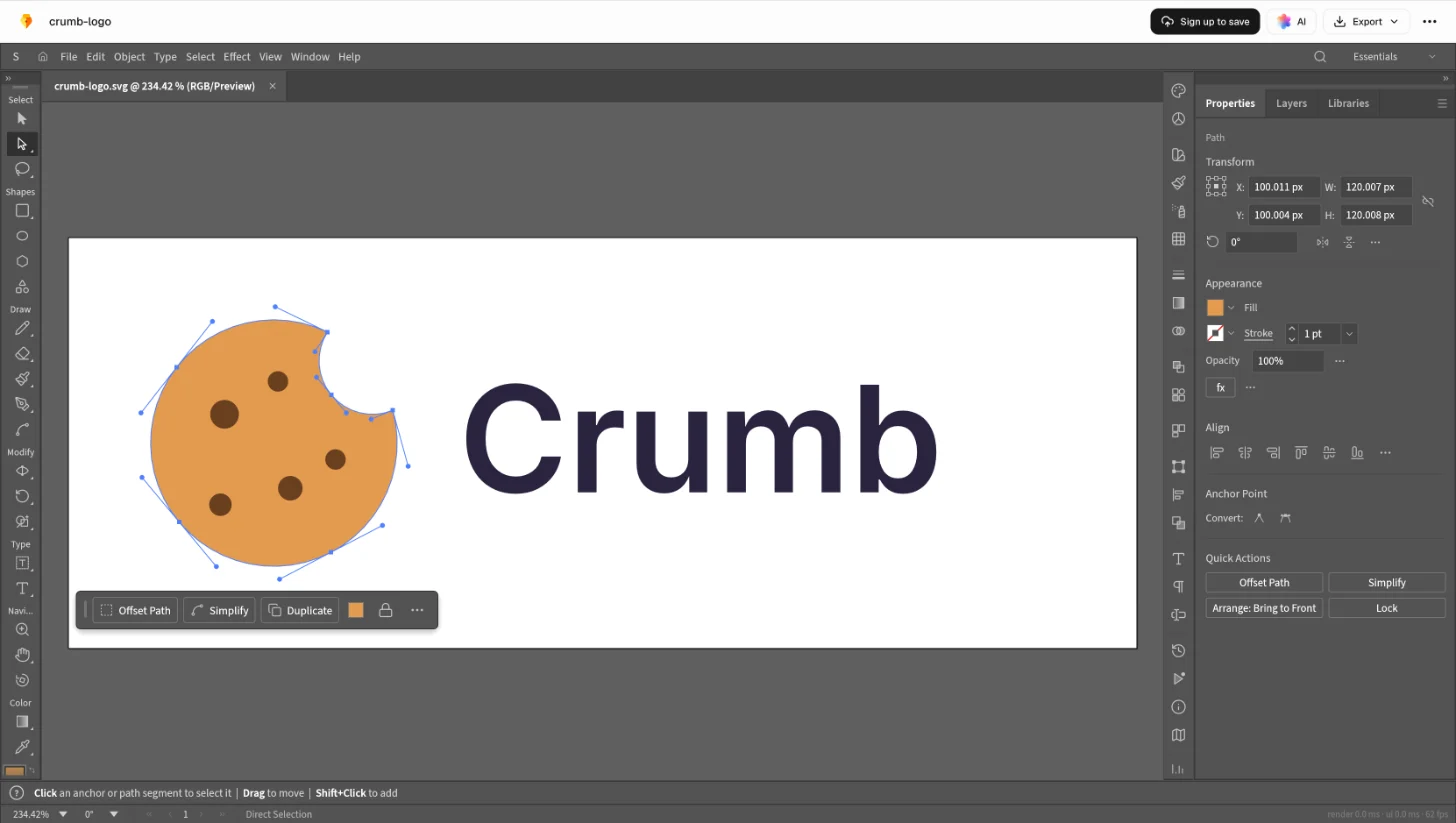
The tools a logo is drawn with.
Pen, shapes, text and layers, the way a desktop design app has them.
Draw curves with the pen
Click for a corner, drag for a curve, then move any anchor point or handle to shape it exactly.
Combine shapes with Pathfinder
Take one shape from another, join them or keep where they overlap. A cookie’s bite is one circle minus another.
Set the name beside the mark
Type the name in the font you want, then keep it as text or turn it into shapes.
Keep it tidy in layers
Group the parts of a logo and arrange them in layers, so the next change is quick to make.
How to make vector art online.
Start from a blank artboard, from your own artwork, or from a description that AI turns into shapes you can edit.
- Step 1
Start it
Describe it for Docsiv AI in the box at the top of this page, open an SVG, AI or EPS, or start blank.
- Step 2
Shape it
Select a shape to move, scale or rotate it, or drag its anchor points to change the curve.
- Step 3
Colour it
Pick new fills and strokes, or add a gradient where a flat colour isn’t enough.
- Step 4
Download it
Download the format you need, or save it to your workspace Drive to come back to.
Export the format the drawing needs.
One drawing, four destinations. Choose the format by where it’s going next.
- .svg
For a website or an app
Sharp at every size and light to load. Fewer points make a smaller file.
- .png
For slides and profiles
Opens anywhere. Export it at twice the size it’s shown, so it stays sharp.
- .pdf
For a printer
Keeps the vectors, so the logo prints crisply from a business card to a banner.
- .ai
For a designer
A new .ai opens in Illustrator, so they can carry on with the artwork there.
Common questions.
Something else on your mind? Ask us in the chat, bottom right of the page.
Is the vector editor free?
Yes. Drawing, editing and exporting are included on the Free plan, along with saving to your workspace Drive, sharing by link and Docsiv AI.
What can I make with it?
Logos, icons, badges, monograms, spot illustrations and simple diagrams: anything that should stay sharp at every size, from a favicon to a banner.
Can AI draw it for me?
Yes, with a free account. Describe it in the box at the top of this page and Docsiv AI draws it in the editor as real paths and shapes, so you can reshape, recolour and export it like anything you drew yourself.
Which tools does it have?
A pen for curves and straight lines, shape tools, direct selection for anchor points and handles, fills, strokes and gradients, Pathfinder to combine shapes, text, layers and groups.
Which formats can I export?
SVG for websites and apps, PDF for print, PNG for slides, documents and social profiles, and Illustrator (.ai) for a designer who works in Illustrator.
Can I edit artwork I already have?
Yes. Drop an SVG, Illustrator (.ai) or EPS file in the box at the top of this page and it opens in the editor, in your browser, with its shapes, groups and text ready to change.
Is my drawing saved?
Yes, when you save: it’s kept in your workspace Drive, so you can come back to it and share it by link.
Have a logo or an icon in mind?
Describe it and Docsiv AI draws it in the vector editor, as paths you can reshape, recolour and export as SVG.