

What’s inside the Certificate of Completion.
3 posts with real content in place. Rewrite them, reorder them, or add your own.
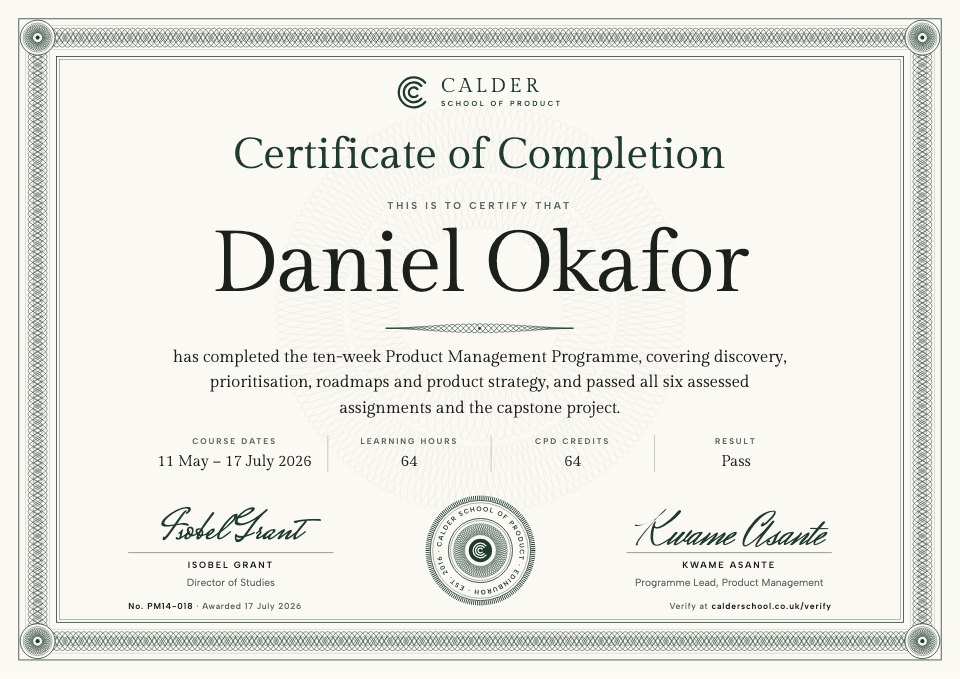
- 1Post 1A certificate of completion: a fine green guilloche frame, the recipient's name large, the course in one sentence, its dates, hours, CPD credits and result, two signatures, an engraved seal and a verification line
- 2Post 2A certificate of achievement with distinction: the guilloche in green and ochre, an ochre seal at the top, the final mark, capstone grade and CPD credits
- 3Post 3A certificate of appreciation for a mentor or guest speaker on a pale tint, set to the left, with what they did in one sentence and a large seal at the lower right
When to use it.
Certificate of Completion is a set of three A4 landscape certificates for training providers, course creators and teams that run their own programmes: a certificate of completion with the course dates, learning hours, CPD credits and result, a certificate of achievement for learners who finish with distinction, and a certificate of appreciation for mentors and guest speakers. Each has a fine engraved guilloche border, a seal, two signatures, a certificate number and a verification link, so it looks official enough to frame and is easy to check.
Made for
- Training providers and course leaders
- Companies running internal academies
- Event organisers thanking speakers
- Coaches and workshop hosts
Make it yours in four steps.
Open it in Designs and work through it, or let Docsiv AI do the first pass with your details.
- Step 1
Swap the school's mark, name and seal lettering for your own organisation's.
- Step 2
Type in each person's name, then edit the course, dates, hours, CPD credits and result.
- Step 3
Change the signatories' names and titles, and give every certificate its own number and verification link.
- Step 4
Export each certificate as a PDF or image to print, frame or send by email.
Start from the Certificate of Completion now.
Questions about this template.
Something else on your mind? Ask us in the chat, bottom right of the page.
Is the Certificate of Completion template free?
Yes. Create a free account and it opens in Docsiv's Designs app, ready to edit and share. The Free plan includes every Docsiv app and 500 AI credits a month.
Can I change the colours, fonts and text?
Yes, all of it. The template uses Gilda Display and Albert Sans and Mrs Saint Delafield and Herr Von Muellerhoff with #fbf9f3, #1f3a30, #9a6a1f, #1b201d, #f3f0e5, and you can change any of them, rewrite every word and add or remove pages.
What can I export it as?
Designs in Docsiv offers: PNG, PDF and HTML exports. Once it's saved, you can also share it with a link.
Can Docsiv AI write the certificate of completion for me?
Yes. Tell Docsiv AI about the client or project and it can draft the content in this template's style, which you then review and edit. AI uses credits; the Free plan includes 500 a month.






Start your certificate with Docsiv AI
Describe the client or the project and Docsiv AI writes a first draft of your certificate of completion for you to edit, share and send.