

What’s inside the LinkedIn Carousel.
8 posts with real content in place. Rewrite them, reorder them, or add your own.
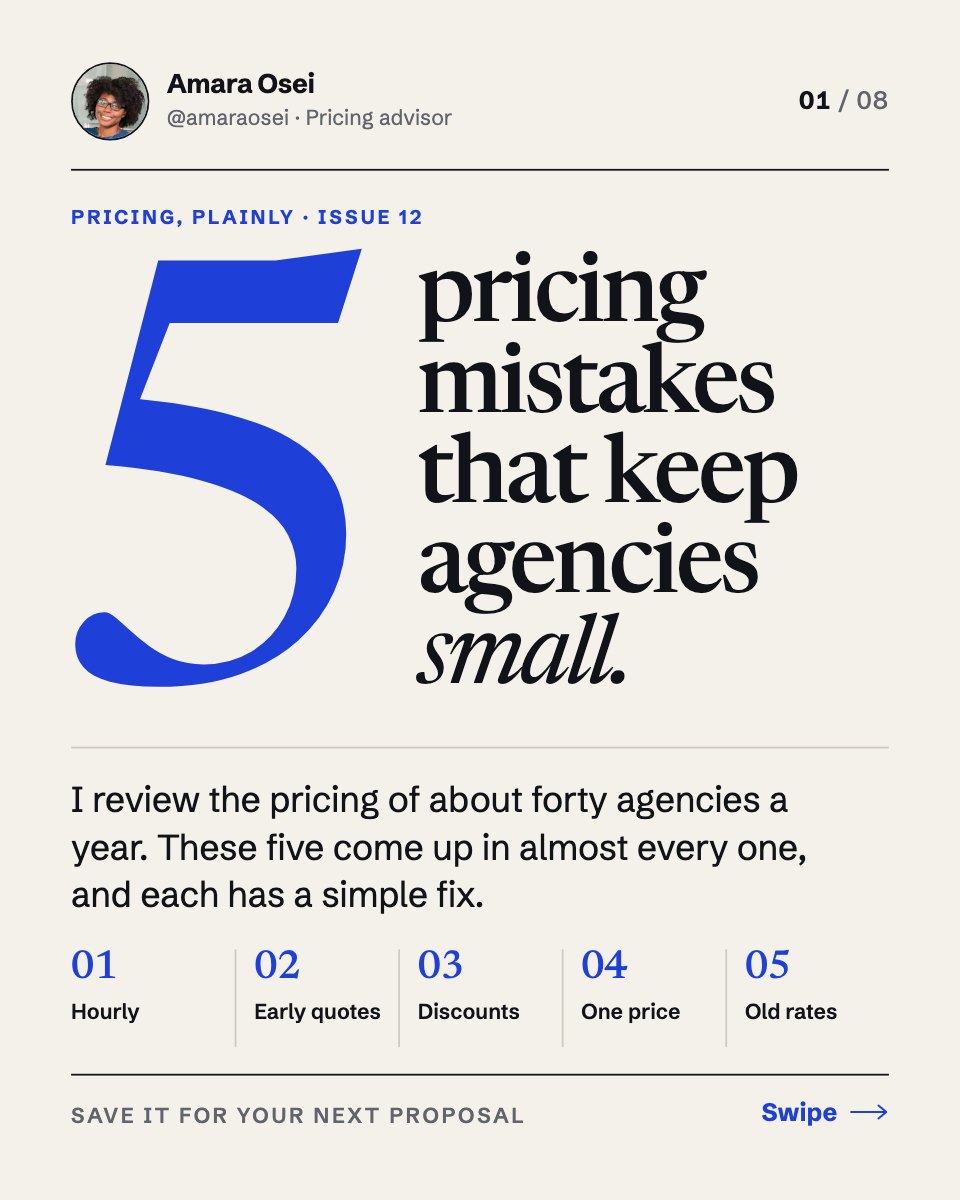
- 1Post 1A cover hook with a giant cobalt 5, a serif headline, a standfirst and a five-part contents strip
- 2Post 2Mistake one, pricing by the hour, with a bar chart of the same job at year one and year three
- 3Post 3Mistake two, quoting on the first call, with a three-step timeline to the proposal
- 4Post 4Mistake three, discounting to close, with cost and profit bars
- 5Post 5Mistake four, sending one price, with three pricing tiers and the middle one picked
- 6Post 6Mistake five, never raising your rates, with a line chart of rising costs against a flat rate
- 7Post 7A summary slide: five things to stop and what to start instead
- 8Post 8A cobalt call-to-action slide with the author's photo and follow, save and DM asks
When to use it.
LinkedIn Carousel is an 8-slide thought-leadership carousel for consultants, agency founders and anyone who teaches what they know on LinkedIn. It opens with a bold hook, gives one numbered point per slide with a short explanation and a small chart, sums up in a Stop / Start table and closes with a follow, save and DM call to action. Every slide carries your photo, name and handle, a slide counter and a swipe cue, in a crisp editorial look with one cobalt accent.
Made for
- Social media managers
- Brands announcing launches
- Event promoters
- Small businesses
Make it yours in four steps.
Open it in Designs and work through it, or let Docsiv AI do the first pass with your details.
- Step 1
Swap in your own photo, name and handle on the author tag.
- Step 2
Rewrite the hook and the five points around your topic, keeping each point to a headline and two or three sentences.
- Step 3
Edit the small charts and the Stop / Start summary to match your numbers and advice.
- Step 4
Set your asks on the final slide, then export the slides as a PDF and upload it to LinkedIn as a document post.
Start from the LinkedIn Carousel now.
Questions about this template.
Something else on your mind? Ask us in the chat, bottom right of the page.
Is the LinkedIn Carousel template free?
Yes. Create a free account and it opens in Docsiv's Designs app, ready to edit and share. The Free plan includes every Docsiv app and 500 AI credits a month.
Can I change the colours, fonts and text?
Yes, all of it. The template uses Newsreader and Schibsted Grotesk with #f4f1ea, #111318, #1e3fd8, #cfcac0, and you can change any of them, rewrite every word and add or remove pages.
What can I export it as?
Designs in Docsiv offers: PNG, PDF and HTML exports. Once it's saved, you can also share it with a link.
Can Docsiv AI write the LinkedIn carousel for me?
Yes. Tell Docsiv AI about the client or project and it can draft the content in this template's style, which you then review and edit. AI uses credits; the Free plan includes 500 a month.






Start your posts with Docsiv AI
Describe the client or the project and Docsiv AI writes a first draft of your LinkedIn carousel for you to edit, share and send.