

What’s inside the Event Flyer.
2 posts with real content in place. Rewrite them, reorder them, or add your own.
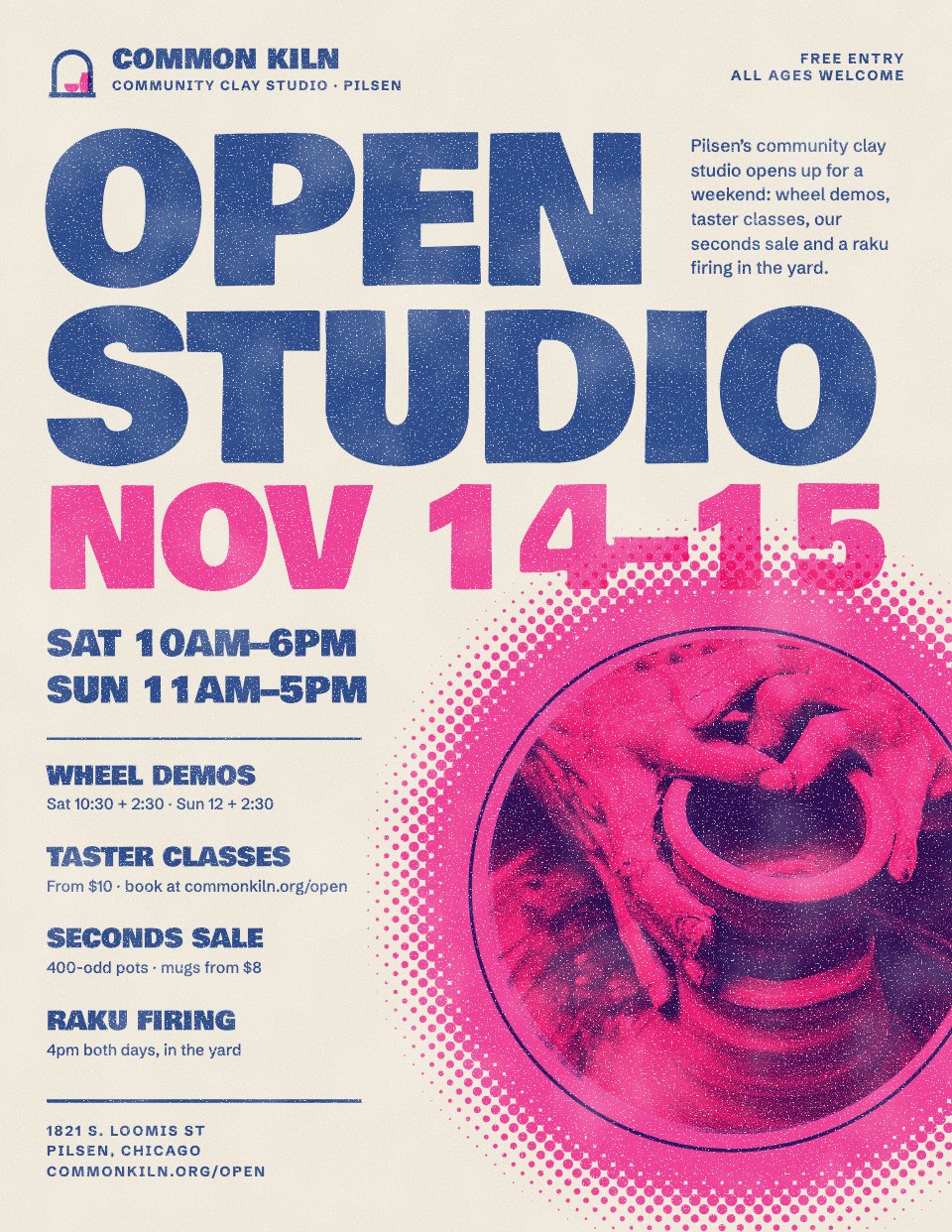
- 1Post 1The front: the event name, the dates and hours, a wheel photo in two inks on a halftone disc, the four things on and the address
- 2Post 2The back: the programme by time for both days, taster class prices, how to book, a drawn street map and opening hours
When to use it.
Event Flyer is a two-sided US Letter flyer for a workshop, open day, market or any local event, designed to look like it came off a neighbourhood riso press. The front does the selling at a glance: a big headline, the dates and hours, a two-ink photo on a halftone disc and the four things worth coming for. The back carries the detail people keep the flyer for: the programme by time for each day, prices, how to book, a drawn street map and opening hours.
Made for
- Studios and shops running open days
- Class and workshop hosts
- Community groups and venues
- Local businesses promoting an event
Make it yours in four steps.
Open it in Designs and work through it, or let Docsiv AI do the first pass with your details.
- Step 1
Put your name, logo, dates and hours on the front, and swap the photo for one of your own.
- Step 2
Rewrite the four line-up items, then update the programme times, names and rooms for each day on the back.
- Step 3
Set your prices and booking details, and redraw the map's streets and pin around your address.
- Step 4
Print it double-sided on Letter paper, or export a PDF to send to your print shop.
Start from the Event Flyer now.
Questions about this template.
Something else on your mind? Ask us in the chat, bottom right of the page.
Is the Event Flyer template free?
Yes. Create a free account and it opens in Docsiv's Designs app, ready to edit and share. The Free plan includes every Docsiv app and 500 AI credits a month.
Can I change the colours, fonts and text?
Yes, all of it. The template uses Bowlby One and Schibsted Grotesk with #f4eee1, #ff48b0, #3255a4, #321871, and you can change any of them, rewrite every word and add or remove pages.
What can I export it as?
Designs in Docsiv offers: PNG, PDF and HTML exports. Once it's saved, you can also share it with a link.
Can Docsiv AI write the event flyer for me?
Yes. Tell Docsiv AI about the client or project and it can draft the content in this template's style, which you then review and edit. AI uses credits; the Free plan includes 500 a month.



Start your flyer with Docsiv AI
Describe the client or the project and Docsiv AI writes a first draft of your event flyer for you to edit, share and send.