

What’s inside the Event Poster.
2 posts with real content in place. Rewrite them, reorder them, or add your own.
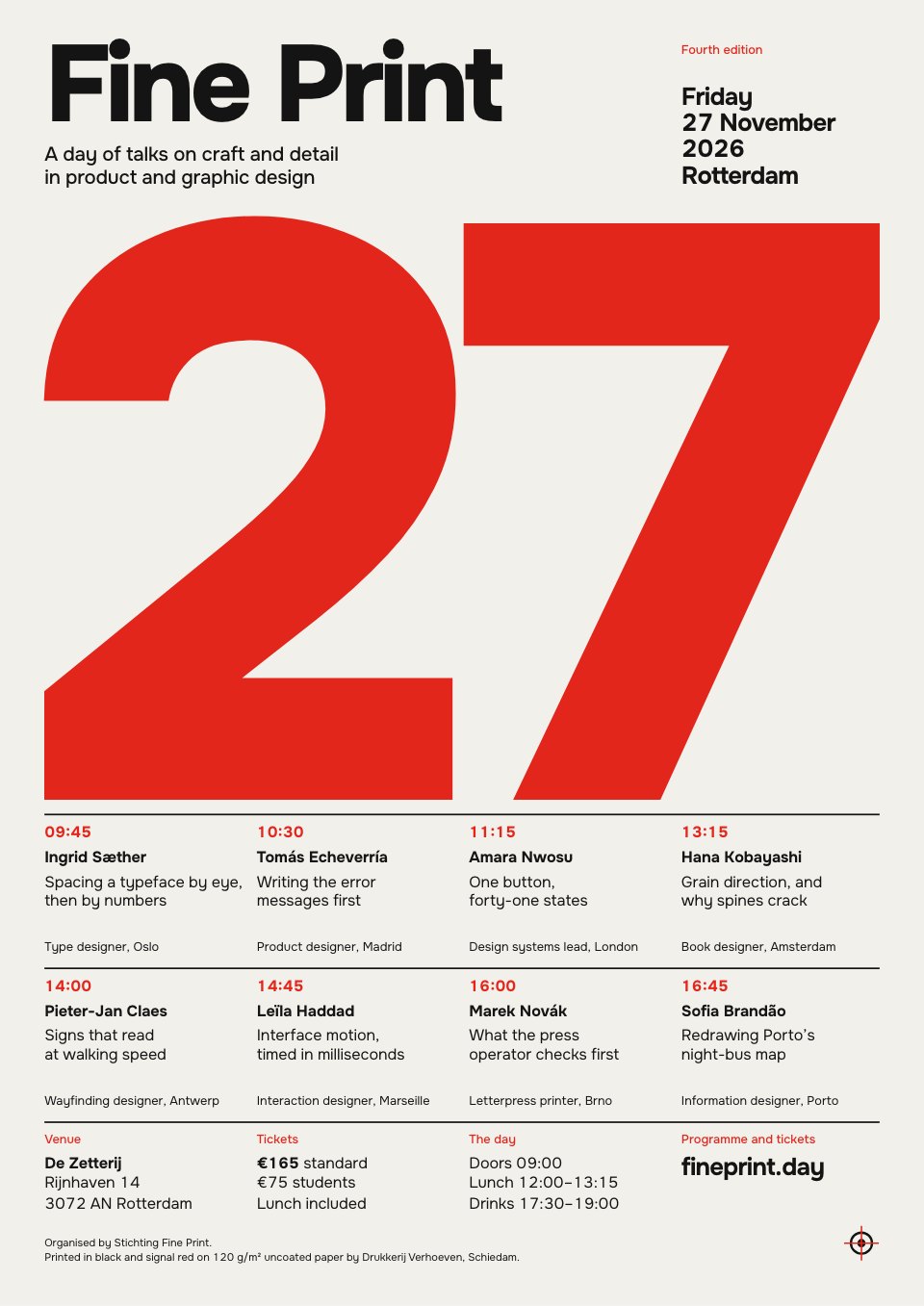
- 1Post 1The event poster: the date set huge in signal red on newsprint, the name and date block above, eight talks on a four-column grid, then the venue, tickets and web address
- 2Post 2A speaker poster in the same grid, flooded red: the talk number knocked out huge, the speaker's name, their talk and a short abstract beside a small black-and-white portrait
When to use it.
Event Poster is a two-poster A3 set for a talks event, conference or lecture series, designed in the International Typographic Style. The main poster sets the date huge in signal red as its only image, with the event name above, eight talks on a four-column grid and the venue, ticket prices and web address below. A matching speaker poster floods the sheet red, sets the talk number large and pairs the speaker's name, talk and a short abstract with a small black-and-white portrait. A strict grid and black plus one spot colour keep it clear from across a room.
Made for
- Event and conference organisers
- Design schools and studios
- Galleries and venues
- Talk series and meetups
Make it yours in four steps.
Open it in Designs and work through it, or let Docsiv AI do the first pass with your details.
- Step 1
Change the event name, date and city in the header, then type the day into the big numeral.
- Step 2
Replace the eight talks with your own times, speakers, roles and talk titles.
- Step 3
Update the venue, ticket prices and web address in the footer of both posters.
- Step 4
Duplicate the speaker poster for each talk, swap the number, name, abstract and portrait, then export as PDF and print at A3.
Start from the Event Poster now.
Questions about this template.
Something else on your mind? Ask us in the chat, bottom right of the page.
Is the Event Poster template free?
Yes. Create a free account and it opens in Docsiv's Designs app, ready to edit and share. The Free plan includes every Docsiv app and 500 AI credits a month.
Can I change the colours, fonts and text?
Yes, all of it. The template uses Onest with #f2f0ea, #141414, #e3261c, and you can change any of them, rewrite every word and add or remove pages.
What can I export it as?
Designs in Docsiv offers: PNG, PDF and HTML exports. Once it's saved, you can also share it with a link.
Can Docsiv AI write the event poster for me?
Yes. Tell Docsiv AI about the client or project and it can draft the content in this template's style, which you then review and edit. AI uses credits; the Free plan includes 500 a month.



Start your poster with Docsiv AI
Describe the client or the project and Docsiv AI writes a first draft of your event poster for you to edit, share and send.