

What’s inside the Real Estate Posts.
7 posts with real content in place. Rewrite them, reorder them, or add your own.
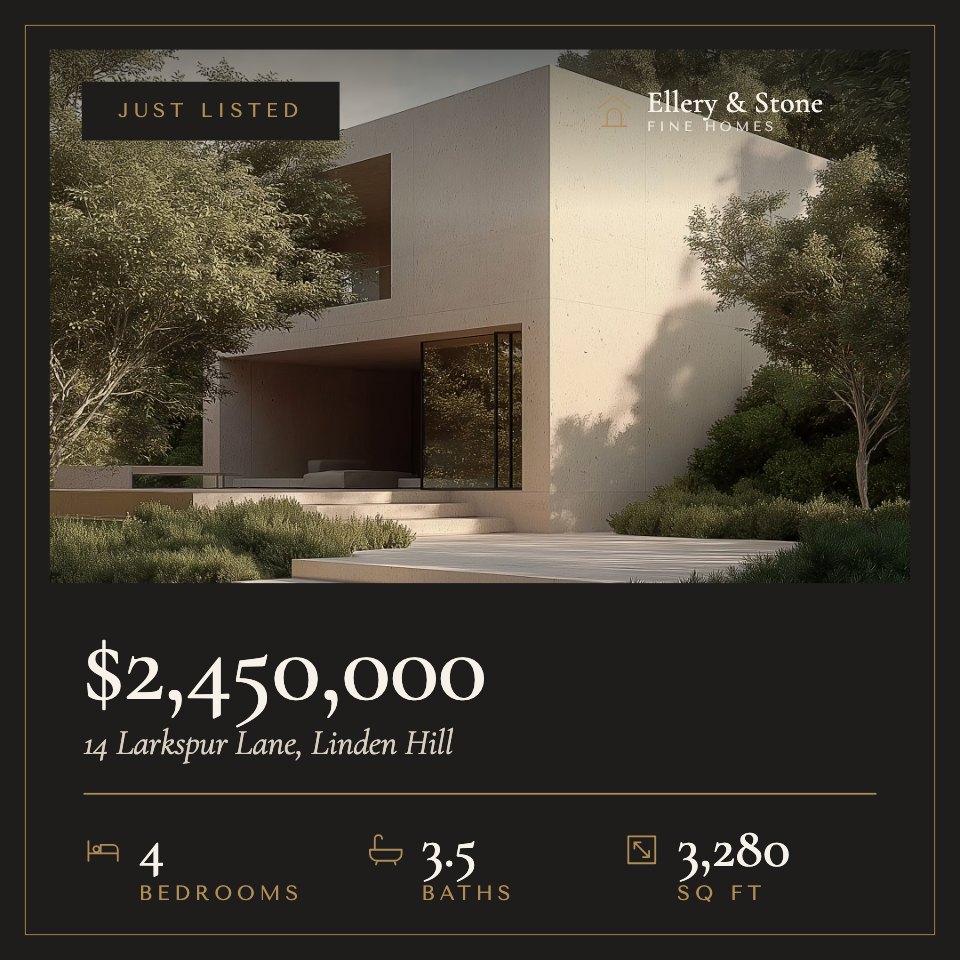
- 1Post 1A just-listed post on charcoal: a hero photo, the price, the address and bed, bath and square-foot icons
- 2Post 2An open house invitation with the date, time and address beside a tall photo
- 3Post 3A room-by-room photo grid with captions: living room, kitchen, bedroom and garden
- 4Post 4An under-offer update in a framed warm-white panel over a full-bleed photo
- 5Post 5A sold post with a round brass stamp, the days on market, offers and price achieved
- 6Post 6A market update on charcoal with a bar chart of average prices and three key numbers
- 7Post 7An agent introduction with an arched portrait, a short bio and contact details
When to use it.
Real Estate Posts is a set of seven square posts that follow a home from first listing to final sale: just listed with price, beds, baths and square feet, an open house invitation, a room-by-room photo grid, under-offer and sold updates, a market report with a bar chart, and an agent introduction. Charcoal, warm white and brass with an elegant serif and thin frames give every post the calm, upscale feel of a boutique agency.
Made for
- Social media managers
- Brands announcing launches
- Event promoters
- Small businesses
Make it yours in four steps.
Open it in Designs and work through it, or let Docsiv AI do the first pass with your details.
- Step 1
Swap in your agency name, logo and brand colours.
- Step 2
Replace the photos with your own listing shots and agent portrait.
- Step 3
Update the price, address, room counts, dates and market figures for each property.
- Step 4
Export each post as an image and share it on Instagram, Facebook or LinkedIn.
Start from the Real Estate Posts now.
Questions about this template.
Something else on your mind? Ask us in the chat, bottom right of the page.
Is the Real Estate Posts template free?
Yes. Create a free account and it opens in Docsiv's Designs app, ready to edit and share. The Free plan includes every Docsiv app and 500 AI credits a month.
Can I change the colours, fonts and text?
Yes, all of it. The template uses Cormorant Garamond and Tenor Sans with #1e1d1b, #f6f1e9, #b08d57, #d9cfc0, #6f675c, and you can change any of them, rewrite every word and add or remove pages.
What can I export it as?
Designs in Docsiv offers: PNG, PDF and HTML exports. Once it's saved, you can also share it with a link.
Can Docsiv AI write the real estate Instagram post for me?
Yes. Tell Docsiv AI about the client or project and it can draft the content in this template's style, which you then review and edit. AI uses credits; the Free plan includes 500 a month.









Start your posts with Docsiv AI
Describe the client or the project and Docsiv AI writes a first draft of your real estate Instagram post for you to edit, share and send.