

What’s inside the Media Kit.
8 pages with real content in place. Rewrite them, reorder them, or add your own.
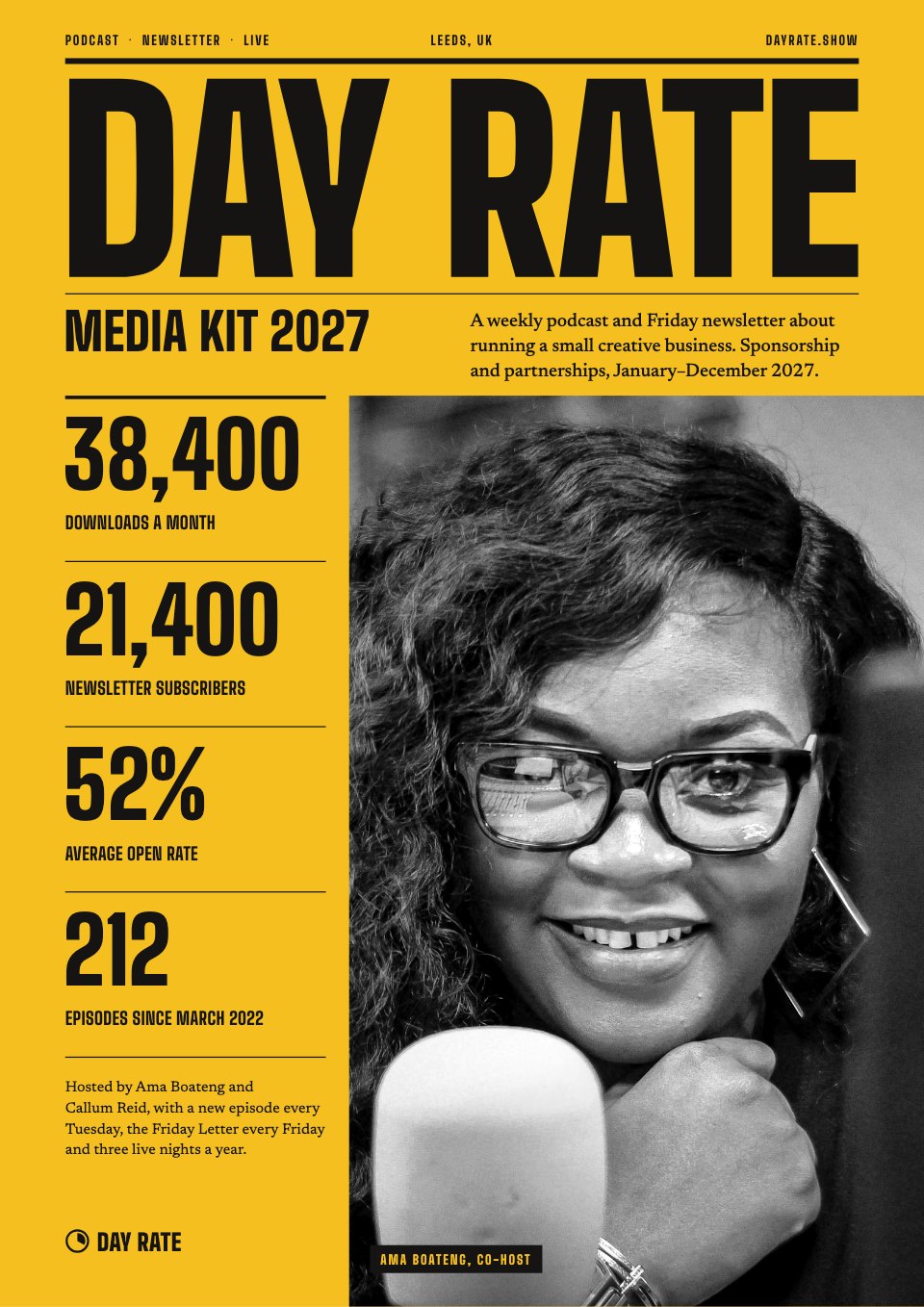
- 1Page 1A yellow cover with a giant masthead, a black-and-white host portrait and the four headline numbers
- 2Page 2The show and its hosts: what it covers, how often it comes out, two host bios and recent episodes
- 3Page 3Audience: survey results as bar and column charts, where listeners live and three facts about how they buy
- 4Page 4Reach by channel on a black page: monthly downloads, newsletter growth and open rate, social and live
- 5Page 5Past partners: eight partner logos, a press-room photo and three quotes with their results
- 6Page 6Sponsorship formats: four ways to sponsor with prices, and a timeline of where reads sit in an episode
- 7Page 7Rates and packages: a rate card, three packages with their savings and the booking terms
- 8Page 8Contact and booking: open slots for the next quarter, how booking works and contact details
When to use it.
Media Kit is an 8-page A4 media kit for podcasts, newsletters and independent creators who sell sponsorships. It opens with a bold cover showing your four headline numbers, introduces the show and its hosts, charts who your audience is and breaks down reach by channel. Past partners appear with results in their own words, then each sponsorship format is explained, rates and packages are set out with savings worked out, and open booking slots sit beside your contact details. Big condensed figures and one signal yellow give it the confidence of a magazine's ad-sales kit.
Made for
- Podcasters and newsletter writers
- Creators selling sponsorships
- Independent publications
- Event organisers selling partnerships
Make it yours in four steps.
Open it in Reports and work through it, or let Docsiv AI do the first pass with your details.
- Step 1
Put your show's name in the masthead, and swap the cover numbers and host photo for your own.
- Step 2
Rewrite the show and host pages, then replace the audience results and reach figures, resizing the bars to match.
- Step 3
Add your partner logos and quotes you have permission to use, and set your own formats and prices.
- Step 4
Mark which booking slots are open, add your contact details and export a PDF to send to brands.
Start from the Media Kit now.
Questions about this template.
Something else on your mind? Ask us in the chat, bottom right of the page.
Is the Media Kit template free?
Yes. Create a free account and it opens in Docsiv's Reports app, ready to edit and share. The Free plan includes every Docsiv app and 500 AI credits a month.
Can I change the colours, fonts and text?
Yes, all of it. The template uses Big Shoulders and Newsreader with #f4bf1f, #151412, #f2eee6, #8b867c, #ddd6c8, and you can change any of them, rewrite every word and add or remove pages.
What can I export it as?
Reports in Docsiv offers: Report pages with charts, PDF and HTML exports. Once it's saved, you can also share it with a link.
Can Docsiv AI write the media kit for me?
Yes. Tell Docsiv AI about the client or project and it can draft the content in this template's style, which you then review and edit. AI uses credits; the Free plan includes 500 a month.












Start your media kit with Docsiv AI
Describe the client or the project and Docsiv AI writes a first draft of your media kit for you to edit, share and send.