

What’s inside the Employment Contract.
8 pages with real content in place. Rewrite them, reorder them, or add your own.
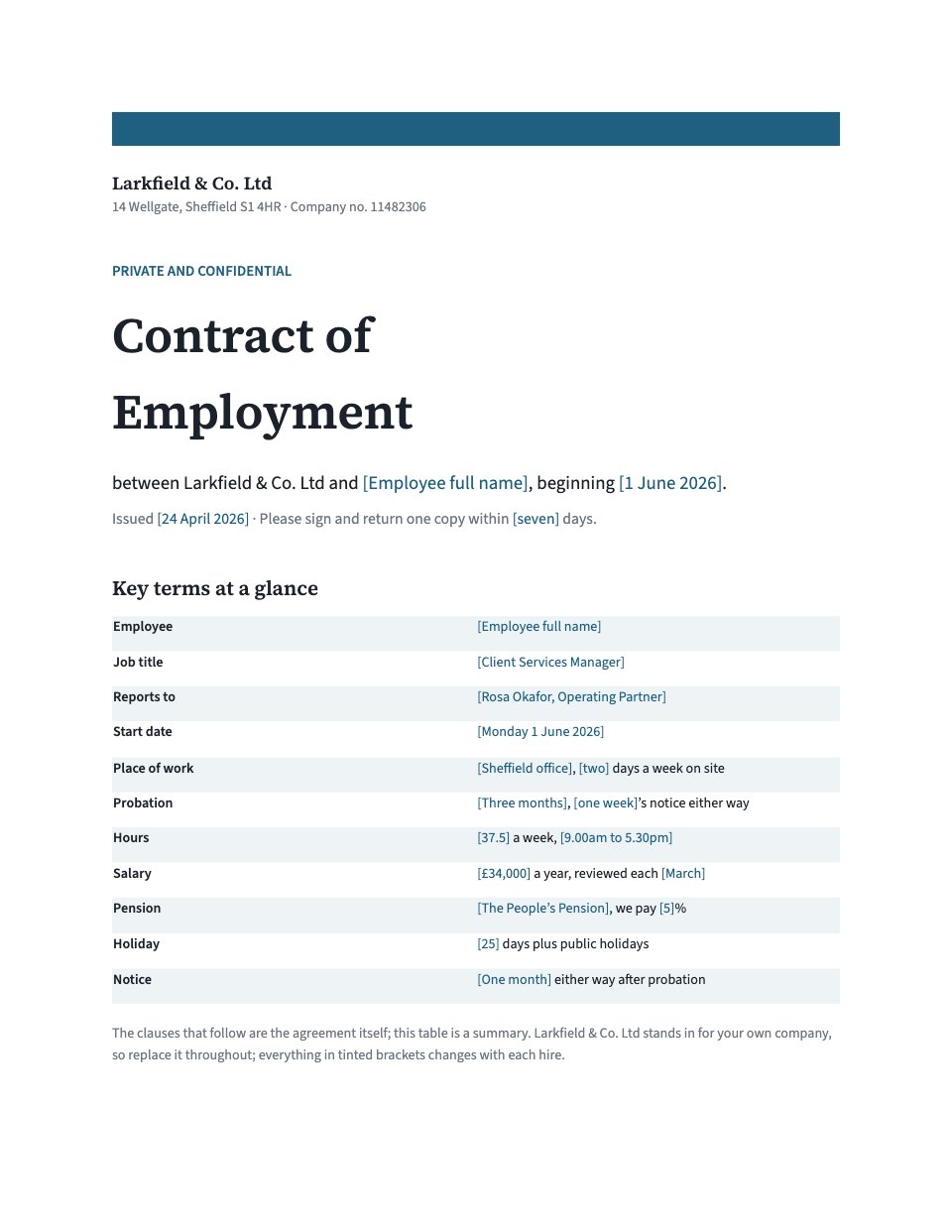
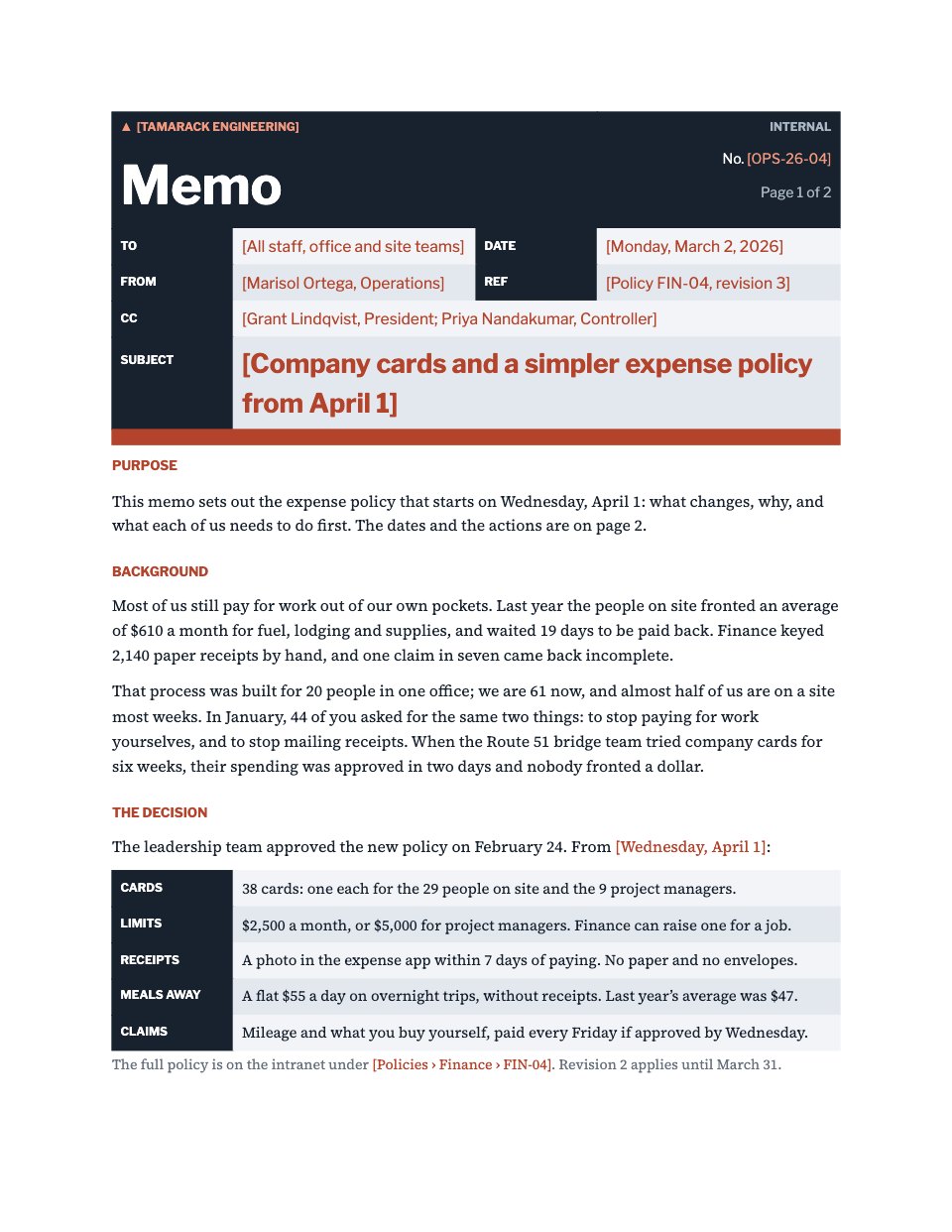
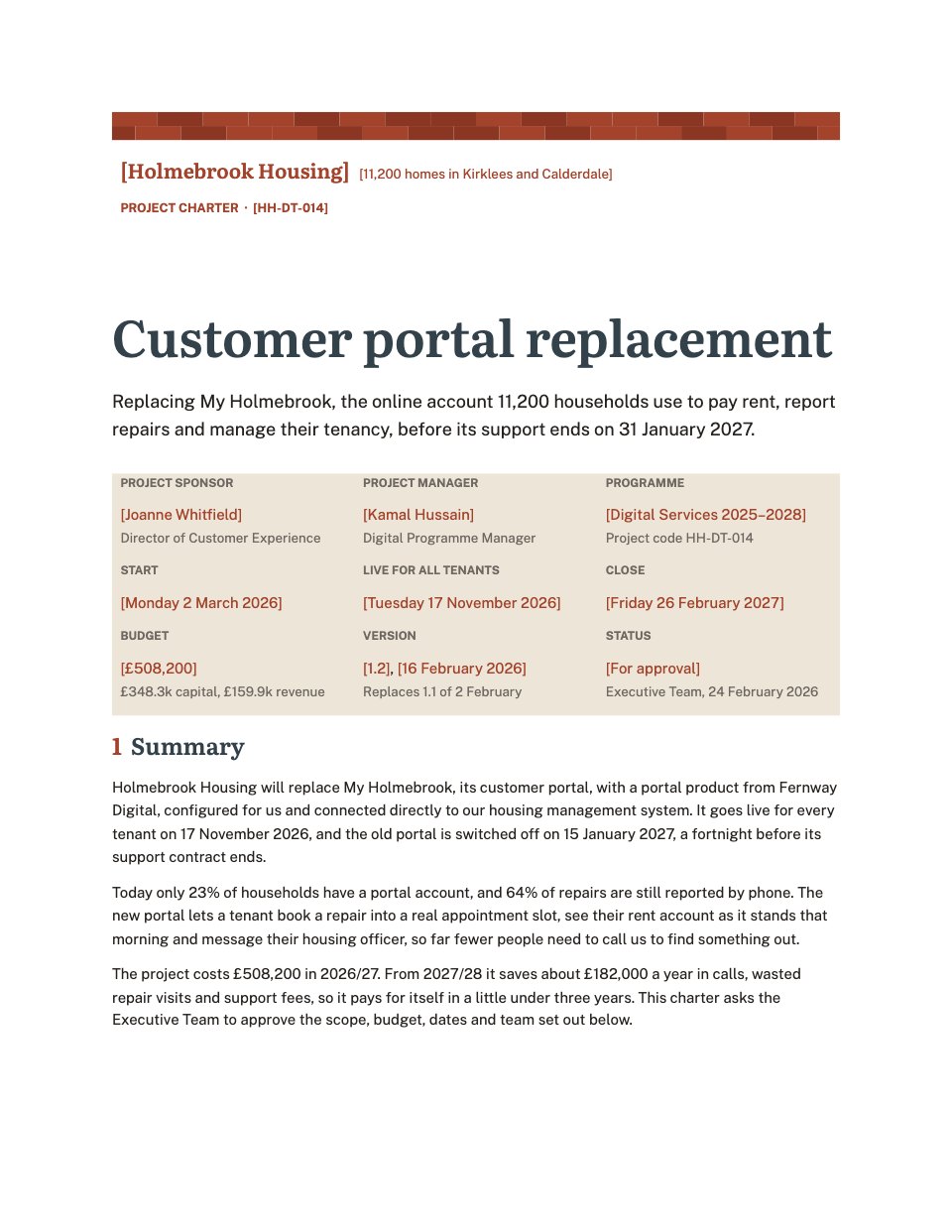
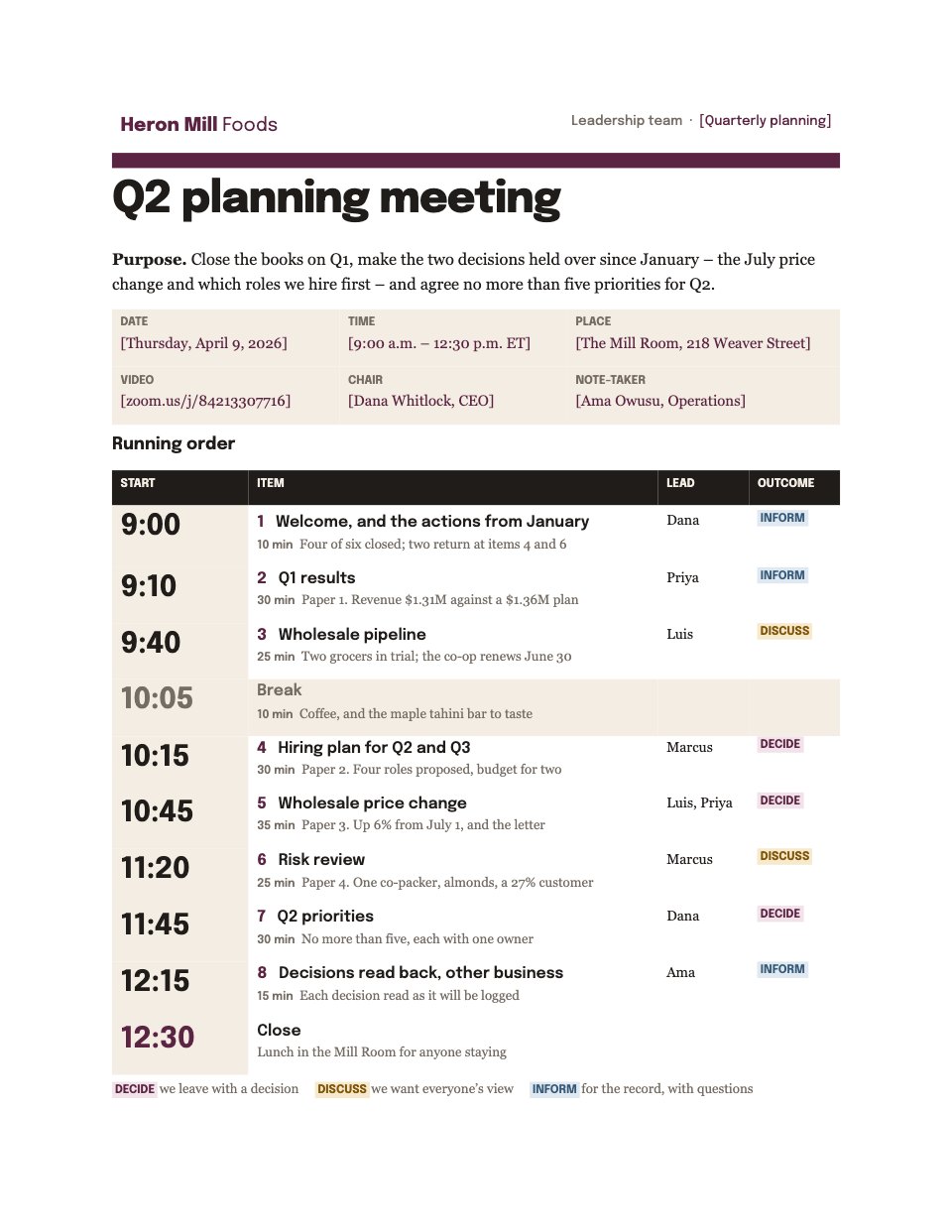
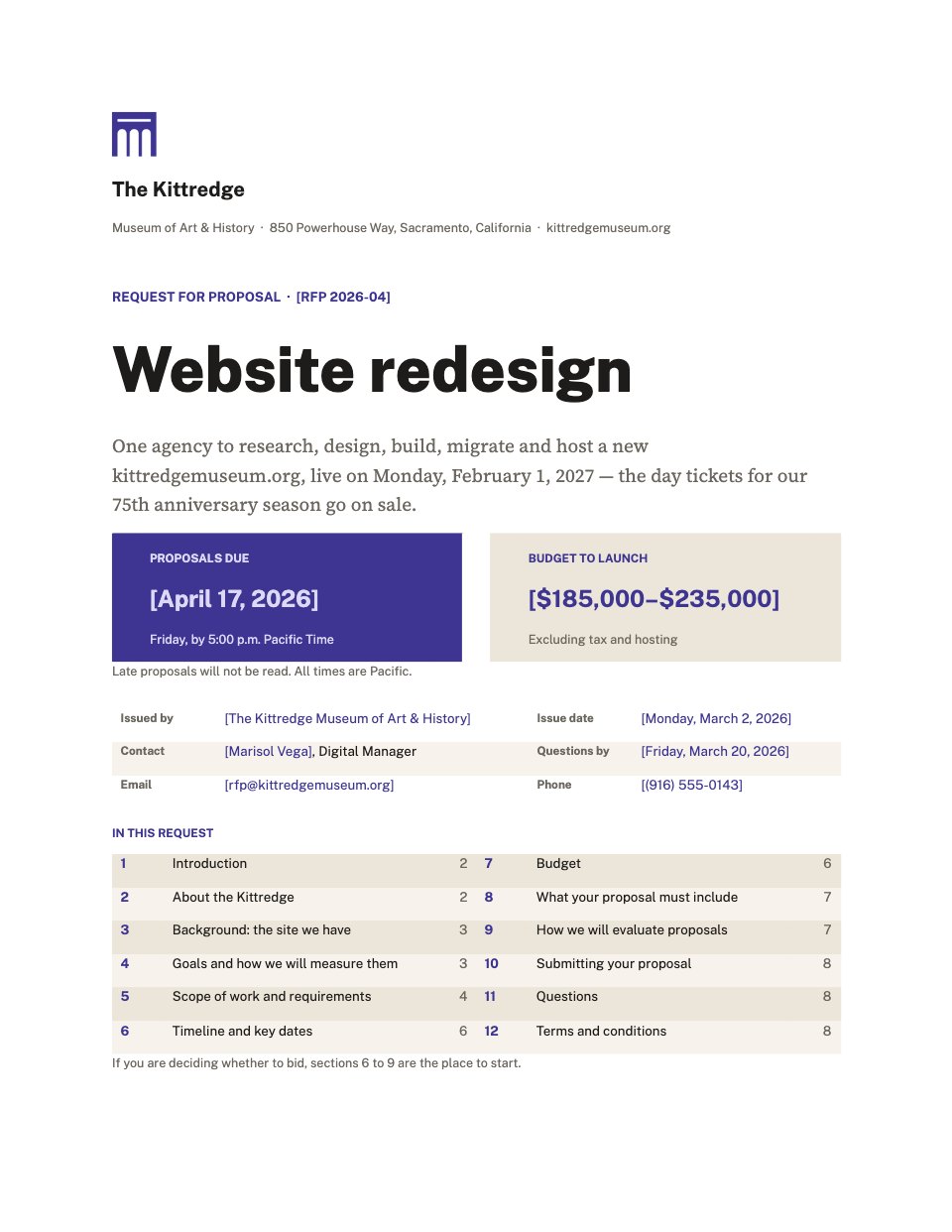
- 1Page 1A title block with the parties, start date and the terms at a glance
- 2Page 2The parties, the job, the reporting line and where the work happens
- 3Page 3Probation and how it ends, hours and flexibility, salary and its review
- 4Page 4The pension, holiday and how it accrues, and company sick pay
- 5Page 5Family and compassionate leave, confidentiality, IP and data protection
- 6Page 6Company kit and IT, outside work, notice on both sides and garden leave
- 7Page 7Summary dismissal, disciplinary and grievance, restrictions and variation
- 8Page 8The whole agreement, governing law, signatures and the handbook receipt
When to use it.
Employment Contract is a complete written statement of terms for a small business taking on its first employees. It opens with a title block and a two-column table of the key terms — role, salary, hours, holiday, notice and start date — then sets out twenty-three numbered clauses covering probation, pay and pension, leave, confidentiality, intellectual property, notice and garden leave, and short, reasonable post-employment restrictions. Everything that changes with each hire is tinted, so you can fill it in without rereading the whole document. It ends with signature blocks for both sides and a separate acknowledgement that the staff handbook was received.
Made for
- Agencies signing new clients
- Freelancers and contractors
- Consultants and advisers
- Founders and small businesses
Make it yours in four steps.
Open it in Documents and work through it, or let Docsiv AI do the first pass with your details.
- Step 1
Replace the invented company with your own name, address and registration details throughout.
- Step 2
Fill in the tinted brackets — the employee, job title, manager, start date, salary, hours, holiday and notice — starting with the key terms table on page one.
- Step 3
Read through the clauses and adjust the ones that differ at your company: hybrid days, sick pay, enhanced family pay, pension contributions and the governing law.
- Step 4
Print or send two copies, sign both, and have the employee sign the handbook receipt on the last page.
Start from the Employment Contract now.
Questions about this template.
Something else on your mind? Ask us in the chat, bottom right of the page.
Is the Employment Contract template free?
Yes. Create a free account and it opens in Docsiv's Documents app, ready to edit and share. The Free plan includes every Docsiv app and 500 AI credits a month.
Can I change the colours, fonts and text?
Yes, all of it. The template uses Source Serif 4 and Source Sans 3 with #1b222b, #1f5f80, #eef3f6, #ffffff, and you can change any of them, rewrite every word and add or remove pages.
What can I export it as?
Documents in Docsiv offers: DOCX, PDF, ODT, RTF and Markdown exports. Once it's saved, you can also share it with a link.
Can Docsiv AI write the employment contract for me?
Yes. Tell Docsiv AI about the client or project and it can draft the content in this template's style, which you then review and edit. AI uses credits; the Free plan includes 500 a month.








Start your contract with Docsiv AI
Describe the client or the project and Docsiv AI writes a first draft of your employment contract for you to edit, share and send.