

What’s inside the Project Status Report.
15 pages with real content in place. Rewrite them, reorder them, or add your own.
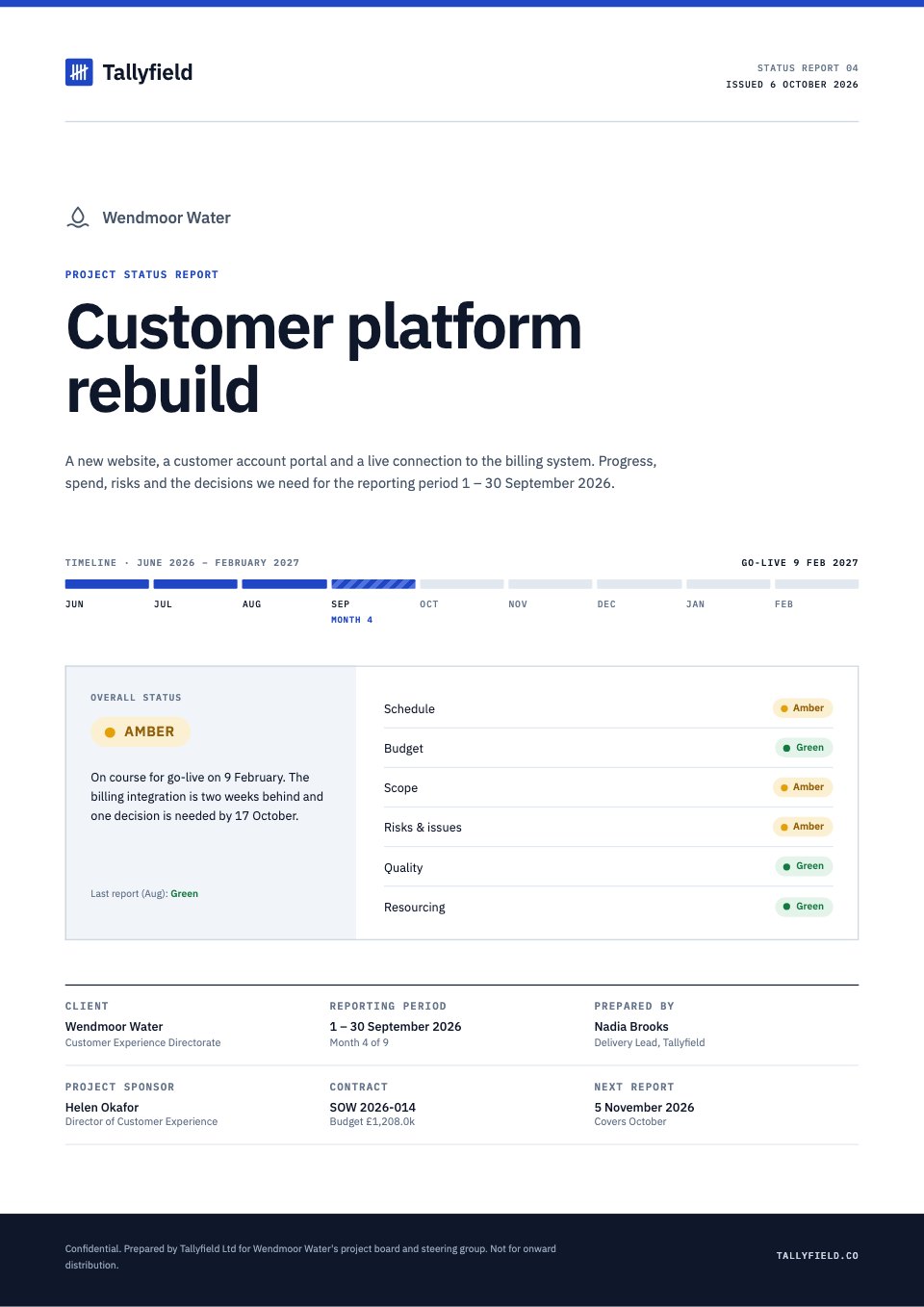
- 1Page 1A cover with the client, project, reporting period, a month-by-month timeline strip and the overall RAG status with six area ratings
- 2Page 2Contents, the project's key facts and a key to the status pills
- 3Page 3Executive summary: overall status, four headline figures with change since last month, ratings by area, highlights and watch items
- 4Page 4Milestones on a timeline and in a register with baseline, forecast, variance and status
- 5Page 5The schedule as a Gantt chart against today, with commentary for each workstream
- 6Page 6Budget burn: budget, spend, forecast and variance, a cumulative chart and monthly spend
- 7Page 7Budget by workstream with totals, earned-value measures and invoicing
- 8Page 8Scope changes: a change log with cost and time impact and a budget waterfall
- 9Page 9Risk register: a heat map, counts by rating and each risk with its owner and mitigation
- 10Page 10Issues log, a recovery plan and the steering group's action tracker
- 11Page 11Decisions needed: options, a recommendation, deadline and the cost of waiting
- 12Page 12Quality and delivery: velocity, defect trend, defects by severity and quality gates
- 13Page 13Team updates: key people, capacity against plan, changes and planned leave
- 14Page 14The next 30 days week by week, targets and what the client needs to supply
- 15Page 15RAG definitions, a glossary and contacts
When to use it.
Project Status Report is a 15-page A4 template for keeping a client up to date on a long project, shown at month 4 of a 9-month website and portal rebuild. It opens with an executive summary of overall RAG status, four headline figures and ratings for schedule, budget, scope, risk, quality and resourcing, then a milestone timeline, a Gantt chart, budget burn against plan with earned value, a scope change log, a risk register with a heat map, issues, decisions, quality metrics, team updates and a 30-day plan. Every chart is drawn from the figures in the report.
Made for
- Agencies reporting to clients
- Consultants and freelancers
- Founders updating a board
- Teams sharing results
Make it yours in four steps.
Open it in Reports and work through it, or let Docsiv AI do the first pass with your details.
- Step 1
Replace the client, project, reporting period and overall status on the cover.
- Step 2
Update the milestone, budget and workstream figures.
- Step 3
Review the risk register, issues, scope changes and decisions, and set the owners and dates.
- Step 4
Write the summary and the next 30 days, then share it as a link or export a PDF for the steering group.
Start from the Project Status Report now.
Questions about this template.
Something else on your mind? Ask us in the chat, bottom right of the page.
Is the Project Status Report template free?
Yes. Create a free account and it opens in Docsiv's Reports app, ready to edit and share. The Free plan includes every Docsiv app and 500 AI credits a month.
Can I change the colours, fonts and text?
Yes, all of it. The template uses IBM Plex Sans and IBM Plex Mono with #ffffff, #0f172a, #475569, #1f47c5, #d9363e, #e3a008, #1f9d55, #f1f5f9, and you can change any of them, rewrite every word and add or remove pages.
What can I export it as?
Reports in Docsiv offers: Report pages with charts, PDF and HTML exports. Once it's saved, you can also share it with a link.
Can Docsiv AI write the project status report for me?
Yes. Tell Docsiv AI about the client or project and it can draft the content in this template's style, which you then review and edit. AI uses credits; the Free plan includes 500 a month.
Annual Report
PreviewSales Report
PreviewQuarterly Business Review
PreviewResearch Report
PreviewSEO Report
PreviewMarketing Report
Preview






Starting from a description instead? Try the AI report generator.







Start your report with Docsiv AI
Describe the client or the project and Docsiv AI writes a first draft of your project status report for you to edit, share and send.