

What’s inside the Website Audit.
16 pages with real content in place. Rewrite them, reorder them, or add your own.
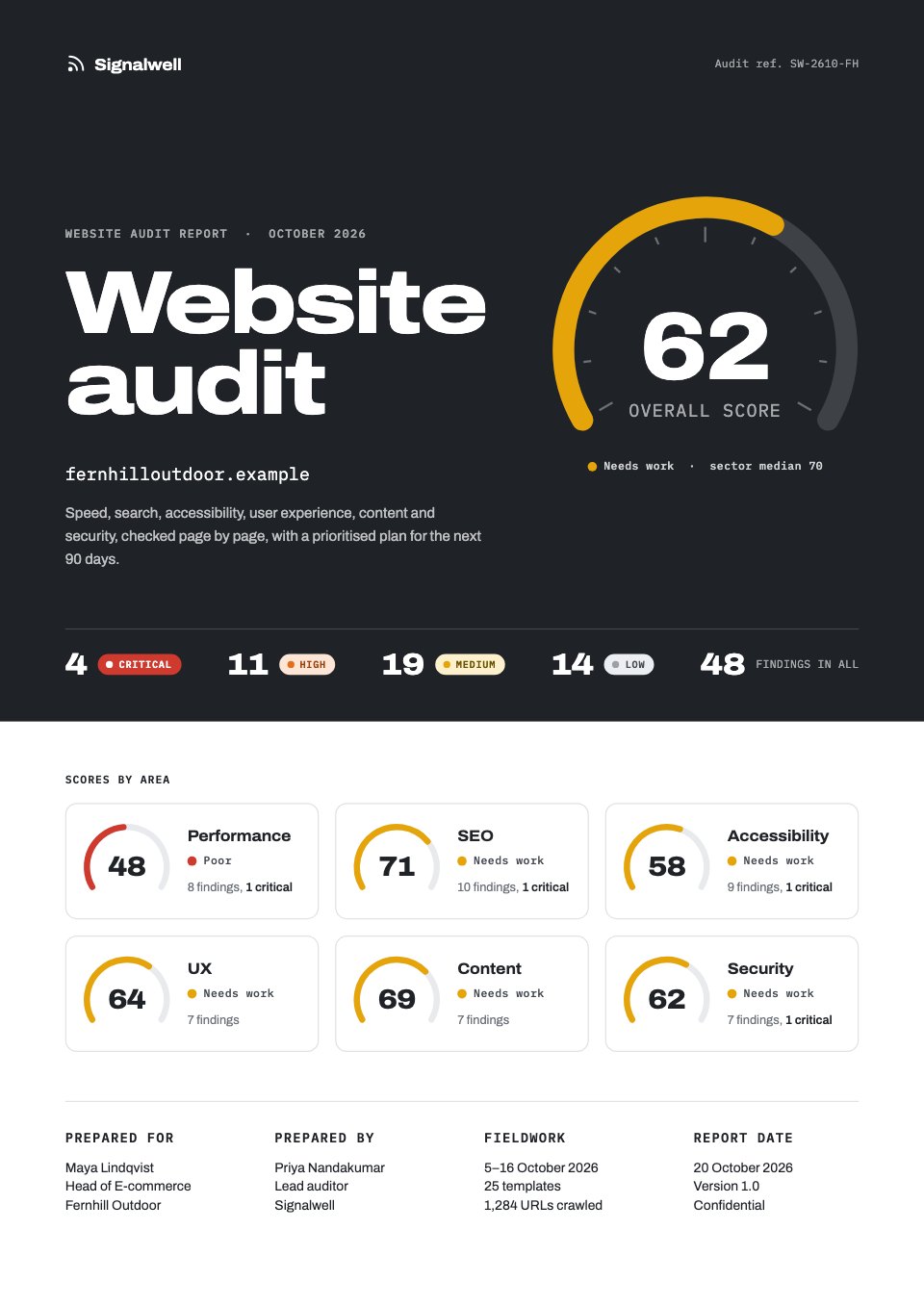
- 1Page 1A graphite cover with the overall score as a gauge, findings by severity and six category scorecards
- 2Page 2Contents, with how to read the scores, the four severities and the audit's scope
- 3Page 3An executive summary: overall score, severity split, three fixes to make first and the revenue opportunity
- 4Page 4A scorecard of all six areas with findings by severity and a dot plot against the sector median
- 5Page 5Performance: Core Web Vitals against thresholds, load time by template, page weight and findings
- 6Page 6The home page in a browser frame with six numbered pins and a key
- 7Page 7SEO: crawl figures, where the crawl went, issues by type and findings
- 8Page 8Accessibility: WCAG results, failures by principle, a contrast fix and findings
- 9Page 9UX and conversion: the purchase funnel, mobile against desktop, an annotated mobile checkout and findings
- 10Page 10Content: a page inventory, journal articles by age and findings
- 11Page 11Security: a twelve-point checklist, the state of the store apps and findings
- 12Page 12Prioritised fixes: an impact-by-effort matrix with 16 numbered fixes and the matching table
- 13Page 13Quick wins: eight cards with what to change, hours and owner
- 14Page 14A 90-day roadmap: a twelve-week Gantt chart, milestones and the expected score
- 15Page 15Methodology and a plain-English glossary
- 16Page 16Next steps with dates, the target score and the auditor's contact details
When to use it.
Website Audit is a 16-page A4 report that scores a website out of 100 across performance, SEO, accessibility, UX and conversion, content and security. Every finding has an id and a severity badge, annotated browser frames show where each problem sits on the page, and an impact-by-effort matrix turns the findings into a prioritised fix list, quick wins and a 12-week roadmap with expected scores. It suits agencies, freelancers and consultants who audit client sites or pitch for redesign and optimisation work.
Made for
- Agencies reporting to clients
- Consultants and freelancers
- Founders updating a board
- Teams sharing results
Make it yours in four steps.
Open it in Reports and work through it, or let Docsiv AI do the first pass with your details.
- Step 1
Change the client, site address and dates on the cover, then set the six area scores.
- Step 2
Replace the sample findings with your own, giving each an id, a severity, a one-line detail and where it happens.
- Step 3
Swap the drawn browser and phone frames for screenshots of the client's site, and move the numbered pins onto the problems.
- Step 4
Place your fixes on the impact-by-effort matrix, pick the quick wins, set roadmap dates, then share the link or export a PDF.
Start from the Website Audit now.
Questions about this template.
Something else on your mind? Ask us in the chat, bottom right of the page.
Is the Website Audit template free?
Yes. Create a free account and it opens in Docsiv's Reports app, ready to edit and share. The Free plan includes every Docsiv app and 500 AI credits a month.
Can I change the colours, fonts and text?
Yes, all of it. The template uses Archivo and IBM Plex Mono with #ffffff, #1f2227, #6b7079, #cf3a2f, #e36f1e, #e5a50a, #2e9a5a, and you can change any of them, rewrite every word and add or remove pages.
What can I export it as?
Reports in Docsiv offers: Report pages with charts, PDF and HTML exports. Once it's saved, you can also share it with a link.
Can Docsiv AI write the website audit report for me?
Yes. Tell Docsiv AI about the client or project and it can draft the content in this template's style, which you then review and edit. AI uses credits; the Free plan includes 500 a month.
Annual Report
PreviewSales Report
PreviewQuarterly Business Review
PreviewResearch Report
PreviewSEO Report
PreviewMarketing Report
Preview






Starting from a description instead? Try the AI report generator.






Start your report with Docsiv AI
Describe the client or the project and Docsiv AI writes a first draft of your website audit report for you to edit, share and send.