

What’s inside the Request for Proposal.
Real content in every part, ready to rewrite with your own.
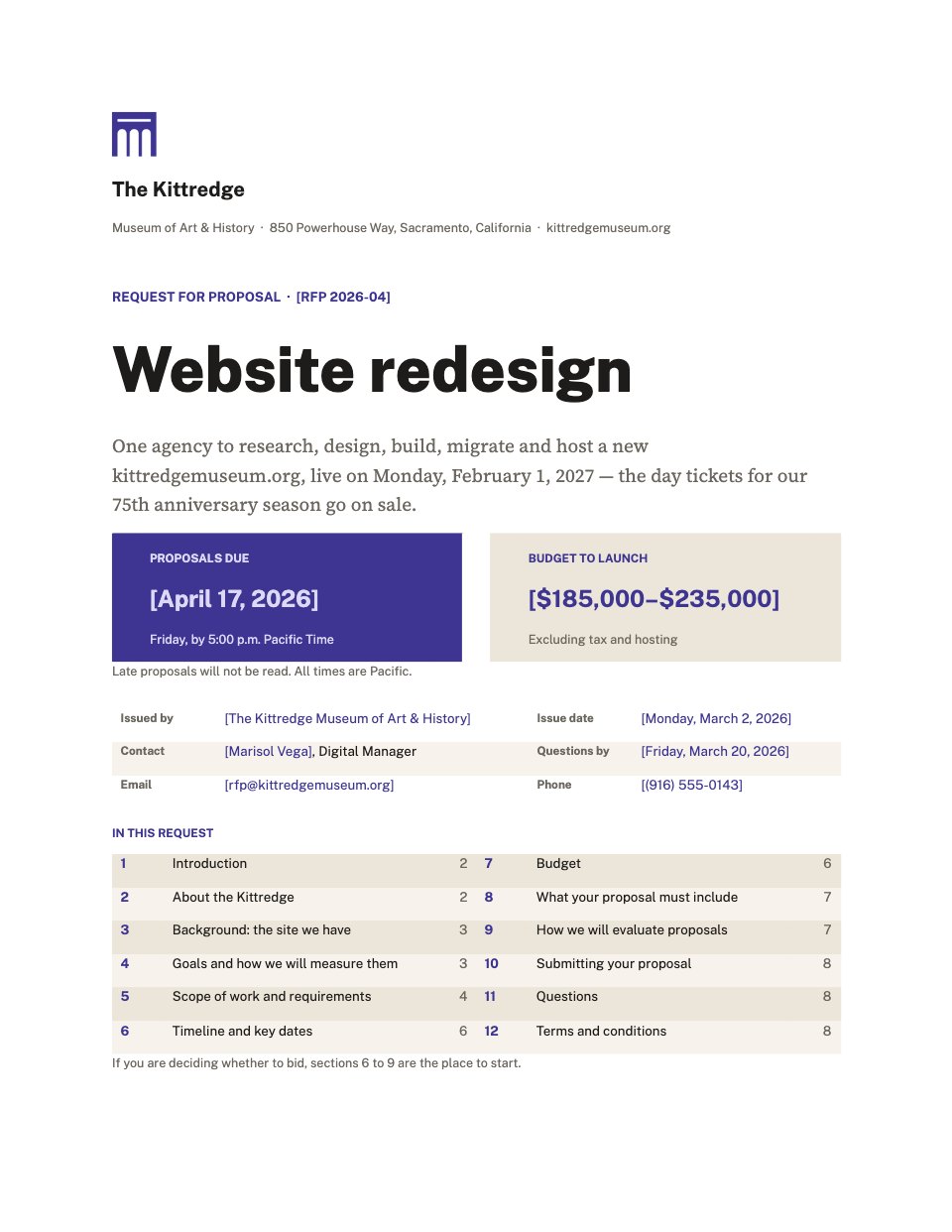
- 1A cover with the issuer, reference, deadline, budget, contact details and contents
- 2Introduction, the museum in four figures, and what is wrong with the site it has
- 3Five goals, each with today's figure and a target
- 4Scope of work: discovery, nine ranked requirements, content, technical, accessibility and hosting
- 5Key dates, the budget range, what a proposal must include and weighted evaluation criteria
- 6Submission instructions, the questions process, and terms and conditions
When to use it.
Request for Proposal is an eight-page RFP written the way a capable digital manager writes one: specific about the work, open about the budget and honest about the constraints. A museum commissioning a new website sets out who it is, what is wrong with its current site, five goals with today's figures and targets, nine requirements ranked Must or Should, a key dates table, the budget range, what every proposal must include and evaluation criteria weighted to 100%. Submission rules, the questions process and short terms close it.
Made for
- Product teams kicking off a feature
- Agencies agreeing scope
- Project managers
- Founders writing specs
Make it yours in four steps.
Open it in Documents and work through it, or let Docsiv AI do the first pass with your details.
- Step 1
Replace the museum with your organisation on the cover and in the running heads: name, mark, reference, issue date and contact.
- Step 2
Rewrite the background and goals around your own project, keeping a measure, today's figure and a target for each goal.
- Step 3
Set your requirements, key dates and budget range, and highlight the dates that cannot move.
- Step 4
Adjust the evaluation weights so they still add up to 100%, check the submission details, then send it as a PDF or Word file.
Start from the Request for Proposal now.
Questions about this template.
Something else on your mind? Ask us in the chat, bottom right of the page.
Is the Request for Proposal template free?
Yes. Create a free account and it opens in Docsiv's Documents app, ready to edit and share. The Free plan includes every Docsiv app and 500 AI credits a month.
Can I change the colours, fonts and text?
Yes, all of it. The template uses Public Sans and Source Serif 4 with #3d3591, #1d1c1a, #ece5d9, #f7f3ec, and you can change any of them, rewrite every word and add or remove pages.
What can I export it as?
Documents in Docsiv offers: DOCX, PDF, ODT, RTF and Markdown exports. Once it's saved, you can also share it with a link.
Can Docsiv AI write the request for proposal for me?
Yes. Tell Docsiv AI about the client or project and it can draft the content in this template's style, which you then review and edit. AI uses credits; the Free plan includes 500 a month.







Start your brief with Docsiv AI
Describe the client or the project and Docsiv AI writes a first draft of your request for proposal for you to edit, share and send.