

What’s inside the Change Request.
7 pages with real content in place. Rewrite them, reorder them, or add your own.
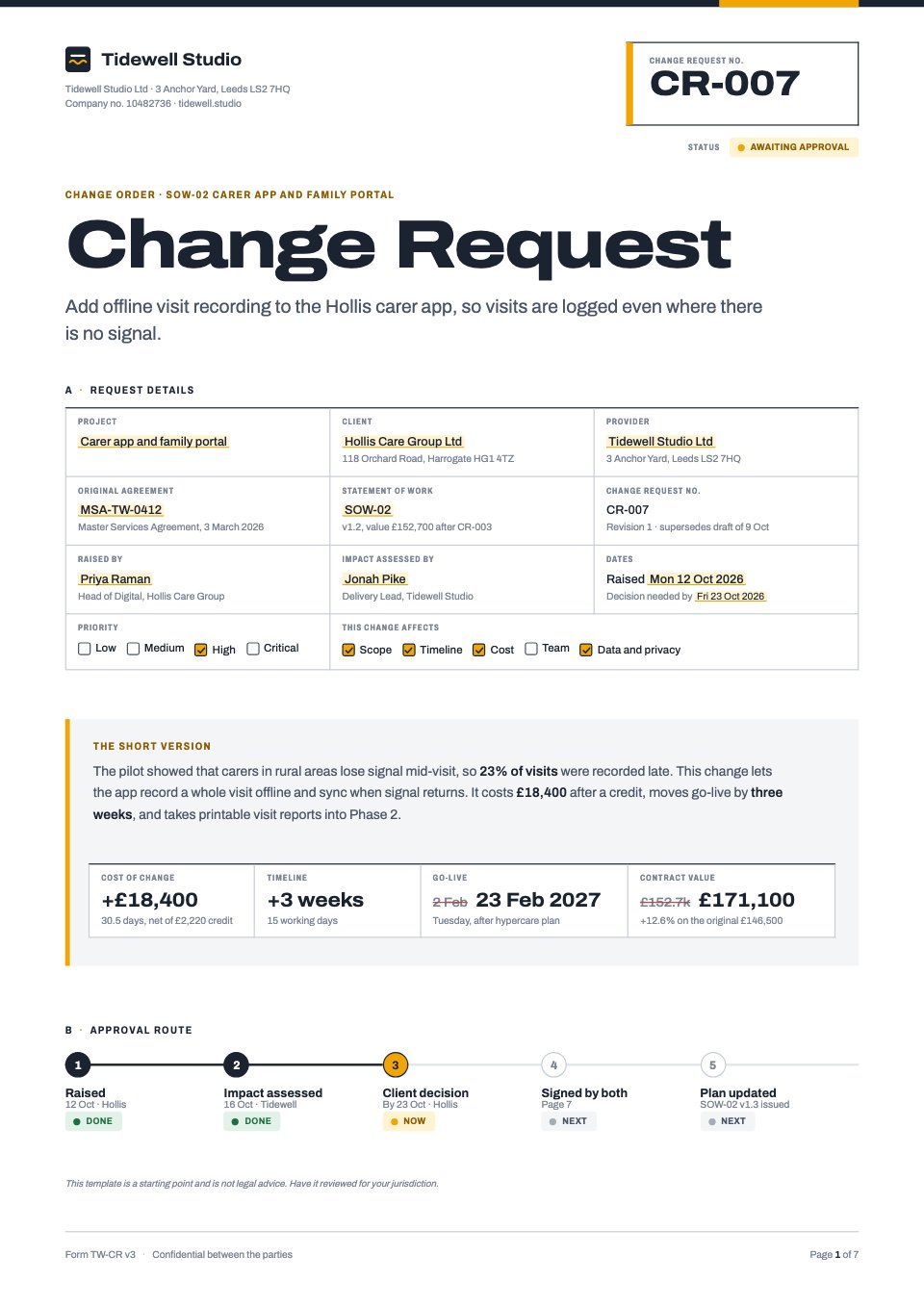
- 1Page 1The form header: change request number and status, request details in boxed fields, priority and impact checkboxes, the short version with four headline figures and the approval route
- 2Page 2Reference to the original agreement and the SOW's change history, the request in the client's words, and the reason for change with pilot evidence by branch
- 3Page 3Description of change: deliverables added, changed and removed, acceptance criteria and each side's assumptions
- 4Page 4Impact on scope by deliverable, the timeline before and after as milestone bars, and milestone dates side by side
- 5Page 5Impact on cost by role and day rate with a credit and net total, the revised contract value and invoices, the risk register and what happens if nothing changes
- 6Page 6Three options (approve as is, approve with conditions, reject) with cost and go-live for each, and the provider's recommendation
- 7Page 7The client's decision as e-sign fields, signature blocks for the provider, sponsor and finance approver, and an office-use implementation record
When to use it.
Change Request is a 7-page change order form for agencies and freelancers partway through a project. It ties the change back to the original agreement, says what is added, changed and removed, and shows the impact on scope, timeline and cost, with before-and-after milestone bars and a costed table. Risks, three clear options and the provider's recommendation help the client decide quickly. The last page collects the client's decision and every signature through Docsiv e-signature.
Made for
- Agencies signing new clients
- Freelancers and contractors
- Consultants and advisers
- Founders and small businesses
Make it yours in four steps.
Open it in Proposals and work through it, or let Docsiv AI do the first pass with your details.
- Step 1
Fill in the request details on page 1: project, parties, agreement and SOW references, priority and what the change affects.
- Step 2
Describe the change and its acceptance criteria, then update the scope table, timeline bars and milestone dates.
- Step 3
Enter roles, days and rates in the cost table, list the risks, and set out the three options with your recommendation.
- Step 4
Send it for e-signature so the client ticks a decision and you, the sponsor and the finance approver sign on page 7.
Start from the Change Request now.
Questions about this template.
Something else on your mind? Ask us in the chat, bottom right of the page.
Is the Change Request template free?
Yes. Create a free account and it opens in Docsiv's Proposals app, ready to edit and share. The Free plan includes every Docsiv app and 500 AI credits a month.
Can I change the colours, fonts and text?
Yes, all of it. The template uses Archivo Expanded and Archivo and Archivo Condensed with #ffffff, #1b2330, #4a5566, #f0a500, #fff3d1, #f4f5f7, #2f8a57, #c2443b, and you can change any of them, rewrite every word and add or remove pages.
What can I export it as?
Proposals in Docsiv offers: Proposal pages, PDF and HTML exports. Once it's saved, you can also share it with a link.
Can Docsiv AI write the change request form for me?
Yes. Tell Docsiv AI about the client or project and it can draft the content in this template's style, which you then review and edit. AI uses credits; the Free plan includes 500 a month.
Can my client sign it?
Yes, on the Pro and Team plans: send the proposal for e-signature from Docsiv and follow it under Signatures. E-signatures aren't included on the Free plan.







Start your contract with Docsiv AI
Describe the client or the project and Docsiv AI writes a first draft of your change request form for you to edit, share and send.