

What’s inside the Creative Brief.
12 pages with real content in place. Rewrite them, reorder them, or add your own.
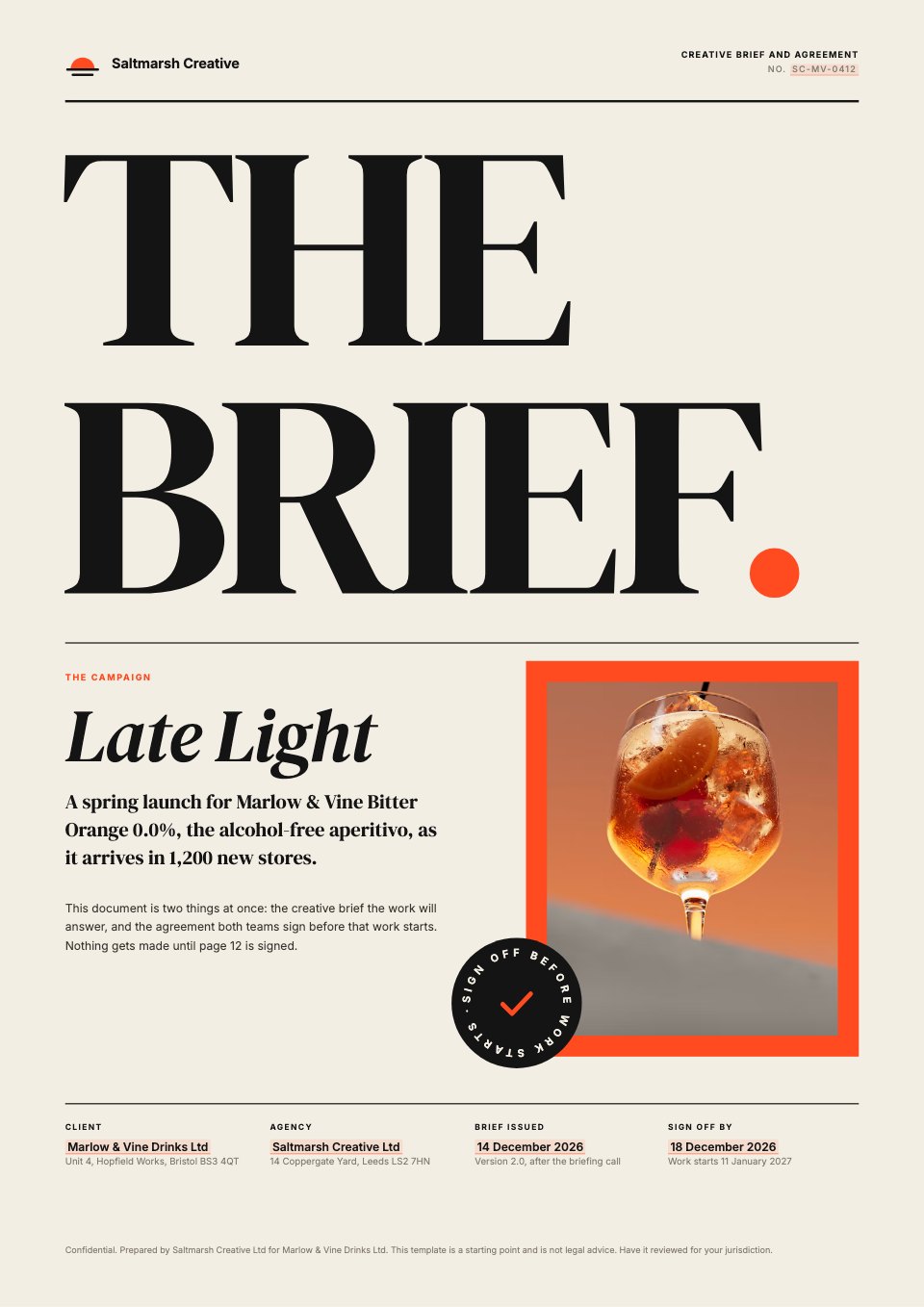
- 1Page 1A cover with a giant "THE BRIEF" title, the campaign, a sign-off sticker and the parties, dates and reference
- 2Page 2The short version in six facts, how the brief works, defined terms and contents
- 3Page 301 Background: the brand, what's changing, what's been tried and the problem, with three facts
- 4Page 402 Objective with three measurable targets, and 03 Audience with think, feel and do
- 5Page 504 The single-minded proposition, full-bleed in red-orange, with three reasons to believe
- 6Page 605 Tone of voice: a mood strip, what we are and aren't, and example lines
- 7Page 706 Six numbered mandatories and 07 a deliverables table with formats, specs and quantities
- 8Page 808 Budget: the fee table, contingency, total and a three-stage payment schedule
- 9Page 909 Timings: a 15-week Gantt chart with three approval gates and the key dates
- 10Page 1010 Approvals: three gates, the named approvers and their authority, and feedback rules
- 11Page 1111 Terms of this brief: numbered clauses from change requests and IP to liability and law
- 12Page 1212 Sign-off: what both parties confirm, what happens next and e-signature blocks
When to use it.
Creative Brief is a 12-page A4 template that works as both a creative brief and a sign-off agreement. Part one covers background, objective, audience, the single-minded proposition, tone of voice, mandatories and deliverables with formats, each led by one idea in large type. Part two sets out the budget and payment schedule, a 15-week timeline, the approval gates and named approvers, and numbered terms. It ends with a sign-off page with e-signature blocks, so the client approves the brief before any work starts.
Made for
- Agencies signing new clients
- Freelancers and contractors
- Consultants and advisers
- Founders and small businesses
Make it yours in four steps.
Open it in Proposals and work through it, or let Docsiv AI do the first pass with your details.
- Step 1
Replace the agency, client, campaign and the highlighted fill-in values with your own.
- Step 2
Rewrite each section's one-line idea, then the supporting detail beneath it.
- Step 3
Update the deliverables, fee lines, timeline and named approvers so they match the job.
- Step 4
Send it for e-signature from Docsiv and start work once both parties have signed.
Start from the Creative Brief now.
Questions about this template.
Something else on your mind? Ask us in the chat, bottom right of the page.
Is the Creative Brief template free?
Yes. Create a free account and it opens in Docsiv's Proposals app, ready to edit and share. The Free plan includes every Docsiv app and 500 AI credits a month.
Can I change the colours, fonts and text?
Yes, all of it. The template uses DM Serif Display and Inter with #f3eee4, #141414, #ff4b1f, #e9e2d4, #3a3631, and you can change any of them, rewrite every word and add or remove pages.
What can I export it as?
Proposals in Docsiv offers: Proposal pages, PDF and HTML exports. Once it's saved, you can also share it with a link.
Can Docsiv AI write the creative brief for me?
Yes. Tell Docsiv AI about the client or project and it can draft the content in this template's style, which you then review and edit. AI uses credits; the Free plan includes 500 a month.
Can my client sign it?
Yes, on the Pro and Team plans: send the proposal for e-signature from Docsiv and follow it under Signatures. E-signatures aren't included on the Free plan.




Start your contract with Docsiv AI
Describe the client or the project and Docsiv AI writes a first draft of your creative brief for you to edit, share and send.