

What’s inside the Break-even Calculator.
Real content in every part, ready to rewrite with your own.
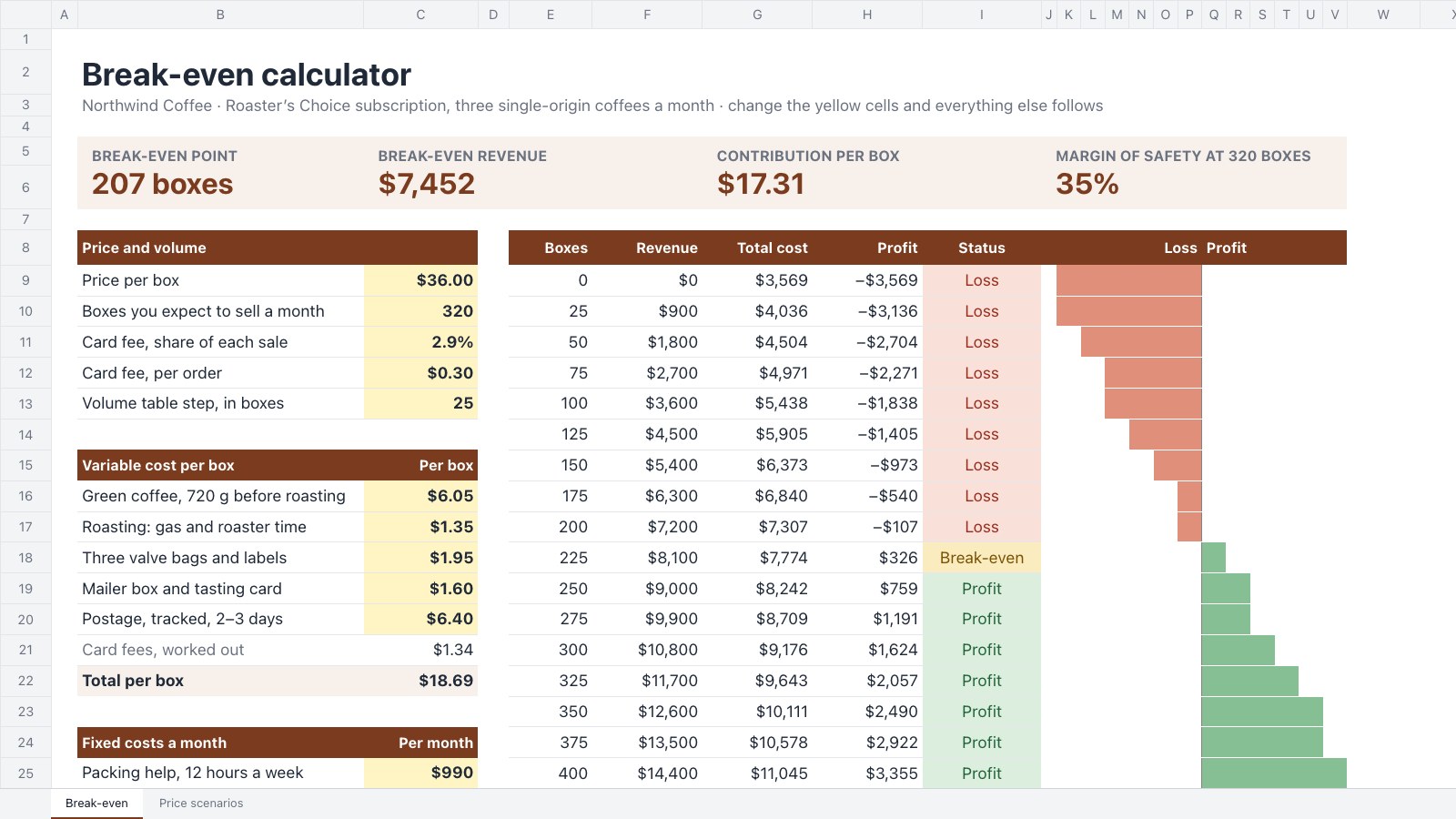
- 1Yellow inputs for the price, the forecast, card fees, five costs per box and seven monthly fixed costs
- 2Contribution per box and margin, break-even boxes and revenue, profit and margin of safety at the forecast
- 3A volume table from 0 to 400 boxes with profit bars and Loss, Break-even and Profit pills
- 4A Price scenarios sheet comparing three prices side by side
When to use it.
Break-even Calculator is a spreadsheet that shows when a product starts paying for itself. Enter the price, what each unit costs you to make and send, and your fixed costs a month, and it works out the contribution per unit, the contribution margin, the units and revenue you need to break even, and your margin of safety at the sales you expect. A volume table with profit bars shows the loss turning into profit, and a second sheet compares three prices. It suits founders, makers and small shops planning a new product or subscription.
Made for
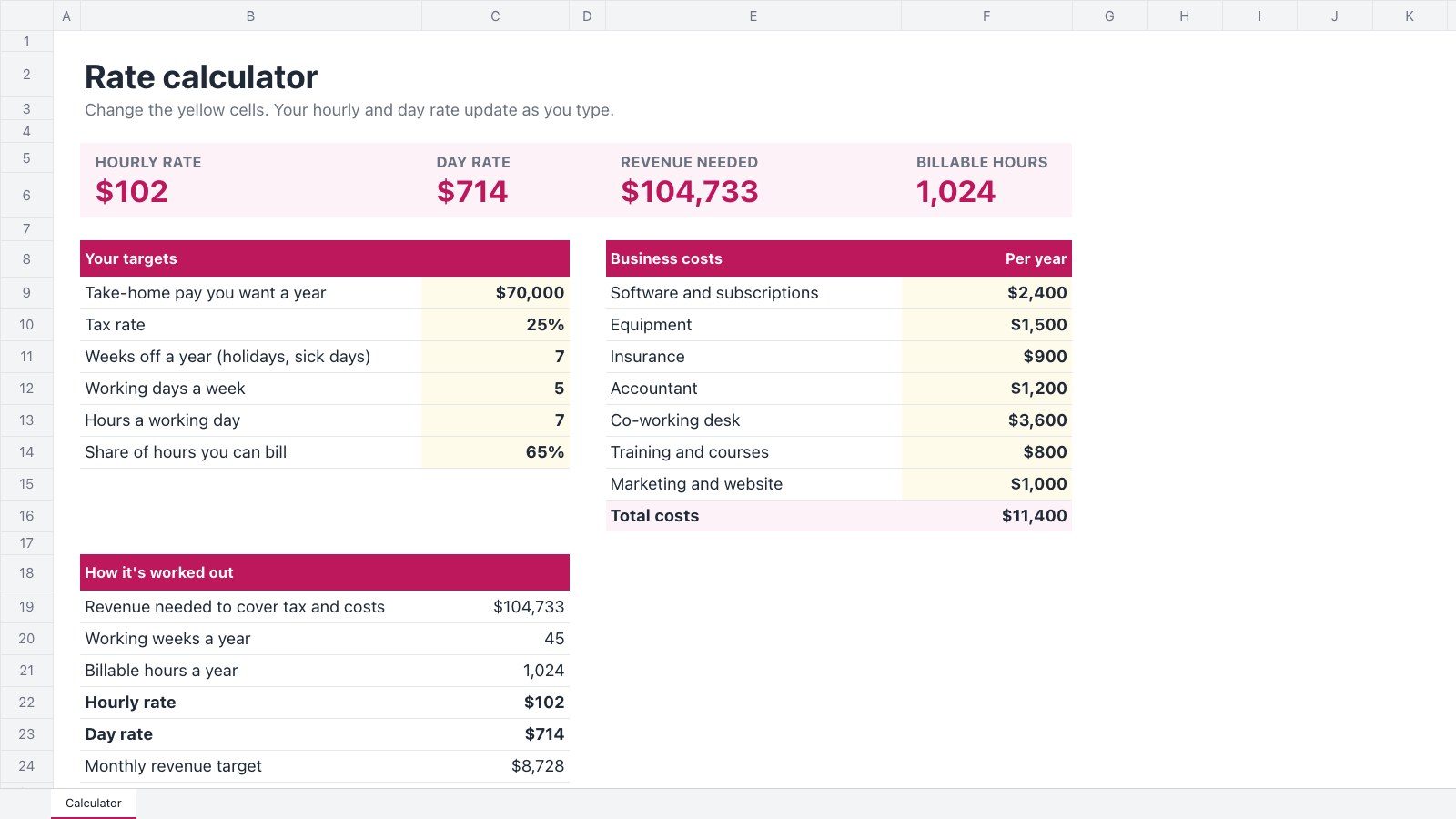
- Freelancers who bill by the hour or day
- Studio and agency owners
- Consultants running their own practice
- Small businesses without a finance team
Make it yours in four steps.
Open it in Spreadsheets and work through it, or let Docsiv AI do the first pass with your details.
- Step 1
Rename the product and change the yellow cells to your own price and sales forecast.
- Step 2
List what each unit costs you, from materials and packaging to postage and card fees.
- Step 3
Add the fixed costs you pay each month whether you sell one unit or none.
- Step 4
Try other prices on the Price scenarios sheet, with the sales you would expect at each.
Start from the Break-even Calculator now.
Questions about this template.
Something else on your mind? Ask us in the chat, bottom right of the page.
Is the Break-even Calculator template free?
Yes. Create a free account and it opens in Docsiv's Spreadsheets app, ready to edit and share. The Free plan includes every Docsiv app and 500 AI credits a month.
Can I change the colours, fonts and text?
Yes, all of it. The template uses Aptos with #7a3b1e, #f8f1eb, #fff4c4, #e0907a, #86bf94, and you can change any of them, rewrite every word and add or remove rows and columns.
What can I export it as?
Spreadsheets in Docsiv offers: XLSX, CSV and PDF exports. Once it's saved, you can also share it with a link.
Can Docsiv AI write the break-even analysis for me?
Yes. Tell Docsiv AI about the client or project and it can draft the content in this template's style, which you then review and edit. AI uses credits; the Free plan includes 500 a month.
Start your spreadsheet with Docsiv AI
Describe the client or the project and Docsiv AI writes a first draft of your break-even analysis for you to edit, share and send.