

Bookkeeping templates
Spreadsheets for the money side of a studio or freelance business: profit and loss, cash flow, break-even, expenses, invoices, timesheets and rates, with the formulas in place.
Invoice Tracker
Keep every invoice in one place: due dates, what's been paid, what's outstanding and how many days each overdue invoice is late.PreviewTimesheet
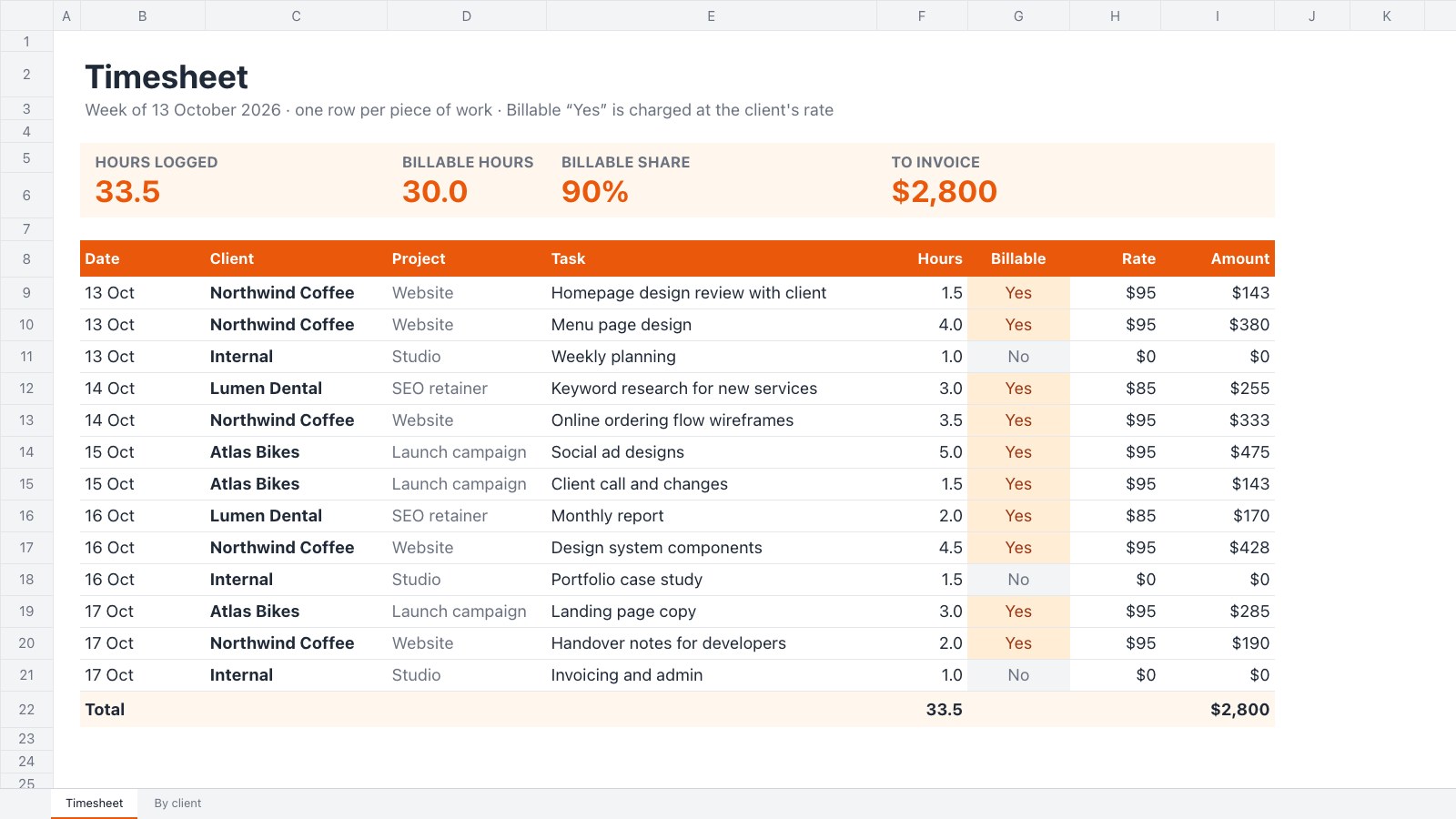
Log a week of client work, price the billable hours at each client's rate and see what to invoice, client by client.PreviewProfit and Loss
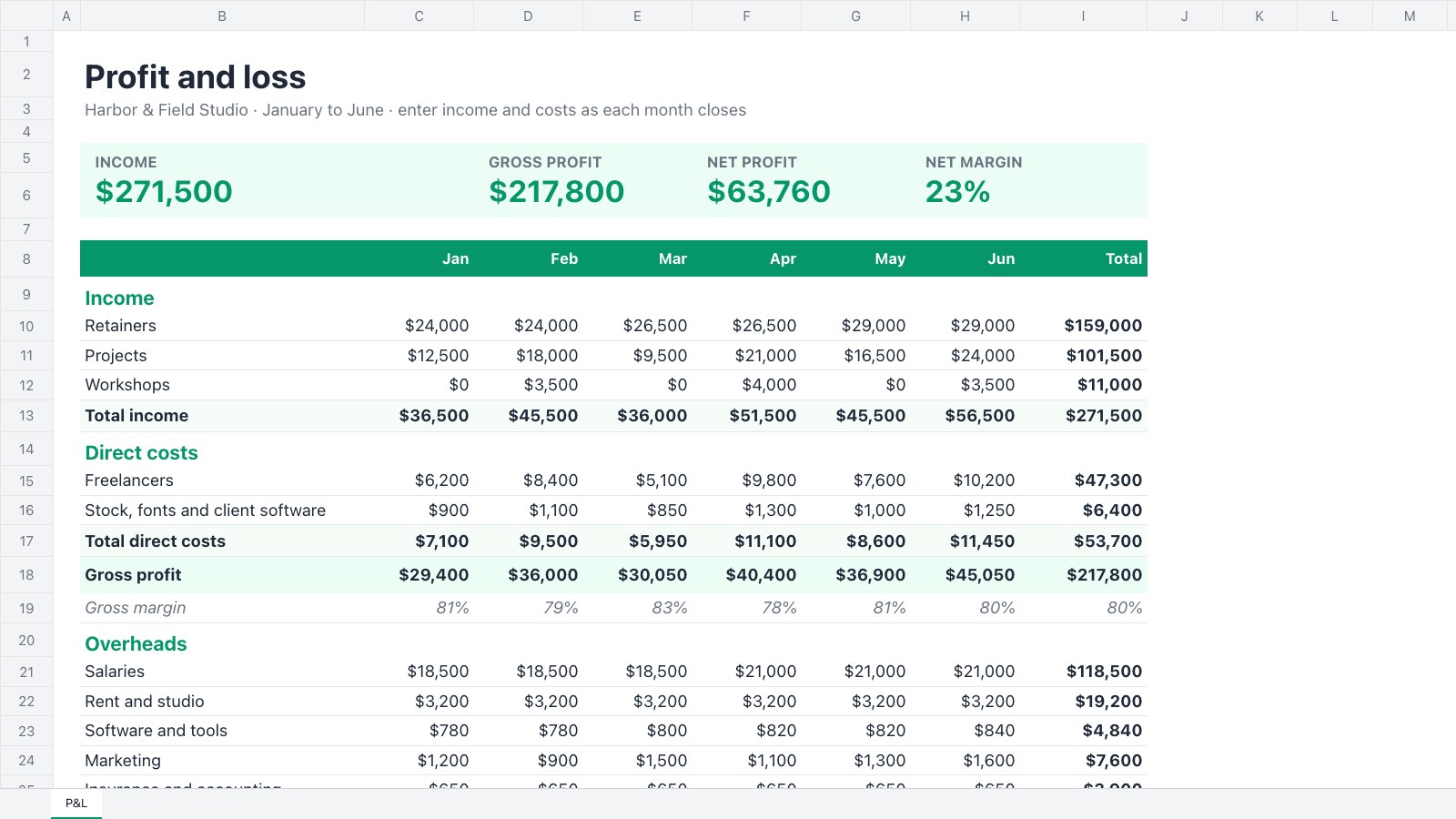
A monthly profit and loss for a studio or small agency: income, direct costs, overheads, gross and net profit, and margins.PreviewFreelance Rate Calculator
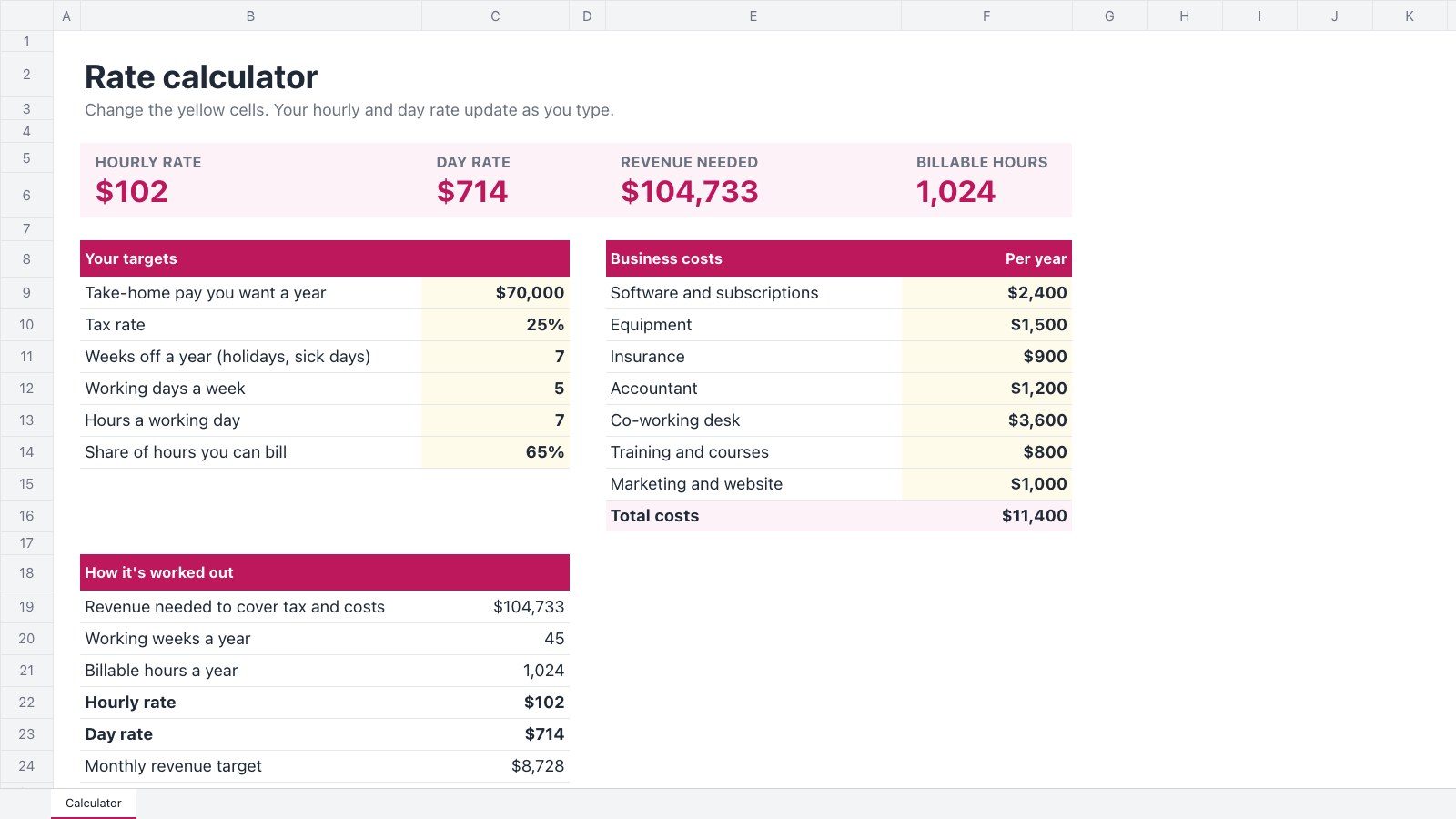
Work out the hourly and day rate you need from your take-home target, tax, costs, time off and billable hours.PreviewCash Flow Forecast
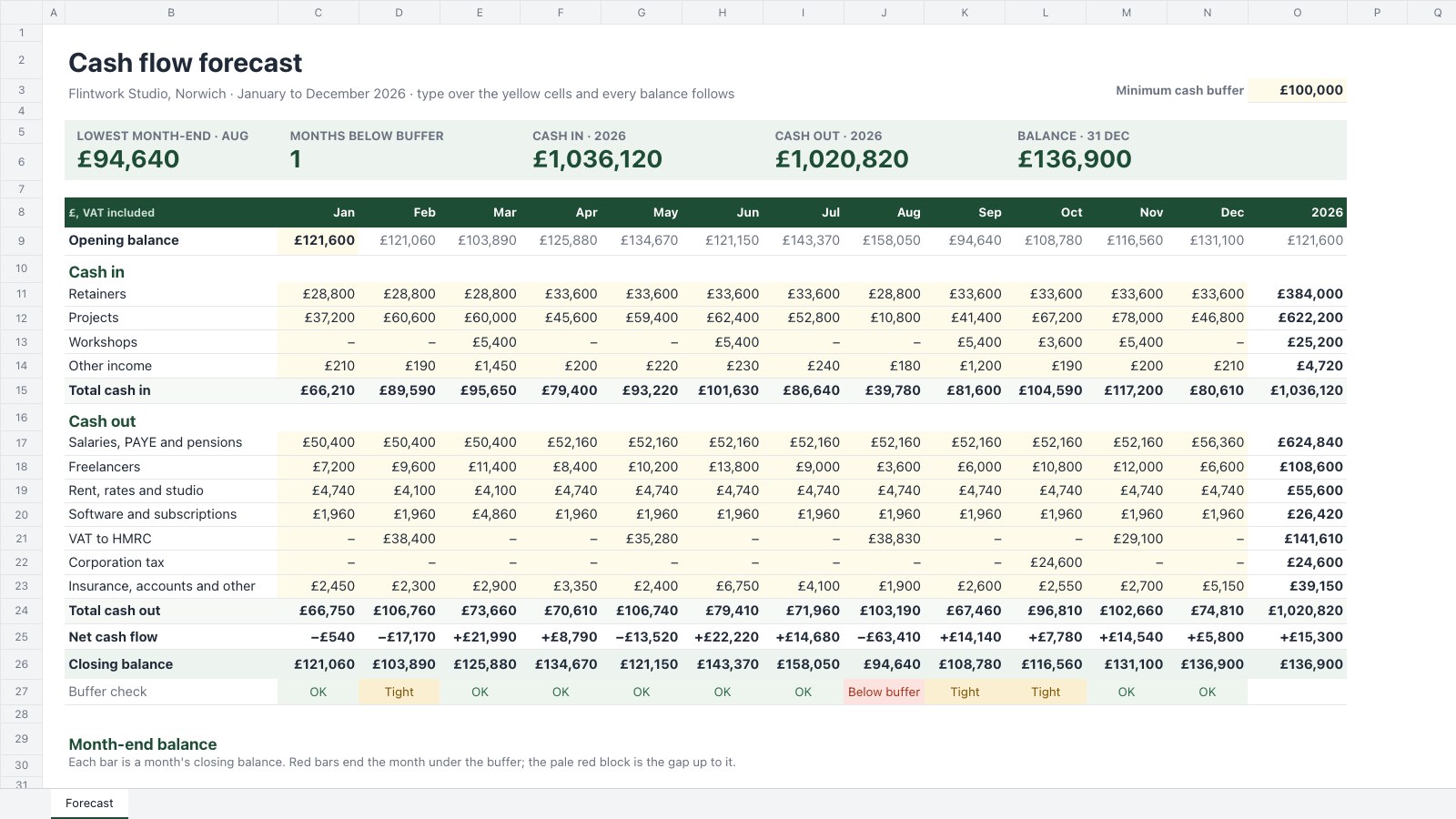
A twelve-month cash flow forecast for a small studio: an opening balance, cash in by stream, cash out by category including quarterly VAT, balances that carry forward and a check against your cash buffer.PreviewExpense Report
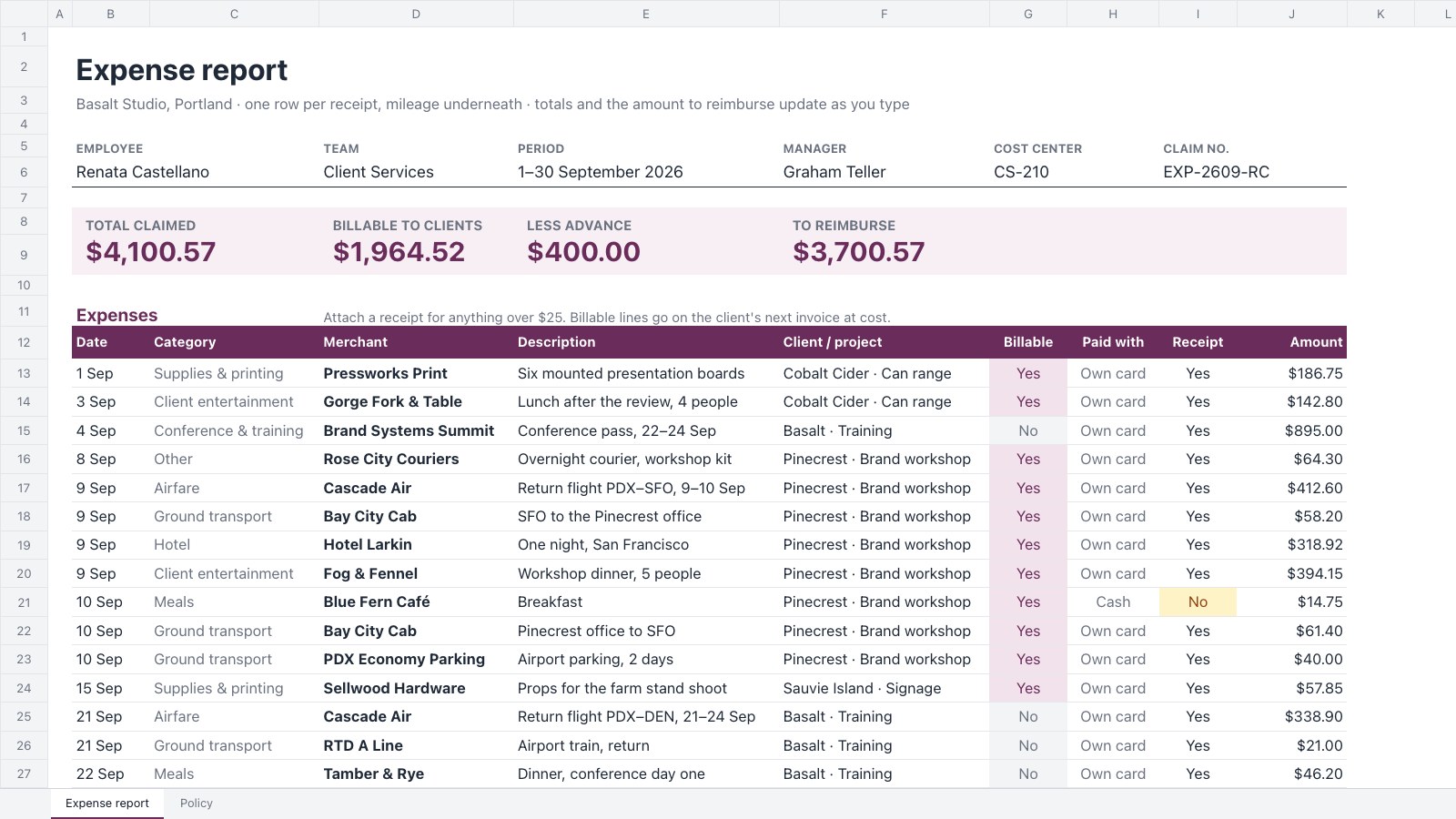
A monthly expense claim for one employee: every receipt with its category, client and billable flag, mileage at a rate a mile, totals by category and client, the advance taken off and an approval block.PreviewBreak-even Calculator
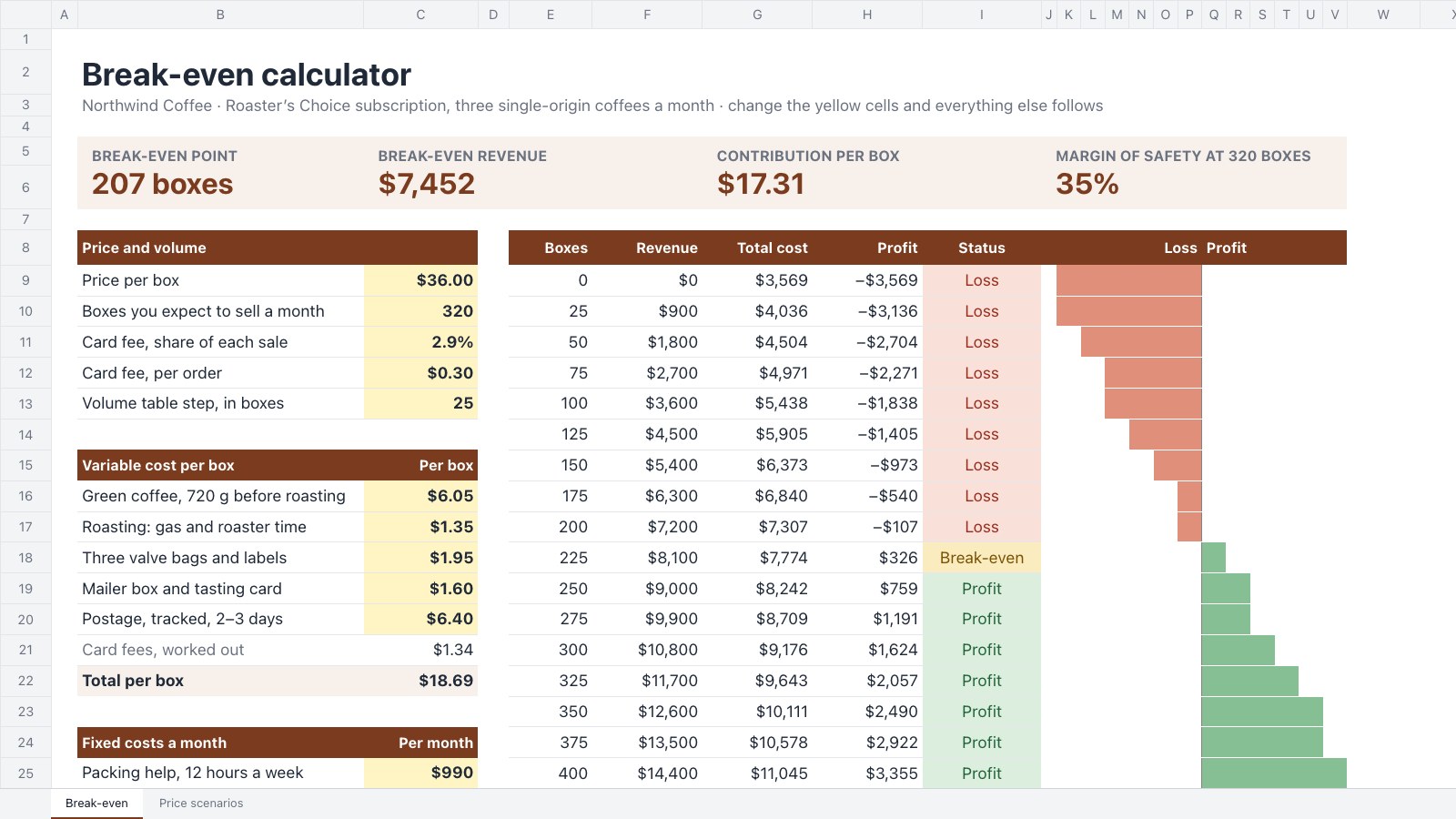
Find the point where a product starts paying for itself: price, unit costs and monthly fixed costs in; break-even units and revenue, margin of safety, a volume table and three price scenarios out.Preview
A closer look at Invoice Tracker.
Keep every invoice in one place: due dates, what's been paid, what's outstanding and how many days each overdue invoice is late. Here’s what it holds.
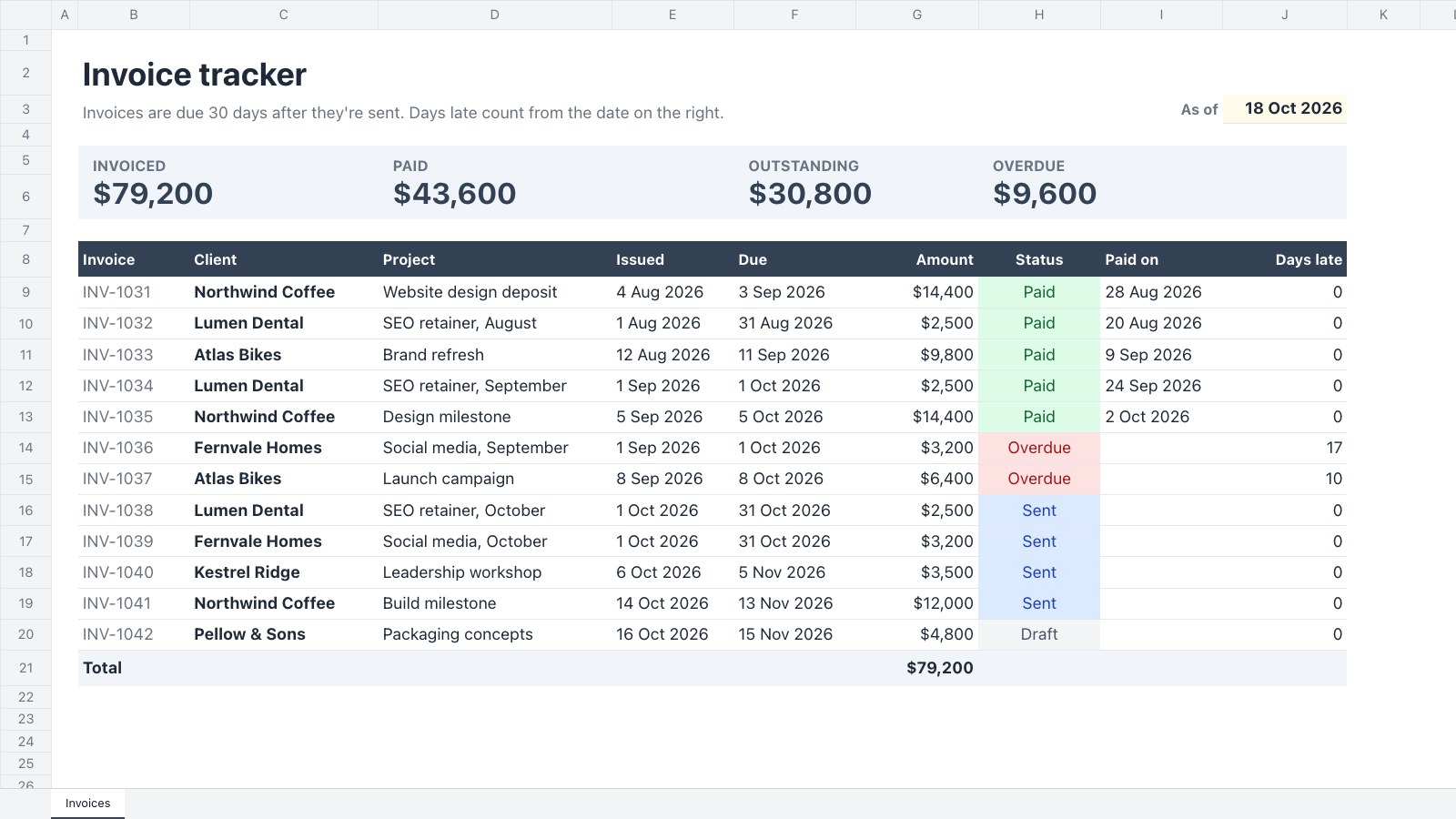
- 1Tiles for what's invoiced, paid, outstanding and overdue
- 2Twelve invoices with client, project, issue date and amount
- 3Due dates and days late worked out from an “as of” date
- 4A status dropdown with colours: draft, sent, paid, overdue
About bookkeeping templates.
Something else on your mind? Ask us in the chat, bottom right of the page.
Are these bookkeeping templates free?
Yes. They open in Docsiv’s Spreadsheets app with a free account, where you can edit your copy, download it and share it with a link. The Free plan includes every Docsiv app and 500 AI credits a month.
Which app do they open in?
Spreadsheets: xLSX, CSV and PDF exports.
Can Docsiv AI write the spreadsheet for me?
Yes. Choose Customise with Docsiv AI on any template, tell it about the client or the project, and it drafts the content in that template’s style for you to review and edit. AI uses credits; the Free plan includes 500 a month.
Can I change the design?
Yes, all of it: the colours, fonts, photos and every word, and you can add or remove rows and columns. Your brand kit’s colours are in every colour picker.
















Describe the spreadsheet you need
Docsiv AI drafts it in the style of these templates, with your details in place, ready for you to edit.