

How to edit a PowerPoint presentation online for free (without PowerPoint)
Open a .pptx in your browser, change the slides, present it full screen and download it again as PowerPoint or PDF. Here’s how, what comes across, and what doesn’t yet.

On this page
You can edit a PowerPoint presentation without PowerPoint by opening the .pptx in a browser-based editor. Change the slides, notes and layouts, present the deck full screen, and download it again as PowerPoint or PDF. It’s free with an account, and there is nothing to install.
Try it now: drop your
.pptxinto the free PowerPoint editor. Opening, editing, presenting and downloading are included on the Free plan.
Step by step
- Open the PowerPoint editor and choose your
.pptx. Sign in with a free account when asked. - Edit the slides. Change text, swap pictures, rearrange slides, and adjust layouts.
- Check the speaker notes. They come across with the deck.
- Present. Choose Present and the deck runs full screen, with the original’s transitions and animations. Click or use the arrow keys to move on, press B or W for a black or white screen, and Esc to finish.
- Download as
.pptxto send back to a PowerPoint user, or as PDF to send as a finished copy.
What comes across well
Everyday decks open cleanly: masters and layouts, themes, text, shapes, pictures, tables, charts, speaker notes, transitions and animations.
What doesn’t come across yet
Look over the deck before you send it, particularly if it came from a template-heavy corporate file:
| Item | What happens |
|---|---|
| SmartArt | Opens as ordinary shapes you can edit, not as a diagram |
| EMF and WMF pictures (common in decks made on Windows) | Don’t come through yet |
| Waterfall, funnel and other newer chart types | Don’t come through yet |
| Equations, embedded fonts, macros | Don’t come through yet |
| Password-protected files | Can’t be opened yet |
| Older `.ppt`, Keynote and OpenDocument files | Not supported: save or download as `.pptx` first |
Fonts: why a deck can reflow
Calibri, Cambria, Arial, Times New Roman and Courier New are swapped for open fonts drawn to the same widths (Carlito, Caladea and the Liberation fonts), so lines break where they did. Other fonts get the closest open match, so check tight text boxes before you present.
If you were sent a Keynote or Google Slides deck
Save or download it as .pptx from Keynote or Google Slides first, then open that.
Common edits, and how long they take
| Job | How |
|---|---|
| Fix a typo or change a date on a slide | Click the text and type |
| Update a figure in a chart | Open the chart’s data and change the numbers |
| Swap the logo across the deck | Change it on the slide master, so every slide updates at once |
| Reorder or delete slides | Drag them in the slide list |
| Add a new slide in the same style | Choose a layout from the deck’s own masters |
| Tidy speaker notes before presenting | Edit the notes under each slide |
The slide master is the one that saves the most time. If a client sends a deck and asks you to “update the branding”, changing the master once is faster and safer than editing forty slides by hand.
Sharing it afterwards
A .pptx attached to an email goes stale the moment someone changes it. Two cleaner options:
- Share a link with comment access, so reviewers leave notes on the slide they mean. You can also edit together live.
- Send a PDF when the deck is finished and nobody needs to change it. It looks the same on every device.
Starting a new deck
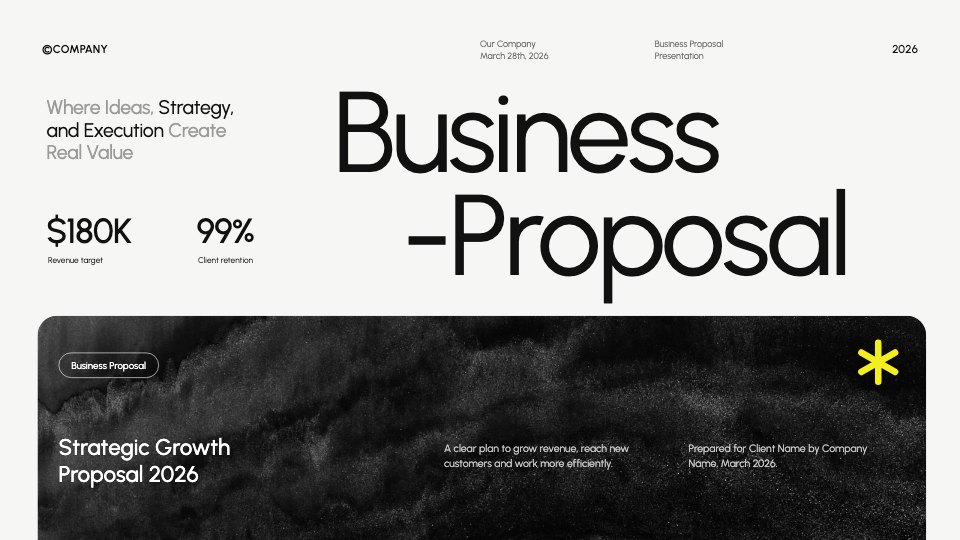
Choose Start blank or a template, or describe the deck you need and let Docsiv AI draft it. Either way it downloads as .pptx or PDF. The pitch and presentation templates are a quick starting point.
Presenting from the browser
A few habits that save embarrassment:
- Open the deck on the machine you’ll present from a few minutes early.
- Run through it in Present mode once, so you see animations and transitions the way the audience will.
- Keep a PDF copy as a fallback if the room’s setup fails.
- Share a link if people will read it afterwards instead of attaching a large file.
Related reading
Common questions.
Short answers to what people ask most about this topic.
Can I edit a PowerPoint online for free?
Yes. Opening a .pptx, editing it, presenting it and downloading it as PowerPoint or PDF are included on the Free plan with a free account.
Will it look exactly as it does in PowerPoint?
Everyday decks come through well: masters and layouts, themes, text, shapes, pictures, tables, charts, notes, transitions and animations. Keep the original and look over the slides before you send it back.
Can I open a .ppt, Keynote or OpenDocument file?
Not directly. Save or download the deck as .pptx from PowerPoint, Keynote or Google Slides first, then open that.
Can I present from the browser?
Yes. Choose Present and the deck runs full screen with its transitions and animations. Use the arrow keys to move on and Esc to finish.
Where is my deck stored?
In your workspace’s Files, once you open it with your free account. Only your workspace can open it until you share a link.
How to open an IDML file without InDesign (free, in your browser)
Someone sent you an .idml file and you don’t have InDesign. Here are four ways to open it, what each one keeps, and the fastest route to a PDF you can send.IDML vs INDD: what’s the difference, and which should you send?
INDD is InDesign’s working file and IDML is the version made for sharing. Here’s what each one is, who can open it, and which to send a client, a printer or a freelancer.How to export an IDML file from InDesign, step by step
Exporting IDML takes four clicks, but a file that opens cleanly on someone else’s computer takes a little more. Here are the steps and the handoff checklist.

















Put this into practice
Describe what you’re working on and Docsiv AI drafts it in your brand, ready to edit, share and send.