

Write and organise notes online
Type / for headings, to-dos, tables and toggles, keep pages inside pages, and share a note with your team.
One page for the whole plan.
A title, a cover and an icon over blocks you write in: headings, to-dos, tables and more. The notebook’s pages sit on the left.
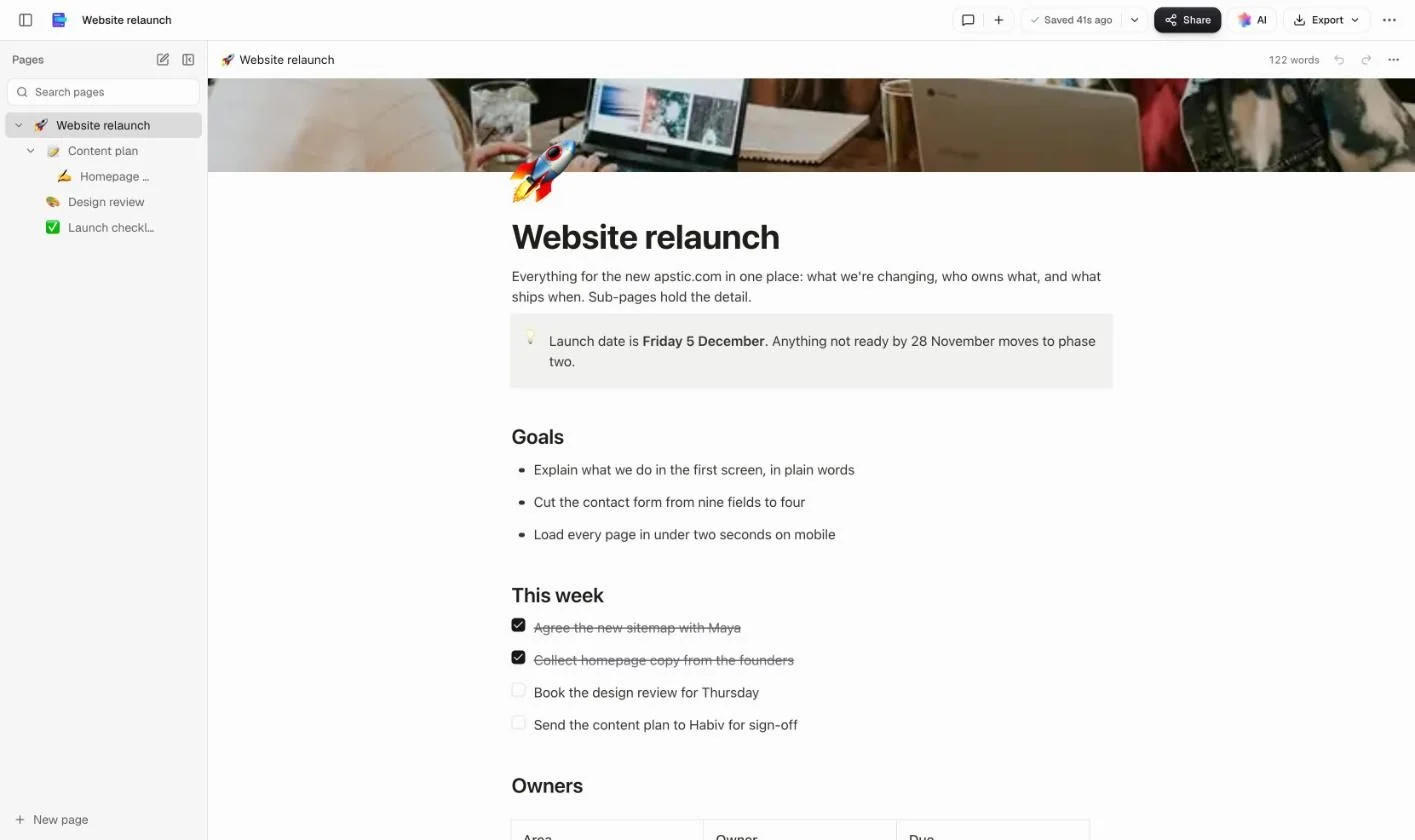
How it works.
Start typing. Everything else is one / away.
- Step 1
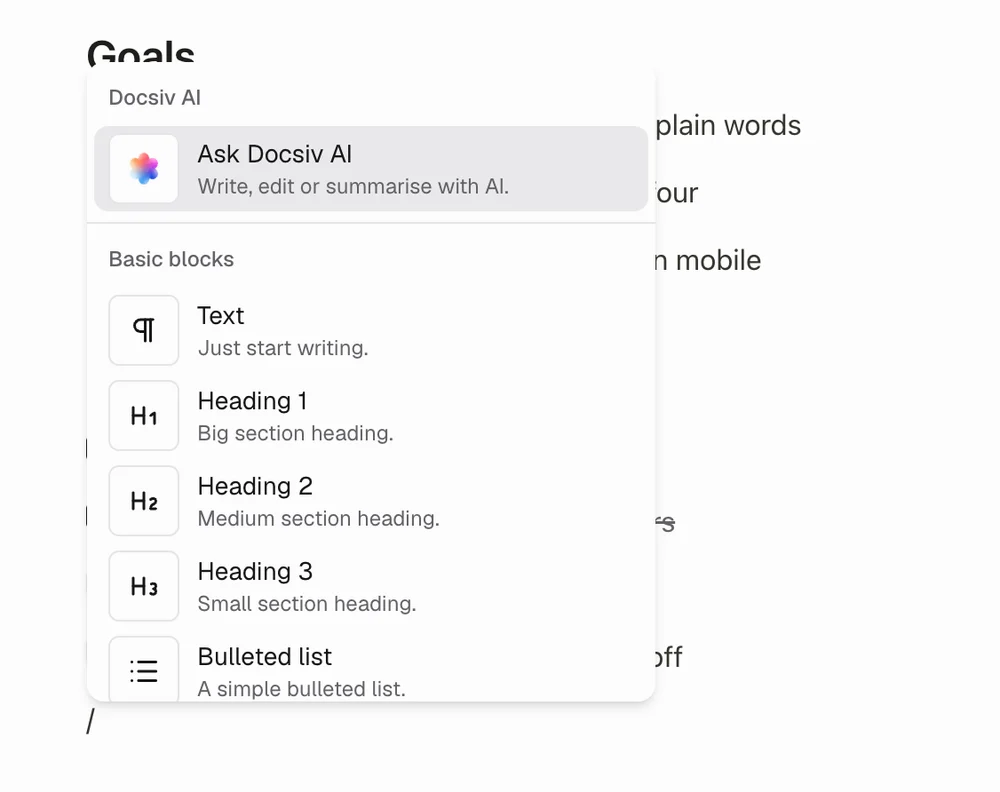
Type / for any block
Headings, to-do lists, tables, toggles, callouts and more. Drag a block by its handle to move it.
- Step 2
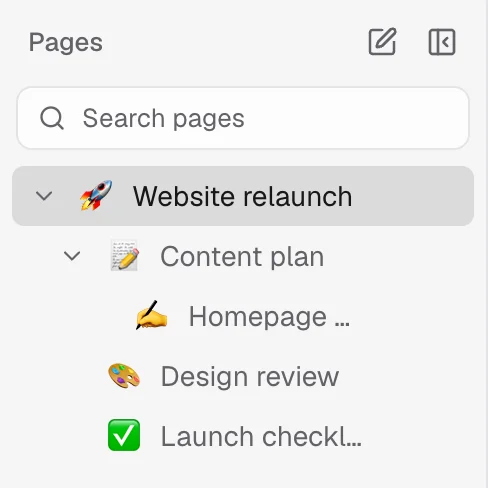
Keep pages inside pages
Give each part of a project its own page under the main one, as many levels deep as you need.
- Step 3
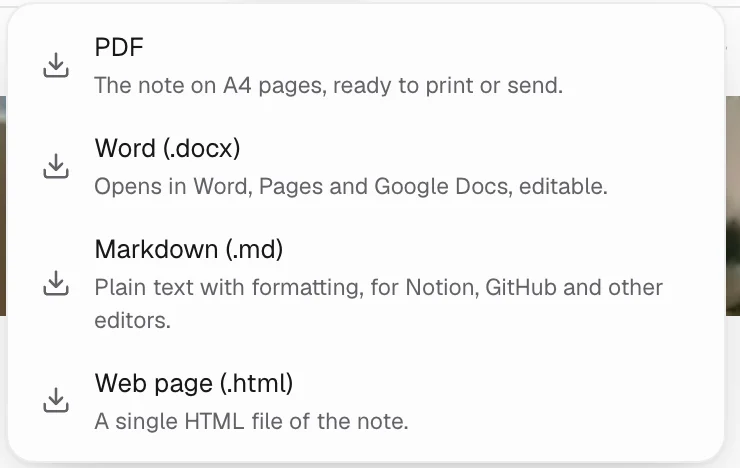
Share it or export it
Share a link to view, comment or edit, or download Markdown, Word, PDF or a web page.
More than a notepad.
The parts that turn notes into something your team can work from.
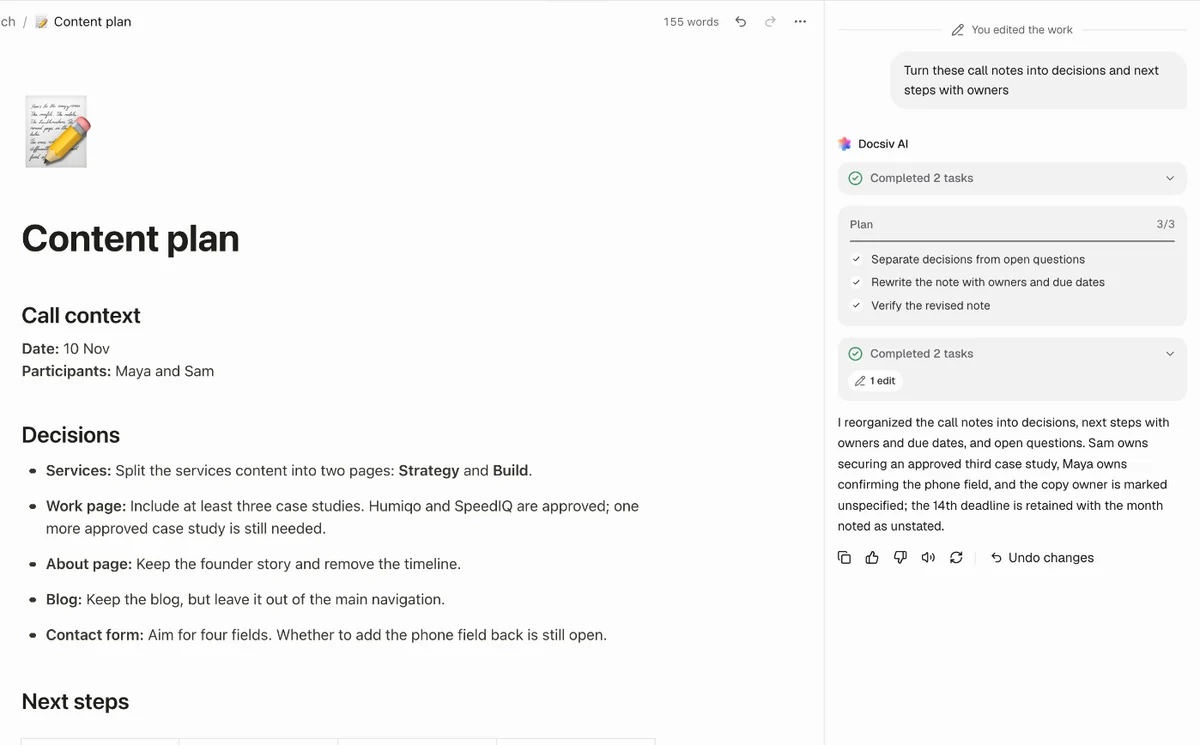
Docsiv AI writes with you
Ask for a first draft, or turn rough notes into decisions and to-dos. It writes into the page, and one undo takes it back.
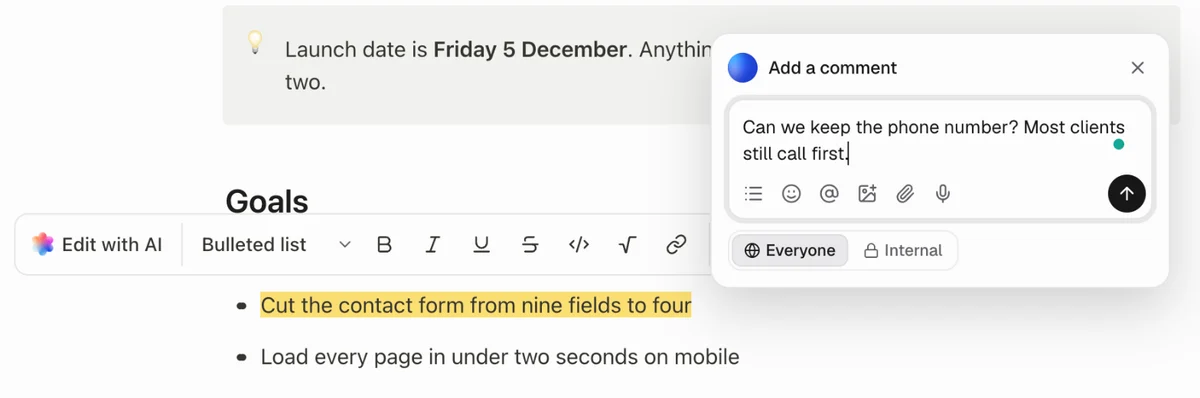
Comment on any line
Select text to comment on it, mention a teammate, or keep it internal. People in the note see each other’s changes as they type.
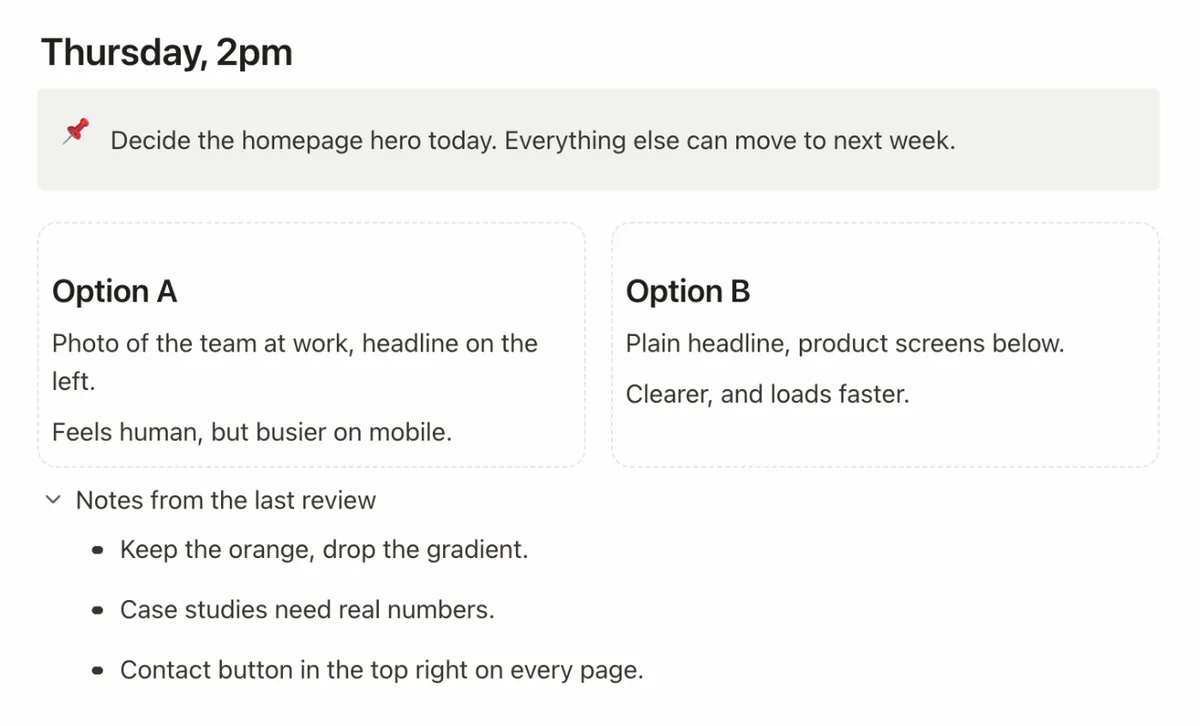
Toggles, callouts and columns
Fold away the detail, flag what matters, and set things side by side, without leaving the page.
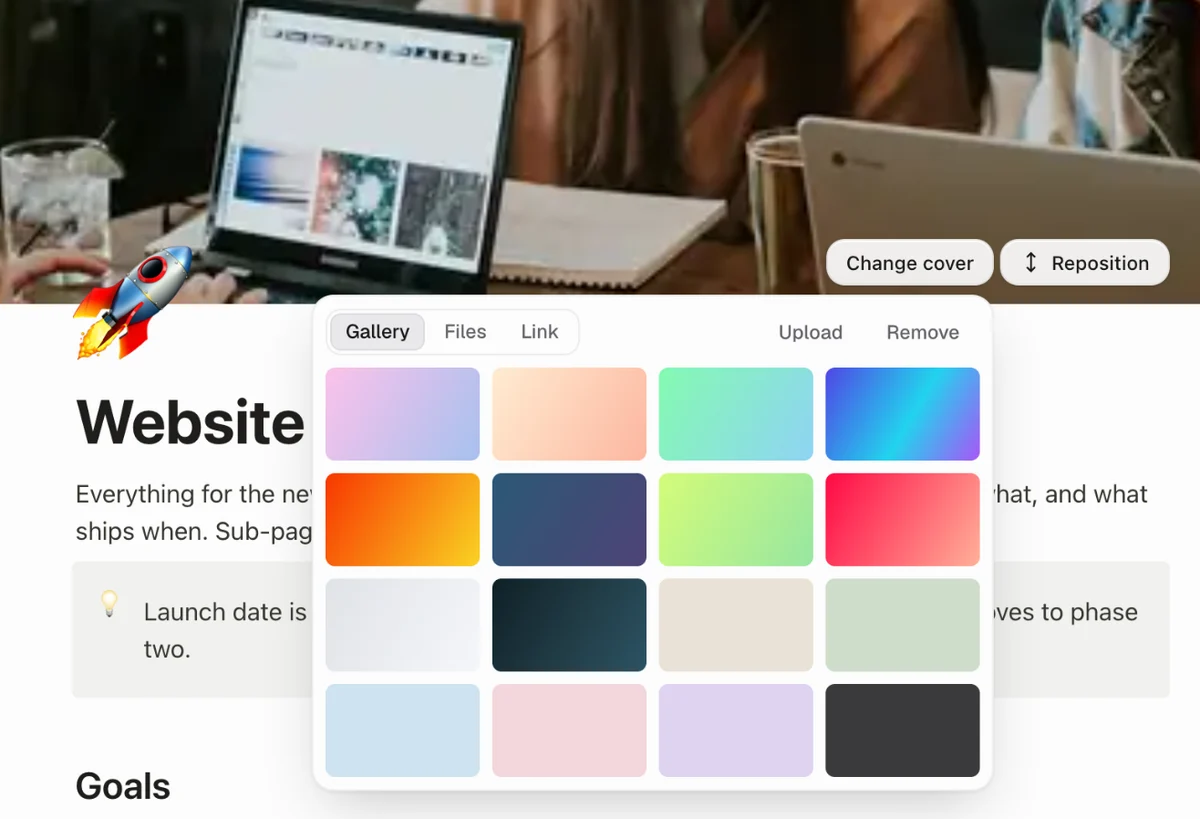
A cover and an icon
Pick a cover colour or photo and an emoji, so each page is easy to spot in the list.
Common questions.
Something else on your mind? Ask us in the chat, bottom right of the page.
Is this note-taking app free?
Yes. Writing, every block, pages inside pages, sharing and exports are included on the Free plan, along with Docsiv AI with credits included.
Do I need to sign up?
Yes, a free account. Sign up with Google, Microsoft or email and a new note opens. It’s saved to your workspace as you type, so there’s no Save button to remember.
What can I put in a note?
Type / for headings, to-do lists, bullet and numbered lists, tables, toggles, callouts, quotes, columns, code, maths, dates, images, video embeds, Mermaid diagrams and a table of contents. Drag any block by its handle to move it, and give a page a cover and an emoji icon.
Can I keep pages inside pages?
Yes. Each note is a notebook: its top page and the pages inside it, which can nest as deep as you like, all listed beside the editor.
Can my team edit a note together?
Yes. Everyone in your workspace can open it, and you can share it by link with view, comment or edit access. People with it open see each other’s changes as they type, and can comment on any text.
What can I export?
Markdown, a Word document (DOCX), a PDF or a web page (HTML).
What can Docsiv AI do in Notes?
Ask it to write a page, turn rough notes into decisions and to-dos, split a long page into sub-pages, or tidy a section into a table or a callout. It writes into the note, and every change is one undo.
Does it work on a phone?
Yes, it runs in a phone or tablet browser. A bigger screen is easier for long pages and tables.
Ready to write it down?
Describe the page you need and Docsiv AI writes a first version, or open a blank note and start typing.