

How Humiqo mapped its product launch in under an hour.
Humiqo put two audit files on a Docsiv project canvas and asked Docsiv AI for the rest: a readable audit, a launch task board, a sitemap for the marketing site and a journey map for every role.
- Company
- Humiqo
- What they do
- An HR platform for people, attendance, payroll and hiring
- Used
- Projects and the canvas · Notes · Whiteboard · Docsiv AI
- 38 minFrom two audit files to a planned launch, on 10 November
- 10 minFor a journey map of eight roles, from sign-up to finished work
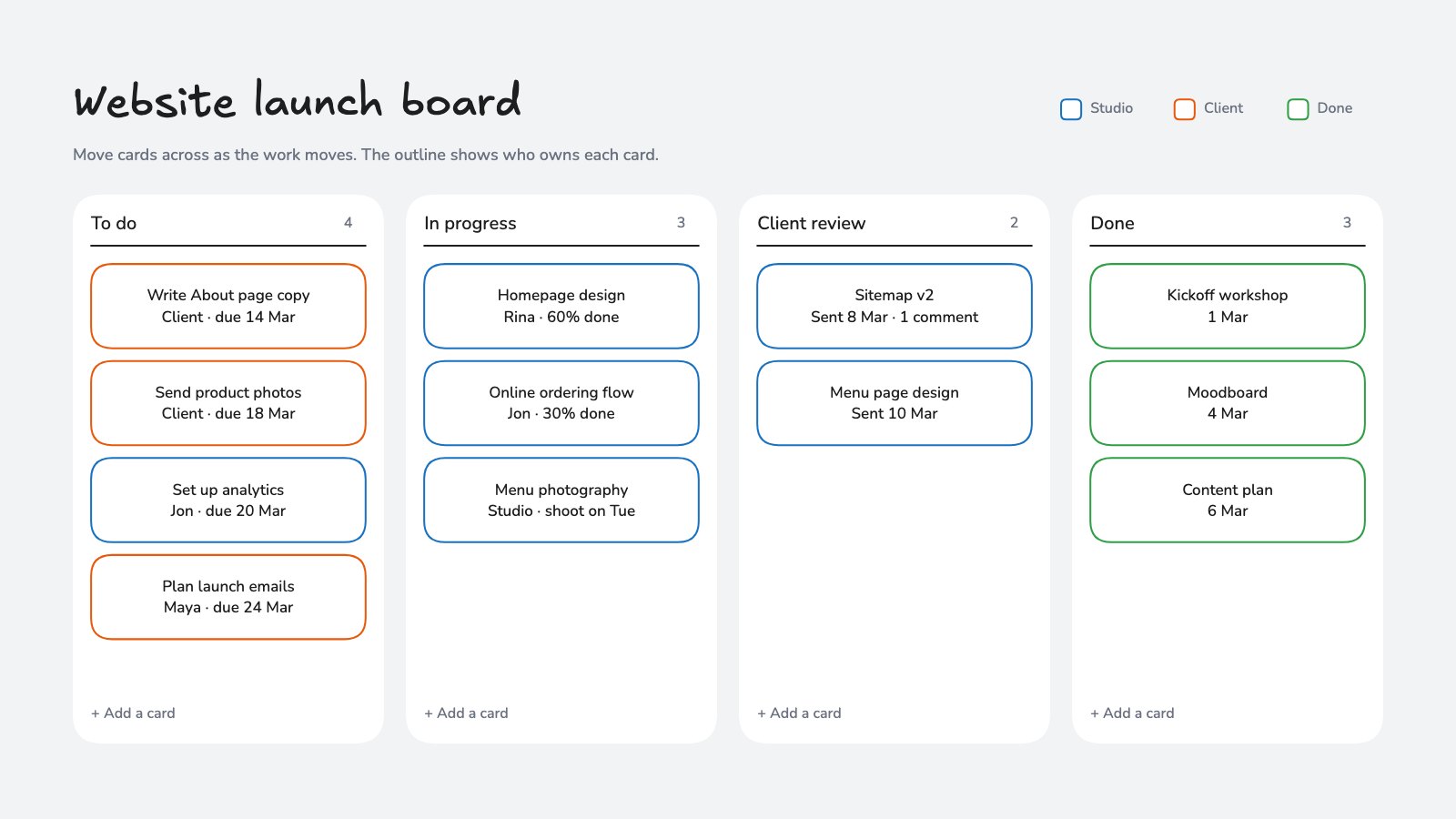
- 16Tasks on the launch board: 14 for the first release, 2 for later
- 5Notes and whiteboards in one project, each with Humiqo’s logo
A big product, and a launch to plan.
Humiqo covers people, attendance, leave, payroll, hiring, performance, projects, finance and support in one HR platform. Before launch, the team had an audit of all of it in two long text files, and needed a plan people could act on.
- The audit in a form the whole team would read, not a raw text file.
- A short list of what the first release needs, with everything else parked for later.
- A sitemap for a marketing site that didn’t exist yet.
- The path every kind of user takes, from sign-up to finished work.
How it came together, step by step.
One project on 10 November 2026, and the requests the team made, in their own words.
Two audit files, one readable note
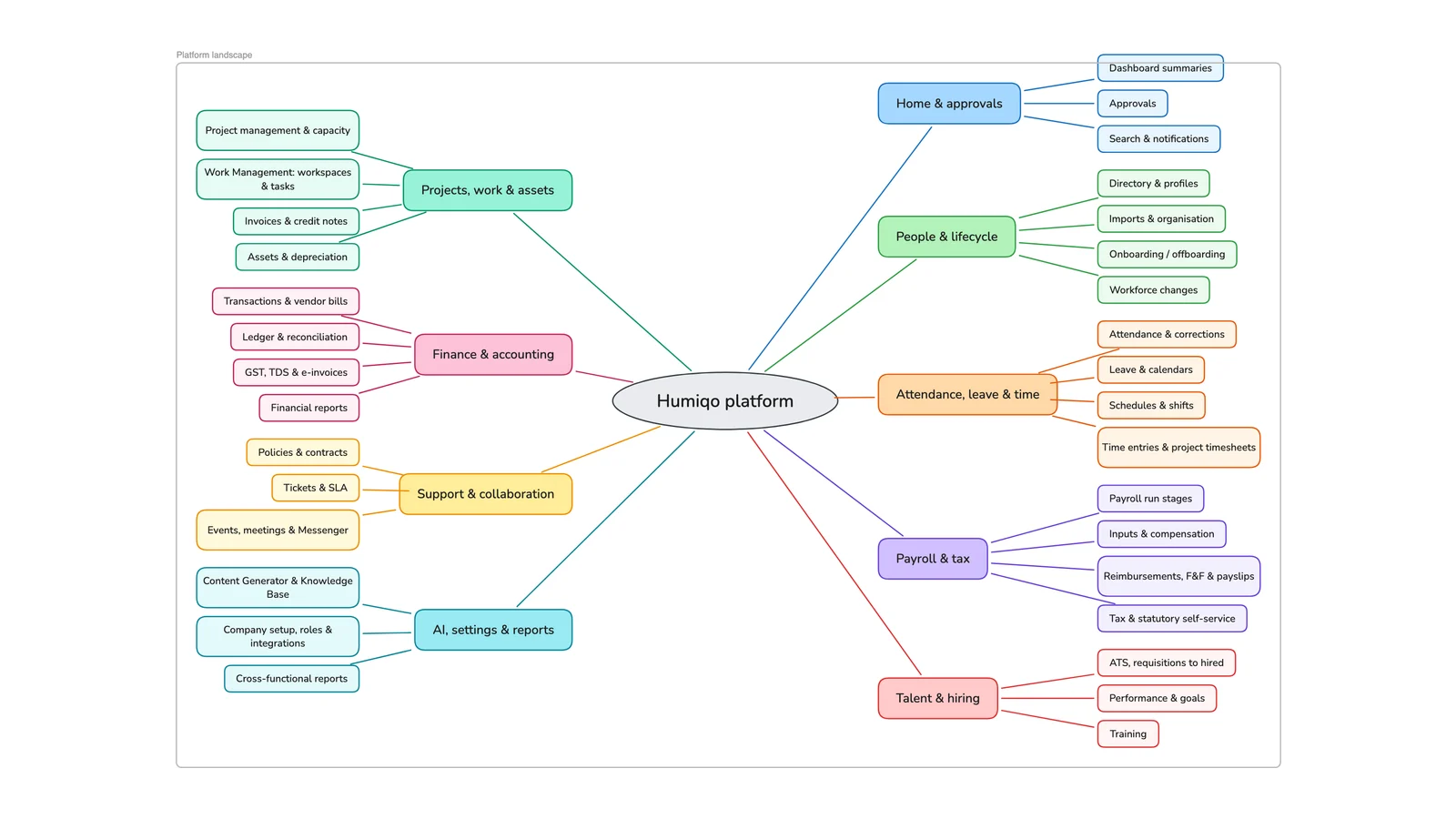
The team dropped two Markdown files on the project canvas, an audit of the product and a map of its pages, and asked for “a note for the audit, and then a whiteboard for the flow”. The first note came back too short: “this is missing a lot of things from the original file”. Docsiv AI put the module list, workflows, settings areas and report examples back in. Then “convert this into a proper whiteboard” turned the note into a board, with the whole platform drawn as one map.
A launch list, made simpler on request
Next: research what else the platform needs before it goes live, “payments, OAuth” and the rest. Docsiv AI researched it and wrote a prioritised checklist, marking what the audit hadn’t checked as unverified rather than missing. The team’s answer: “this is too complicated, we just needed a list of things to do”. The note became a short first-release list with everything else under Future, and the same list went onto the project’s task board. Prices, plans and the payment provider were left as decisions to make, not guessed.
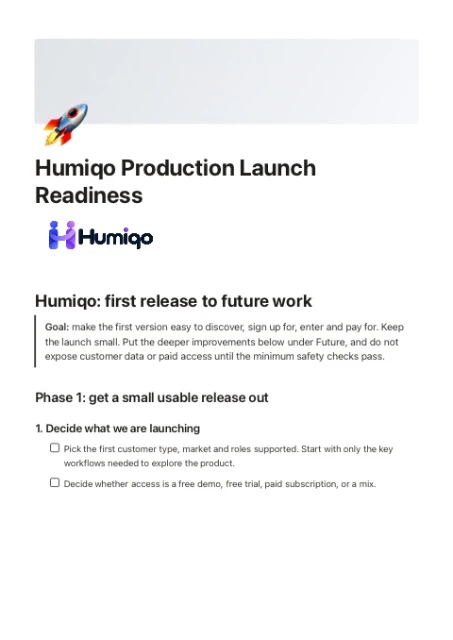
Launch task board · MVP to do - Define first-release audience, market, roles and modules
- Decide pricing, trials, billing periods and seat limits
- Build registration, login, email verification and password reset
- Create safe, resettable demo accounts and sample data by role
- Simplify dashboard navigation and first-run states
- Build marketing site pages: home, product, pricing, roles, contact, FAQ, legal, support
- Test the journey from visit and sign-up through payment and first use
- Choose and purchase Humiqo’s primary domain, then configure DNS and HTTPS
A sitemap for the marketing site
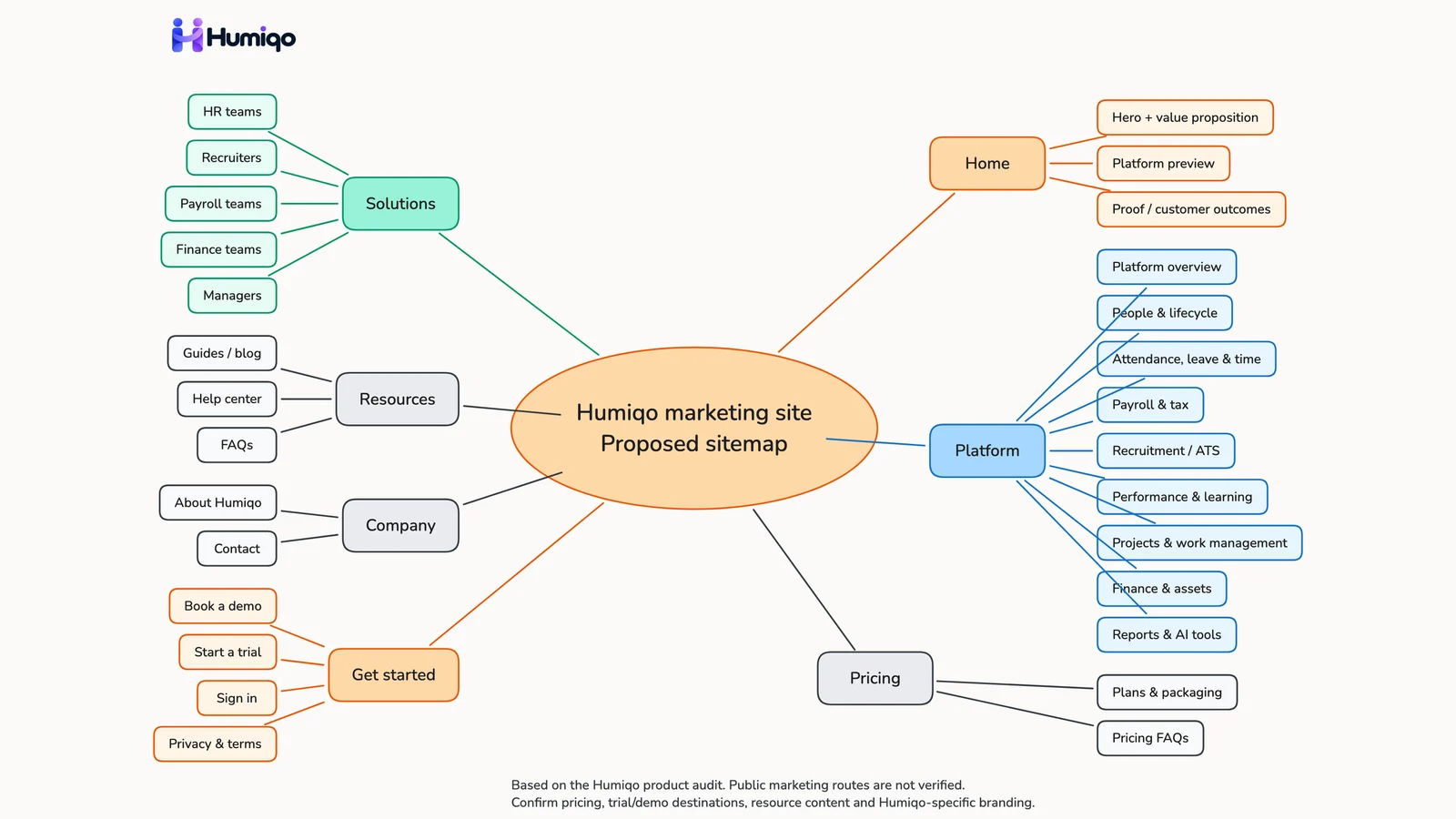
“Now I need you to create a sitemap of the marketing site in a whiteboard.” The board came back with seven sections: Home, Platform, Solutions, Pricing, Resources, Company and Get started, each with its pages. It is labelled a proposed sitemap, because the files on the canvas covered the product behind the sign-in, not a public site.
Every role’s journey on one board
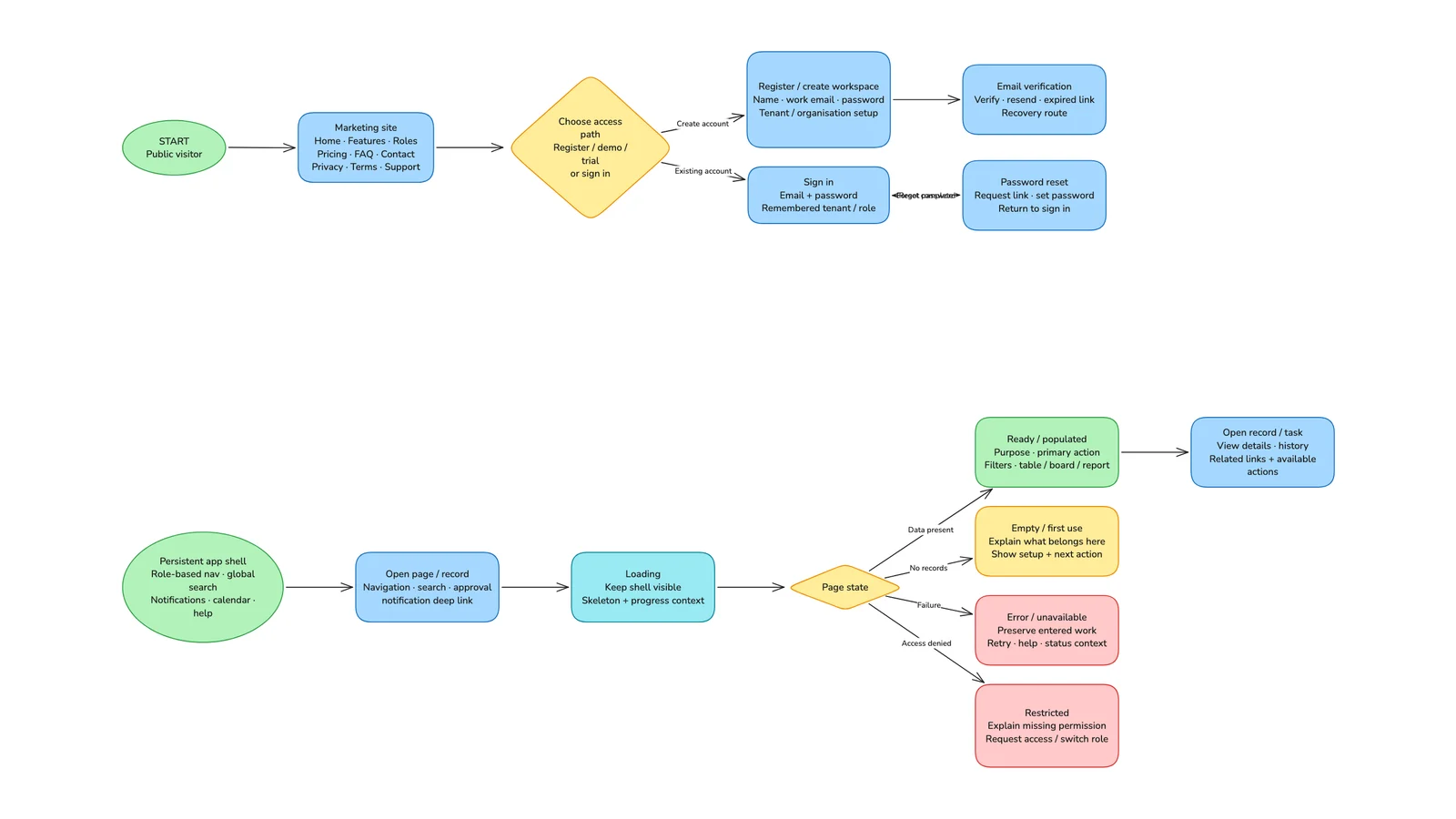
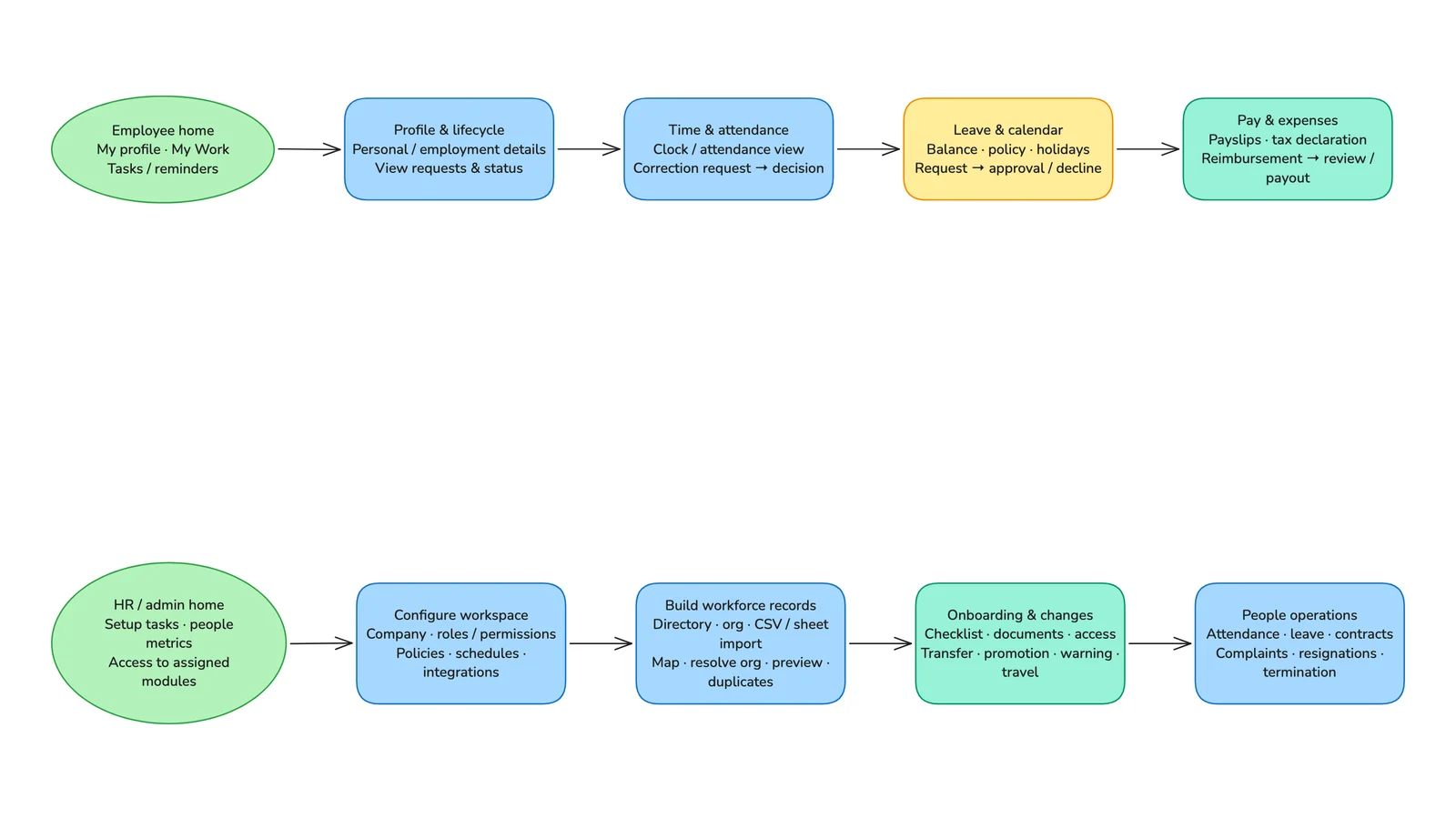
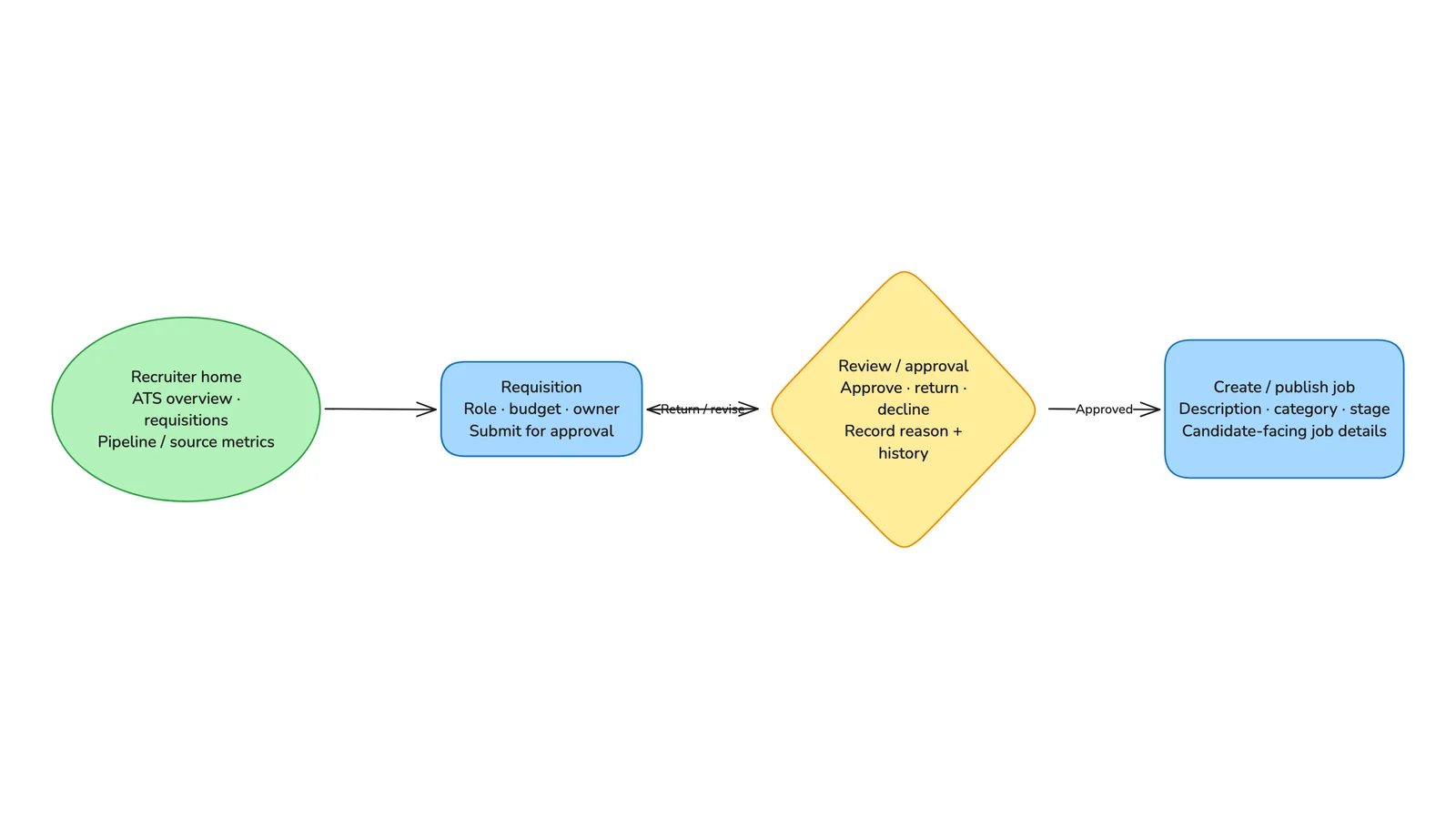
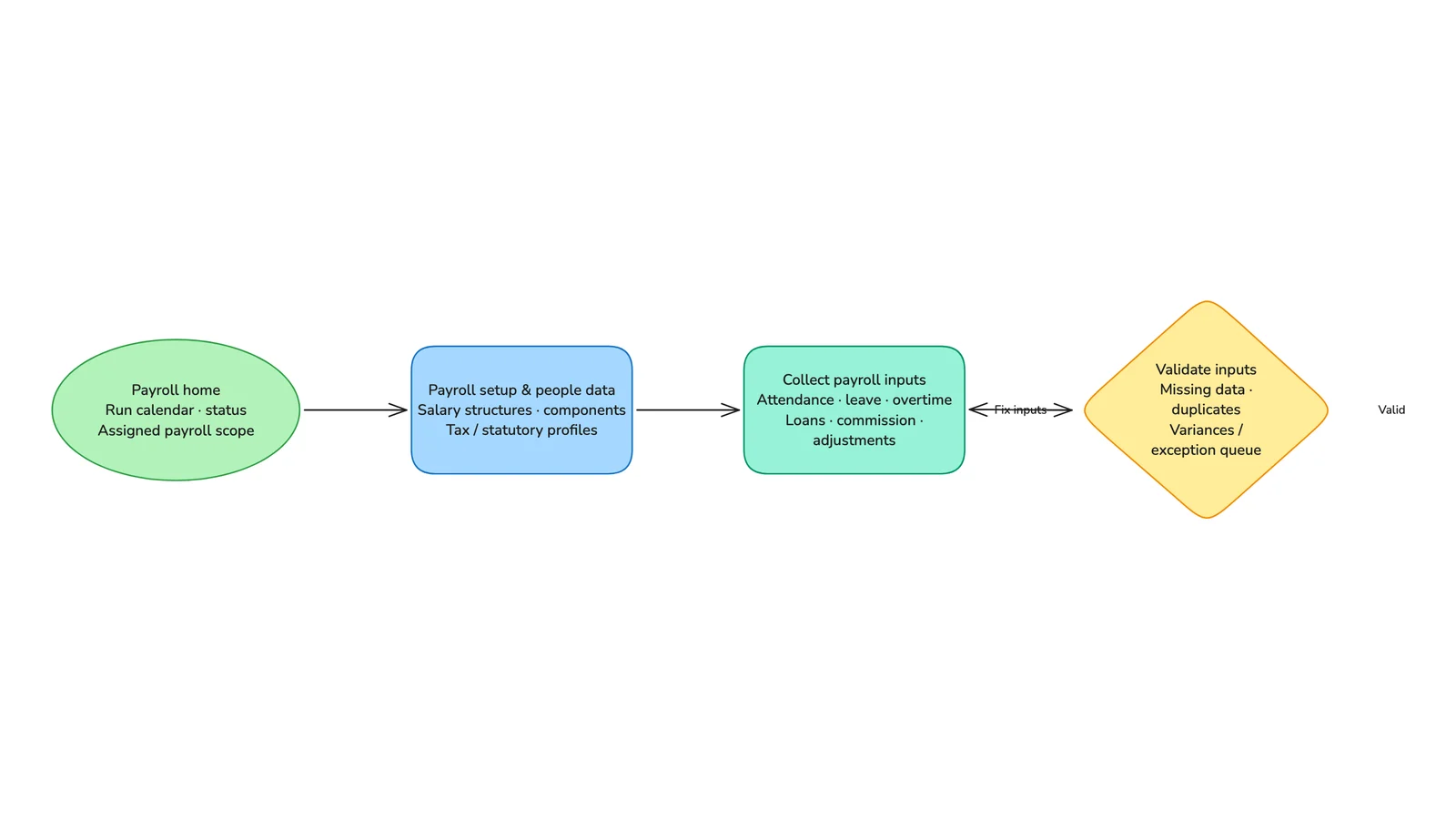
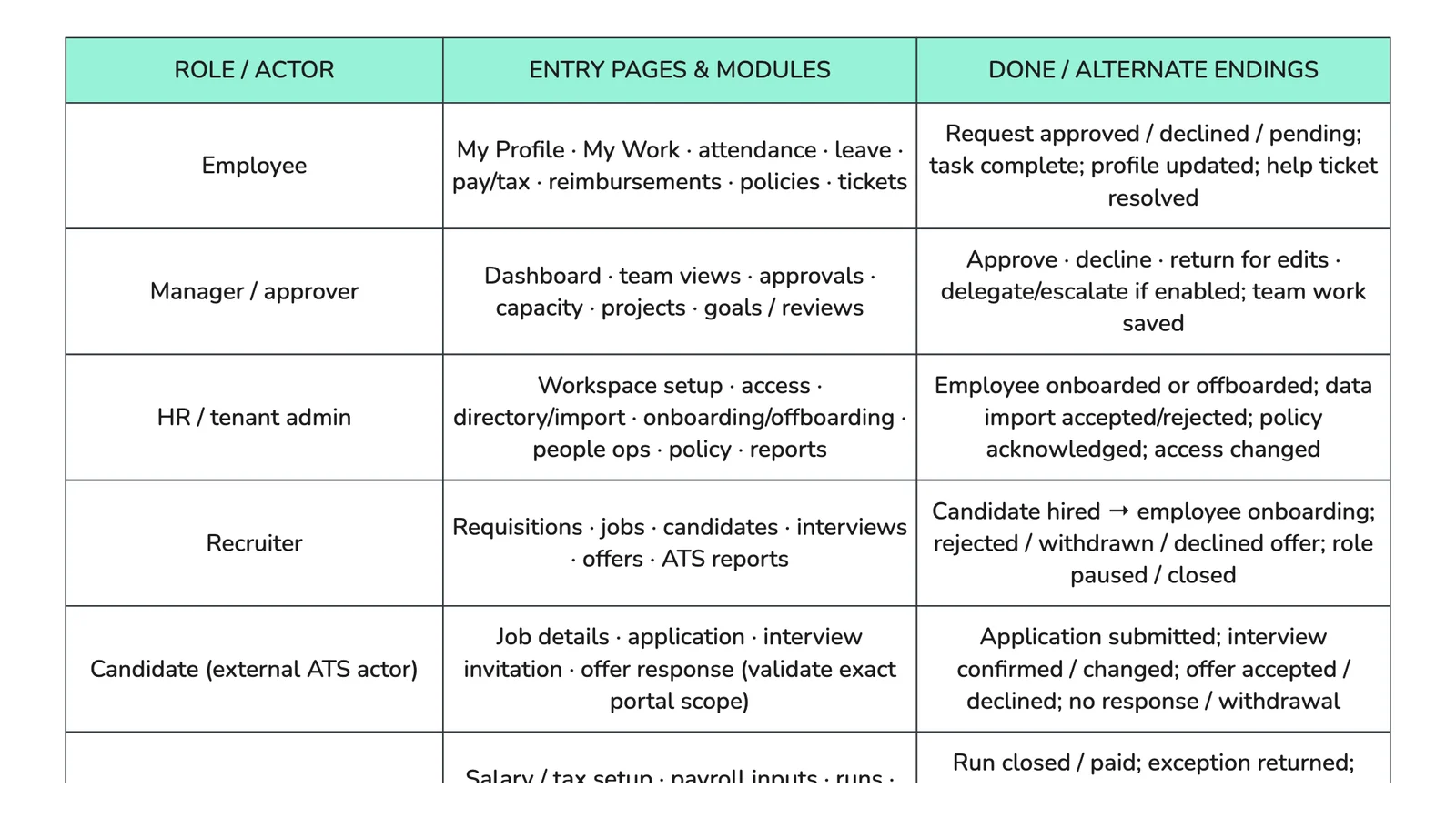
In a second chat, running at the same time: a journey for every role in the app, “from register and login to doing the actual work”, with each page, popup and module described. Ten minutes later the board held eight role journeys, from employees and managers to recruiters, payroll and finance, plus the shared sign-up path, the states every page can be in and five reference tables. Dialogs and permissions the audit hadn’t confirmed were marked for checking.
Humiqo’s logo on every file
One more line: “brand every document with the Humiqo logo”. When a search didn’t turn up the logo, the team pointed Docsiv AI at the product’s sign-in page. It took the logo from there and placed it on both notes and the whiteboards, so every file in the project carries the same mark.
Humiqo App · project files - Humiqo UX Audit
- Humiqo Production Launch Readiness
- Humiqo UX Audit Whiteboard
- Humiqo Marketing Site Sitemap
- Humiqo Role-Based User Journey Map
Inside the journey map.
Parts of the role-based journey whiteboard, as they are in the file.
What made it work.
Four habits worth borrowing for your own planning.
Start from the files you have
Two Markdown files were enough. Docsiv AI read them on the canvas and every note and board that followed points back to them.
Say when it’s too much
“Too complicated” was a fair answer to the first launch checklist. One message turned it into a short list for the first release, with the rest kept under Future.
Nothing it wasn’t given
Prices and the payment provider stayed as open decisions, the sitemap is labelled proposed, and buying the domain went on the board as a task, not as something done.
One project, not five tools
The notes, the whiteboards, the task board and the chats that made them sit on one project canvas, so the plan and its reasons stay together.

Plan your next launch
Give Docsiv AI your notes, an audit or a brief, and get the plan, the boards and the task list in one project.