

What’s inside the Business Memo.
Real content in every part, ready to rewrite with your own.
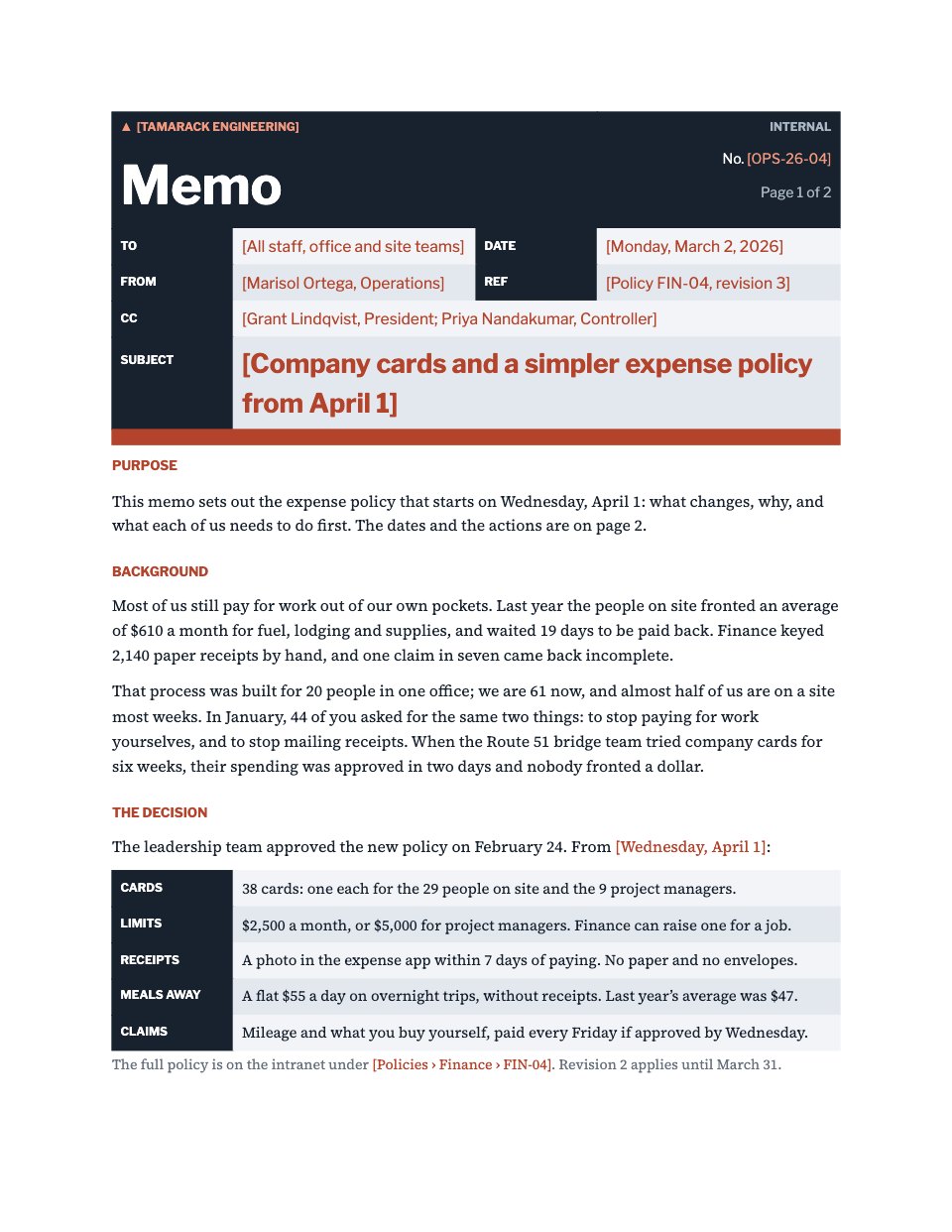
- 1A memo masthead with To, From, CC, Date, a reference and the subject
- 2The purpose and the background, with the numbers behind the change
- 3The decision, set out point by point
- 4What changes for each group, and a dated timeline
- 5Actions with owners and due dates, and who to ask
When to use it.
Business Memo is a two-page internal memo for announcing a change people need to act on, such as a new policy, an office move or a new way of working. It opens with a masthead laid out like a printed office form: To, From, CC, Date, a reference and the subject. Then it says why the memo exists, the numbers behind the change, and the decision point by point. Page two covers what changes for each group, a dated timeline, actions with owners and due dates, and who to ask. Every name, date and reference is a tinted fill-in.
Made for
- Finance and accounts teams
- Operations managers
- In-house marketing and design teams
- Founders running their own back office
Make it yours in four steps.
Open it in Documents and work through it, or let Docsiv AI do the first pass with your details.
- Step 1
Fill in the masthead: your company name, the memo number, who it goes to and comes from, the date, the reference and the subject.
- Step 2
Write the purpose in two sentences, then the background with the numbers behind the change, so people know why before they read what.
- Step 3
Set out the decision point by point and say what changes for each group it touches.
- Step 4
Update the timeline, the actions and the contacts with real names and dates, then export to Word or PDF and send it.
Start from the Business Memo now.
Questions about this template.
Something else on your mind? Ask us in the chat, bottom right of the page.
Is the Business Memo template free?
Yes. Create a free account and it opens in Docsiv's Documents app, ready to edit and share. The Free plan includes every Docsiv app and 500 AI credits a month.
Can I change the colours, fonts and text?
Yes, all of it. The template uses Libre Franklin and Source Serif 4 with #18222f, #b4432b, #e3e8ee, and you can change any of them, rewrite every word and add or remove pages.
What can I export it as?
Documents in Docsiv offers: DOCX, PDF, ODT, RTF and Markdown exports. Once it's saved, you can also share it with a link.
Can Docsiv AI write the business memo for me?
Yes. Tell Docsiv AI about the client or project and it can draft the content in this template's style, which you then review and edit. AI uses credits; the Free plan includes 500 a month.









Start your document or form with Docsiv AI
Describe the client or the project and Docsiv AI writes a first draft of your business memo for you to edit, share and send.