

What’s inside the Pink Script.
9 slides with real content in place. Rewrite them, reorder them, or add your own.
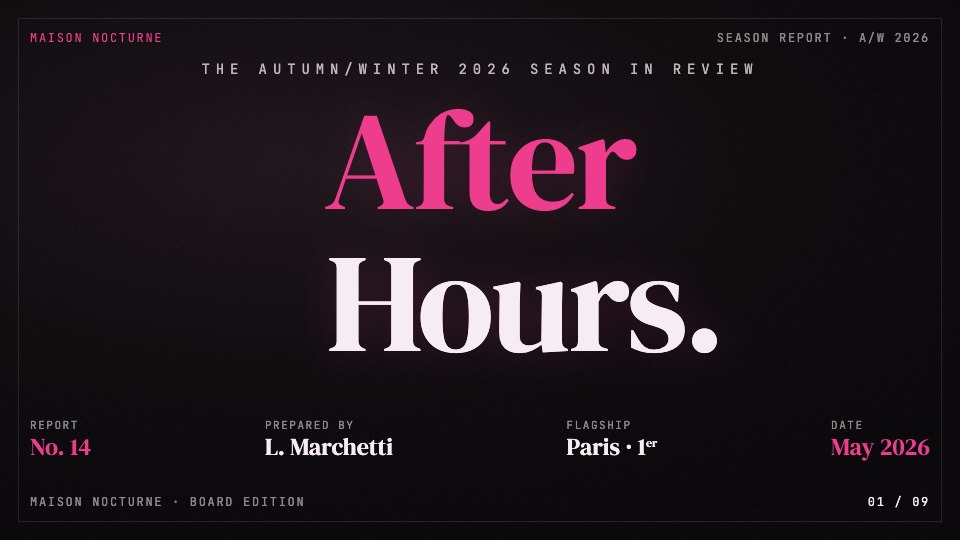
- 1Slide 1Cover with report number, author, flagship and date
- 2Slide 2Contents in five chapters
- 3Slide 3Five headline figures for the season
- 4Slide 4Chapter opener on the season's three silhouettes
- 5Slide 5Twelve-week traffic chart against the sector benchmark
- 6Slide 6Five-step making process with a thirteen-week timeline
- 7Slide 7Comparison table against two peer houses
- 8Slide 8Press quote
- 9Slide 9Three proposals for next season, with the approval date
When to use it.
Pink Script is a 9-slide season report for fashion, beauty and retail brands presenting a season's results to a board, investors or partners. It opens with five headline figures, introduces the collection, charts twelve weeks of store traffic against the sector, walks through how the work is made, compares you with two peers and closes with proposals for next season and an approval date. Oversized serif headings in hot pink on warm black give it the feel of a fashion magazine spread.
Made for
- Agencies reporting to clients
- Consultants and freelancers
- Founders updating a board
- Teams sharing results
Make it yours in four steps.
Open it in Decks and work through it, or let Docsiv AI do the first pass with your details.
- Step 1
Change the house name, report number, author and date on the cover.
- Step 2
Put your own figures, chart values and peer comparison in.
- Step 3
Edit the process steps and the proposals to match your next season.
- Step 4
Present it from the browser, export it to PowerPoint or PDF, or share it with a link.
Start from the Pink Script now.
Questions about this template.
Something else on your mind? Ask us in the chat, bottom right of the page.
Is the Pink Script template free?
Yes. Create a free account and it opens in Docsiv's Decks app, ready to edit and share. The Free plan includes every Docsiv app and 500 AI credits a month.
Can I change the colours, fonts and text?
Yes, all of it. The template uses DM Serif Display and Inter and JetBrains Mono with #060507, #ED3D8C, #F5EDF1, #B81D67, and you can change any of them, rewrite every word and add or remove slides.
What can I export it as?
Decks in Docsiv offers: Slides, PPTX, PDF and HTML exports. Once it's saved, you can also share it with a link.
Can Docsiv AI write the season report presentation for me?
Yes. Tell Docsiv AI about the client or project and it can draft the content in this template's style, which you then review and edit. AI uses credits; the Free plan includes 500 a month.
Blue Professional
PreviewVellum
PreviewSoft Editorial
PreviewNeo-Grid Bold
PreviewMonochrome
PreviewEmerald Editorial
Preview

Starting from a description instead? Try the AI report generator.



Start your report with Docsiv AI
Describe the client or the project and Docsiv AI writes a first draft of your season report presentation for you to edit, share and send.