

What’s inside the Doodles & Arrows.
1 artboards with real content in place. Rewrite them, reorder them, or add your own.
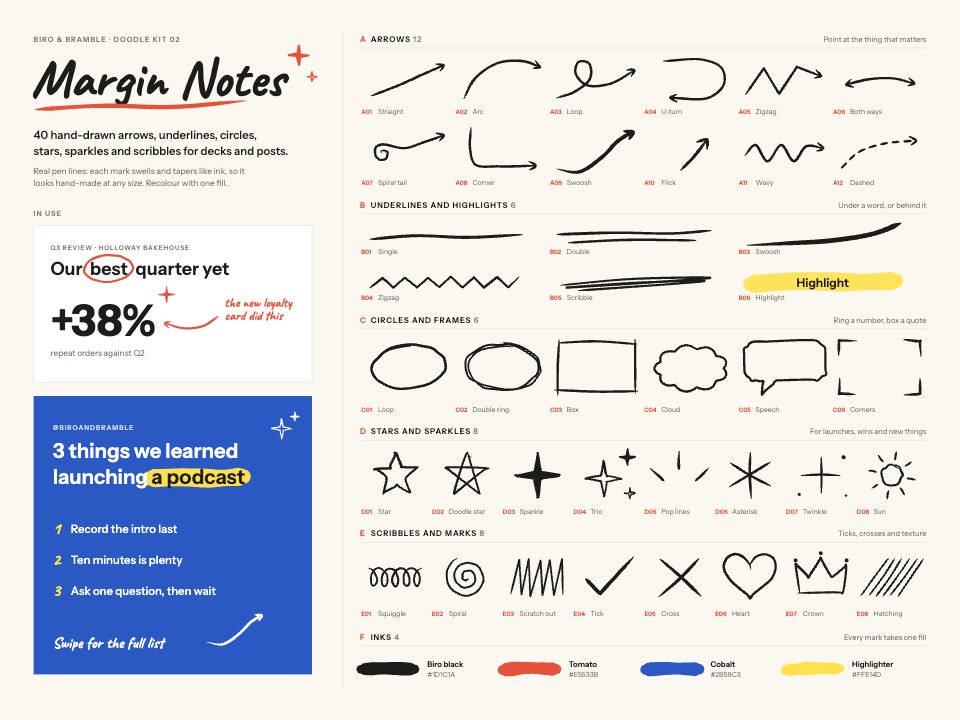
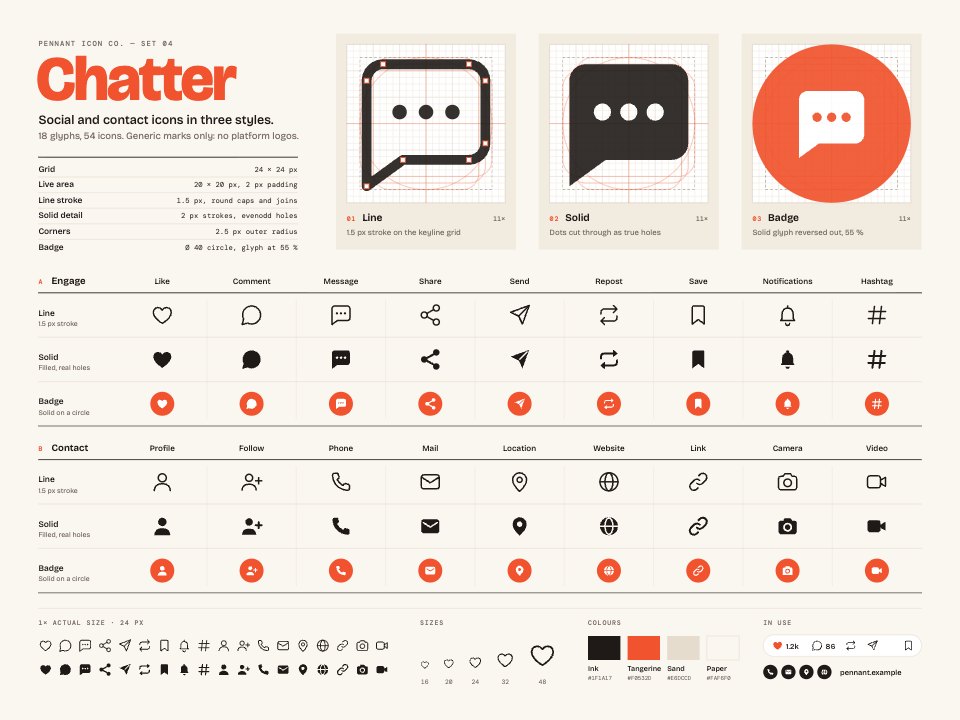
- 1Artboard 140 numbered hand-drawn marks in five groups (A arrows: straight, arc, loop, U-turn, zigzag, both ways, spiral tail, corner, swoosh, flick, wavy, dashed; B underlines: single, double, swoosh, zigzag, scribble, highlight; C circles and frames: loop, double ring, box, cloud, speech, corners; D stars and sparkles: star, doodle star, sparkle, trio, pop lines, asterisk, twinkle, sun; E marks: squiggle, spiral, scratch out, tick, cross, heart, crown, hatching), a slide and a square post using them, and four inks
When to use it.
Doodles & Arrows is a kit of 40 hand-drawn marks for slides, social posts, newsletters and annotated screenshots. It holds 12 arrows (straight, arc, loop, U-turn, zigzag, spiral tail, dashed and more), 6 underlines and highlights, 6 circles and frames including a cloud and a speech bubble, 8 stars and sparkles, and 8 scribbles and marks such as a tick, a cross, a heart and a crown. Each mark is a filled pen line that swells and tapers like ink, so it scales without losing its hand-made feel. A sample slide and square post show them in use, with four inks to start from.
Made for
- Web and product designers
- Restaurants, cafés and shops
- Merchandise and apparel makers
- Marketing teams who want art without photos
Make it yours in four steps.
Open it in Vectors and work through it, or let Docsiv AI do the first pass with your details.
- Step 1
Copy the marks you need onto your slide, post or screenshot.
- Step 2
Recolour a mark with a single fill, using one of the four inks or your brand colour.
- Step 3
Scale, rotate or flip arrows so they point at the thing that matters.
- Step 4
Export single marks as SVG or PNG with a transparent background.
Start from the Doodles & Arrows now.
Questions about this template.
Something else on your mind? Ask us in the chat, bottom right of the page.
Is the Doodles & Arrows template free?
Yes. Create a free account and it opens in Docsiv's Vectors app, ready to edit and share. The Free plan includes every Docsiv app and 500 AI credits a month.
Can I change the colours, fonts and text?
Yes, all of it. The template uses Caveat and Instrument Sans with #1D1C1A, #E5533B, #2B59C3, #FFE14D, #FBF8F1, and you can change any of them, rewrite every word and add or remove shapes and layers.
What can I export it as?
Vectors in Docsiv offers: AI, SVG, PDF and PNG exports. Once it's saved, you can also share it with a link.
Can Docsiv AI change it for me?
Yes. Tell Docsiv AI what you need, such as your brand's colours, new wording or a new variation, and it makes the changes in Vectors for you to review. AI uses credits; the Free plan includes 500 a month.





Start your illustration with Docsiv AI
Describe the client or the project and Docsiv AI writes a first draft of your hand drawn arrows for you to edit, share and send.