

What’s inside the Financial Model.
Real content in every part, ready to rewrite with your own.
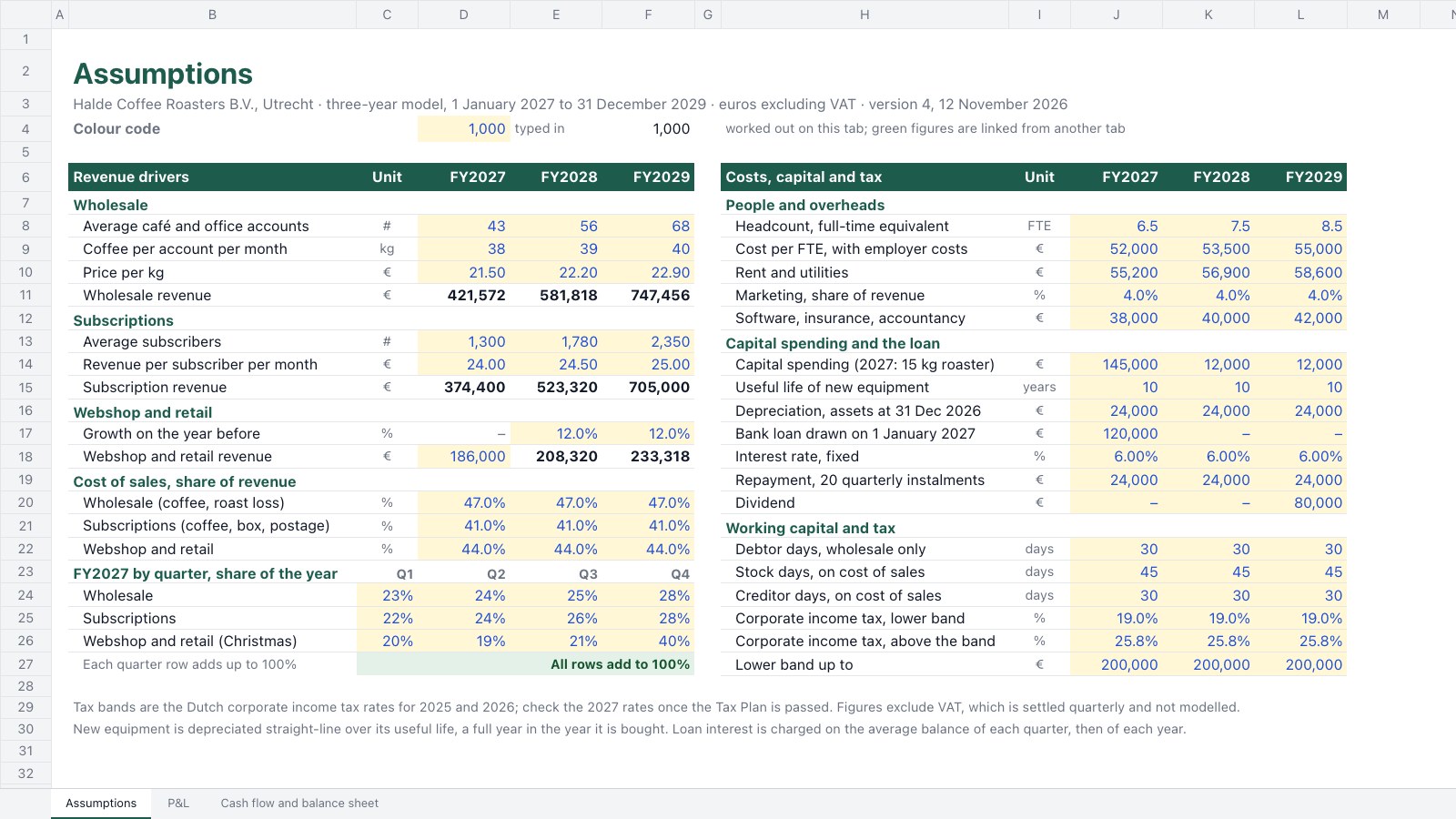
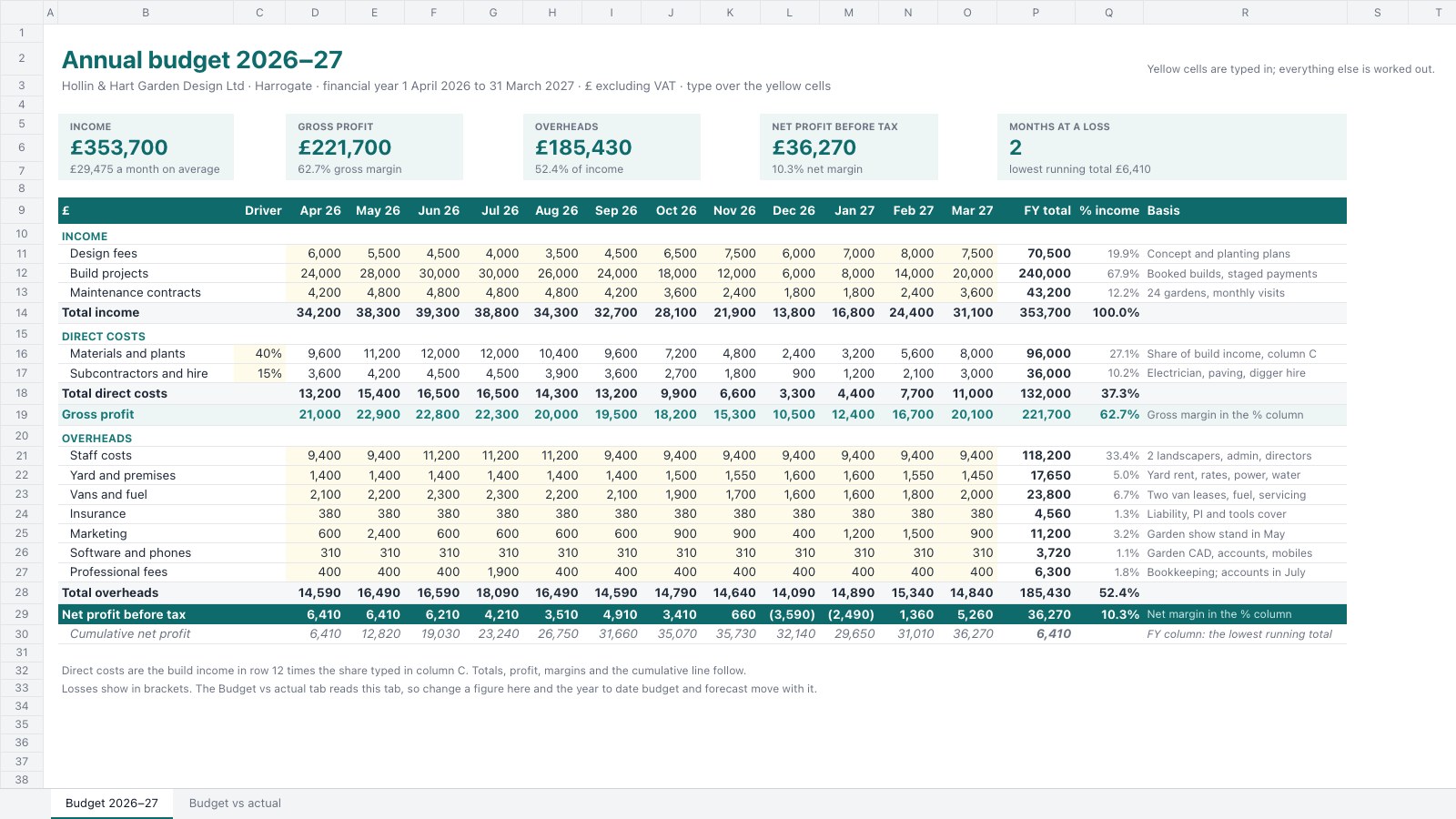
- 1Assumptions: revenue drivers for wholesale, subscriptions and the webshop, cost of sales, FY2027 quarterly phasing with a 100% check, people and overheads, capital spending, the bank loan, working-capital days and the corporate income tax bands, in the blue-input colour code
- 2P&L: FY2027 by quarter and FY2027–FY2029 by year, from revenue by stream through gross profit, operating costs, EBITDA, depreciation, interest and tax to net profit, with margins, a stacked revenue chart and a three-years-at-a-glance box
- 3Cash flow and balance sheet: an indirect cash flow beside the balance sheet from the 2026 opening position, a check row that must read Balanced, lender ratios against covenants and a year-end cash chart
When to use it.
Financial Model is a three-year, three-statement spreadsheet for founders, small businesses and their advisers preparing a bank loan, a budget or an investor conversation. The Assumptions tab holds every driver in the banker's colour code: revenue by stream, cost of sales, quarterly phasing, people, overheads, capital spending, the loan, working-capital days and tax bands. The P&L runs by quarter for the first year and by year after, down to net profit with margins. The cash flow and balance sheet roll forward from last year's accounts, with a check that must read Balanced and lender ratios against covenants.
Made for
- Fintech founders
- Financial advisors
- Wealth and investment teams
- Finance educators
Make it yours in four steps.
Open it in Spreadsheets and work through it, or let Docsiv AI do the first pass with your details.
- Step 1
Type last year's closing balance sheet into the 2026 column of the Cash flow and balance sheet tab.
- Step 2
Replace the blue figures on the Assumptions tab with your own revenue drivers, costs, loan terms and tax rates.
- Step 3
Rename the revenue streams and cost lines to match your business, keeping the colour code for anything you add.
- Step 4
Check the balance sheet reads Balanced in every year, then share the model with your bank or adviser.
Start from the Financial Model now.
Questions about this template.
Something else on your mind? Ask us in the chat, bottom right of the page.
Is the Financial Model template free?
Yes. Create a free account and it opens in Docsiv's Spreadsheets app, ready to edit and share. The Free plan includes every Docsiv app and 500 AI credits a month.
Can I change the colours, fonts and text?
Yes, all of it. The template uses Inter with #1d5c4d, #4f8a7b, #1d4ed8, #fff7d6, #0e7a3c, and you can change any of them, rewrite every word and add or remove rows and columns.
What can I export it as?
Spreadsheets in Docsiv offers: XLSX, CSV and PDF exports. Once it's saved, you can also share it with a link.
Can Docsiv AI write the three statement financial model for me?
Yes. Tell Docsiv AI about the client or project and it can draft the content in this template's style, which you then review and edit. AI uses credits; the Free plan includes 500 a month.

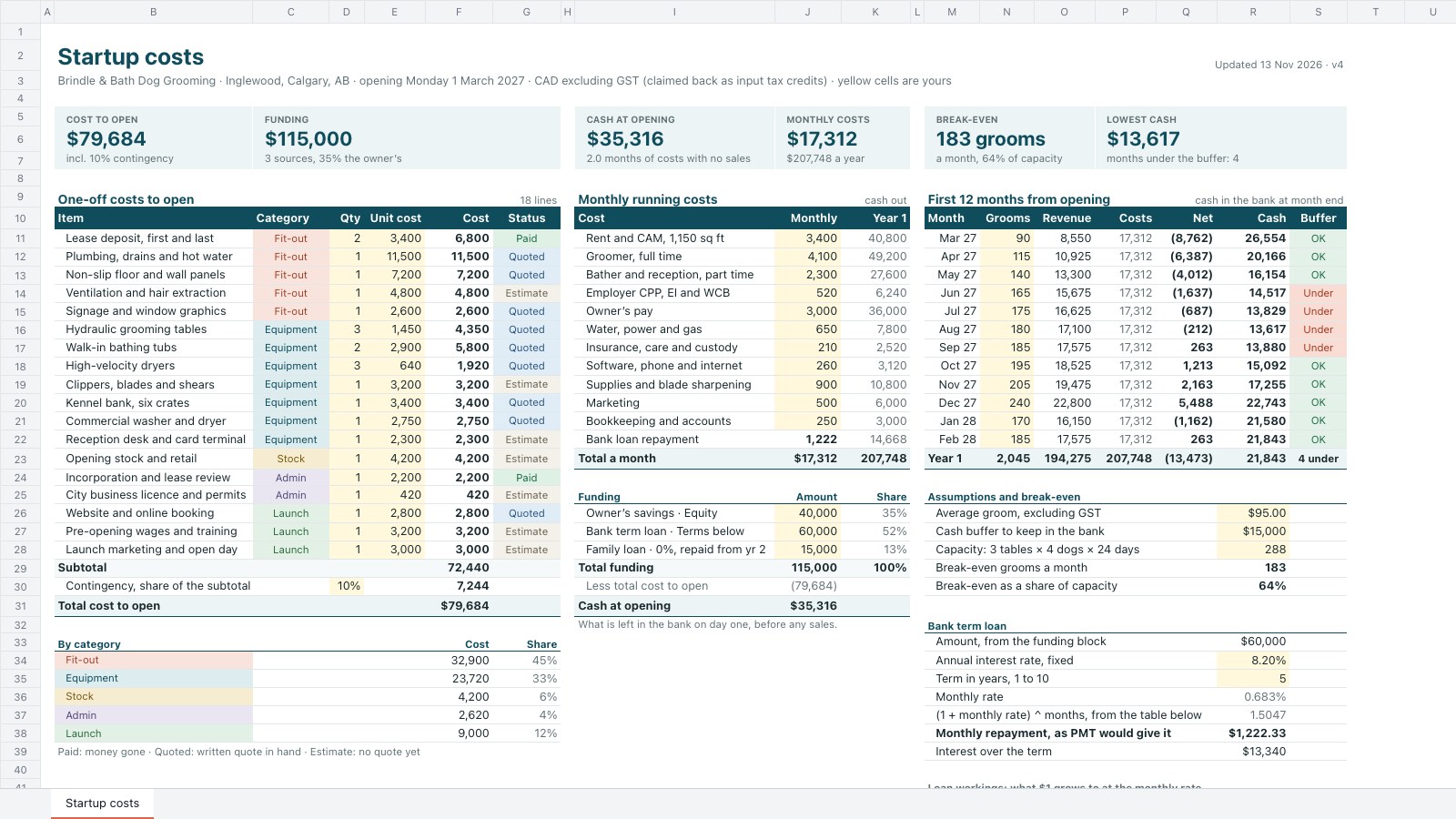
Start your finance deck with Docsiv AI
Describe the client or the project and Docsiv AI writes a first draft of your three statement financial model for you to edit, share and send.