

What’s inside the Checklist.
2 pages with real content in place. Rewrite them, reorder them, or add your own.
- 1Page 1Page 1: the title and promise on a black band with a countdown rail from T–14 to T+7, a legend, and the three sections before launch (content and search, speed and access, legal and safety nets): 24 checks with a tip each
- 2Page 2Page 2: launch day and the first week (15 checks with tips), the five checks to do if you do nothing else, and a call to action for a fixed-price pre-launch review
When to use it.
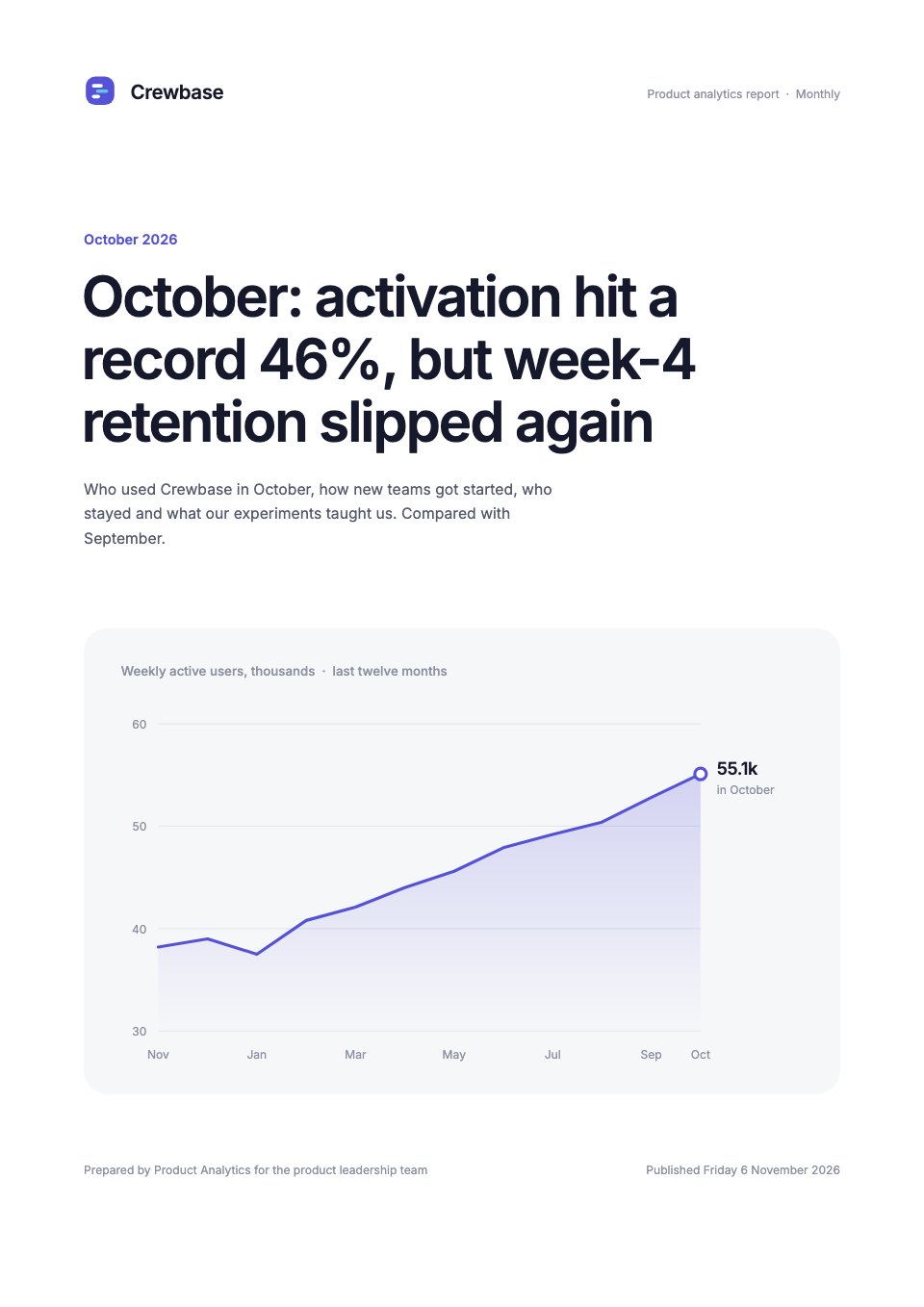
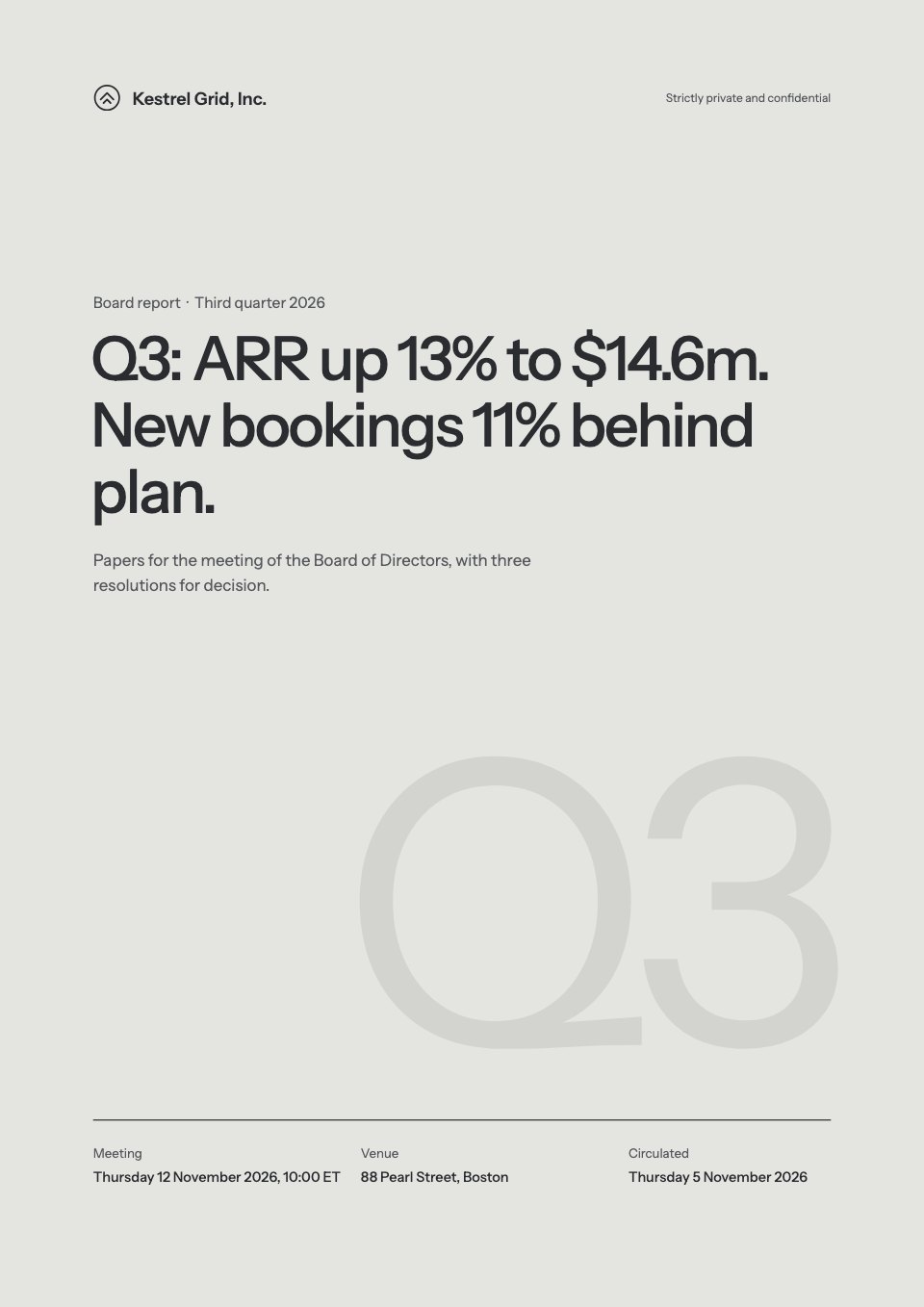
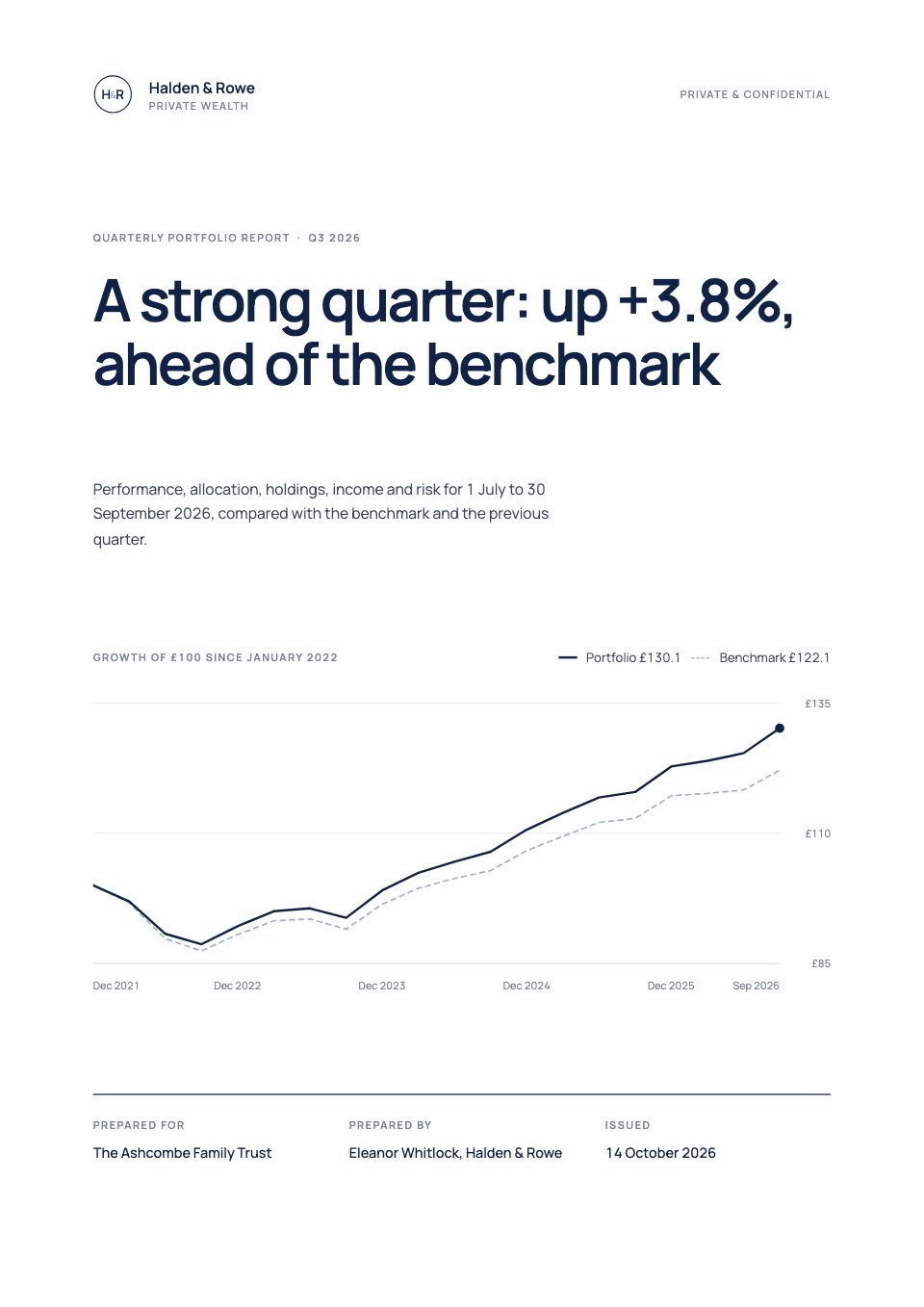
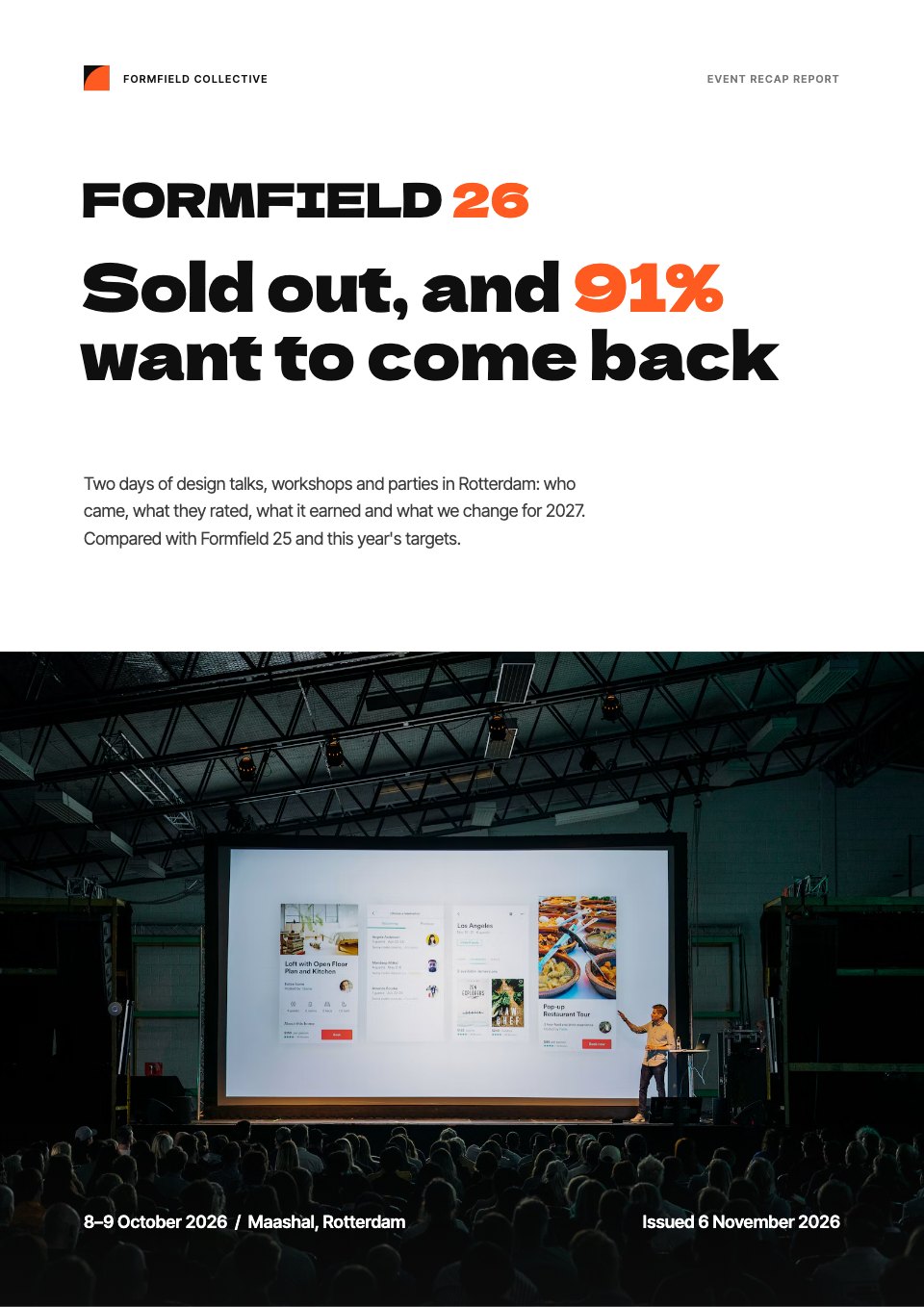
Checklist is a two-page lead magnet for web studios, agencies and freelancers to give away to people about to launch a site. The example is a website launch checklist: 39 numbered checks in five countdown sections, from content and search two weeks out, through speed and accessibility, legal and tracking, and launch day, to the first week after. Every check has an owner and a must or should mark, each section ends with a tip, and page 2 closes with the five checks to do if you do nothing else and one call to action. It's written for the EU, with GDPR, cookie consent and WCAG 2.2 AA.
Made for
- Consultancies sharing a method
- Agencies building a lead magnet
- Coaches and independent experts
- Marketing teams creating gated content
Make it yours in four steps.
Open it in Reports and work through it, or let Docsiv AI do the first pass with your details.
- Step 1
Put your studio's name, logo and website in the header and the call to action.
- Step 2
Edit, add or remove checks in each section; the numbering and the count update themselves.
- Step 3
Change the owner tags to the roles your clients have, and mark each check must or should.
- Step 4
Rewrite the call to action as your own offer, then export a PDF to use as a download or email gift.
Start from the Checklist now.
Questions about this template.
Something else on your mind? Ask us in the chat, bottom right of the page.
Is the Checklist template free?
Yes. Create a free account and it opens in Docsiv's Reports app, ready to edit and share. The Free plan includes every Docsiv app and 500 AI credits a month.
Can I change the colours, fonts and text?
Yes, all of it. The template uses Schibsted Grotesk and JetBrains Mono with #121211, #c8f03a, #fafaf6, #eef8cf, #43433e, and you can change any of them, rewrite every word and add or remove pages.
What can I export it as?
Reports in Docsiv offers: Report pages with charts, PDF and HTML exports. Once it's saved, you can also share it with a link.
Can Docsiv AI write the website launch checklist for me?
Yes. Tell Docsiv AI about the client or project and it can draft the content in this template's style, which you then review and edit. AI uses credits; the Free plan includes 500 a month.















Start your guide with Docsiv AI
Describe the client or the project and Docsiv AI writes a first draft of your website launch checklist for you to edit, share and send.