

What’s inside the Lesson Plan.
2 pages with real content in place. Rewrite them, reorder them, or add your own.
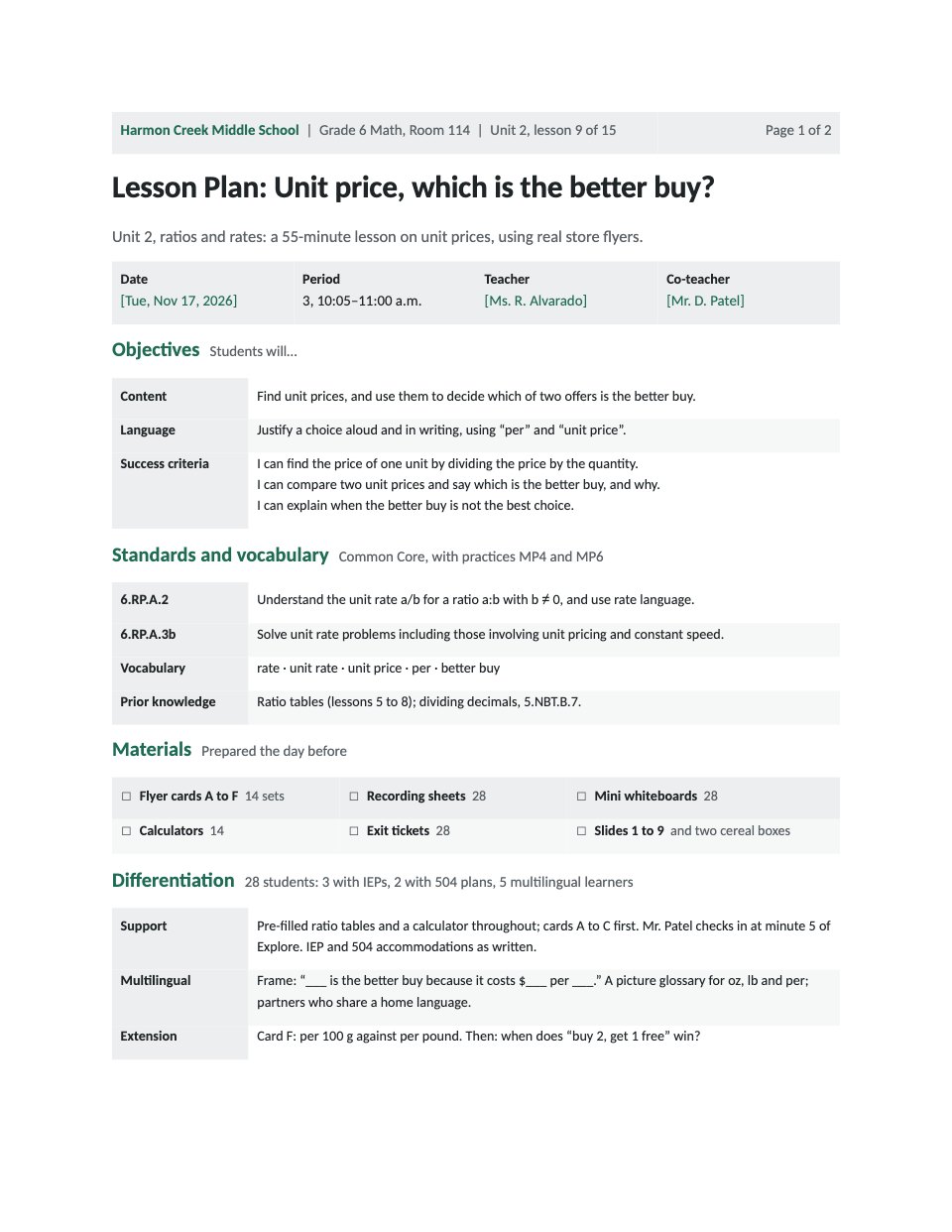
- 1Page 1The class, period, teacher and co-teacher; content and language objectives with “I can” success criteria; standards, practices, vocabulary and prior knowledge; materials with counts; differentiation for support, multilingual learners and extension
- 2Page 2The timed sequence from Do Now to exit ticket with clock times, minutes and a total that adds up to the period, what happens and the check for understanding in each phase; the exit ticket with its key and what each score leads to; homework; reflection after the lesson
When to use it.
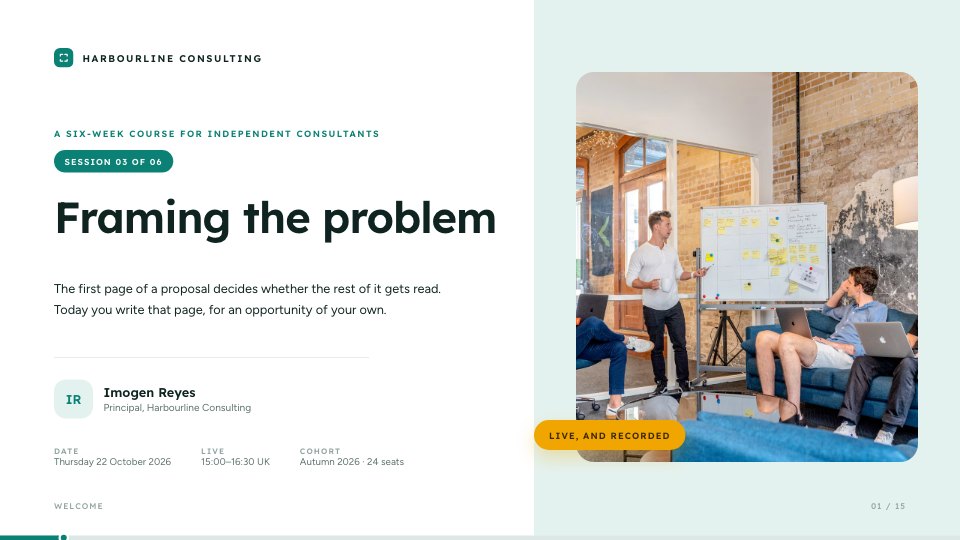
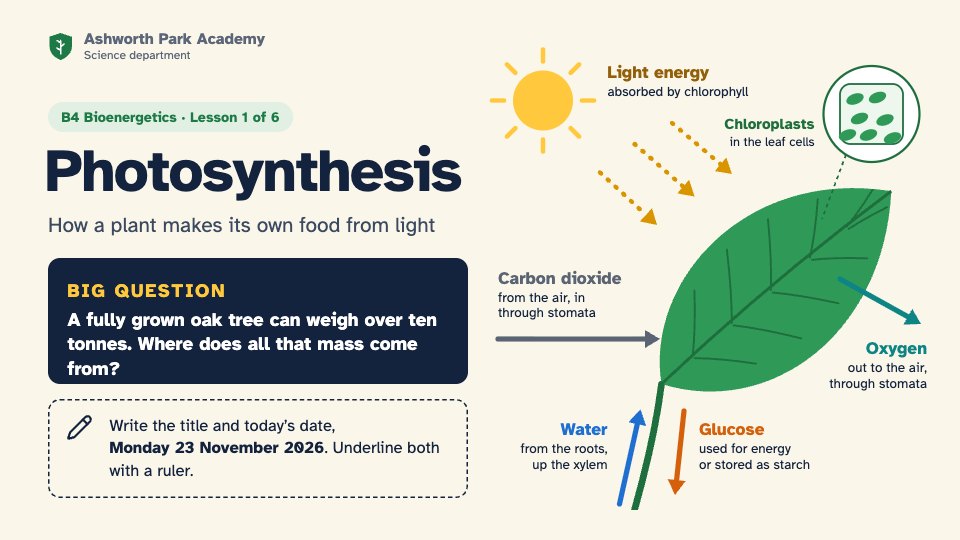
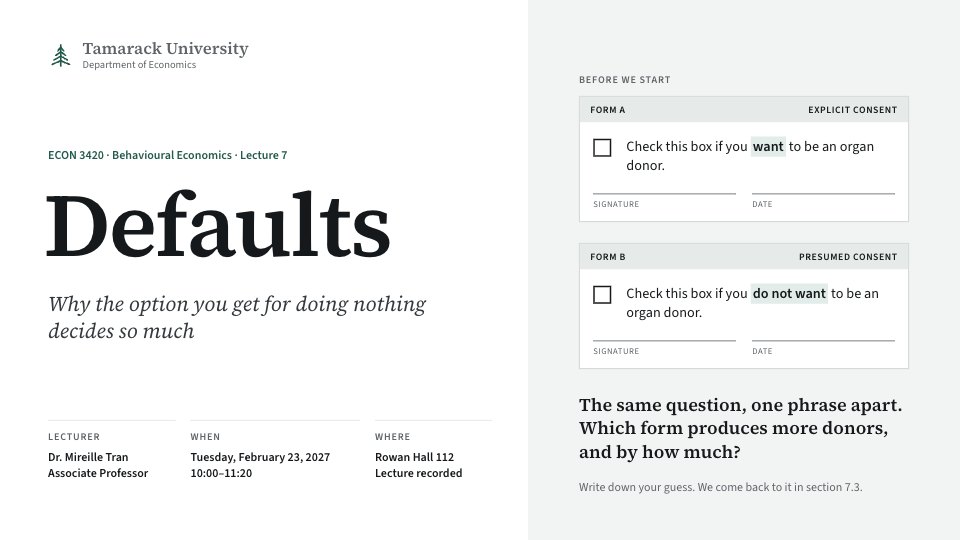
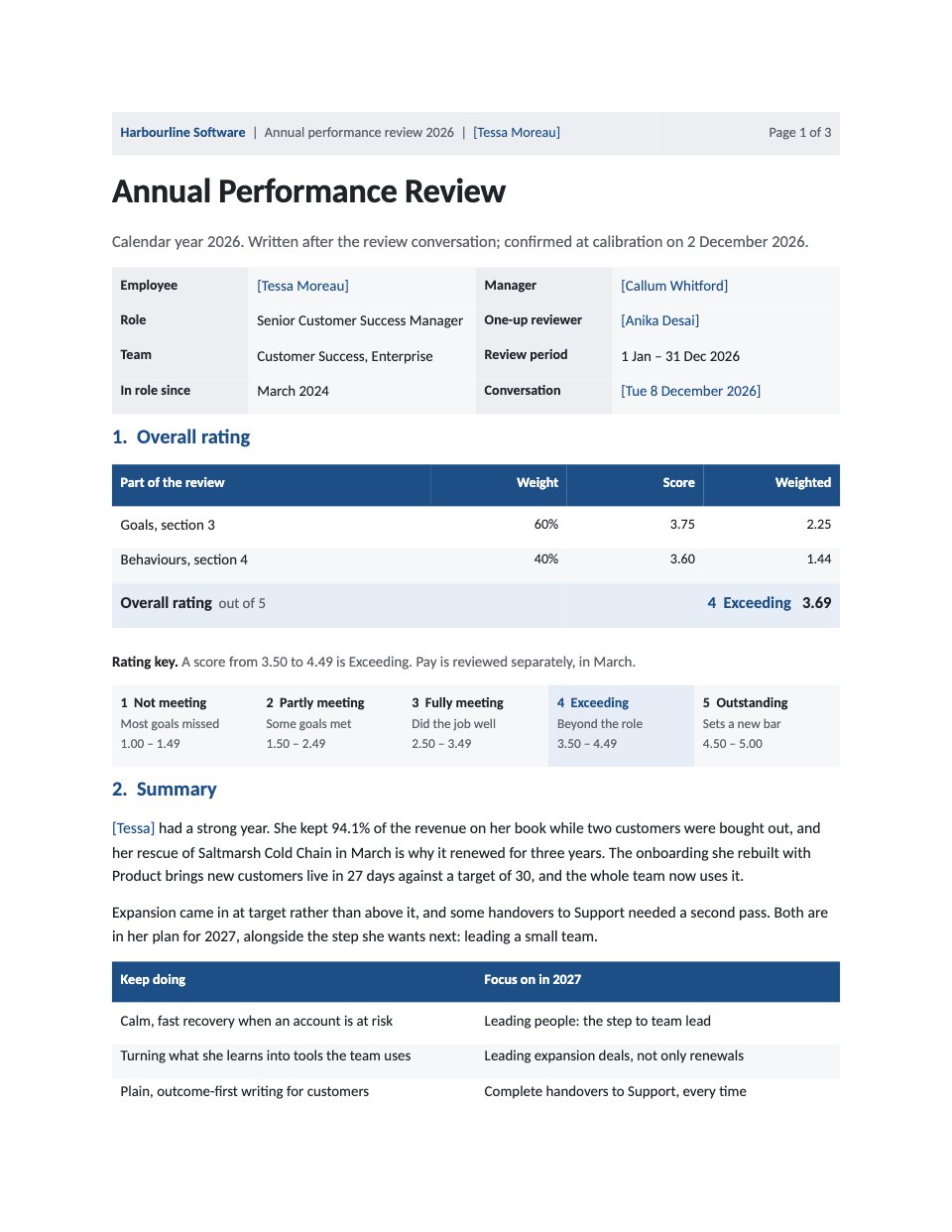
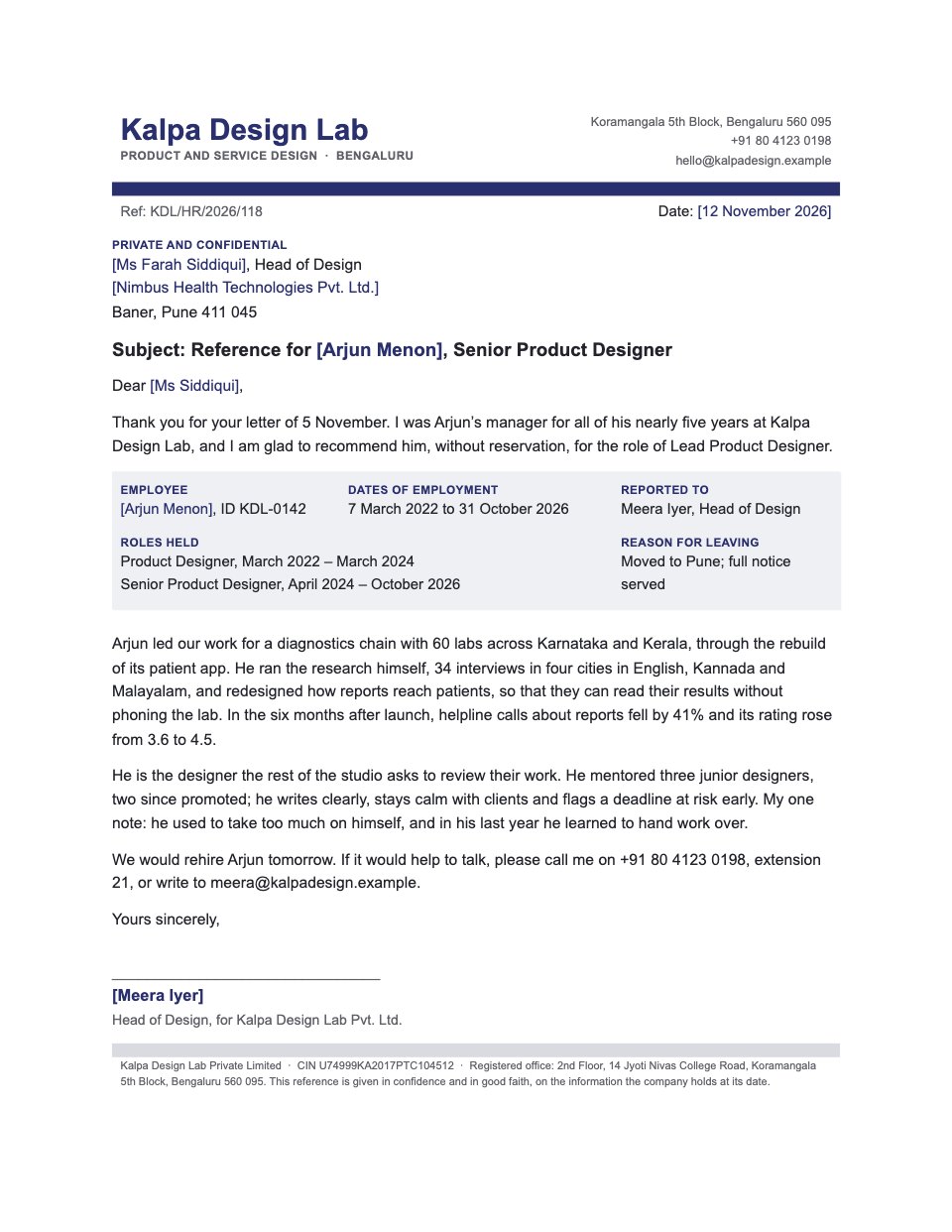
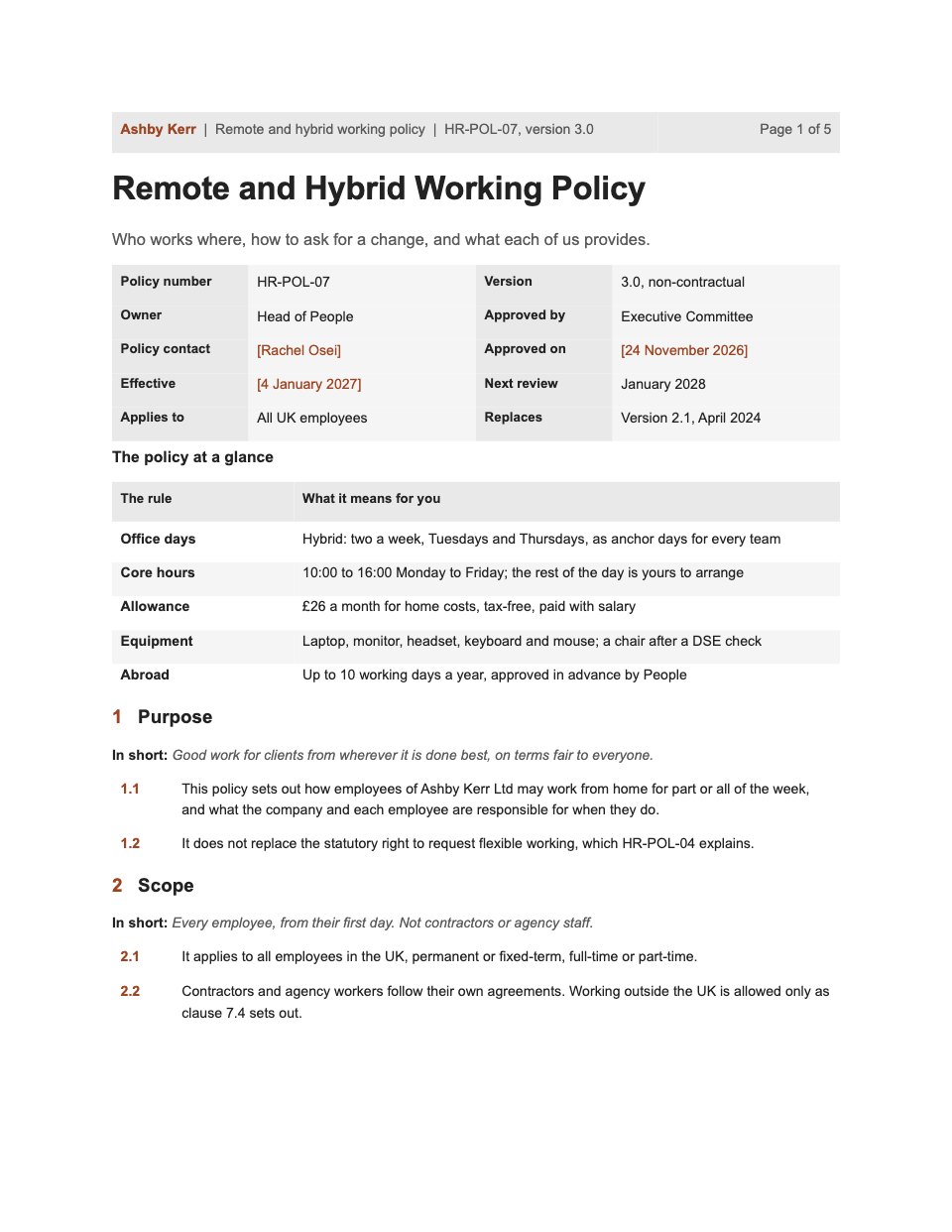
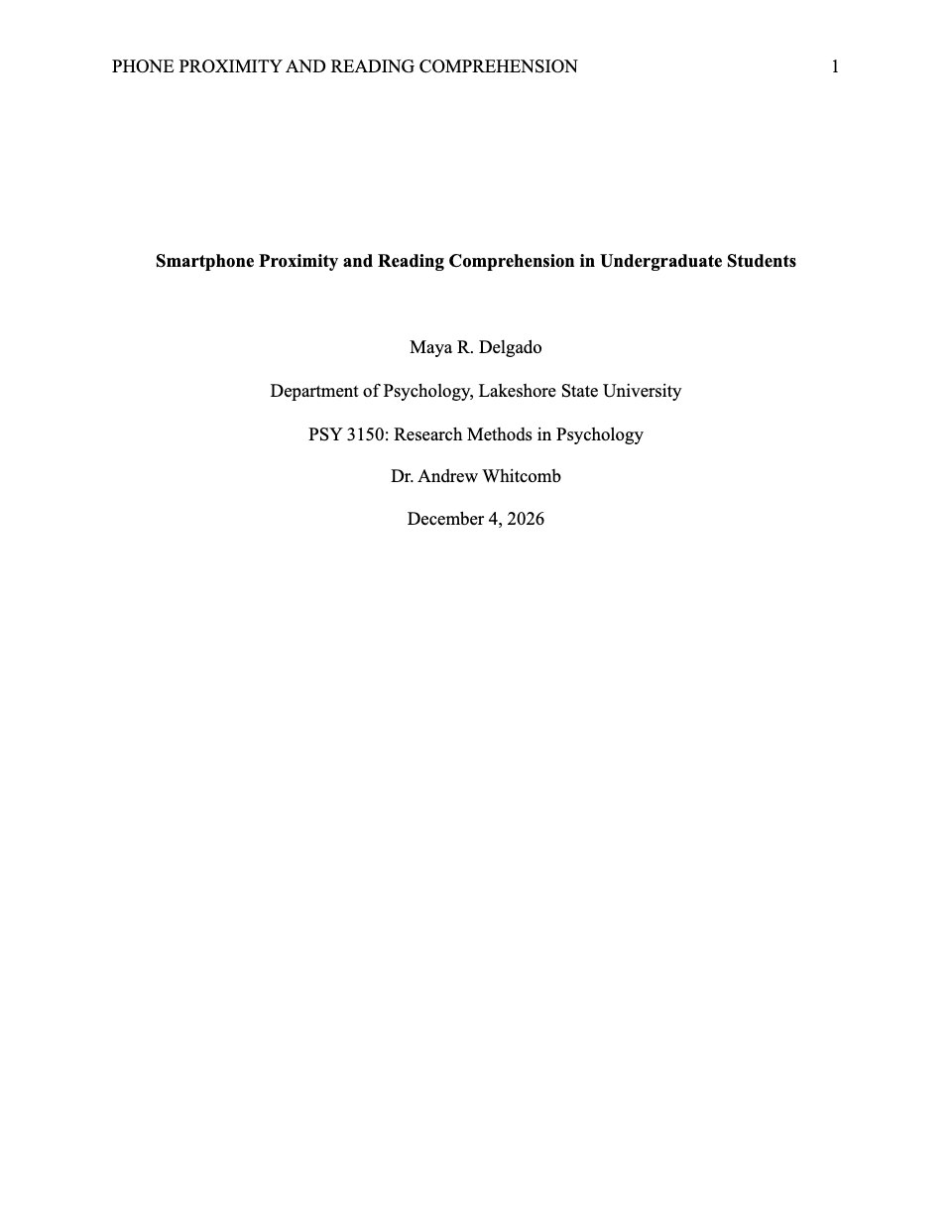
Lesson Plan is a two-page plan for one class period, shown for a 55-minute Grade 6 math lesson on unit prices. Page one holds the class, period, teacher and co-teacher, content and language objectives with “I can” success criteria, the standards, vocabulary and prior knowledge, the materials counted for the class, and differentiation for students with support plans, multilingual learners and early finishers. Page two is the timed sequence from the Do Now to the exit ticket, each phase with its clock times, minutes and a check for understanding, adding up to the period. Then come the exit ticket with its answer key, what each score leads to, homework and room to reflect.
Made for
- Teachers and lecturers
- Trainers and coaches
- Agencies training client teams
- Workshop leaders
Make it yours in four steps.
Open it in Documents and work through it, or let Docsiv AI do the first pass with your details.
- Step 1
Fill in the header and the details row: your school, class, room, date, period and teachers.
- Step 2
Write your objectives, success criteria and standards, then count the materials for your class.
- Step 3
Set the phases of your lesson with their minutes, and check the total row matches the length of your period.
- Step 4
Write your own exit ticket and answer key, decide what each score leads to, and fill in the reflection after you teach.
Start from the Lesson Plan now.
Questions about this template.
Something else on your mind? Ask us in the chat, bottom right of the page.
Is the Lesson Plan template free?
Yes. Create a free account and it opens in Docsiv's Documents app, ready to edit and share. The Free plan includes every Docsiv app and 500 AI credits a month.
Can I change the colours, fonts and text?
Yes, all of it. The template uses Calibri with #1f6b54, #e5f0ec, #eceeef, #f6f7f7, #1f2427, and you can change any of them, rewrite every word and add or remove pages.
What can I export it as?
Documents in Docsiv offers: DOCX, PDF, ODT, RTF and Markdown exports. Once it's saved, you can also share it with a link.
Can Docsiv AI write the lesson plan for me?
Yes. Tell Docsiv AI about the client or project and it can draft the content in this template's style, which you then review and edit. AI uses credits; the Free plan includes 500 a month.

Start your lesson with Docsiv AI
Describe the client or the project and Docsiv AI writes a first draft of your lesson plan for you to edit, share and send.