

What’s inside the Book Interior.
12 pages with real content in place. Rewrite them, reorder them, or add your own.
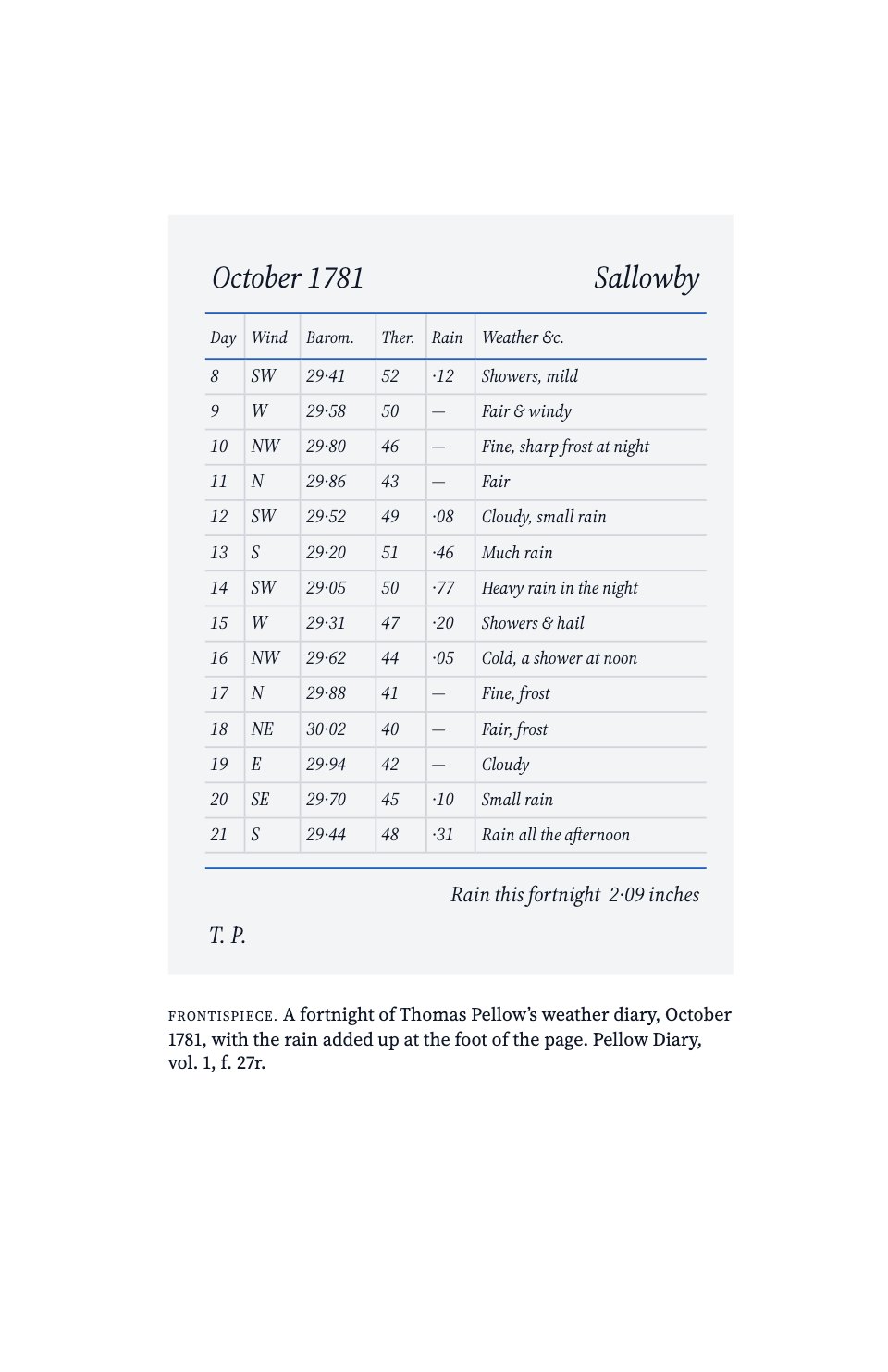
- 1Page 1Frontispiece (ii): a facsimile diary page as the plate, with its caption and no folio
- 2Page 2Title page (iii): title in royal blue, subtitle, author, and the publisher’s device and imprint at the foot
- 3Page 3Copyright page (iv): bottom-aligned publication, rights, CIP, ISBN, typesetting and printing lines
- 4Page 4Contents (v): front matter, three parts with their chapters, back matter and page numbers
- 5Page 5Epigraph (viii): two short quotations sunk a third of the way down, with a blue ornament between them
- 6Page 6Preface (ix): sinkage, a sans heading, a small-caps lead-in and a dropped roman folio
- 7Page 7End of the introduction (6): running head and folio, the closing paragraphs that set out the book’s three parts, and footnotes
- 8Page 8Part title (7): Part One · Keeping in blue tracked caps and a sans title, a short epigraph and the part’s four chapters at the foot
- 9Page 9Full-page figure (40): a measured line drawing of the rain gauge with a lettered caption, as a blind folio
- 10Page 10Chapter opening (41): sinkage, chapter number and title, an epigraph, a three-line drop cap, a footnote and a dropped folio
- 11Page 11Text page (42): the book title as running head, threaded text, an extract and two footnotes
- 12Page 12Text page (43): the chapter title as running head, a data table, a section break and two footnotes
When to use it.
Book Interior is a 12-page interior for a non-fiction book, typeset the way a trade publisher sets a hardback. It runs in book order from the frontispiece and title page through the copyright page, contents, epigraph and preface, to the last page of an introduction, a part title, a full-page figure and the chapter opening it faces, and two text pages with running heads, footnotes, an extract and a data table. It suits authors, small presses and organisations publishing a history, memoir or long report as a book, with one classic serif, true small caps, mirrored margins and a single second colour.
Made for
- Self-publishing authors
- Chefs and food writers
- Small publishers
- Studios making a company book
Make it yours in four steps.
Open it in Reports and work through it, or let Docsiv AI do the first pass with your details.
- Step 1
Change the title, subtitle, author and imprint on the title page, and the ISBNs and printer on the copyright page.
- Step 2
Edit the contents so its parts, chapters and page numbers match your manuscript.
- Step 3
Paste your chapters into the text frames, keeping the running heads, folios and footnotes at the foot of each page.
- Step 4
Swap the frontispiece and the figure for your own plates, then export a PDF for proofreading or for your printer.
Start from the Book Interior now.
Questions about this template.
Something else on your mind? Ask us in the chat, bottom right of the page.
Is the Book Interior template free?
Yes. Create a free account and it opens in Docsiv's Reports app, ready to edit and share. The Free plan includes every Docsiv app and 500 AI credits a month.
Can I change the colours, fonts and text?
Yes, all of it. The template uses Source Serif 4 and Inter with #ffffff, #111827, #1f5fbf, #374151, #f3f4f6, and you can change any of them, rewrite every word and add or remove pages.
What can I export it as?
Reports in Docsiv offers: Report pages with charts, PDF and HTML exports. Once it's saved, you can also share it with a link.
Can Docsiv AI write the book interior for me?
Yes. Tell Docsiv AI about the client or project and it can draft the content in this template's style, which you then review and edit. AI uses credits; the Free plan includes 500 a month.











































Start your book with Docsiv AI
Describe the client or the project and Docsiv AI writes a first draft of your book interior for you to edit, share and send.