

What’s inside the Annual Budget.
Real content in every part, ready to rewrite with your own.
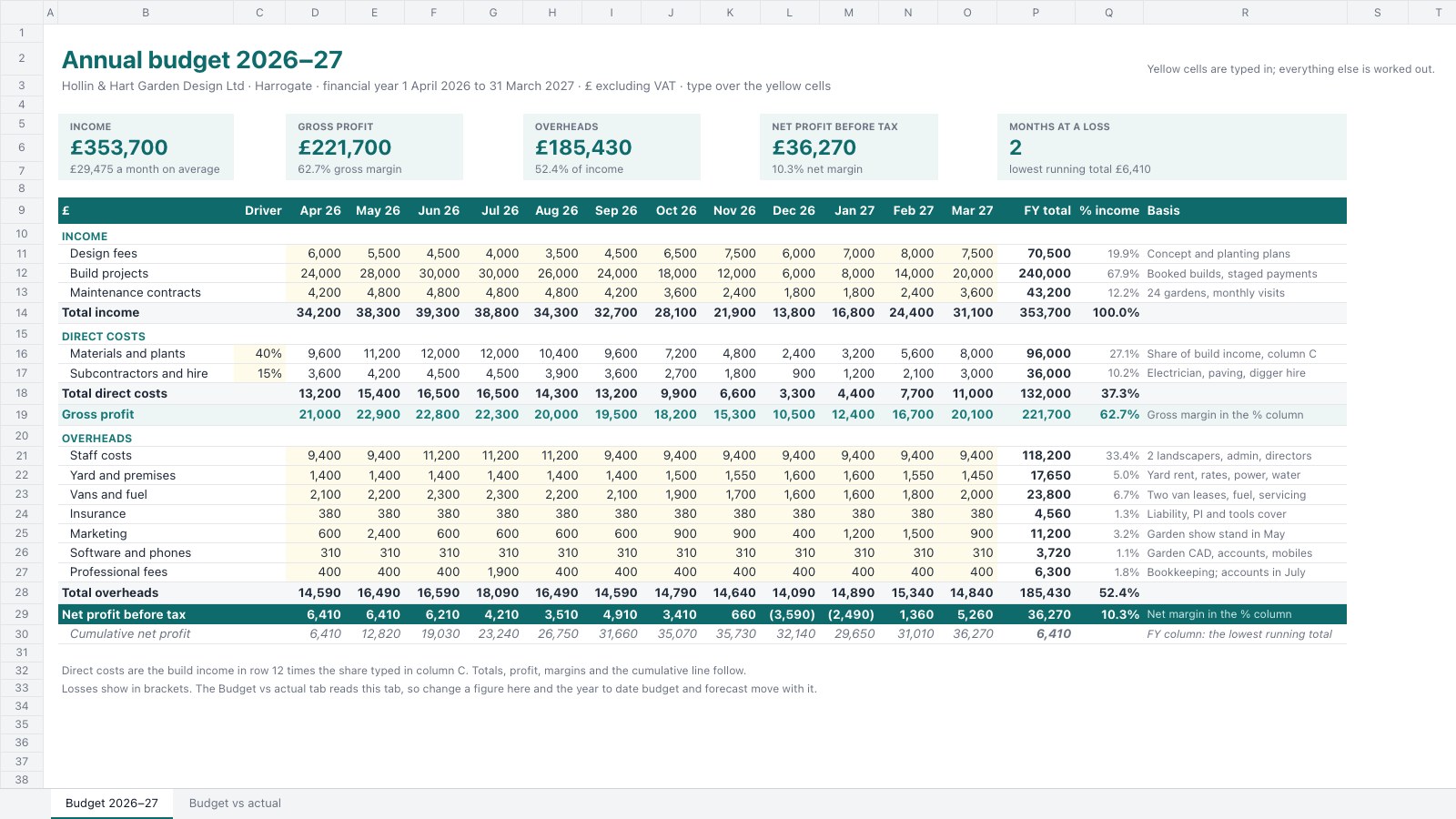
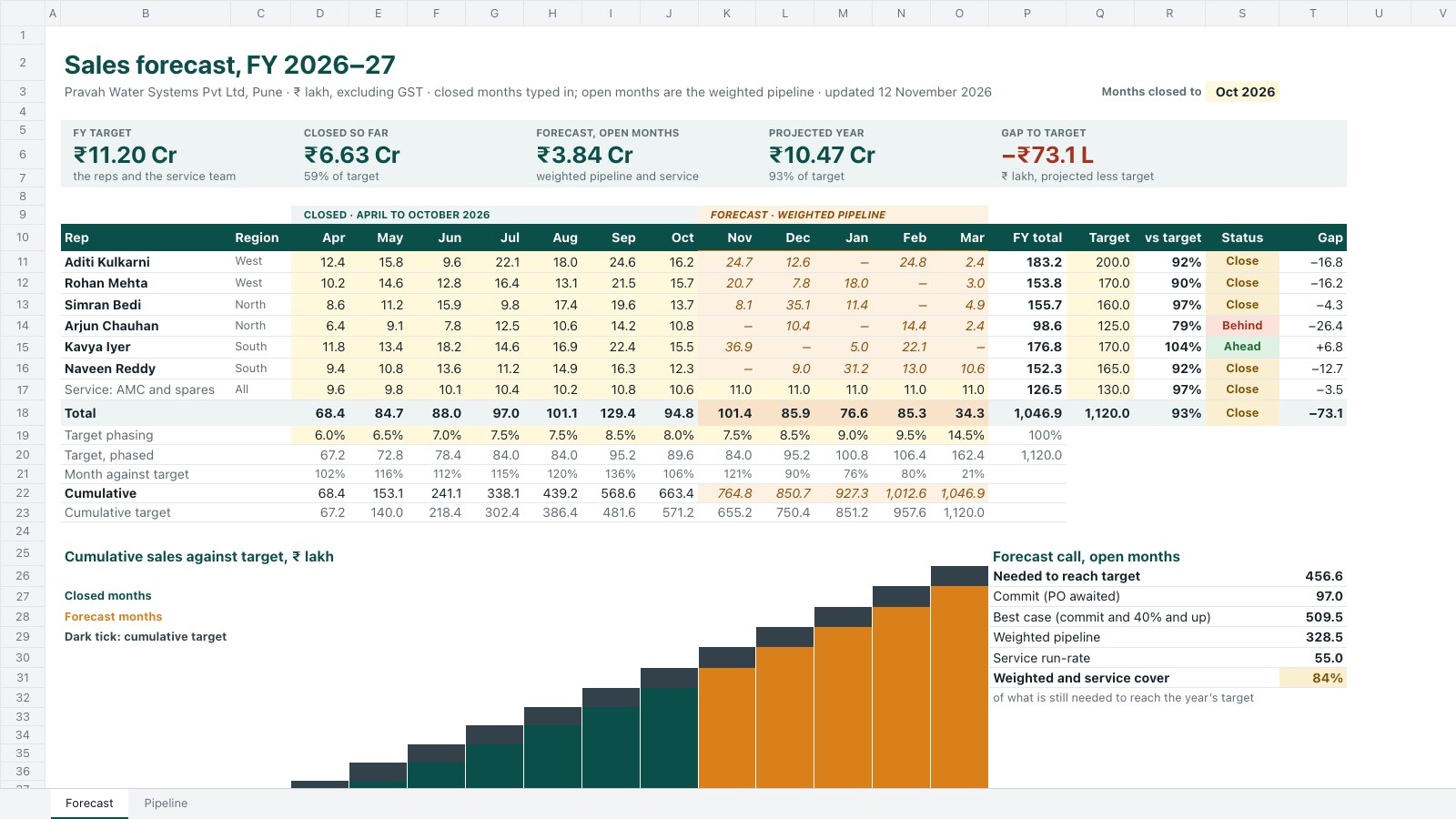
- 1Budget 2026–27: three income lines, two direct costs worked out from build income by a typed share, gross profit, seven overheads and net profit by month for April to March, with an FY total, a % of income column that reads as margins, a basis note per line, a cumulative profit line and tiles for income, gross profit, overheads, net profit and the loss-making months
- 2Budget vs actual: actuals typed month by month, then year to date budget, actual, variance (+ is better), variance % and a Better / On budget / Worse status, the full-year budget and a forecast of actuals so far plus the budget still to come, with tiles for income, net profit, overheads, the forecast and the lines worse than budget
When to use it.
Annual Budget is a two-tab spreadsheet for small businesses planning a financial year month by month and checking it as the year goes on. The Budget tab lays out income, direct costs, gross profit, overheads and net profit for twelve months, with a % of income column that reads as your margins, a basis note on every line and a running profit total that shows the lean months coming. The Budget vs actual tab takes each month's actuals and works out the year to date variance, a Better, On budget or Worse status and a full-year forecast.
Made for
- Marketing teams
- Agencies planning client spend
- Project managers
- Small business owners
Make it yours in four steps.
Open it in Spreadsheets and work through it, or let Docsiv AI do the first pass with your details.
- Step 1
Change the business name, year and currency in the title, and rename the income and cost lines to match your accounts.
- Step 2
Type your budget for each month into the yellow cells, and set the share of income that direct costs take in column C.
- Step 3
When a month closes, type its actuals into Budget vs actual and move the months closed number on.
- Step 4
Check the red Worse rows and the forecast tile, and share the sheet with your accountant or business partner.
Start from the Annual Budget now.
Questions about this template.
Something else on your mind? Ask us in the chat, bottom right of the page.
Is the Annual Budget template free?
Yes. Create a free account and it opens in Docsiv's Spreadsheets app, ready to edit and share. The Free plan includes every Docsiv app and 500 AI credits a month.
Can I change the colours, fonts and text?
Yes, all of it. The template uses Aptos with #0f6b6b, #167777, #edf5f5, #fffbea, #b42318, and you can change any of them, rewrite every word and add or remove rows and columns.
What can I export it as?
Spreadsheets in Docsiv offers: XLSX, CSV and PDF exports. Once it's saved, you can also share it with a link.
Can Docsiv AI write the annual budget for me?
Yes. Tell Docsiv AI about the client or project and it can draft the content in this template's style, which you then review and edit. AI uses credits; the Free plan includes 500 a month.
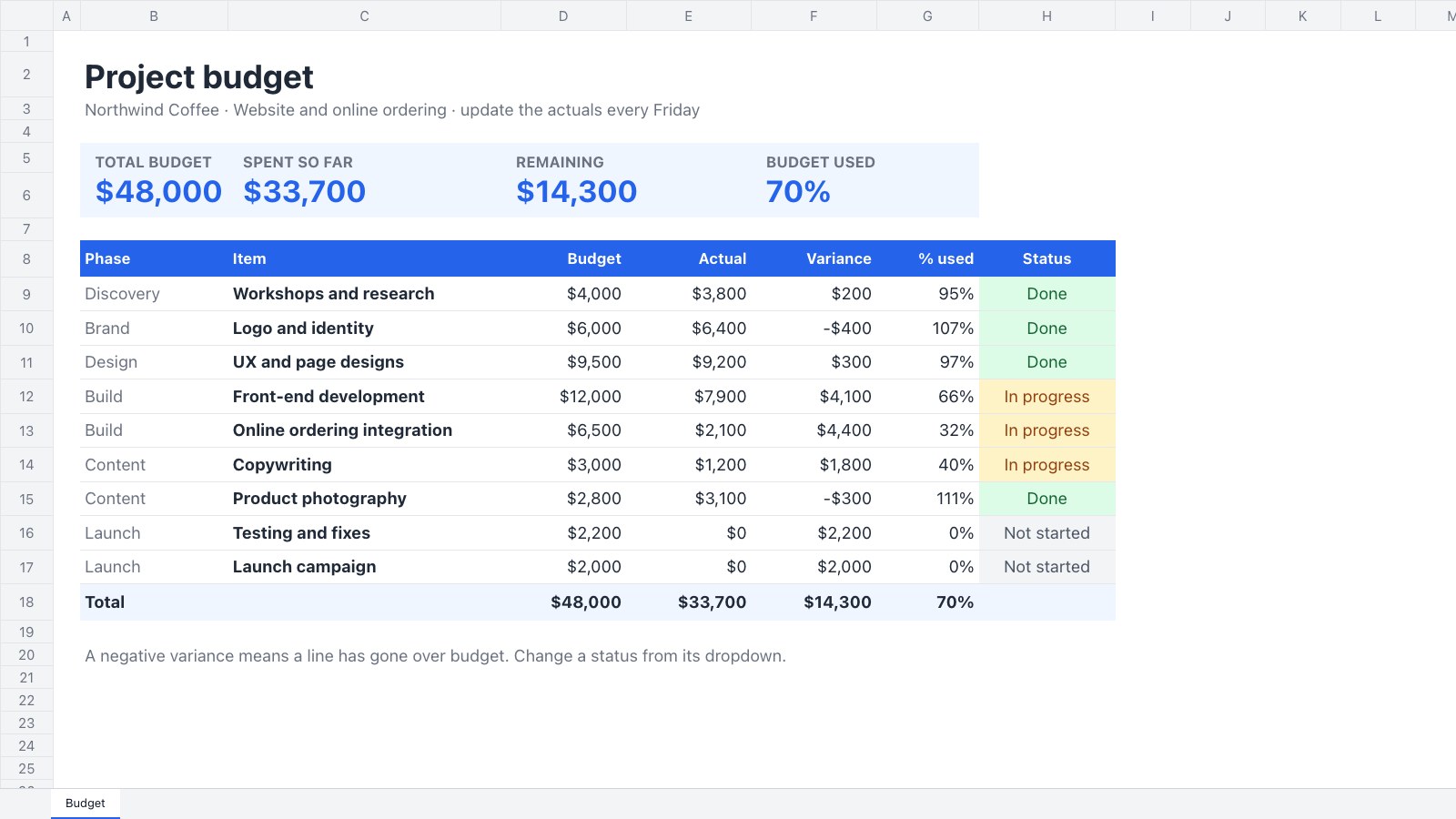
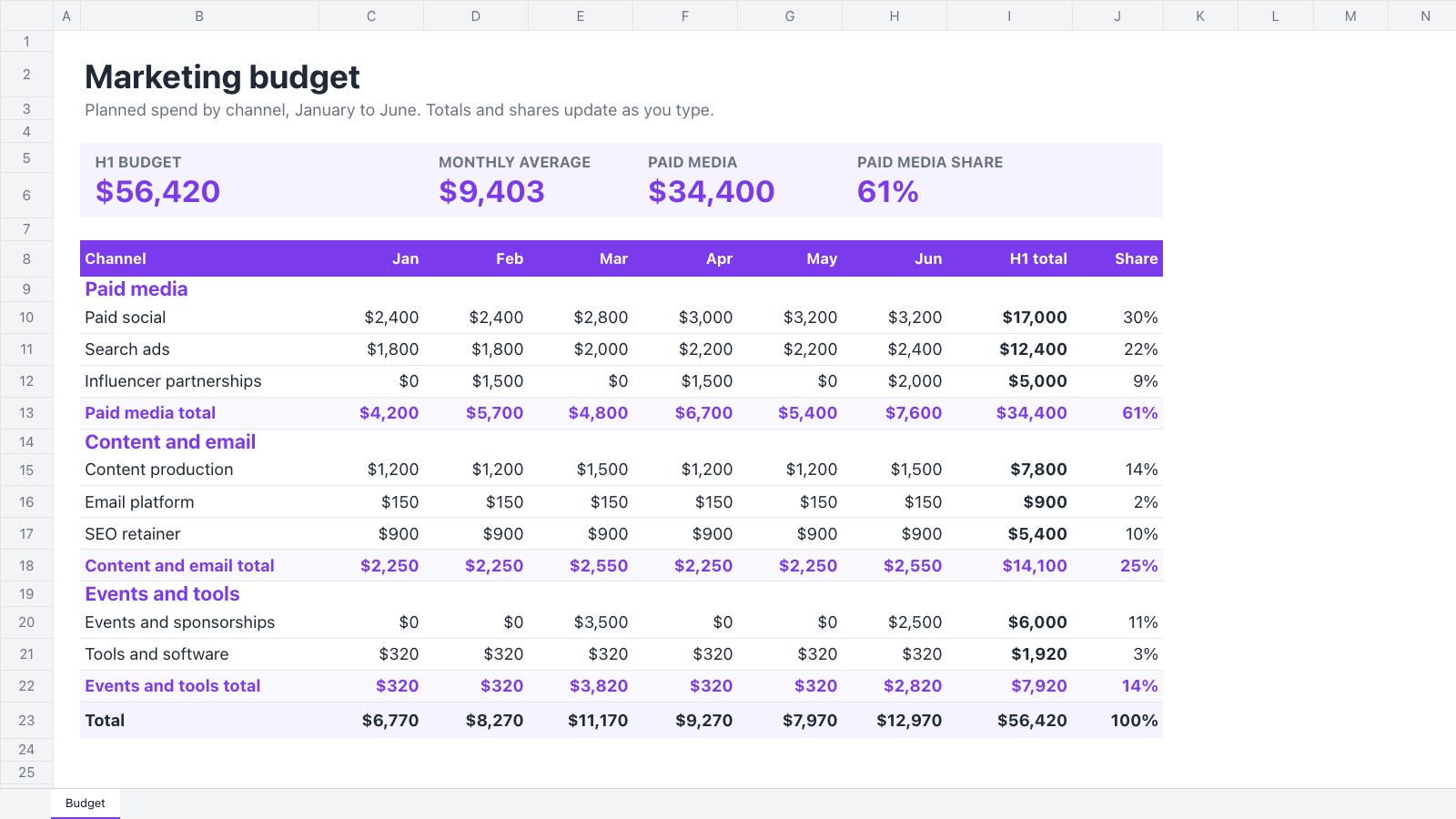
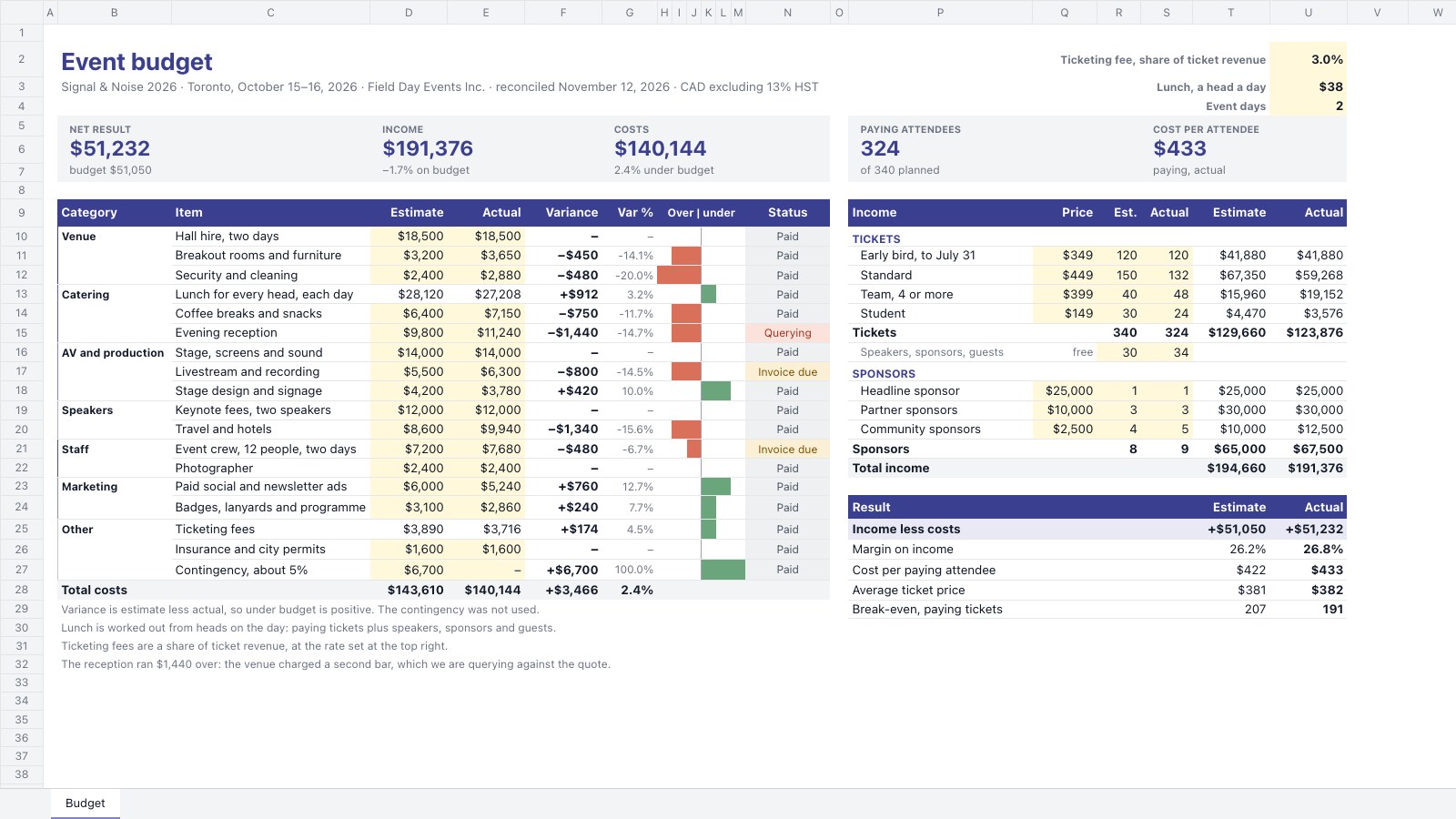
Start your budget with Docsiv AI
Describe the client or the project and Docsiv AI writes a first draft of your annual budget for you to edit, share and send.