

What’s inside the Magazine Issue.
24 pages with real content in place. Rewrite them, reorder them, or add your own.
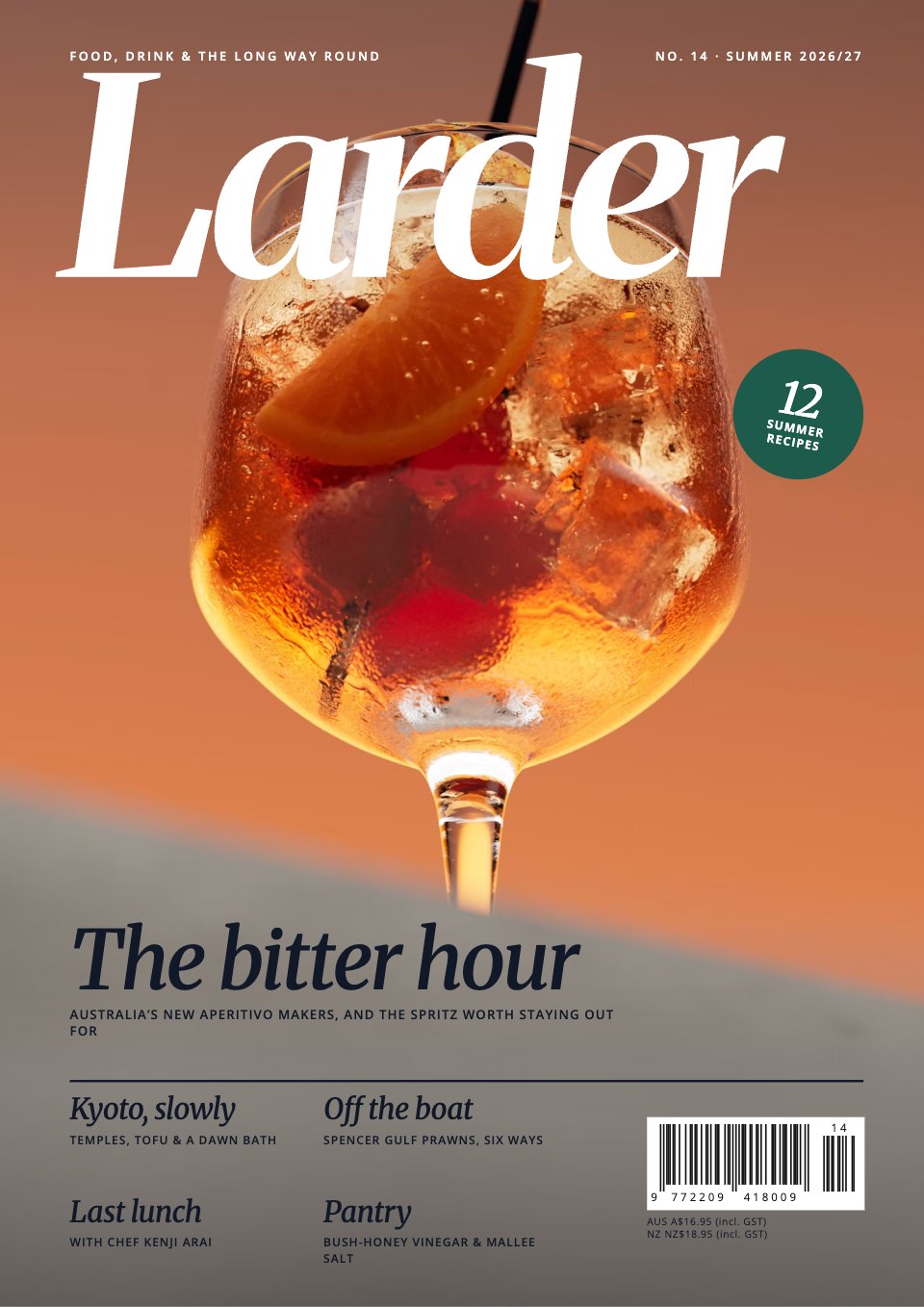
- 1Page 1Front cover (1): full-bleed photo, the masthead, issue and season, the lead cover line, four smaller cover lines, a 12-recipes sticker and the EAN-13 barcode with issue add-on
- 2Page 2Inside front cover (2): a full-bleed photo trailing the summer recipes, with a page sticker
- 3Page 3Contents (3): the contents as a menu by course, three feature thumbnails with page stickers, and the masthead and imprint
- 4Page 4Editor’s letter (4): a headline, one photo, the letter in two columns with a drop cap, and a signature with a round portrait
- 5Page 5Contributors (5): four portraits with role, short bio and the page each story starts on
- 6Page 6Pantry (6): a big title and the first two of six cupboard finds, each with maker, review, price and stockist, and a panel on how they are chosen
- 7Page 7Pantry, continued (7): four more finds in a two-by-two grid
- 8Page 8Notebook (8): openings and news, with a lead item and two shorter ones, numbered for the map
- 9Page 9Notebook, continued (9): a feature item in a light green-grey panel, ‘what we’re drinking’, a map of the openings and a diary of food events
- 10Page 10The bitter hour, opening photo (10): a full-bleed bar photo with a one-line caption
- 11Page 11The bitter hour, opening text (11): kicker, big italic headline, standfirst, byline, drop cap, two columns and a pull quote
- 12Page 12The bitter hour, continued (12): a large photo with caption and two columns ending in a pull quote
- 13Page 13The makers (13): three maker profiles with portraits and a bottle to try, and the spritz recipe in a light green-grey panel
- 14Page 14Off the boat, opening (14): a full-bleed dawn photo with the headline, standfirst and byline over it
- 15Page 15Off the boat, text (15): a landscape photo, drop cap, two columns and a fact panel about the boat
- 16Page 16Off the boat, continued (16): a night photo with a four-step timeline, two columns and a pull quote
- 17Page 17Six ways with prawns (17): one full recipe with ingredients and method beside a photo, and five short ones
- 18Page 18The summer table (18): a wide photo, a 6-recipes sticker, the headline and the first two recipes
- 19Page 19The summer table, continued (19): a photo of one dish and four more recipes in a two-by-two grid
- 20Page 20Kyoto, slowly, opening photo (20): a full-bleed street photo at dusk with a caption
- 21Page 21Kyoto, slowly, opening text (21): a big italic headline, standfirst, byline, drop cap, two columns, a pull quote and the jump to the address book
- 22Page 22The address book (22): a numbered map and Kyoto listings by stay, eat, drink and do, a photo and a getting-there panel
- 23Page 23Last lunch (23, inside back cover): a chef’s last-meal menu card beside a tall portrait, and the subscription and next-issue panel
- 24Page 24Back cover (24): a full-bleed olive-oil advertisement
When to use it.
Magazine Issue is a 24-page A4 template for a food, drink or travel magazine, set page by page from the front cover to a back-cover advertisement. It has a cover with barcode and cover lines, contents set as a menu, an editor’s letter and contributors, Pantry and Notebook pages of short items, three features with full-bleed openers, pull quotes and maker profiles, twelve recipes, a travel address book with a numbered map, and a back-page column with a subscription panel. Merriweather italic headlines, a deep green accent and big photography make it feel like an independent quarterly.
Made for
- Architecture and design studios
- Agencies and creative teams
- Marketing and brand teams
- Companies publishing an annual review
Make it yours in four steps.
Open it in Reports and work through it, or let Docsiv AI do the first pass with your details.
- Step 1
Put your masthead, issue number, season and price on the cover, and swap the cover photo.
- Step 2
Edit the story list once: the cover lines, contents and page references follow it.
- Step 3
Replace the features, recipes and short items with your own stories, photos and captions.
- Step 4
Update the imprint, subscription offer and back-cover advertisement, then export a PDF for print or to share.
Start from the Magazine Issue now.
Questions about this template.
Something else on your mind? Ask us in the chat, bottom right of the page.
Is the Magazine Issue template free?
Yes. Create a free account and it opens in Docsiv's Reports app, ready to edit and share. The Free plan includes every Docsiv app and 500 AI credits a month.
Can I change the colours, fonts and text?
Yes, all of it. The template uses Merriweather and Open Sans with #ffffff, #111827, #1d5c4d, #edf3f1, #ffffff, and you can change any of them, rewrite every word and add or remove pages.
What can I export it as?
Reports in Docsiv offers: Report pages with charts, PDF and HTML exports. Once it's saved, you can also share it with a link.
Can Docsiv AI write the food magazine for me?
Yes. Tell Docsiv AI about the client or project and it can draft the content in this template's style, which you then review and edit. AI uses credits; the Free plan includes 500 a month.










































Start your magazine with Docsiv AI
Describe the client or the project and Docsiv AI writes a first draft of your food magazine for you to edit, share and send.