

What’s inside the Project Plan.
2 screens with real content in place. Rewrite them, reorder them, or add your own.
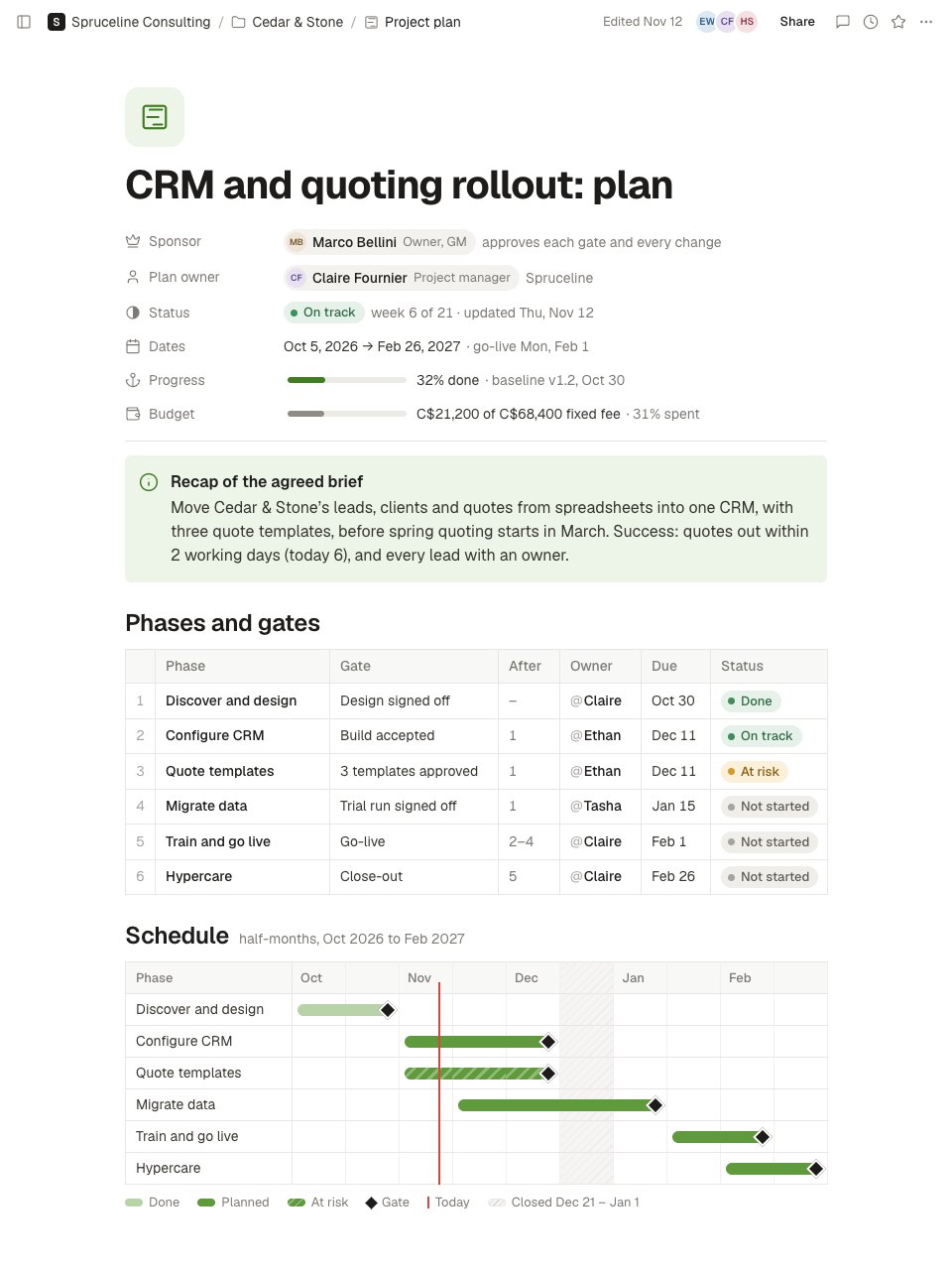
- 1Screen 1The top of the note: the title, sponsor with approval authority, plan owner, status and week, dates with go-live, progress against the baseline and spend against the fixed fee; a recap of the brief with its success measure; six phases with gate, owner, due date, dependency and status; and a half-month schedule with gates, today and the holiday closure.
- 2Screen 2Further down: this week's status for the live workstreams with progress, a RACI matrix with one Accountable per deliverable, a risk register with likelihood, impact, owner and mitigation, and toggles for change control, communication, approval gates and resourcing.
When to use it.
Project Plan is a living page in Notes for running a client project from kickoff to close-out. Properties show the sponsor and what they approve, the plan owner, the status and week, the dates, progress against the baseline and spend against a fixed fee. A recap of the agreed brief comes first, then every phase with its gate, owner, due date, dependency and status, and a half-month schedule with gates, today and the holiday closure. Below are this week’s status by workstream, a RACI with one Accountable per deliverable, a risk register, and toggles for change control, communication, approval gates and resourcing.
Made for
- Agencies and consultants running client work
- Project managers and team leads
- Sales and account teams
- Any team that writes things down together
Make it yours in four steps.
Open it in Notes and work through it, or let Docsiv AI do the first pass with your details.
- Step 1
Set the sponsor, the plan owner, the dates and the fee in the properties, and recap the agreed brief in two lines.
- Step 2
List your phases with a gate, an owner, a due date and what each one waits on, then move the tags in the schedule to match.
- Step 3
Fill the RACI with exactly one Accountable per deliverable, and write your own working rules into the toggles.
- Step 4
Every Friday, update the status, this week’s table and the risks, and move the baseline only through an approved change.
Start from the Project Plan now.
Questions about this template.
Something else on your mind? Ask us in the chat, bottom right of the page.
Is the Project Plan template free?
Yes. Create a free account and it opens in Docsiv's Notes app, ready to edit and share. The Free plan includes every Docsiv app and 500 AI credits a month.
Can I change the colours, fonts and text?
Yes, all of it. The template uses Geist with #3f7d20, #5f9a3c, #d4483f, #1d1c1a, #7d7a75, and you can change any of them, rewrite every word and add or remove blocks and sub-pages.
What can I export it as?
Notes in Docsiv offers: Pages, Markdown, Word and PDF exports. Once it's saved, you can also share it with a link.
Can Docsiv AI write the project plan for me?
Yes. Tell Docsiv AI about the client or project and it can draft the content in this template's style, which you then review and edit. AI uses credits; the Free plan includes 500 a month.
Start your notes with Docsiv AI
Describe the client or the project and Docsiv AI writes a first draft of your project plan for you to edit, share and send.