

What’s inside the Retrospective.
2 screens with real content in place. Rewrite them, reorder them, or add your own.
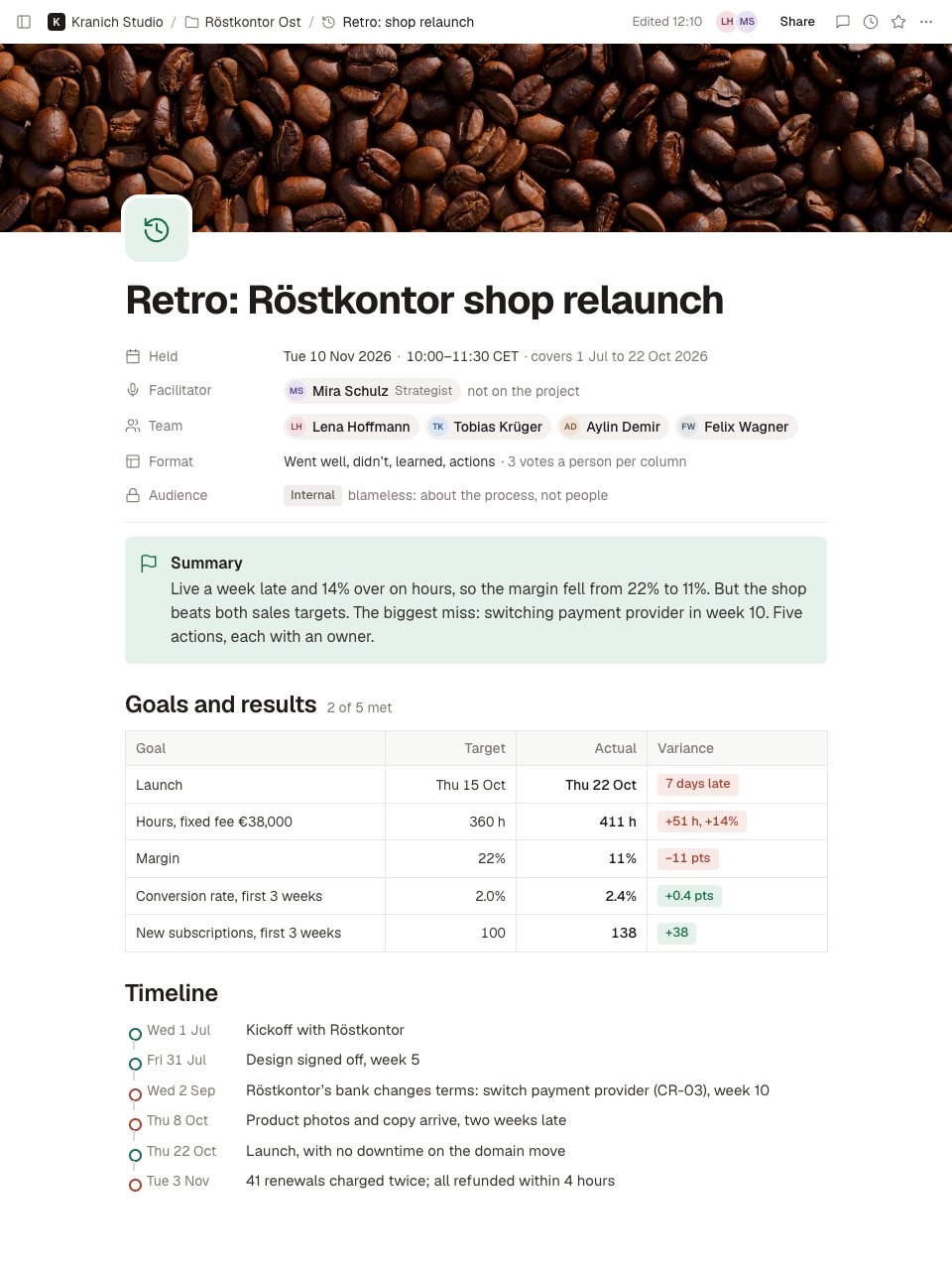
- 1Screen 1The top of the retro: a picture cover, the title, when it was held and the period it covers, an outside facilitator, the team, the format and an internal, blameless audience; a summary; goals against results with targets, actuals and variances (date, hours, margin, conversion, subscriptions); and a timeline of key events with the misses marked.
- 2Screen 2Further down: went well and didn't go well as dot-voted cards in two columns, what we learned, five whys on the top-voted miss down to its root cause, five actions with owners and dates with template changes tagged, and a team health check against the last project.
When to use it.
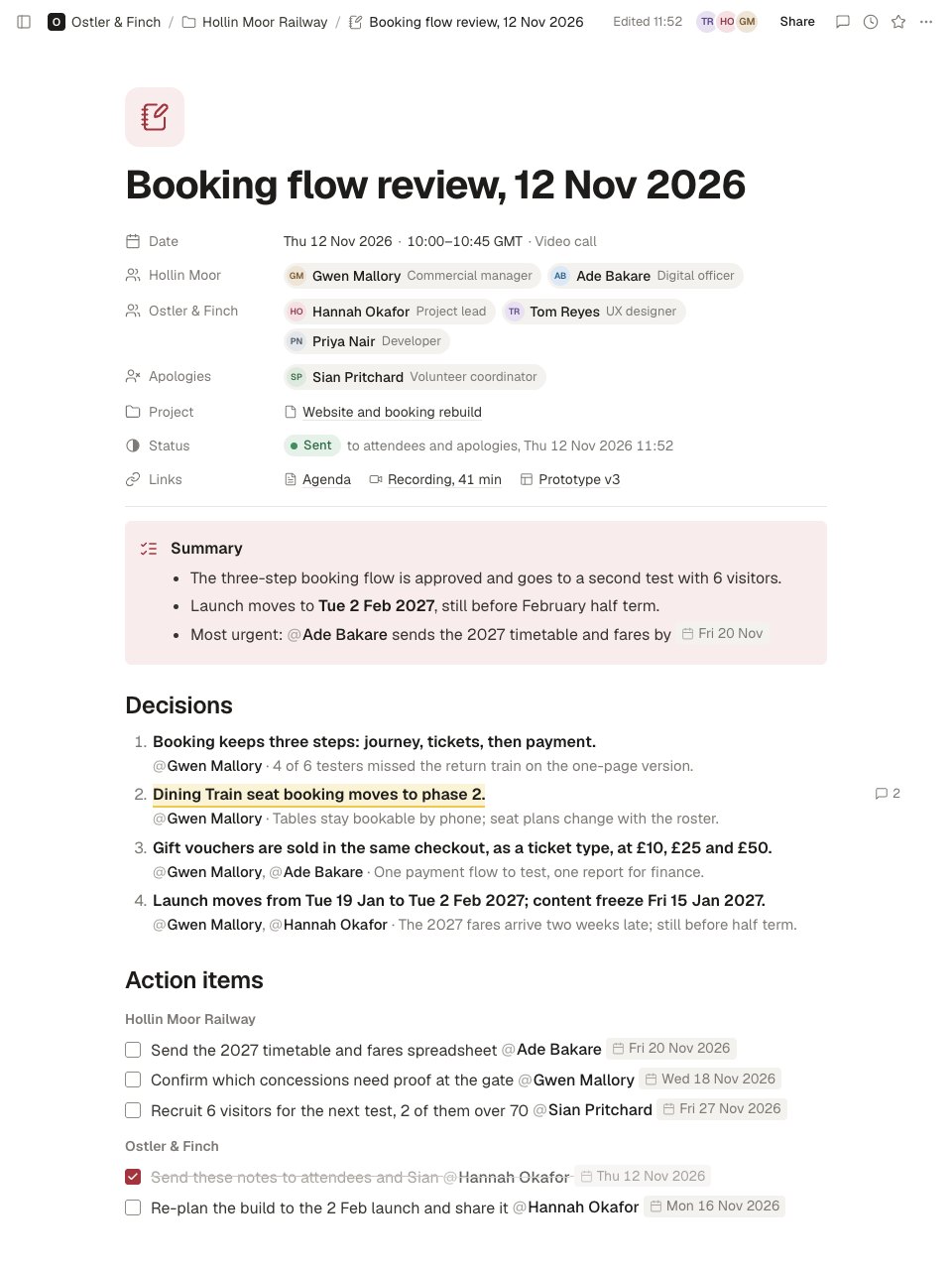
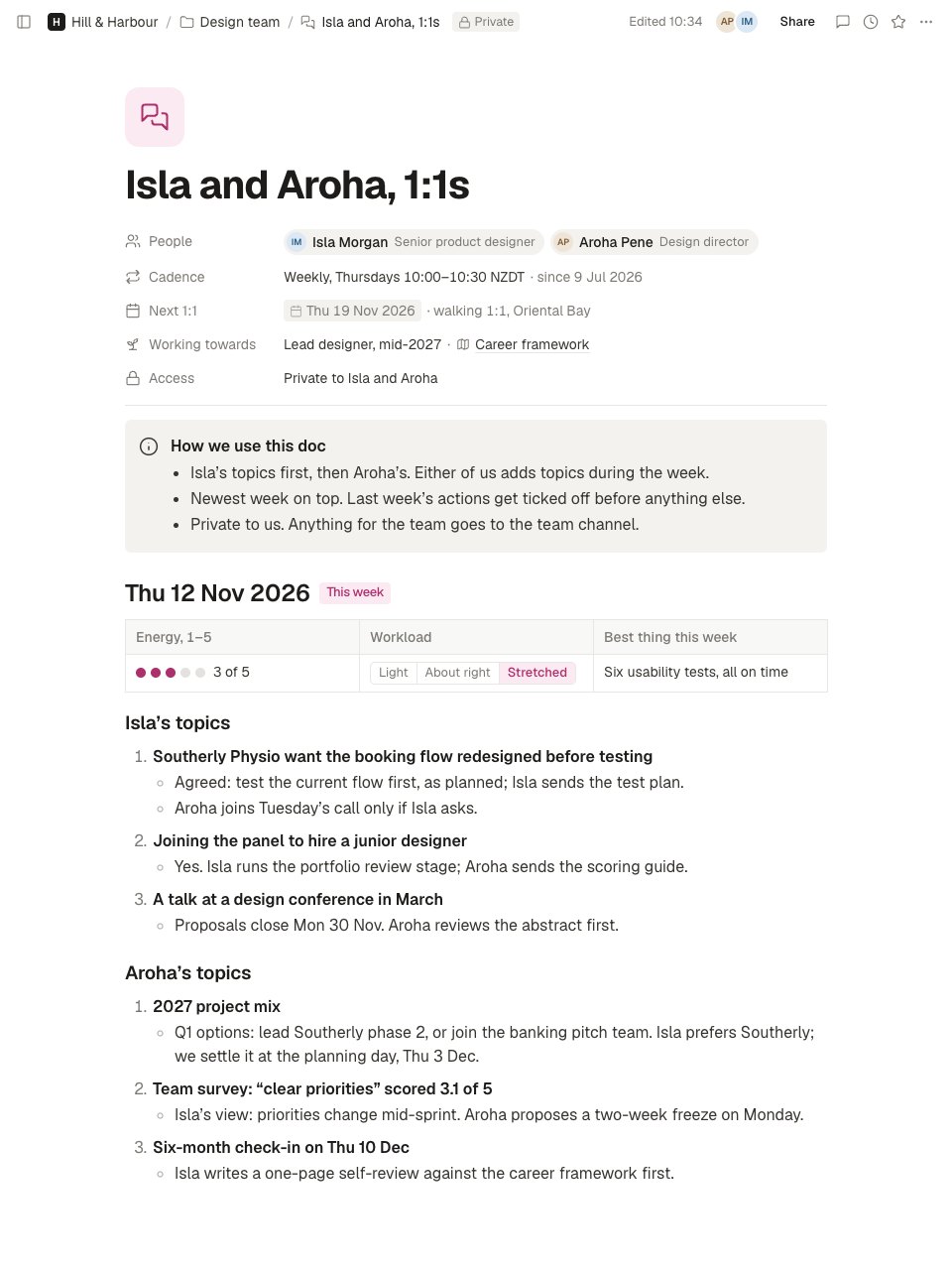
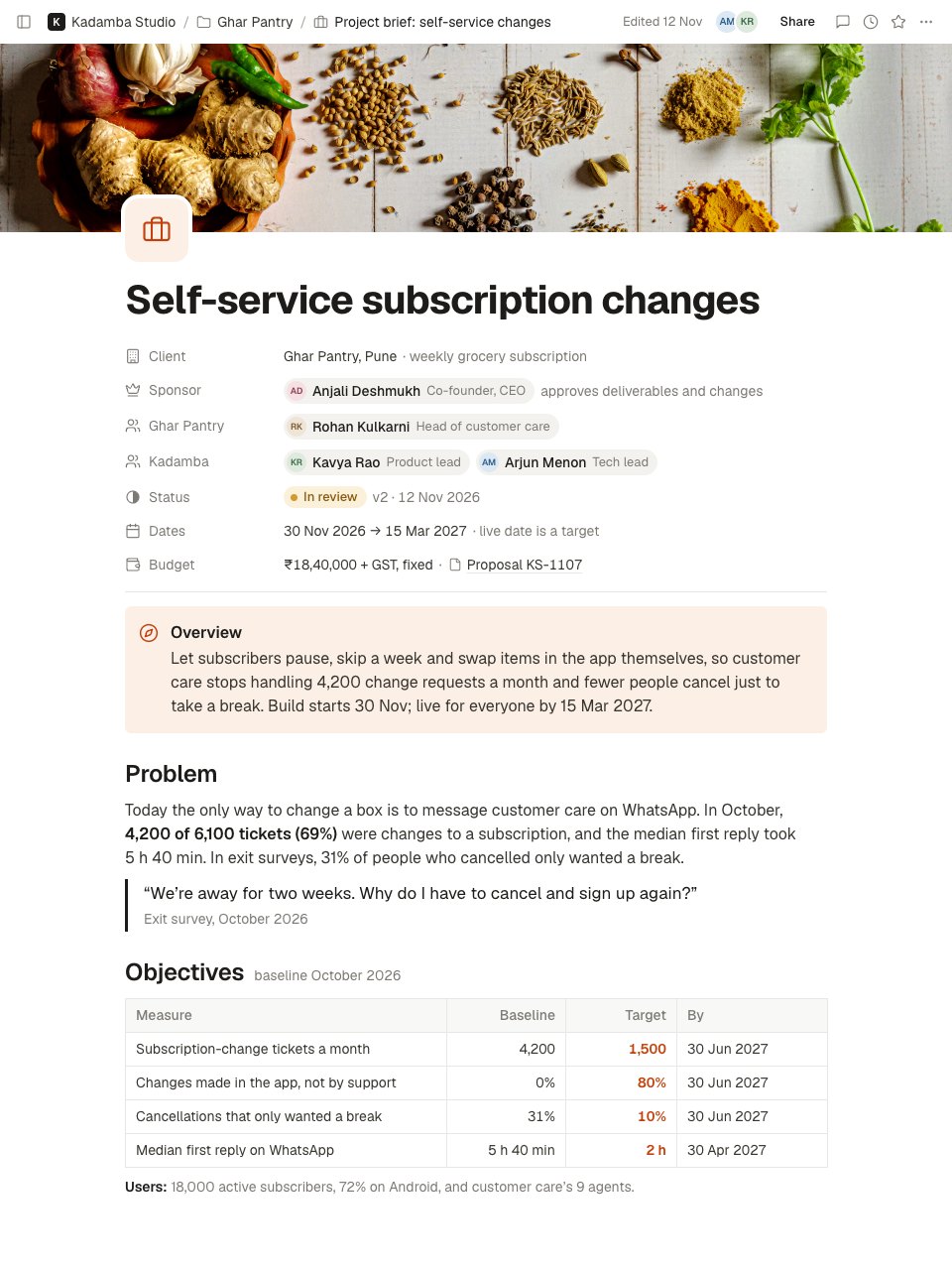
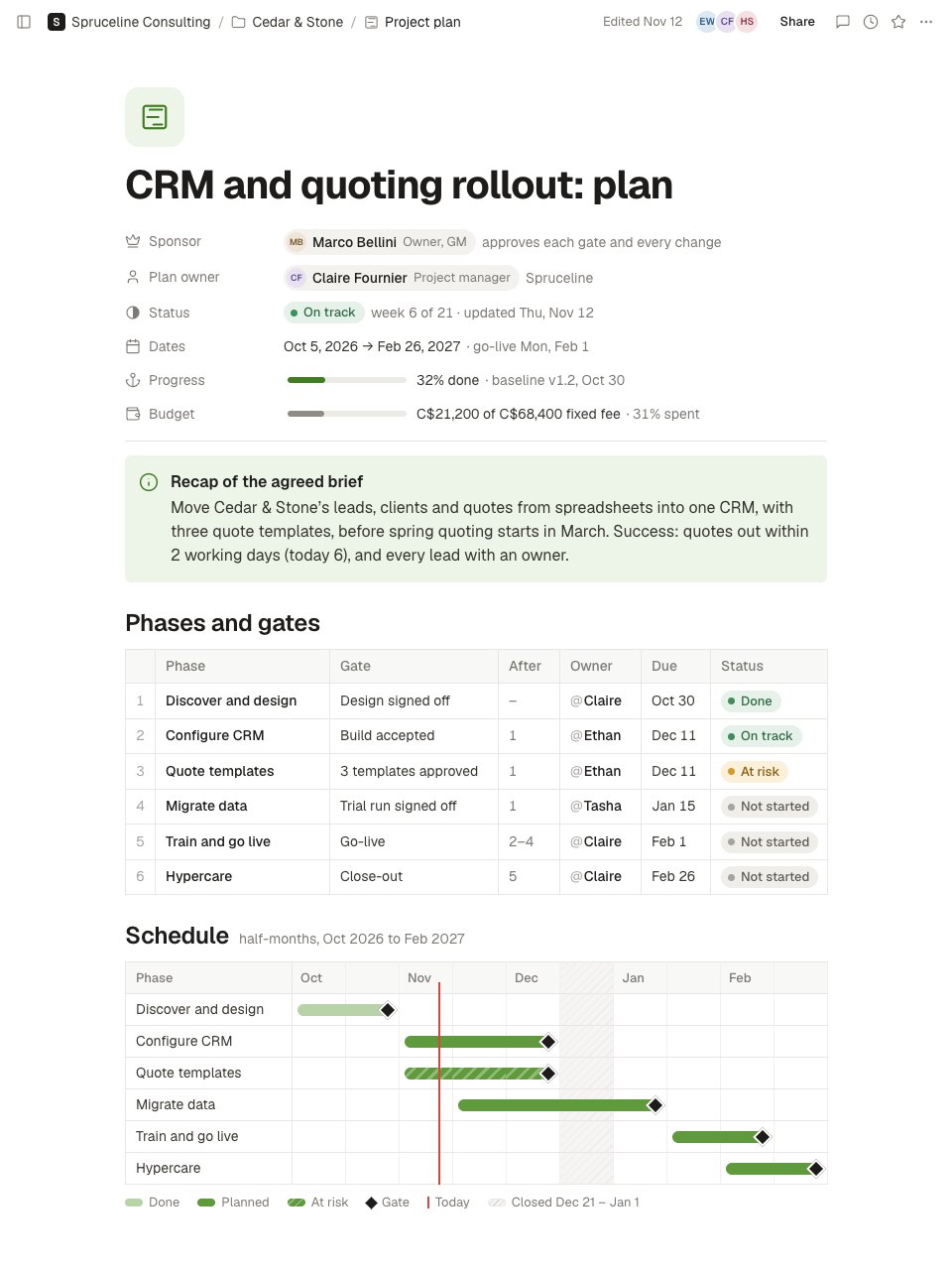
Retrospective is a page in Notes for a blameless look back after a project ships. Properties give when it was held and the period it covers, a facilitator from outside the project, the team, the format and an internal audience. A summary leads, then goals and results with target, actual and variance for the date, hours, margin and sales. A timeline marks the misses, and what went well and what didn't are dot-voted. What we learned comes next, five whys on the top-voted miss down to its root cause, at most five actions with an owner and a date, and a team health check against the last project.
Made for
- Agencies and consultants running client work
- Project managers and team leads
- Sales and account teams
- Any team that writes things down together
Make it yours in four steps.
Open it in Notes and work through it, or let Docsiv AI do the first pass with your details.
- Step 1
Change the title, the dates and the team, and ask someone who wasn't on the project to facilitate.
- Step 2
Fill in goals and results from your time tracking and analytics before the session, so the talk starts from facts.
- Step 3
Add what went well and what didn't during the session, give everyone three votes per column, and run five whys on the top miss.
- Step 4
Agree no more than five actions with an owner and a date each, and share the page with the team the same day.
Start from the Retrospective now.
Questions about this template.
Something else on your mind? Ask us in the chat, bottom right of the page.
Is the Retrospective template free?
Yes. Create a free account and it opens in Docsiv's Notes app, ready to edit and share. The Free plan includes every Docsiv app and 500 AI credits a month.
Can I change the colours, fonts and text?
Yes, all of it. The template uses Geist with #17704d, #e5f2eb, #a8432f, #1d1c1a, #37352f, and you can change any of them, rewrite every word and add or remove blocks and sub-pages.
What can I export it as?
Notes in Docsiv offers: Pages, Markdown, Word and PDF exports. Once it's saved, you can also share it with a link.
Can Docsiv AI write the retrospective notes for me?
Yes. Tell Docsiv AI about the client or project and it can draft the content in this template's style, which you then review and edit. AI uses credits; the Free plan includes 500 a month.
Start your notes with Docsiv AI
Describe the client or the project and Docsiv AI writes a first draft of your retrospective notes for you to edit, share and send.