

What’s inside the Research Notes.
2 screens with real content in place. Rewrite them, reorder them, or add your own.
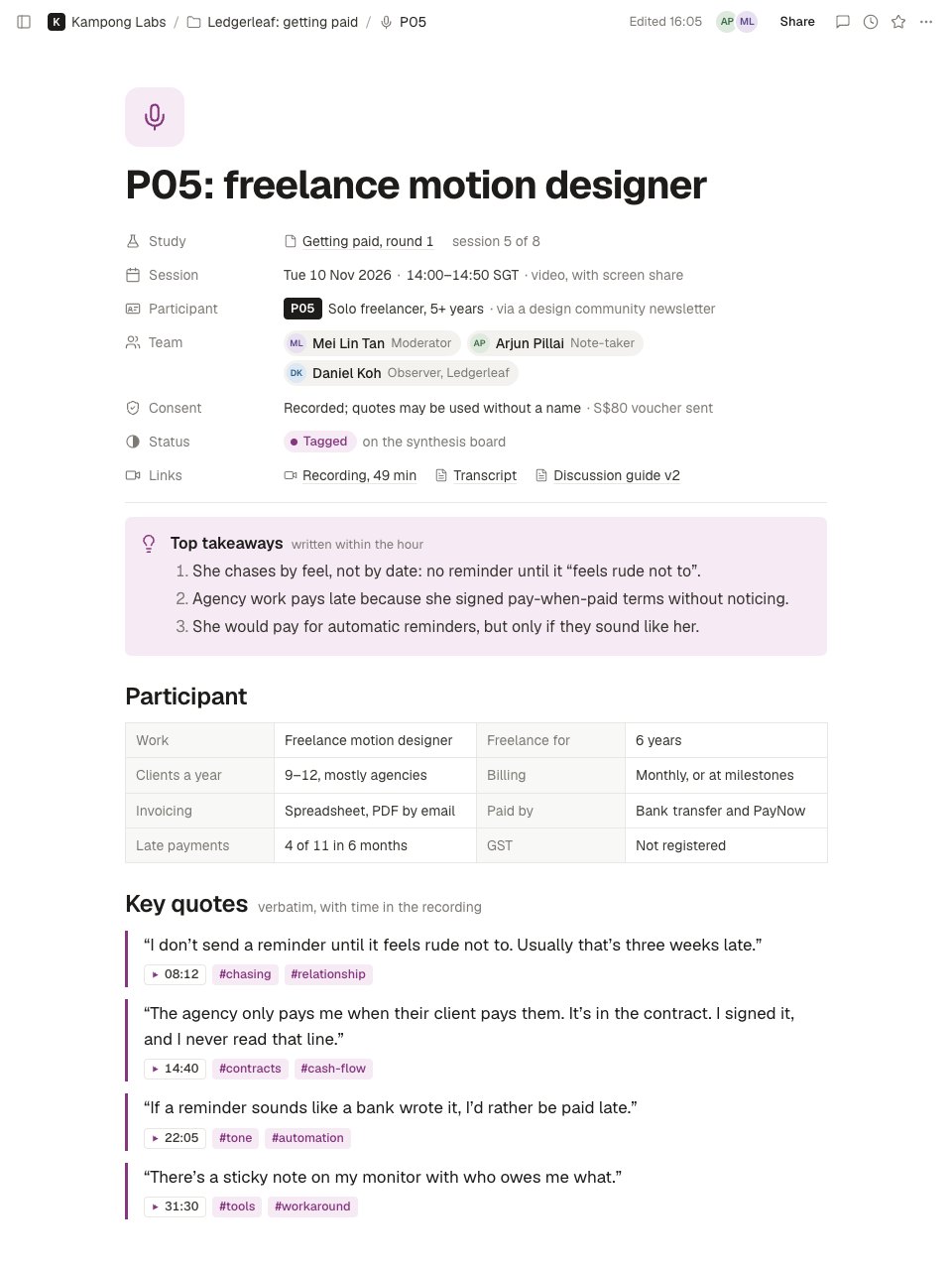
- 1Screen 1The top of the note: the participant ID and role as the title; study and session number, date and time, method, participant profile and how they were recruited, team, consent and incentive, status and links to the recording, transcript and guide; top takeaways written within the hour; a profile table against the screener; and verbatim quotes with timestamps and tags.
- 2Screen 2Further down: the last quote, numbered observations of what the participant did with their tags and a said-versus-did flag, a tagged insights table with evidence and dots for the sessions that showed the same, the research questions with how much evidence there is, and follow-ups with owners and dates.
When to use it.
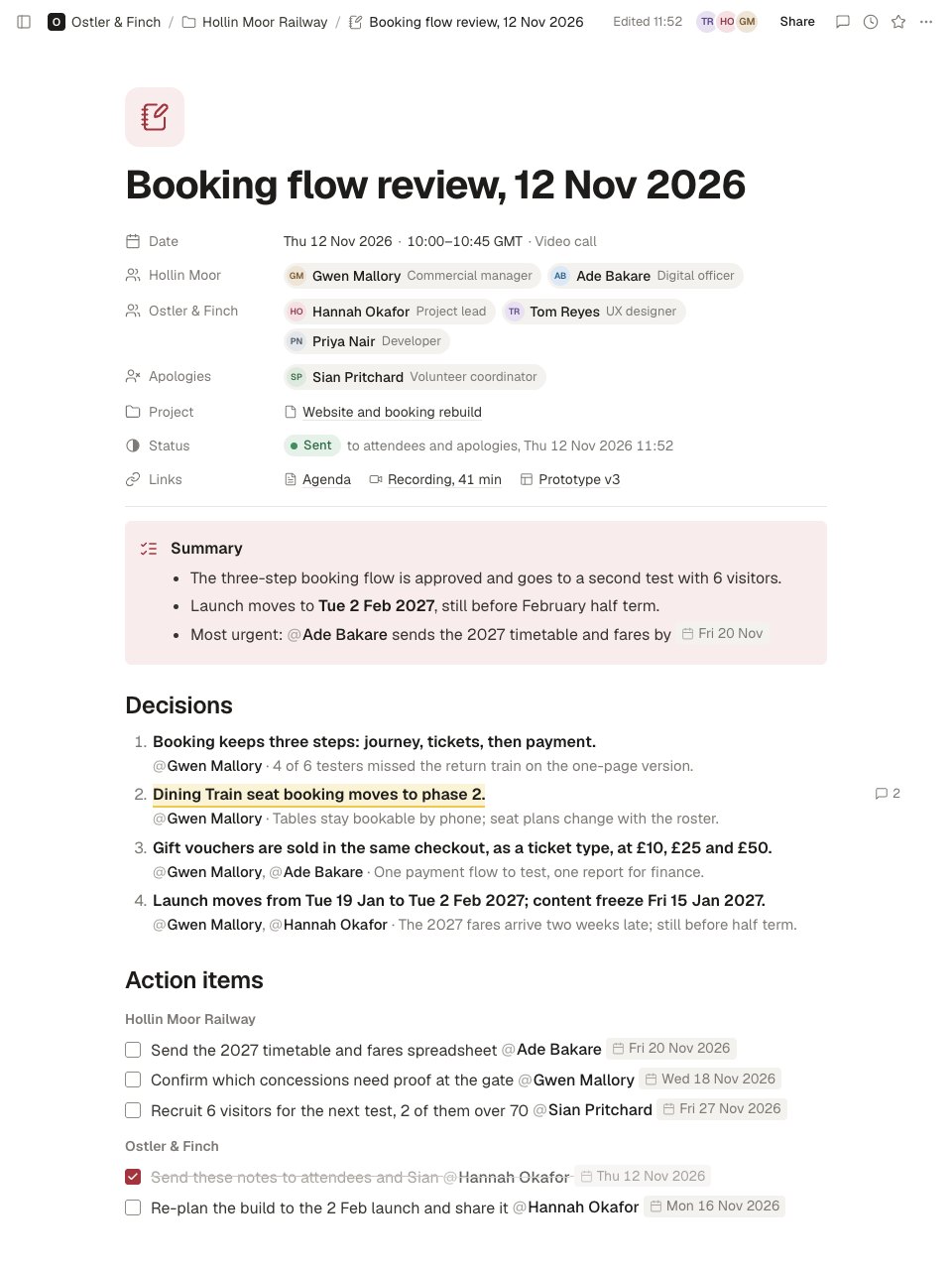
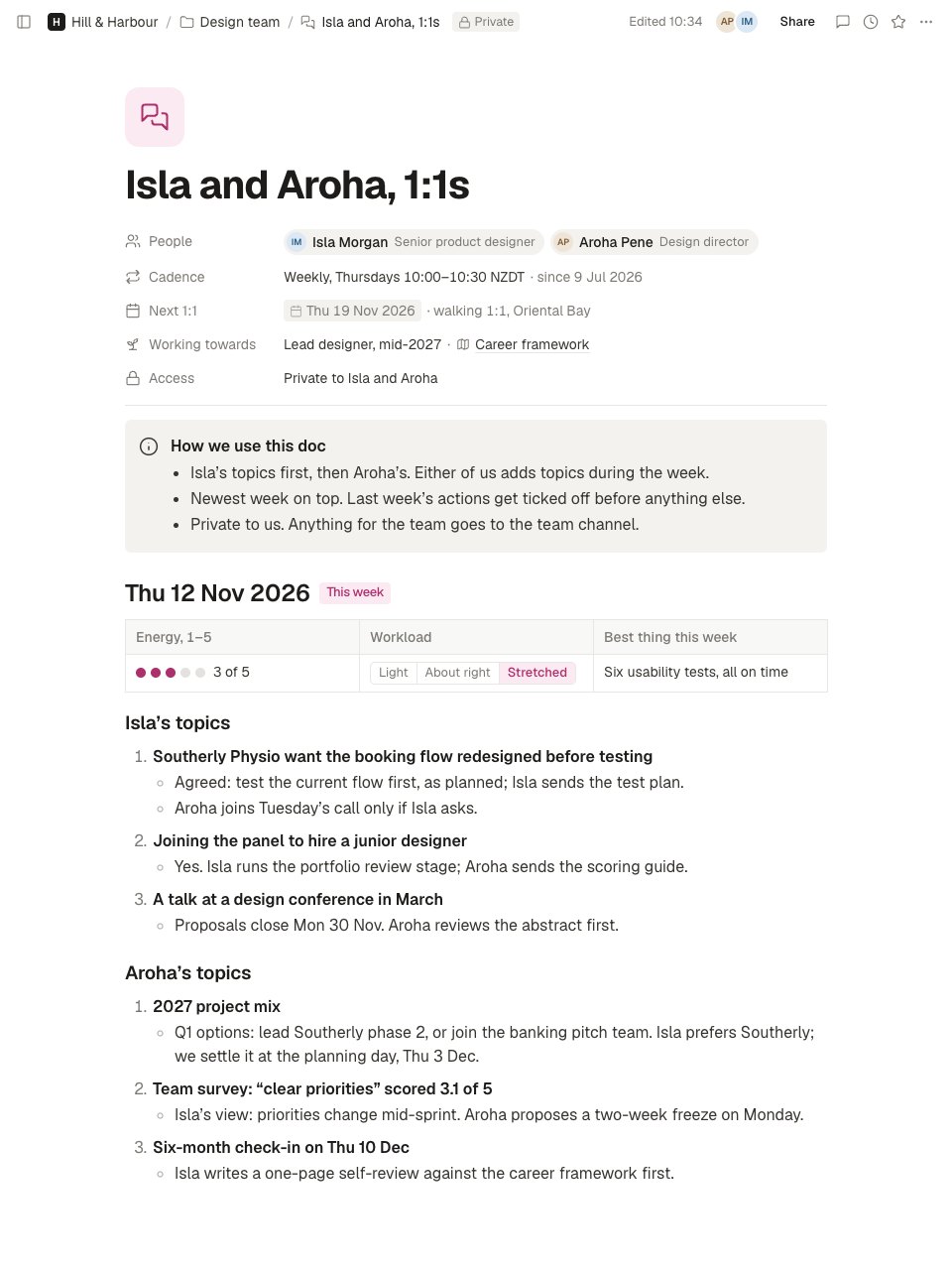
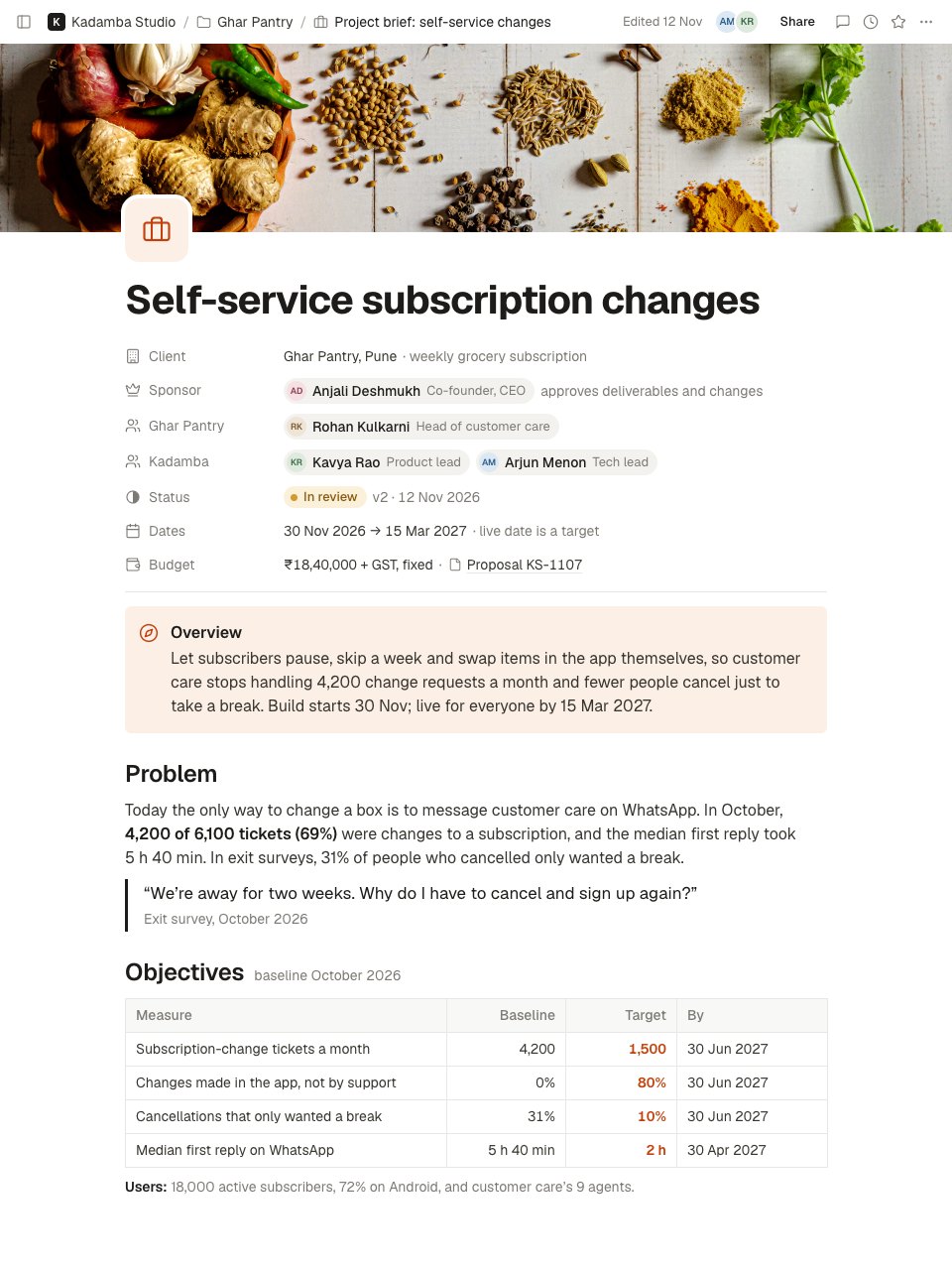
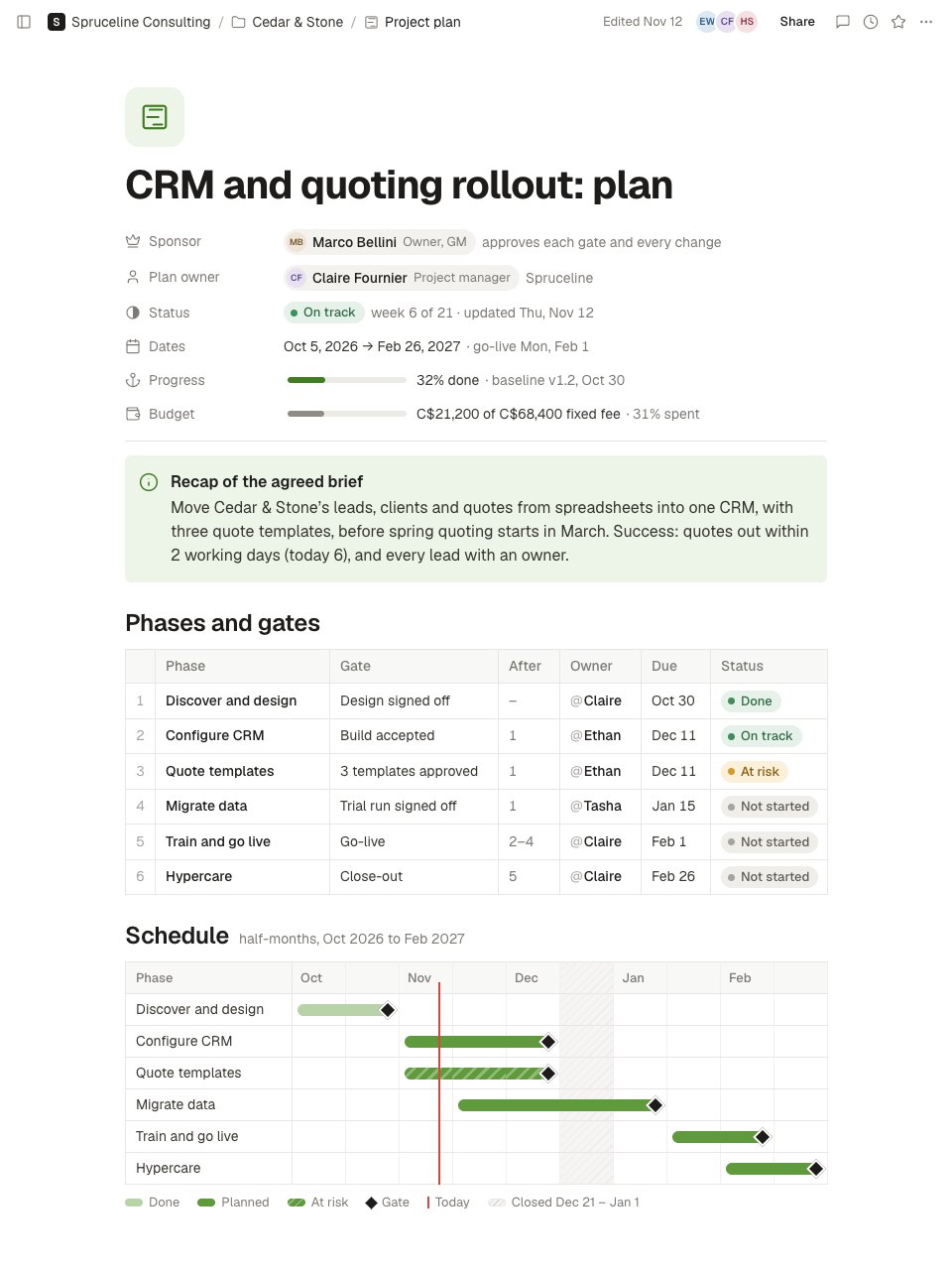
Research Notes is a page in Notes for writing up one user interview on the day it happens. Properties give the study and session number, the date and method, the participant by ID and profile (never a name), the team, consent and the incentive, with links to the recording, transcript and discussion guide. Top takeaways come first, written within the hour. Then the participant's profile against the screener, verbatim quotes with their time in the recording and tags, and observations of what they did, kept apart from what they said. A tagged insights table counts how many sessions showed the same, followed by research questions, a debrief and follow-ups.
Made for
- Agencies and consultants running client work
- Project managers and team leads
- Sales and account teams
- Any team that writes things down together
Make it yours in four steps.
Open it in Notes and work through it, or let Docsiv AI do the first pass with your details.
- Step 1
Duplicate the page for each session, and set the participant ID, the date, the team and consent in the properties.
- Step 2
Write the three top takeaways within an hour of the call, before you tidy anything else.
- Step 3
Paste quotes word for word with their time in the recording, and tag each one so it can go on your synthesis board.
- Step 4
Add each insight to the table with its evidence and the sessions that showed it, then give every follow-up an owner and a date.
Start from the Research Notes now.
Questions about this template.
Something else on your mind? Ask us in the chat, bottom right of the page.
Is the Research Notes template free?
Yes. Create a free account and it opens in Docsiv's Notes app, ready to edit and share. The Free plan includes every Docsiv app and 500 AI credits a month.
Can I change the colours, fonts and text?
Yes, all of it. The template uses Geist with #86357f, #f6ebf5, #1d1c1a, #37352f, #7d7a75, and you can change any of them, rewrite every word and add or remove blocks and sub-pages.
What can I export it as?
Notes in Docsiv offers: Pages, Markdown, Word and PDF exports. Once it's saved, you can also share it with a link.
Can Docsiv AI write the user interview notes for me?
Yes. Tell Docsiv AI about the client or project and it can draft the content in this template's style, which you then review and edit. AI uses credits; the Free plan includes 500 a month.
Start your notes with Docsiv AI
Describe the client or the project and Docsiv AI writes a first draft of your user interview notes for you to edit, share and send.