

What’s inside the Management Accounts Report.
14 pages with real content in place. Rewrite them, reorder them, or add your own.
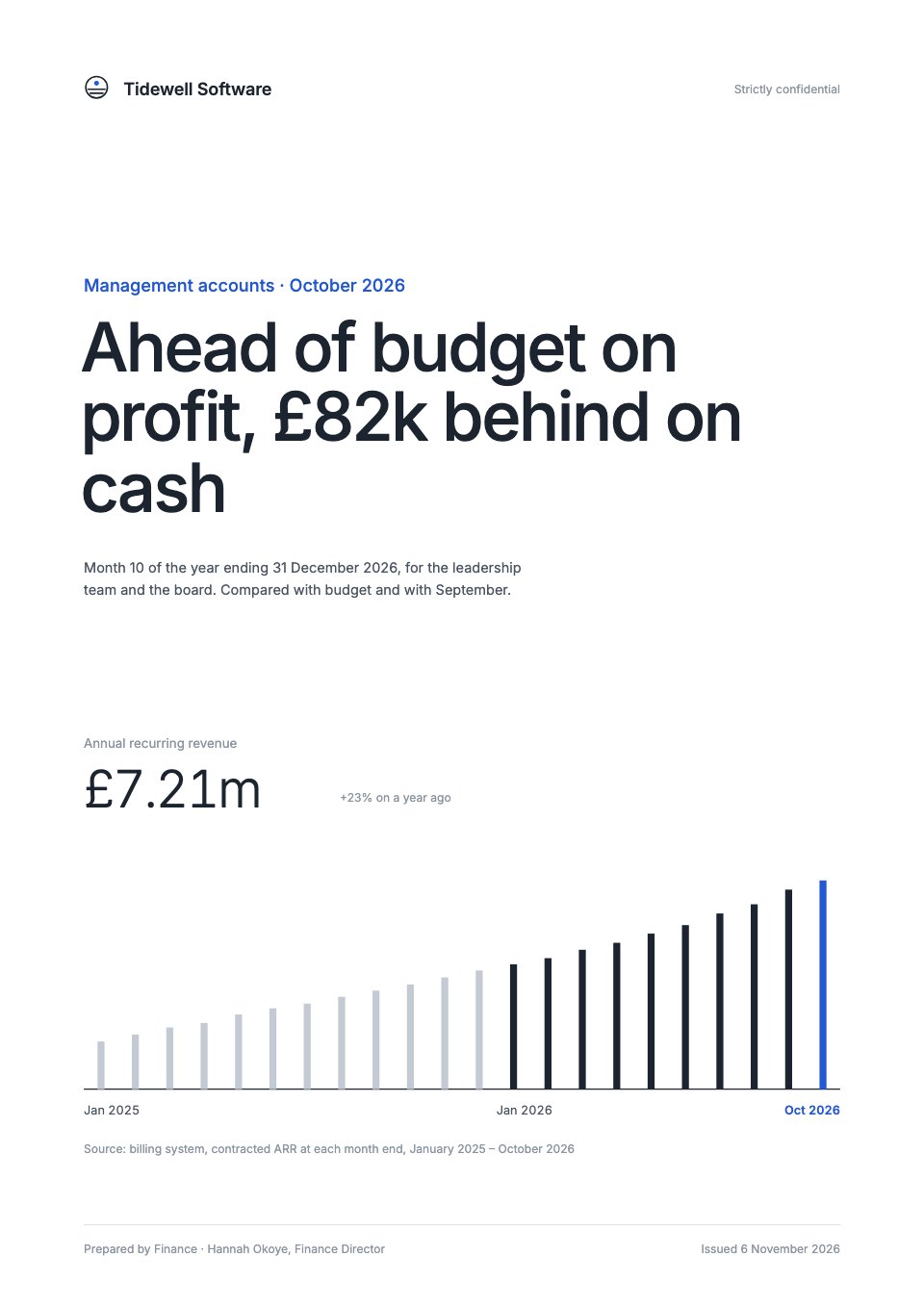
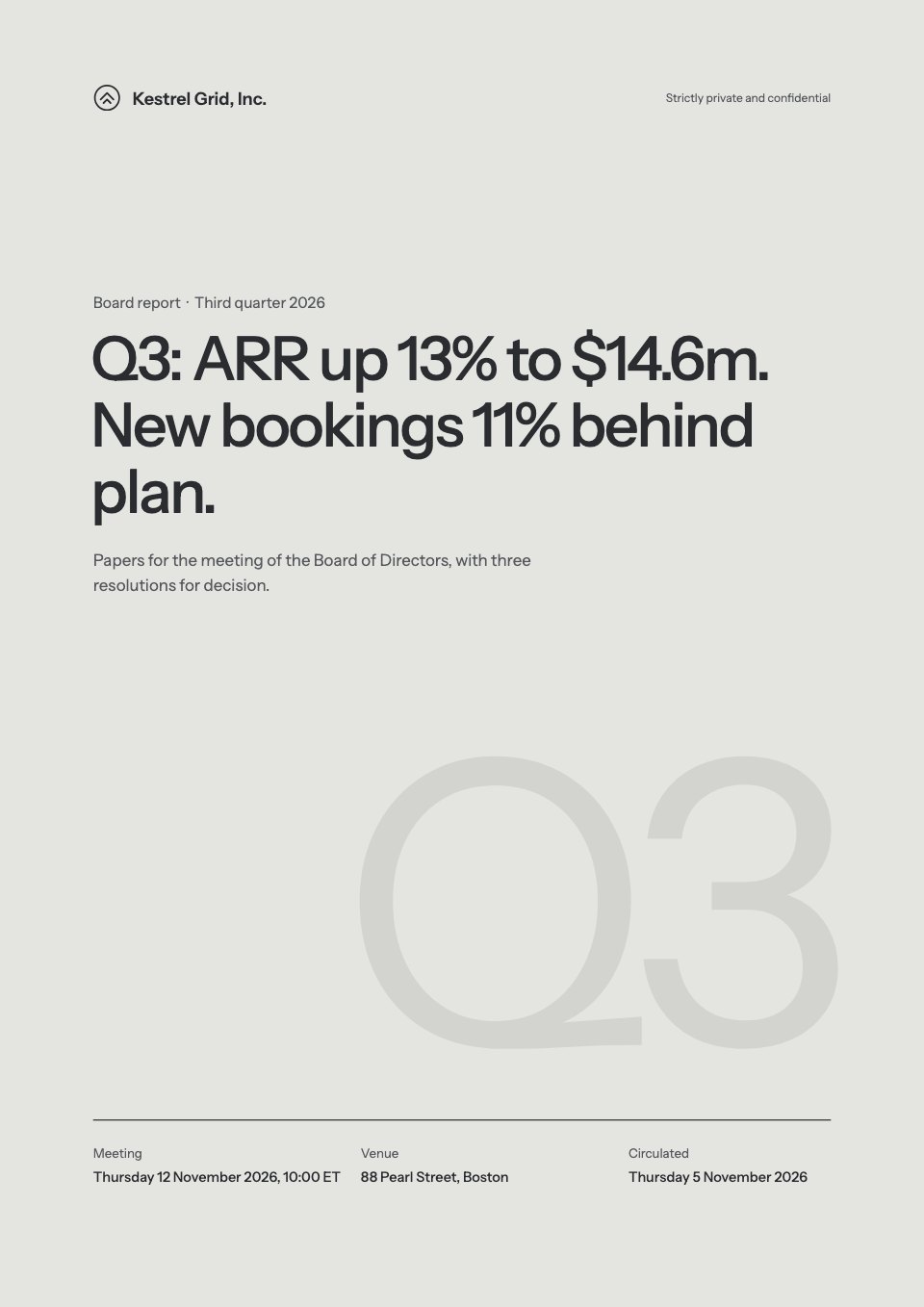
- 1Page 1A white cover with the month's verdict as the title and ARR by month as thin columns
- 2Page 2The month at a glance: revenue, EBITDA and cash burn against budget and September, and EBITDA variance by line
- 3Page 3SaaS measures against plan: ARR, gross margin, net revenue retention, churn, CAC payback and the Rule of 40
- 4Page 4Income statement: the month and year to date against budget, with variances
- 5Page 5The ARR bridge: new customers, expansion, contraction and churn, as a waterfall
- 6Page 6Gross margin by month against budget, with the three cost-of-sales lines
- 7Page 7Operating costs by department against budget, and headcount by team against plan
- 8Page 8The year-to-date EBITDA bridge from budget to actual, line by line
- 9Page 9Balance sheet at month end against last month, with debtor days
- 10Page 10The cash bridge from opening to closing cash
- 11Page 11The 13-week cash forecast against the minimum cash line, with runway
- 12Page 12The full-year reforecast against budget, and the three risks behind it
- 13Page 13Three decisions for the leadership team, and four actions with owners, dates and status
- 14Page 14Notes to the accounts, a glossary, the close calendar and sign-off
When to use it.
Management Accounts Report is a 14-page A4 monthly management accounts pack for a SaaS finance team to send to its leadership. It sets the month against budget, then covers ARR, net revenue retention and CAC payback, the income statement, ARR and EBITDA bridges as waterfalls, the balance sheet, a cash bridge, a 13-week cash forecast with runway and the full-year reforecast. It ends with three decisions, actions with owners and the close calendar. White pages, slate type, one blue accent and one chart per page keep it easy to read.
Made for
- Agencies reporting to clients
- Consultants and freelancers
- Founders updating a board
- Teams sharing results
Make it yours in four steps.
Open it in Reports and work through it, or let Docsiv AI do the first pass with your details.
- Step 1
Replace the company, the month and the verdict title on the cover.
- Step 2
Enter the month's actuals, budget and prior-month figures for the income statement, balance sheet and cash pages.
- Step 3
Update the ARR and EBITDA bridges, the 13-week forecast and the reforecast, and rewrite the risks behind them.
- Step 4
Set the decisions and actions with owners and dates, then share the pack as a link or export it as a PDF.
Start from the Management Accounts Report now.
Questions about this template.
Something else on your mind? Ask us in the chat, bottom right of the page.
Is the Management Accounts Report template free?
Yes. Create a free account and it opens in Docsiv's Reports app, ready to edit and share. The Free plan includes every Docsiv app and 500 AI credits a month.
Can I change the colours, fonts and text?
Yes, all of it. The template uses Inter with #ffffff, #1c2430, #2257d6, #c3cad3, #f3f5f8, and you can change any of them, rewrite every word and add or remove pages.
What can I export it as?
Reports in Docsiv offers: Report pages with charts, PDF and HTML exports. Once it's saved, you can also share it with a link.
Can Docsiv AI write the management accounts for me?
Yes. Tell Docsiv AI about the client or project and it can draft the content in this template's style, which you then review and edit. AI uses credits; the Free plan includes 500 a month.
Annual Report
PreviewSales Report
PreviewQuarterly Business Review
PreviewResearch Report
PreviewSEO Report
PreviewMarketing Report
Preview






Starting from a description instead? Try the AI report generator.













Start your report with Docsiv AI
Describe the client or the project and Docsiv AI writes a first draft of your management accounts for you to edit, share and send.