

What’s inside the Usability Testing Report.
14 pages with real content in place. Rewrite them, reorder them, or add your own.
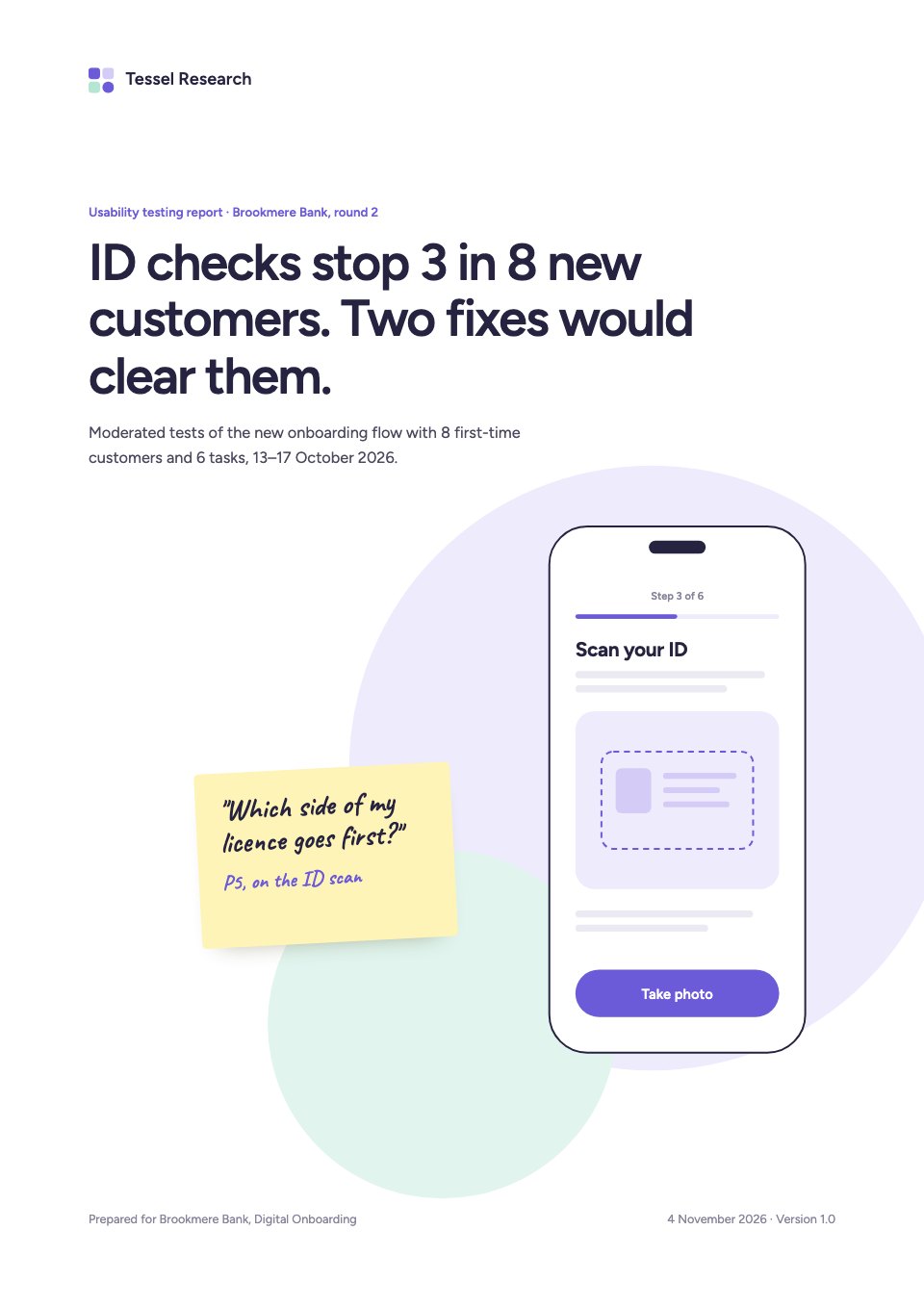
- 1Page 1A white cover with the main finding as the title, soft lilac and mint circles, a wireframe of the ID scan screen and a sticky note
- 2Page 2Summary: three KPI cards against round one, the three findings that matter most and the top recommendation with its confidence
- 3Page 3Objectives: four research questions and the release decision they inform
- 4Page 4Method: method, sample and dates, the participant table with SUS scores and the study's limits
- 5Page 5Task results: unaided, assisted and failed attempts for all six tasks
- 6Page 6Finding 1, critical: an annotated ID scan wireframe and retakes by cause
- 7Page 7Finding 2, critical: a participant quote and the selfie spinner time per participant
- 8Page 8Finding 3, serious: three look-alike account cards and the one each person tapped first
- 9Page 9Finding 4, serious: failed passcode attempts and the early deposit request
- 10Page 10What worked: three tasks ready to ship and two participant quotes on sticky notes
- 11Page 11Satisfaction: SUS by participant against the mean and the cross-industry average
- 12Page 12Implications: issues by onboarding step and what they mean for the release and the business
- 13Page 13Recommendations: nine ranked changes with owners, confidence and dates, and the next steps
- 14Page 14Appendix: method details, the severity scale, a session timeline and the research team
When to use it.
Usability Testing Report is a 14-page report for UX researchers sharing a moderated study with a product team, shown for a banking app's onboarding with eight participants. It covers research questions, method and the participant table, results for six tasks, four findings by severity with annotated wireframes, quotes and charts, what worked, SUS scores and nine ranked recommendations with owners and dates. Soft lilac and mint circles, rounded cards and a few handwritten sticky notes keep it friendly and light.
Made for
- Agencies reporting to clients
- Consultants and freelancers
- Founders updating a board
- Teams sharing results
Make it yours in four steps.
Open it in Reports and work through it, or let Docsiv AI do the first pass with your details.
- Step 1
Replace the product, the study and the main finding on the cover.
- Step 2
Update the participant table, task results and SUS scores from your sessions.
- Step 3
Rewrite each finding with your own evidence, swapping in your wireframes and quotes.
- Step 4
Rank the recommendations with owners and dates, then share the report as a link or PDF.
Start from the Usability Testing Report now.
Questions about this template.
Something else on your mind? Ask us in the chat, bottom right of the page.
Is the Usability Testing Report template free?
Yes. Create a free account and it opens in Docsiv's Reports app, ready to edit and share. The Free plan includes every Docsiv app and 500 AI credits a month.
Can I change the colours, fonts and text?
Yes, all of it. The template uses Figtree and Caveat with #ffffff, #eeebfc, #e1f5ee, #6b5bd9, #25233f, and you can change any of them, rewrite every word and add or remove pages.
What can I export it as?
Reports in Docsiv offers: Report pages with charts, PDF and HTML exports. Once it's saved, you can also share it with a link.
Can Docsiv AI write the usability testing report for me?
Yes. Tell Docsiv AI about the client or project and it can draft the content in this template's style, which you then review and edit. AI uses credits; the Free plan includes 500 a month.
Annual Report
PreviewSales Report
PreviewQuarterly Business Review
PreviewResearch Report
PreviewSEO Report
PreviewMarketing Report
Preview






Starting from a description instead? Try the AI report generator.







Start your report with Docsiv AI
Describe the client or the project and Docsiv AI writes a first draft of your usability testing report for you to edit, share and send.