

What’s inside the Go-to-Market Plan.
16 slides with real content in place. Rewrite them, reorder them, or add your own.
- 1Slide 1Cover: Tendwell for Physical Therapy, the position in one line, launch day, the goal and the owner, with a goniometer arc measuring the launch calendar and 106 days to go
- 2Slide 2The plan on a page: 150 practices and $900k in new ARR by 31 August, with who we sell to, what we say, what it costs, where we sell, when, and how we'll know
- 3Slide 3Why now: front-desk turnover, rising no-shows and patients who expect to book online, from our survey of 214 PT practices, and what no-shows cost one practice ($236k a year)
- 4Slide 4Market size: 18,600 independent outpatient PT practices in the US, the 6,207 with 2 to 15 clinicians in our fourteen states ($37.2M), and the 2.4% we need in year one, built bottom-up with the assumptions shown and drawn to scale
- 5Slide 5Ideal customer profile: firmographics, the systems they run, the triggers that start a search and the disqualifiers, with three named design partners
- 6Slide 6The buying committee: the practice owner who signs, the front-desk lead who champions it and the billing manager who can block it, with what each needs to hear
- 7Slide 7Positioning: competitive alternatives (the EMR's scheduler, the phone, generic booking tools), what only we do, the value it creates and the market category we claim
- 8Slide 8Messaging: the core message and three pillars, each with its proof point and the question sales should ask, and the words we use and avoid
- 9Slide 9Pricing and packaging: Essentials $189, Practice $329 and Group $549 a location a month, what each includes, insurance-check overage, the plan mix that makes the blended $312.50, and the founding-practice offer
- 10Slide 10Channels and budget: six channels and the $380,000 launch budget, with the pipeline each is expected to bring and its cost per qualified demo
- 11Slide 11Funnel maths: from 3,900 leads to 625 qualified demos and 150 practices at a 24% win rate, what each stage takes, and the sales capacity it needs
- 12Slide 12Launch moments: the design-partner beta, launch day on Tuesday 2 March, the founding-practice offer and the first webinar on 15 April, with the launch tier, audience and goal for each
- 13Slide 13Sales enablement: answers to the five objections we hear most, the kit with owners and dates (demo script, battlecards, ROI calculator, certification by 26 February), and the ROI calculator worked for a typical practice
- 14Slide 14Risks and mitigations: EMR sync slipping, slow AE ramp, insurance-check accuracy, events that don't convert and price pushback, each with an owner and a trigger
- 15Slide 15Launch timeline: product, marketing, sales and customer success from 1 December to 30 June, with the five gates from pricing locked to the 90-day review
- 16Slide 16Scorecard and decisions: demos, practices, ARR, win rate, time to first booking and no-shows at 30, 60 and 90 days and in August, and three decisions needed by 11 December
When to use it.
Go-to-Market Plan is a 16-slide deck for the launch plan a marketing lead takes to the leadership team before a product goes out. It opens with the whole plan on one slide, then makes the case: why now, a bottom-up market size, the ideal customer profile and the buying committee. Positioning, messaging and pricing come next, then channels and budget, the funnel worked back from the goal, launch moments, sales enablement and risks with their triggers. It closes on a dated timeline and a scorecard with the decisions needed. One set of numbers runs through every slide, so budget, demos and revenue agree.
Made for
- Leadership teams presenting the year and the choice ahead
- Agencies taking a client through a strategy
- Founders testing a new idea
- Product and innovation teams
Make it yours in four steps.
Open it in Decks and work through it, or let Docsiv AI do the first pass with your details.
- Step 1
Put your product, one-line position, launch date, goal and owner on the cover.
- Step 2
Replace the survey figures, market counts, customer profile and buyers with your own research, and keep each source on its slide.
- Step 3
Set your plans, channel budgets and funnel stages, and carry the same totals through the plan on a page and the scorecard.
- Step 4
Move the timeline bars to your own dates, name the decisions you need with a date each, then share the deck before the review.
Start from the Go-to-Market Plan now.
Questions about this template.
Something else on your mind? Ask us in the chat, bottom right of the page.
Is the Go-to-Market Plan template free?
Yes. Create a free account and it opens in Docsiv's Decks app, ready to edit and share. The Free plan includes every Docsiv app and 500 AI credits a month.
Can I change the colours, fonts and text?
Yes, all of it. The template uses Fraunces and Figtree with #2e1833, #f6f0e6, #f1925c, #46657f, #6b3a72, #5c8063, and you can change any of them, rewrite every word and add or remove slides.
What can I export it as?
Decks in Docsiv offers: Slides, PPTX, PDF and HTML exports. Once it's saved, you can also share it with a link.
Can Docsiv AI write the go-to-market plan for me?
Yes. Tell Docsiv AI about the client or project and it can draft the content in this template's style, which you then review and edit. AI uses credits; the Free plan includes 500 a month.
Tablet
PreviewSignal
PreviewCartesian
PreviewBroadside
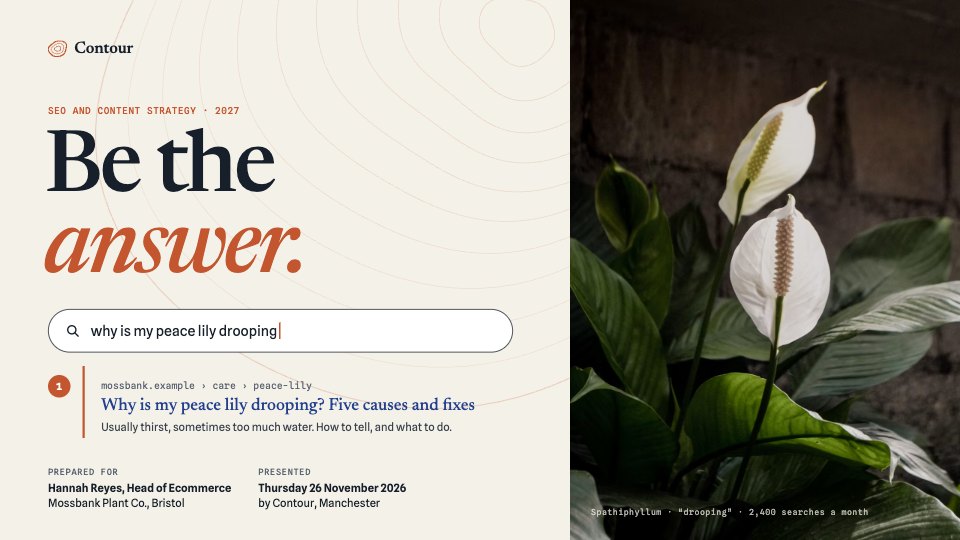
PreviewSEO & Content Strategy
PreviewSocial Media Strategy
Preview


Starting from a description instead? Try the Online whiteboard.











Start your strategy with Docsiv AI
Describe the client or the project and Docsiv AI writes a first draft of your go-to-market plan for you to edit, share and send.