

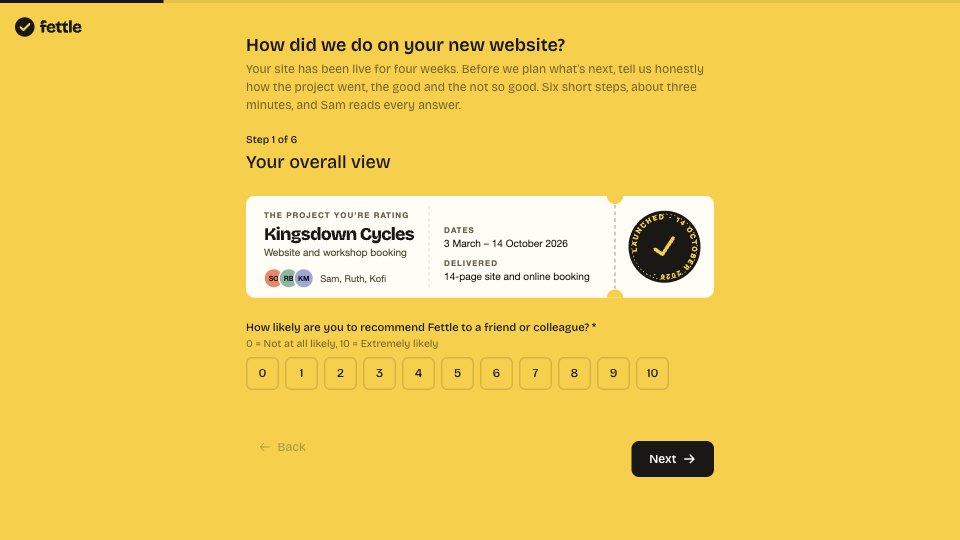
What’s inside the Project Feedback Survey.
Real content in every part, ready to rewrite with your own.
- 1Step 1, Your overall view: the title and intro, the project being rated as a ticket (client, dates, what was delivered, the team), and “How likely are you to recommend Fettle to a friend or colleague?” on a 0–10 scale
- 2Step 2, Your reason: “What is the main reason for your score?”, with logic showing “What could we have done better?” below 7 and “What did you value most?” above 8
- 3Step 3, How we did: quality of the work, communication, keeping to the timeline and value for money, each a 5-star rating, all optional, and an optional comment
- 4Step 4, Looking back: what went well (optional) and one thing we should improve
- 5Step 5, Permission to quote: yes with name and company, yes with first name only, or not this time; on a yes, where it may be used, your name, and your role and company
- 6Step 6, One last thing: would you like a 20-minute call to talk it through (yes or no), and anything else (optional)
- 7Thank you: what happens next and when (Sam replies this week, quote wording approved first, the three-month check-in), beside a team photo
When to use it.
Project Feedback Survey is a six-step, three-minute survey a studio sends a client a few weeks after a project ends. It shows the project being rated, then asks the standard 0–10 recommend question with its wording unchanged and the reason for the score. Logic asks low scorers what could have been better and high scorers what they valued most. Four optional star ratings cover quality, communication, timeline and value, followed by what went well and one thing to improve. It ends by asking permission to quote, where the quote may be used, and whether they’d like a call.
Made for
- Agencies checking in after a project
- Customer success teams
- Product teams
- Small businesses
Make it yours in four steps.
Open it in Forms and work through it, or let Docsiv AI do the first pass with your details.
- Step 1
Swap in your studio’s name, logo and colours, and update the project ticket with the client, dates, deliverables and team.
- Step 2
Keep the recommend question’s wording as it is, and change the four ratings if other things matter more to your clients.
- Step 3
Send the link three or four weeks after launch, once the client has lived with the work.
- Step 4
Reply to every answer, and ask for approval before you use any quote.
Start from the Project Feedback Survey now.
Questions about this template.
Something else on your mind? Ask us in the chat, bottom right of the page.
Is the Project Feedback Survey template free?
Yes. Create a free account and it opens in Docsiv's Forms app, ready to edit and share. The Free plan includes every Docsiv app and 500 AI credits a month.
Can I change the colours, fonts and text?
Yes, all of it. The template uses Bricolage Grotesque with #f6d04d, #1a1814, #fffdf5, and you can change any of them, rewrite every word and add or remove questions.
What can I export it as?
Forms in Docsiv offers: Responses exported as CSV. Once it's saved, you can also share it with a link.
Can Docsiv AI write the project feedback survey for me?
Yes. Tell Docsiv AI about the client or project and it can draft the content in this template's style, which you then review and edit. AI uses credits; the Free plan includes 500 a month.
Where do the responses go?
Responses are collected in Docsiv with the form, and you can export them as a CSV file.
Customer Feedback Survey
PreviewTeam Pulse Survey
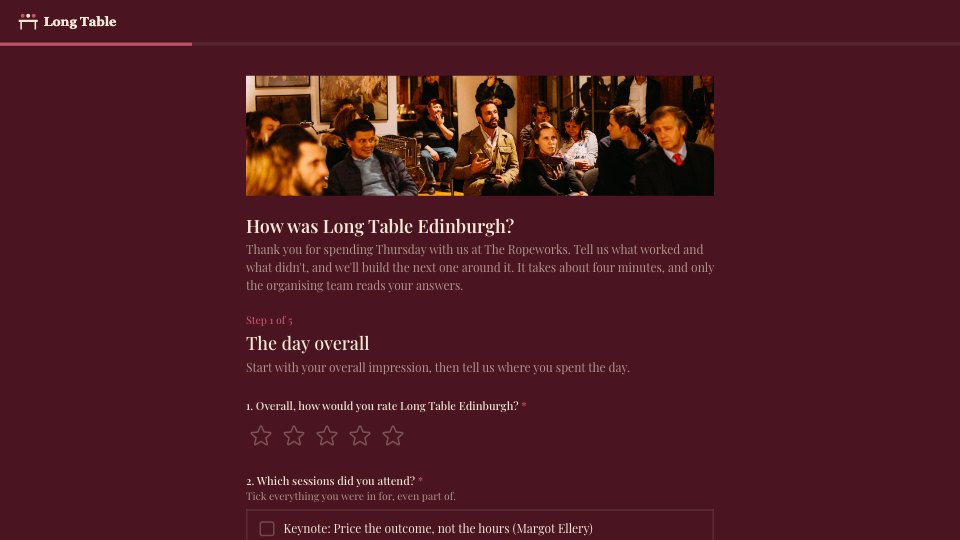
PreviewEvent Feedback Survey
PreviewTestimonial Request
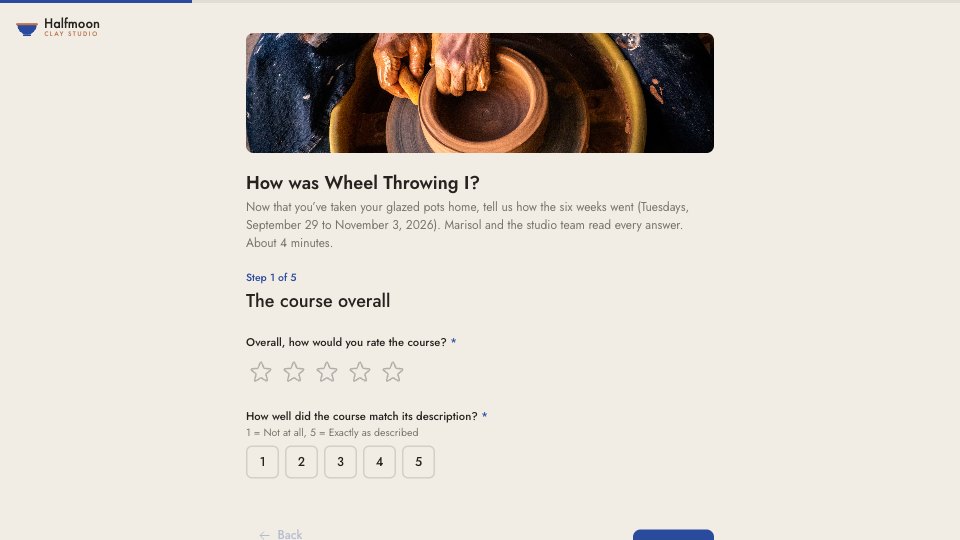
PreviewCourse Feedback
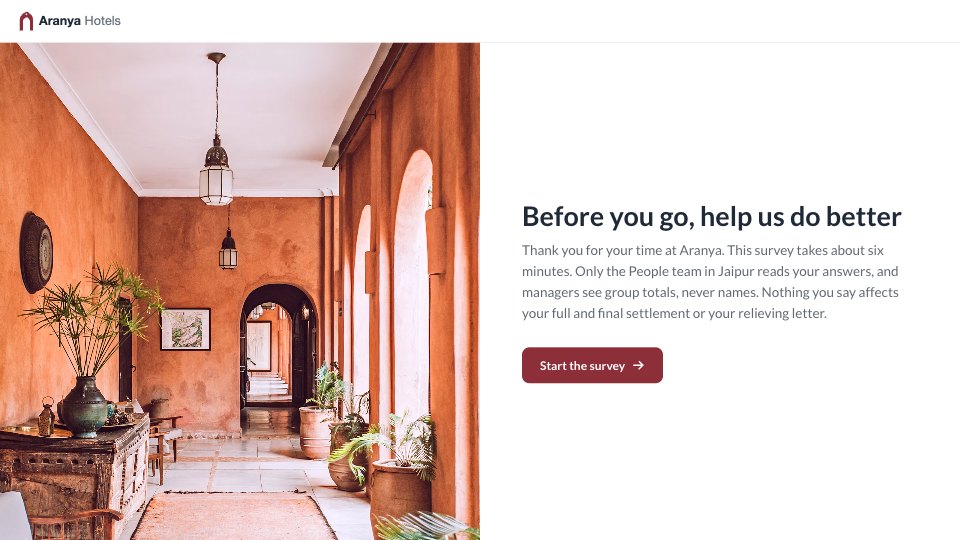
PreviewExit Interview
Preview



Starting from a description instead? Try the Form builder.

Start your survey with Docsiv AI
Describe the client or the project and Docsiv AI writes a first draft of your project feedback survey for you to edit, share and send.