

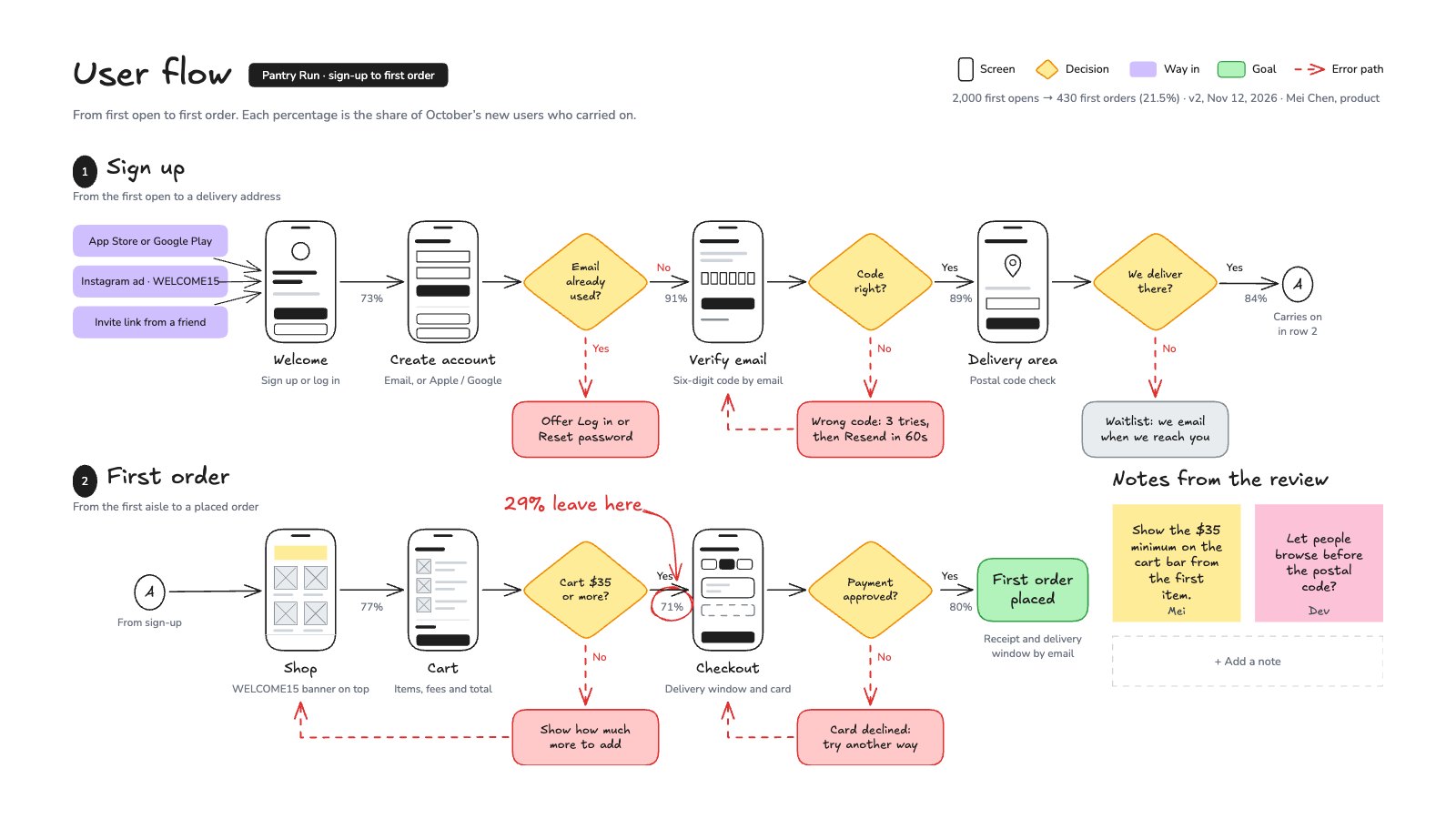
What’s inside the User Flow.
Real content in every part, ready to rewrite with your own.
- 1Two rows, sign-up then first order, joined by connector A
- 2Three ways in, seven screens sketched as phones with what each holds, and five yes/no decisions
- 3Red dashed error paths that loop back to where people retry, a waitlist dead end and the goal
- 4The October funnel as percentages on the arrows, with the biggest drop circled
- 5Notes from the review, and an empty note to add more
When to use it.
User Flow is a whiteboard for mapping how people move through an app or website, from the first screen to the goal. Screens are sketched as small phones with their names, decisions are yellow diamonds with yes and no paths, and error paths run in red dashes back to where people try again. The share of users who carry on sits on each arrow and the biggest drop is circled, so the review starts in the right place. The example follows a grocery app from first open to first order.
Made for
- Operations and project managers
- Agencies mapping a process with a client
- Founders drawing their first org chart
- Teams fixing a slow hand-off
Make it yours in four steps.
Open it in Whiteboard and work through it, or let Docsiv AI do the first pass with your details.
- Step 1
Rename the ways in, screens and decisions to match your product.
- Step 2
Keep the happy path on one line per row, and send every failure down in red to where people retry.
- Step 3
Update the percentages on the arrows from your analytics, then circle the biggest drop.
- Step 4
Add the team’s notes from the review and share the board with a link.
Start from the User Flow now.
Questions about this template.
Something else on your mind? Ask us in the chat, bottom right of the page.
Is the User Flow template free?
Yes. Create a free account and it opens in Docsiv's Whiteboard app, ready to edit and share. The Free plan includes every Docsiv app and 500 AI credits a month.
Can I change the colours, fonts and text?
Yes, all of it. The template uses Excalifont and Nunito with #1e1e1e, #ffec99, #d0bfff, #b2f2bb, #ffc9c9, #e03131, and you can change any of them, rewrite every word and add or remove notes, shapes and connectors.
What can I export it as?
Whiteboard in Docsiv offers: Excalidraw boards, PNG and SVG exports. Once it's saved, you can also share it with a link.
Can Docsiv AI write the user flow for me?
Yes. Tell Docsiv AI about the client or project and it can draft the content in this template's style, which you then review and edit. AI uses credits; the Free plan includes 500 a month.
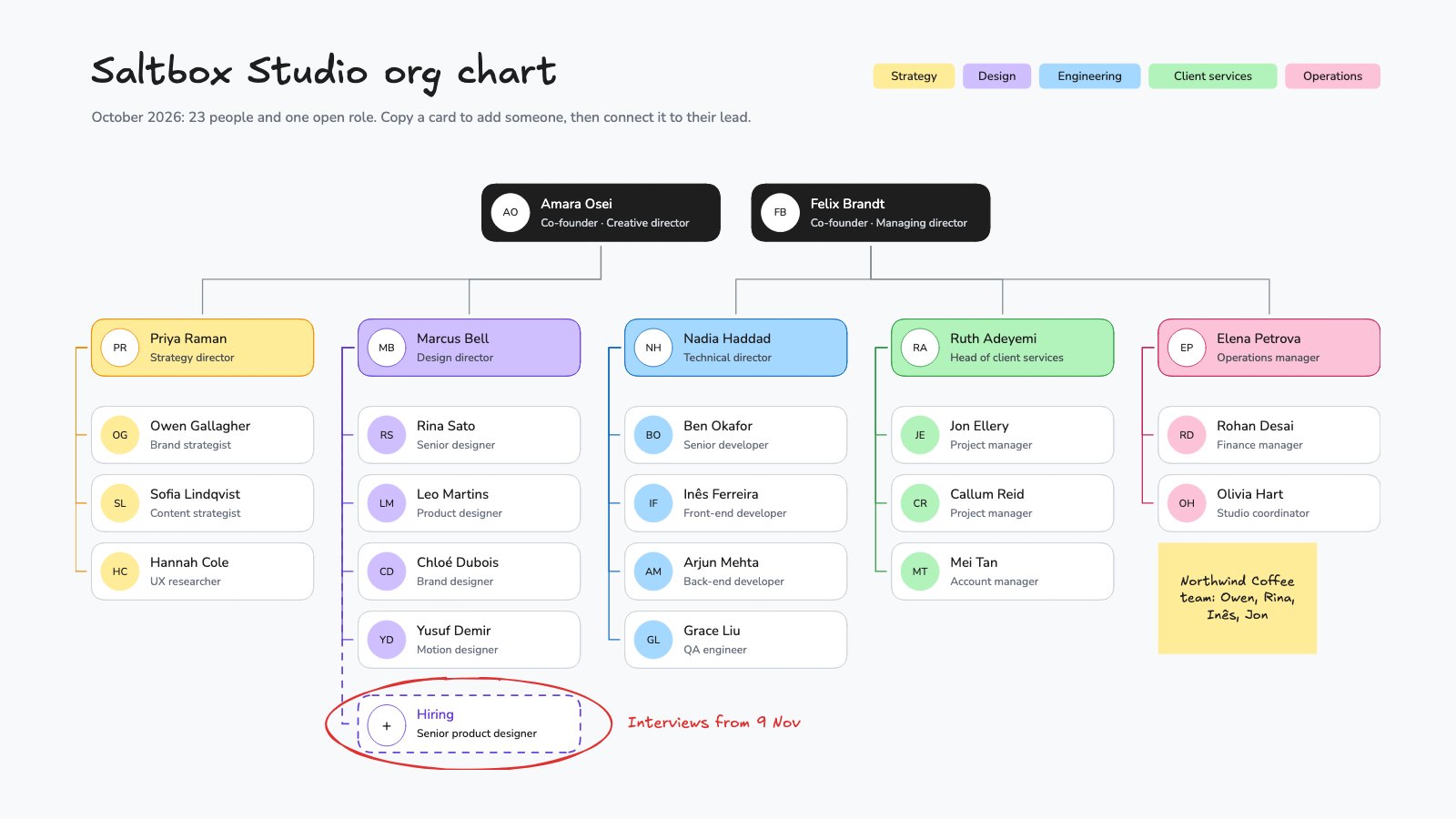
Org Chart
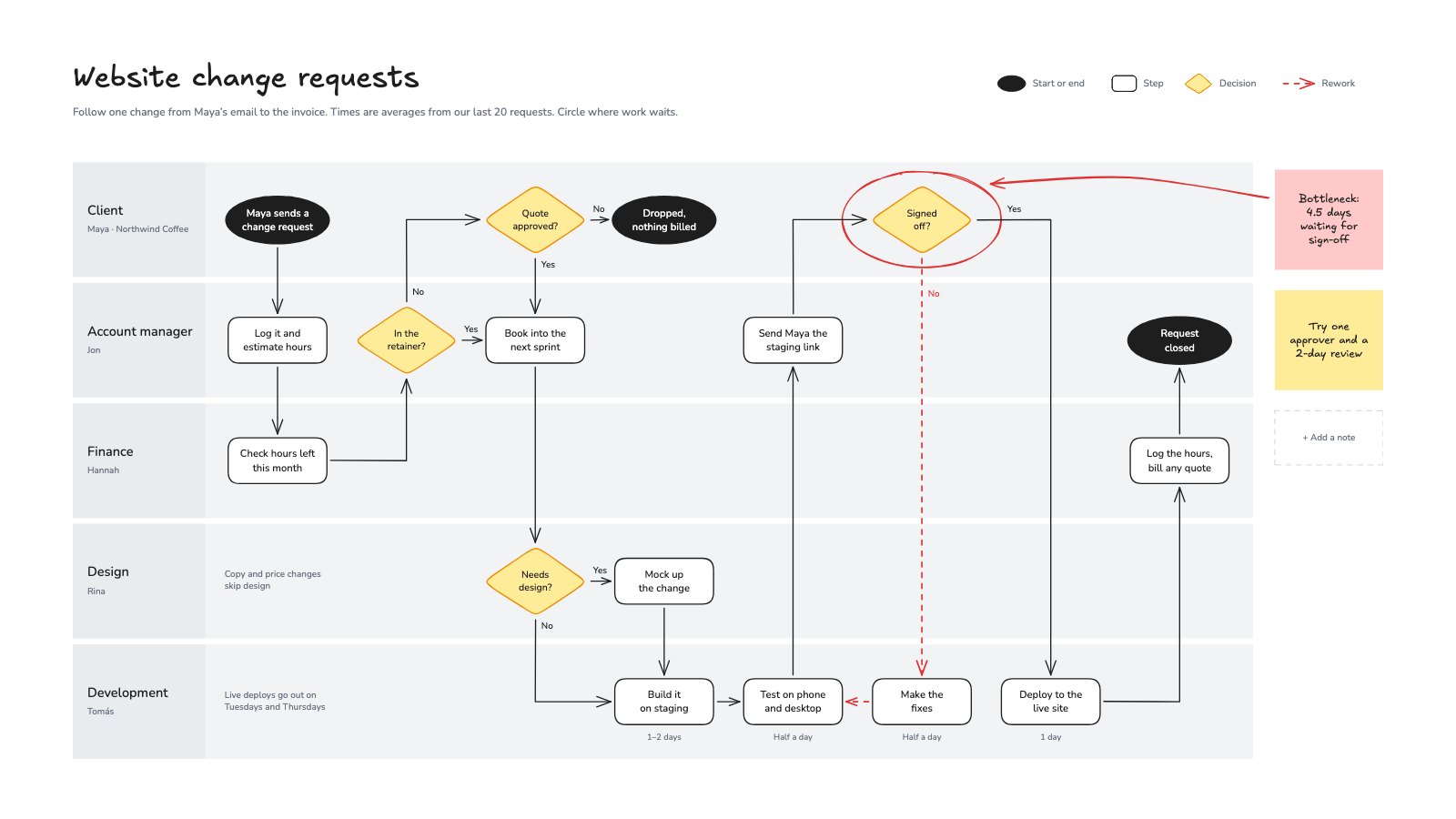
PreviewProcess Flowchart
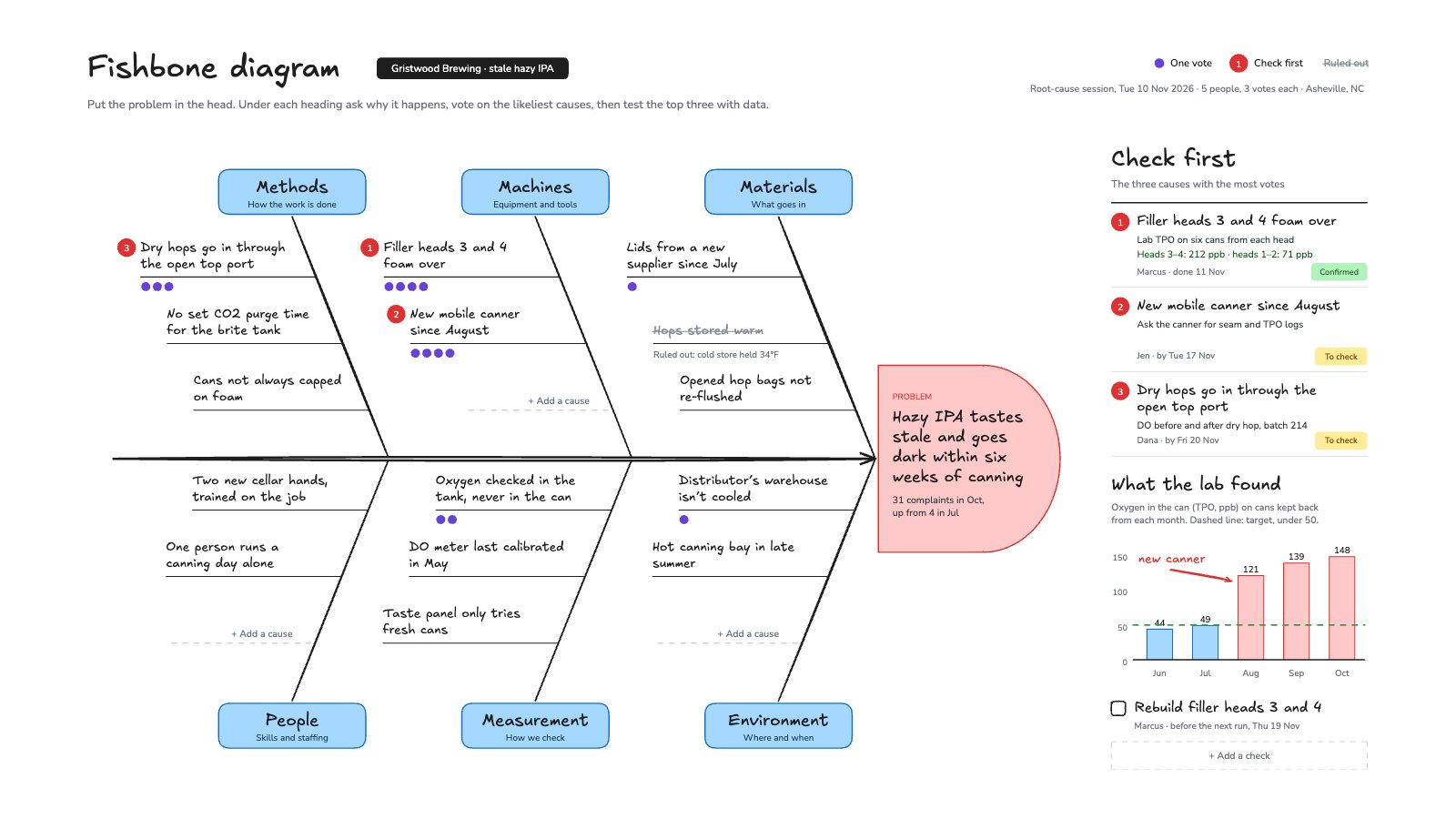
PreviewFishbone Diagram
PreviewSystem Architecture
PreviewClient Kickoff Workshop
PreviewProject Kanban Board
Preview
Starting from a description instead? Try the Online whiteboard.
Start your diagram with Docsiv AI
Describe the client or the project and Docsiv AI writes a first draft of your user flow for you to edit, share and send.