

Diagram templates
Flowcharts, swimlane diagrams and org charts on a whiteboard your team can rearrange, with connectors that follow the shapes.
Org Chart
An org chart for a 23-person design studio: two founders with their own reporting lines, five colour-coded teams under their leads, a card per person with initials, name and role, and a dashed open role.PreviewProcess Flowchart
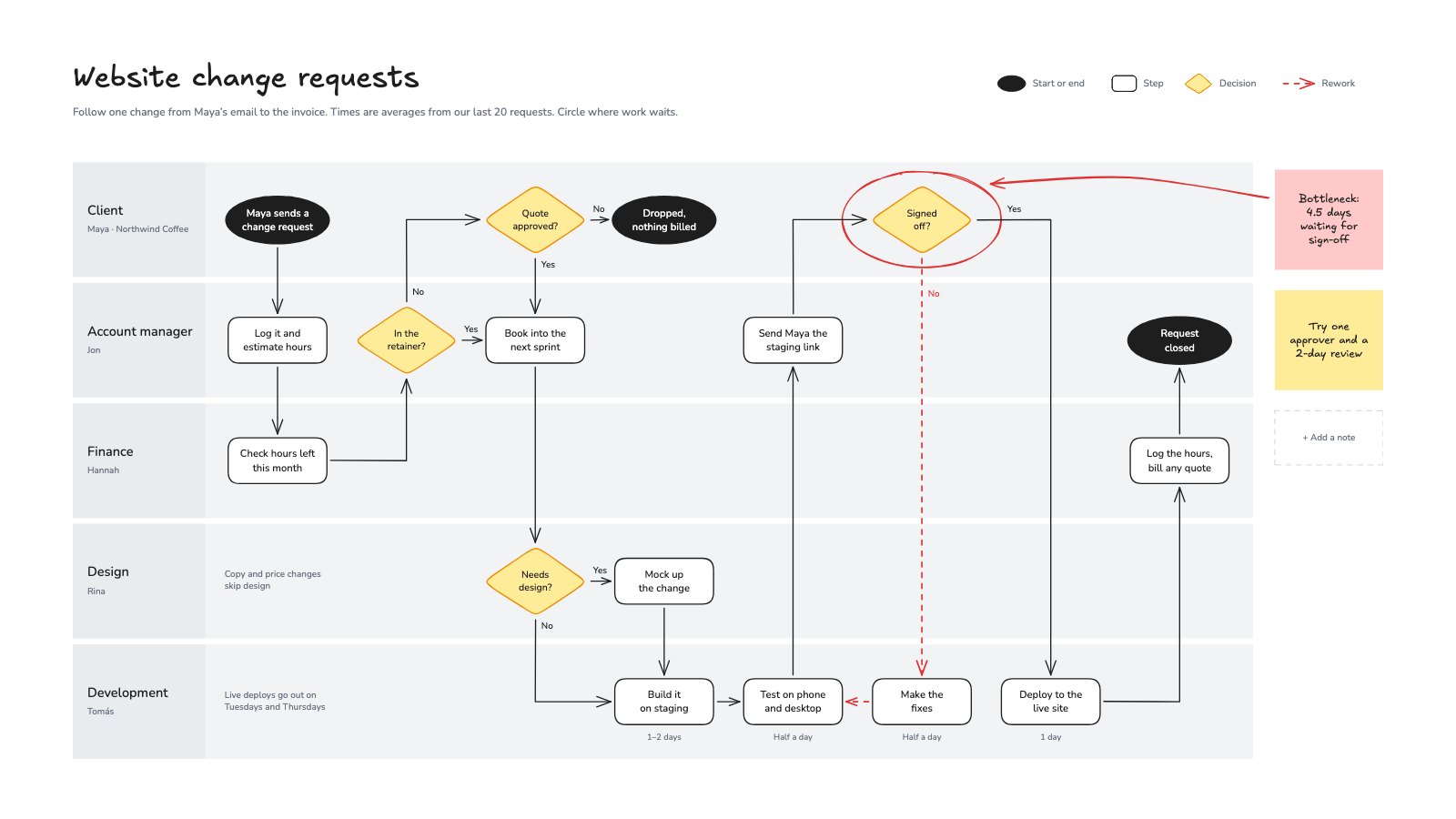
A swimlane flowchart of how a studio handles a client's website change request, from the first email to the invoice, with yes/no decisions, a rework loop and the bottleneck circled.Preview
A closer look at Org Chart.
An org chart for a 23-person design studio: two founders with their own reporting lines, five colour-coded teams under their leads, a card per person with initials, name and role, and a dashed open role. Here’s what it holds.
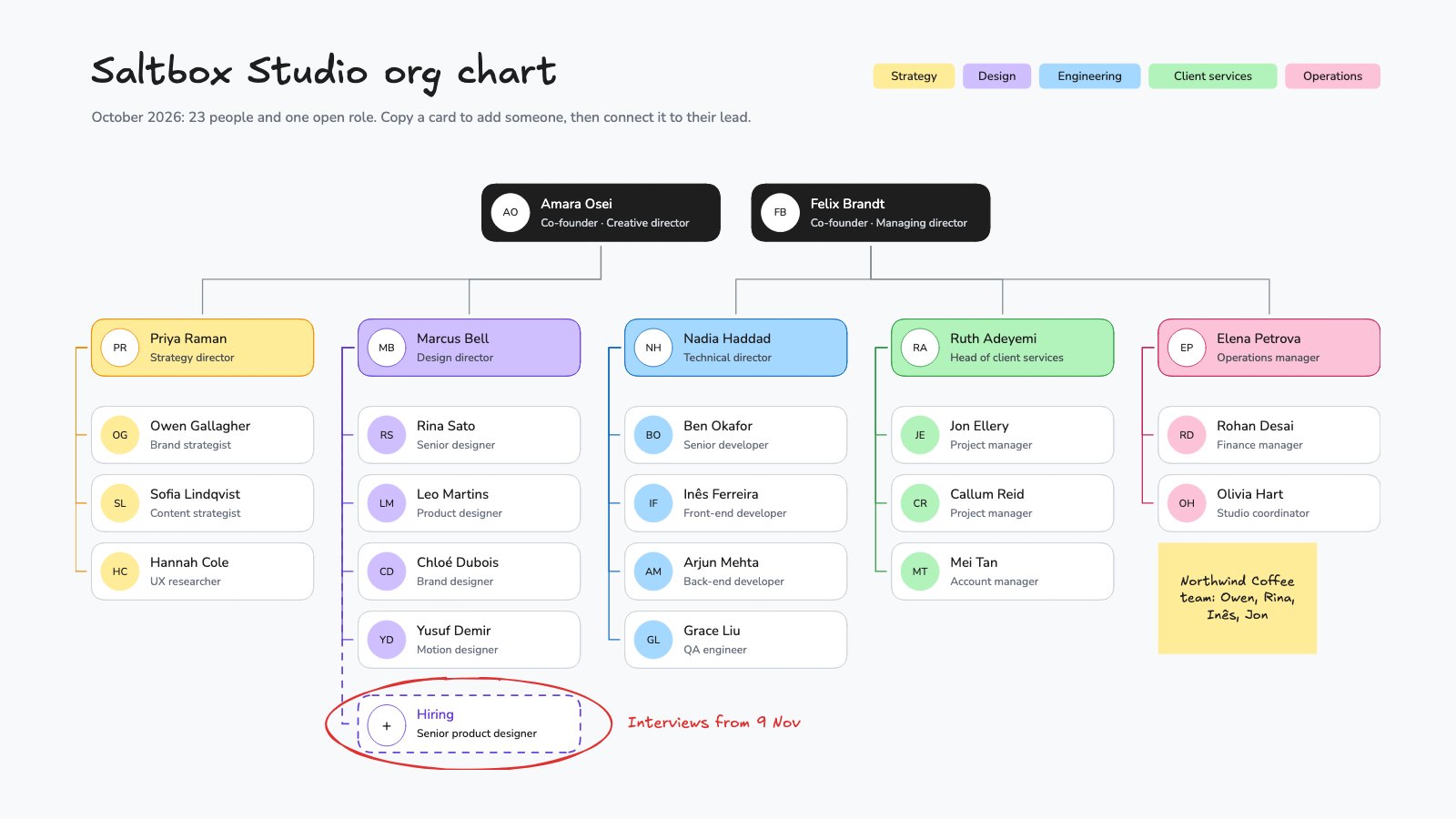
- 1Two founders, each with their own reporting line
- 2Five teams, each with a lead and a colour
- 3A card for every person: initials, name and role
- 4A dashed card for an open role, circled by hand
- 5A legend of team colours and a sticky note for a project team
About diagram templates.
Something else on your mind? Ask us in the chat, bottom right of the page.
Are these diagram templates free?
Yes. They open in Docsiv’s Whiteboard app with a free account, where you can edit your copy, download it and share it with a link. The Free plan includes every Docsiv app and 500 AI credits a month.
Which app do they open in?
Whiteboard: excalidraw boards, PNG and SVG exports.
Can Docsiv AI write the diagram for me?
Yes. Choose Customise with Docsiv AI on any template, tell it about the client or the project, and it drafts the content in that template’s style for you to review and edit. AI uses credits; the Free plan includes 500 a month.
Can I change the design?
Yes, all of it: the colours, fonts, photos and every word, and you can add or remove notes and shapes. Your brand kit’s colours are in every colour picker.















Describe the diagram you need
Docsiv AI drafts it in the style of these templates, with your details in place, ready for you to edit.