

What’s inside the Meditation App.
10 screens with real content in place. Rewrite them, reorder them, or add your own.
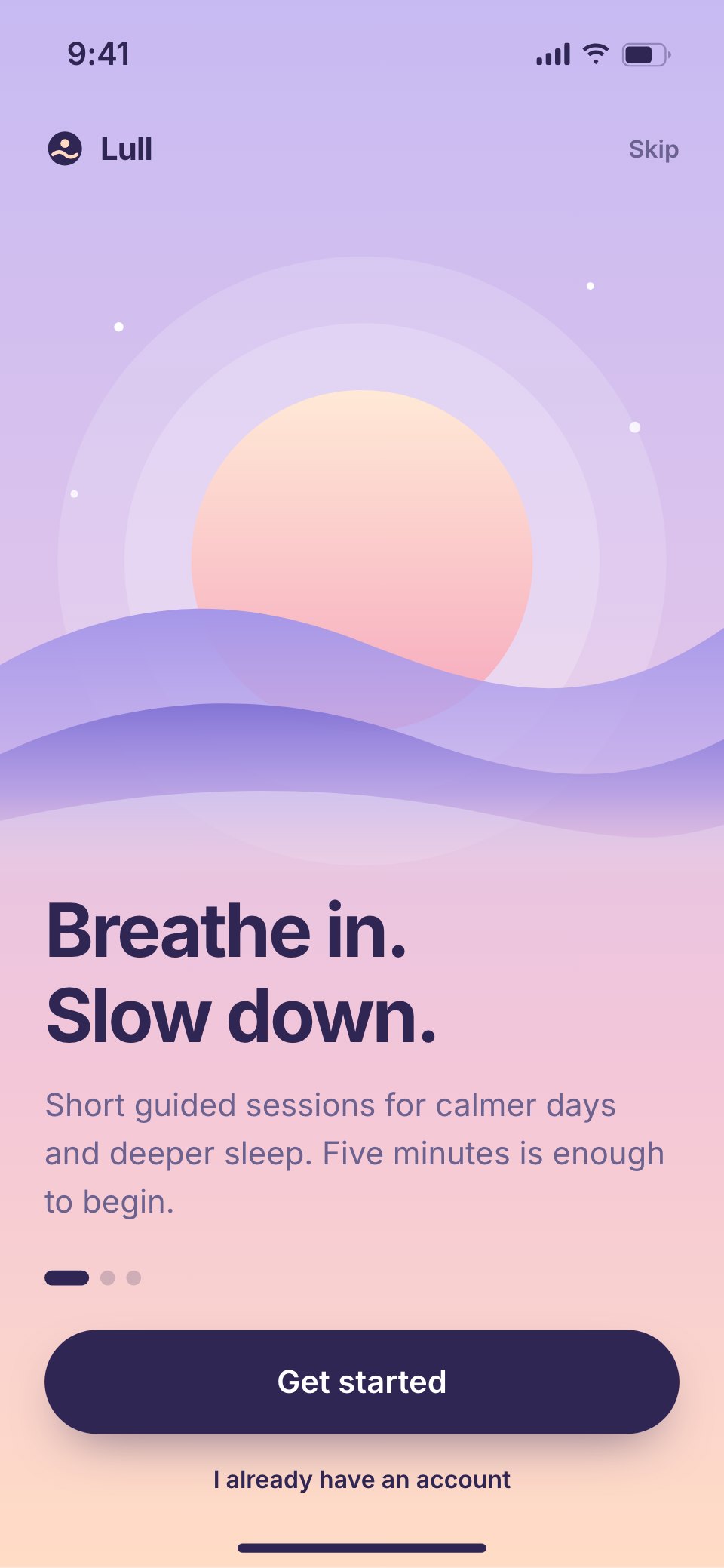
- 1Screen 1Welcome: a setting sun over dunes, the promise in two lines and get started
- 2Screen 2Choose your goals: sleep better, stress less, focus, and how much time you have
- 3Screen 3Home: a mood check, tonight's suggested session, the streak and a sleep story
- 4Screen 4Session player: a breathing orb with the count, the session, a scrubber and pause
- 5Screen 5Session complete: minutes added, the streak kept and how you feel now
- 6Screen 6Library: breathwork, meditation and focus collections with lengths and guides
- 7Screen 7Sleep stories: a dark night variant with stories, soundscapes and a sleep timer
- 8Screen 8Breathing exercises: box, 4-7-8 and coherent breathing with a pace picker
- 9Screen 9Streak and stats: the day streak and week, mindful minutes, sessions and a 7-day chart
- 10Screen 10Profile and reminders: daily reminder time, bedtime, sounds and account
When to use it.
Meditation App is a 10-screen phone design for a meditation and sleep app, made for wellness brands and designers working on calm products. It runs from a welcome screen and a goal picker to a home with a mood check, a session player with a breathing orb, the session finish, the library, a dark night mode for sleep stories, breathing exercises, a streak with weekly stats, and reminders. Every screen sits on a lavender-to-peach dusk gradient with deep plum type and very few elements.
Made for
- Product designers starting a new app
- Startups pitching an app idea
- Agencies designing apps for clients
- Developers who need screens to build from
Make it yours in four steps.
Open it in UI design and work through it, or let Docsiv AI do the first pass with your details.
- Step 1
Rename Lull and adjust the dusk gradient to your own palette.
- Step 2
Rewrite the goals, sessions, sleep stories and breathing exercises for your content.
- Step 3
Change the streak, minutes and weekly chart to show the stats your app keeps.
- Step 4
Link the screens into a clickable prototype, or export them as FIG, SVG, PNG or PDF.
Start from the Meditation App now.
Questions about this template.
Something else on your mind? Ask us in the chat, bottom right of the page.
Is the Meditation App template free?
Yes. Create a free account and it opens in Docsiv's UI design app, ready to edit and share. The Free plan includes every Docsiv app and 500 AI credits a month.
Can I change the colours, fonts and text?
Yes, all of it. The template uses Inter with #c7baf2, #f3c6d8, #ffdcc5, #2f2654, #8f80dc, #ffb995, and you can change any of them, rewrite every word and add or remove screens and layers.
What can I export it as?
UI design in Docsiv offers: FIG, SVG, PNG and PDF files. Once it's saved, you can also share it with a link.
Can Docsiv AI change it for me?
Yes. Tell Docsiv AI what you need, such as your brand's colours, new wording or another screen, and it makes the changes in UI design for you to review. AI uses credits; the Free plan includes 500 a month.



Start your app design with Docsiv AI
Describe the client or the project and Docsiv AI writes a first draft of your meditation app UI for you to edit, share and send.