

What’s inside the Travel Booking App.
10 screens with real content in place. Rewrite them, reorder them, or add your own.
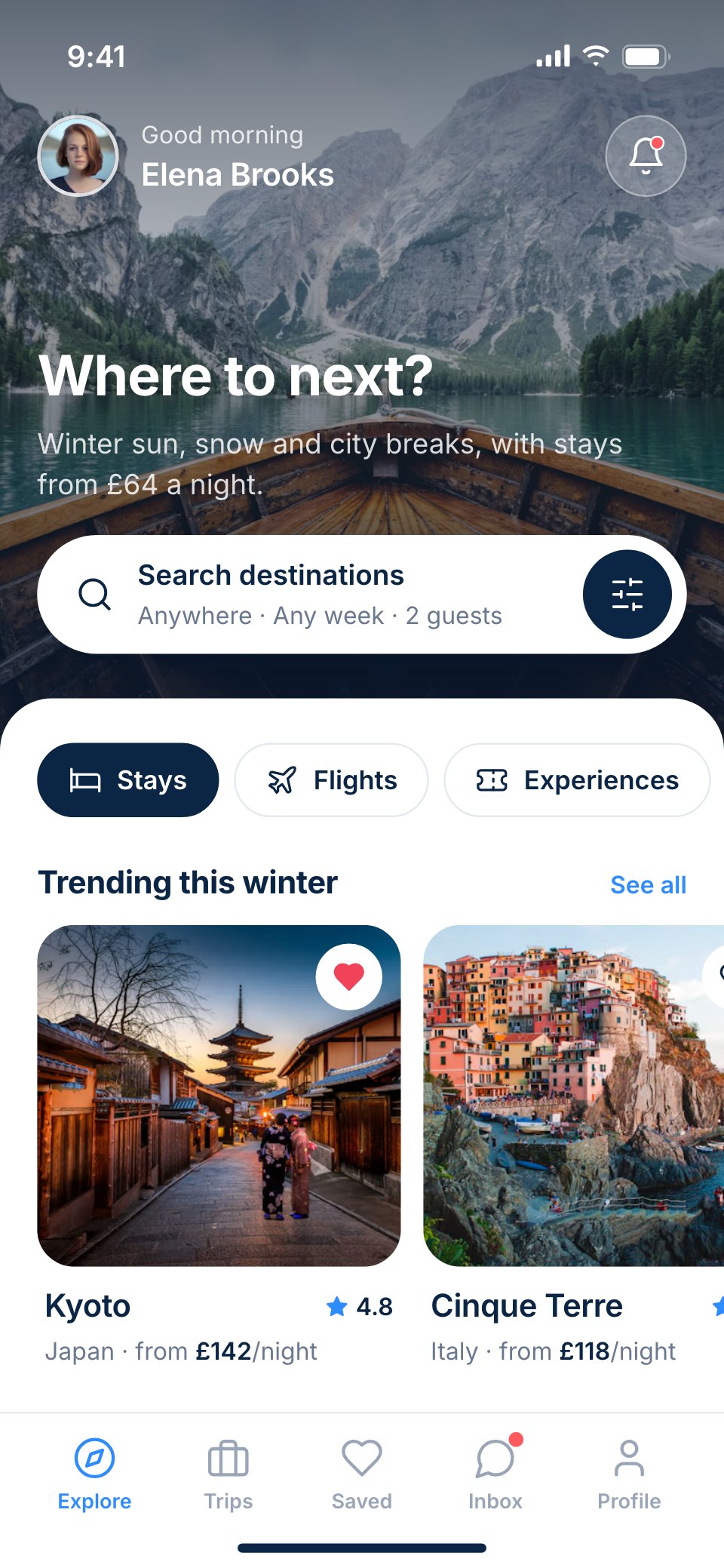
- 1Screen 1Explore: a full-bleed Santorini photo with a greeting and search, a white sheet with Stays, Flights and Experiences, and trending destinations
- 2Screen 2Search results: stays in Santorini as photo cards with prices, ratings and filter chips, and a map toggle
- 3Screen 3Destination: Oia in a full-bleed photo, the best time to go, neighbourhoods and top stays
- 4Screen 4Hotel detail: Aster Cliff Suites with a photo gallery, rating, amenities, a short description, a map and the nightly price
- 5Screen 5Room choice: three room types with photos, beds, sizes and prices, one selected
- 6Screen 6Dates and guests: a two-month calendar with 4–8 December picked and a guest stepper
- 7Screen 7Confirm and pay: the stay, dates and guests, card or pay-in-3, the price breakdown and the pay button
- 8Screen 8Booking confirmed: a success state with the confirmation number, check-in details and add-to-calendar
- 9Screen 9Trips: the next trip as a ticket card with the flight and hotel, a countdown, and later trips
- 10Screen 10Saved: wishlists of stays and places as photo collages
When to use it.
Travel Booking App is a 10-screen phone design for a stays-and-trips booking service, for travel start-ups, hotel groups and designers. It follows one booking in Santorini from the explore screen and search results to a destination page, a hotel's detail, choosing a room, picking dates and guests, paying and the confirmation, then upcoming trips as ticket cards and saved wishlists. Full-bleed destination photos sit under white sheets with rounded corners, with deep navy type and one sky-blue accent.
Made for
- Product designers starting a new app
- Startups pitching an app idea
- Agencies designing apps for clients
- Developers who need screens to build from
Make it yours in four steps.
Open it in UI design and work through it, or let Docsiv AI do the first pass with your details.
- Step 1
Swap Saltway for your brand and change the navy and sky-blue to your colours.
- Step 2
Replace the destination and hotel photos, room types and prices with your own listings.
- Step 3
Edit the calendar, guest stepper and price breakdown to match your booking flow.
- Step 4
Link the screens into a clickable prototype, or export them as FIG, SVG, PNG or PDF.
Start from the Travel Booking App now.
Questions about this template.
Something else on your mind? Ask us in the chat, bottom right of the page.
Is the Travel Booking App template free?
Yes. Create a free account and it opens in Docsiv's UI design app, ready to edit and share. The Free plan includes every Docsiv app and 500 AI credits a month.
Can I change the colours, fonts and text?
Yes, all of it. The template uses Inter with #0b2545, #2f8cff, #eaf3ff, #f4f7fb, #ffffff, and you can change any of them, rewrite every word and add or remove screens and layers.
What can I export it as?
UI design in Docsiv offers: FIG, SVG, PNG and PDF files. Once it's saved, you can also share it with a link.
Can Docsiv AI change it for me?
Yes. Tell Docsiv AI what you need, such as your brand's colours, new wording or another screen, and it makes the changes in UI design for you to review. AI uses credits; the Free plan includes 500 a month.



Start your app design with Docsiv AI
Describe the client or the project and Docsiv AI writes a first draft of your travel booking app UI for you to edit, share and send.