

What’s inside the Smart Home App.
10 screens with real content in place. Rewrite them, reorder them, or add your own.
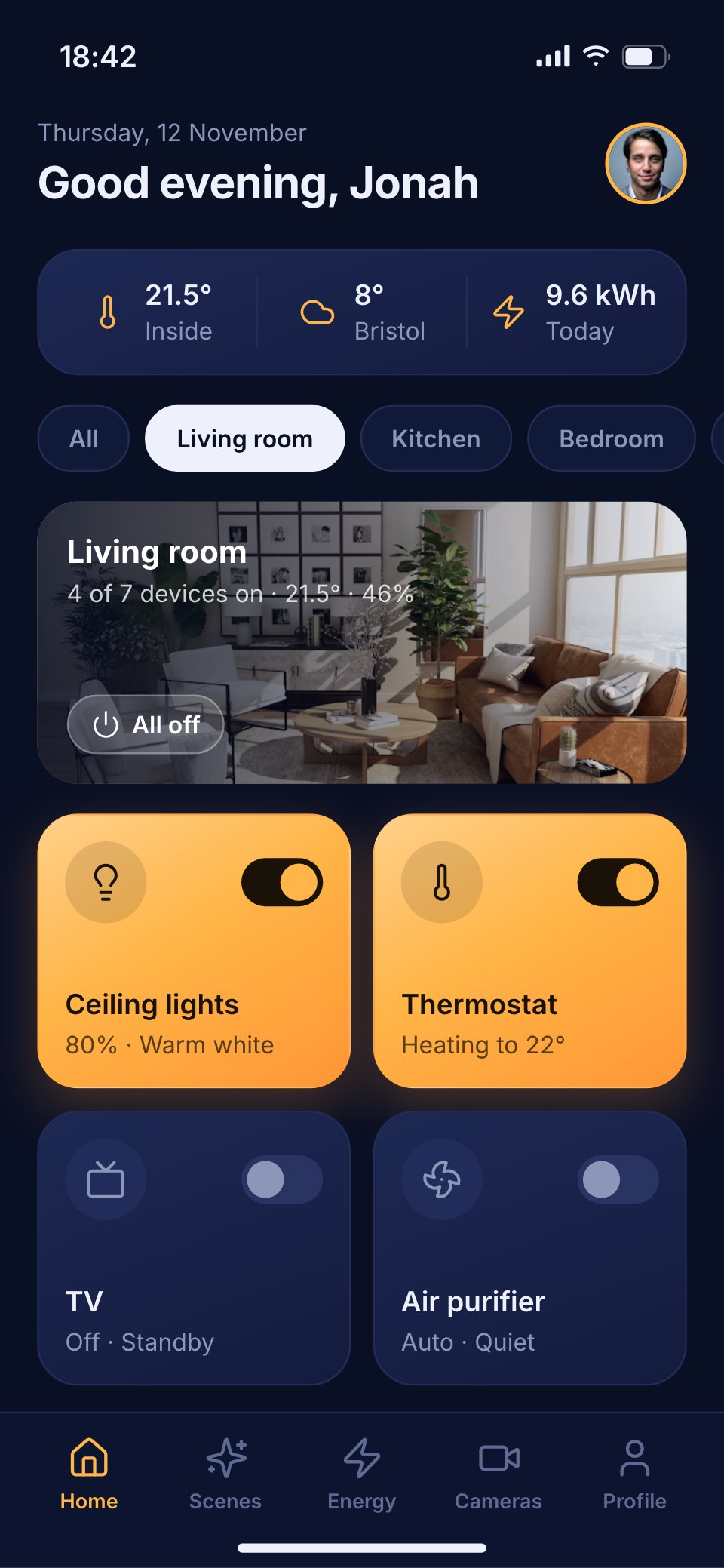
- 1Screen 1Home: a greeting, inside and outside temperatures, room chips, the living room as a photo card and device tiles that glow amber when on
- 2Screen 2Room: the living room's devices in groups, with brightness and volume sliders and the room's climate
- 3Screen 3Climate: the thermostat dial heating to 22°, heat, cool and auto modes, humidity, air quality and today's schedule
- 4Screen 4Lights: every light by room, with brightness, warmth and colour presets
- 5Screen 5Energy: the last 7 days as a bar chart with the peak day, the cost, the change on the week before and where it went
- 6Screen 6Scenes: the Dinner scene running as an amber card, four scenes to start and automations with switches
- 7Screen 7Cameras and security: the front door and garden cameras, the lock and the alarm
- 8Screen 8Device detail: the kitchen speaker with what's playing, volume, grouping and settings
- 9Screen 9Automations: triggers and actions in a list, with a new automation being built
- 10Screen 10Add a device: scanning, the devices found nearby and choosing a room
When to use it.
Smart Home App is a 10-screen phone app design for smart-home brands, device makers and designers building a control app. It runs a house's rooms, lights, heating, energy, scenes and cameras, with a drawn thermostat dial, a 7-day energy bar chart, scenes and automations with switches, the front door and garden cameras, a speaker's detail and adding a new device. Deep navy screens and soft navy tiles glow warm amber when a device is on, with mint for energy savings.
Made for
- Product designers starting a new app
- Startups pitching an app idea
- Agencies designing apps for clients
- Developers who need screens to build from
Make it yours in four steps.
Open it in UI design and work through it, or let Docsiv AI do the first pass with your details.
- Step 1
Rename Hearth and change the amber glow and navy tiles to your brand.
- Step 2
Edit the rooms, devices and tiles to match the products your app controls.
- Step 3
Update the thermostat, energy figures and scenes for your own features.
- Step 4
Link the screens into a clickable prototype, or export them as FIG, SVG, PNG or PDF.
Start from the Smart Home App now.
Questions about this template.
Something else on your mind? Ask us in the chat, bottom right of the page.
Is the Smart Home App template free?
Yes. Create a free account and it opens in Docsiv's UI design app, ready to edit and share. The Free plan includes every Docsiv app and 500 AI credits a month.
Can I change the colours, fonts and text?
Yes, all of it. The template uses Inter with #0a1024, #1d2853, #131b3d, #ffb547, #ff9636, #5ee0a8, and you can change any of them, rewrite every word and add or remove screens and layers.
What can I export it as?
UI design in Docsiv offers: FIG, SVG, PNG and PDF files. Once it's saved, you can also share it with a link.
Can Docsiv AI change it for me?
Yes. Tell Docsiv AI what you need, such as your brand's colours, new wording or another screen, and it makes the changes in UI design for you to review. AI uses credits; the Free plan includes 500 a month.



Start your app design with Docsiv AI
Describe the client or the project and Docsiv AI writes a first draft of your smart home app UI for you to edit, share and send.