

What’s inside the Media Plan.
Real content in every part, ready to rewrite with your own.
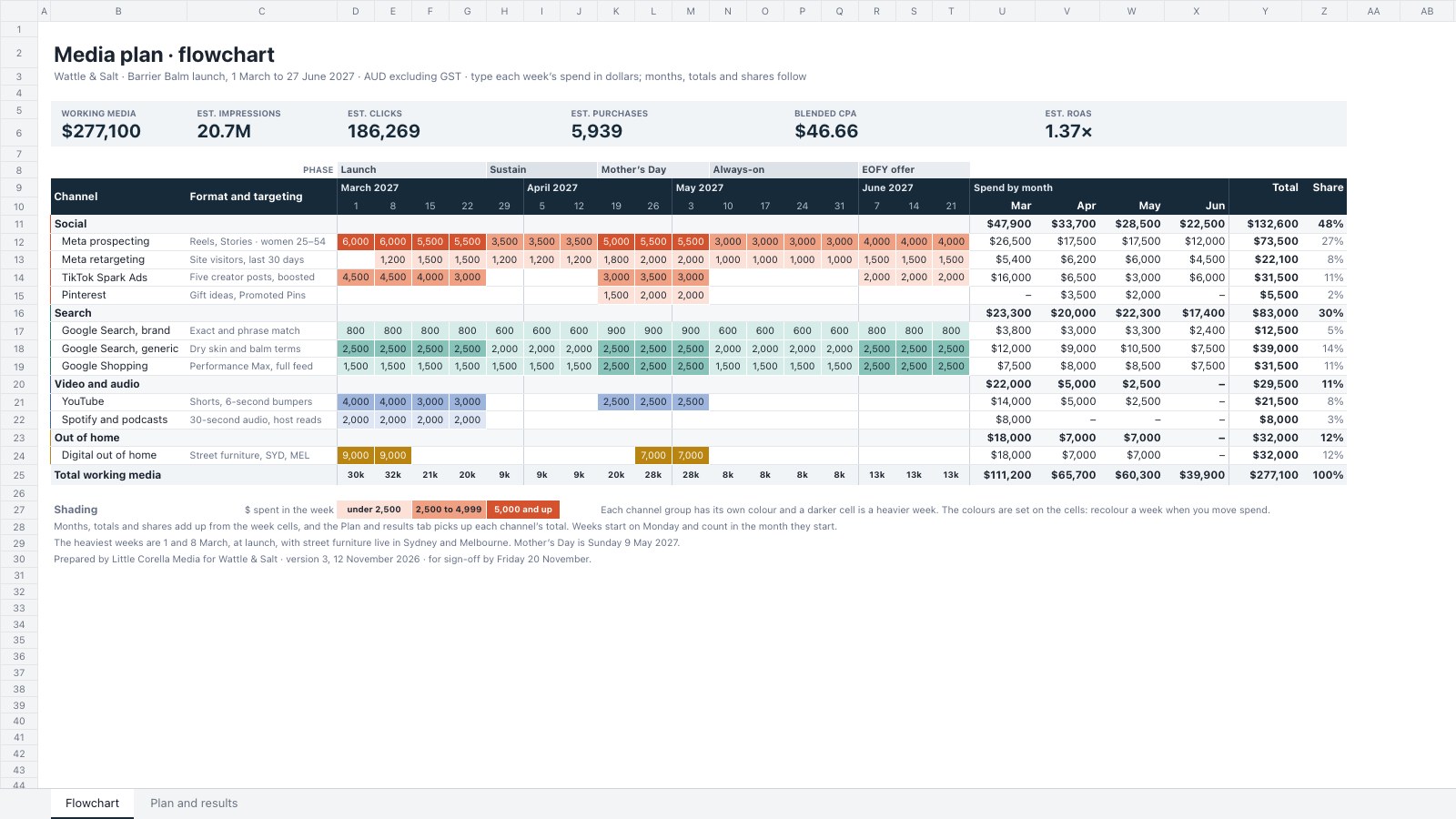
- 1Flowchart: ten channels in four groups and 17 weeks across, each week's spend shaded in its group's colour like a Gantt, campaign phases over the weeks, spend by month, totals, shares and six KPI tiles
- 2Plan and results: objective, buy type and rate, CTR and conversion rate per channel, worked through to impressions, clicks, purchases, CPA with a Good, Watch or High check, revenue and ROAS
- 3The investment: working media, the agency fee, ad serving and GST, beside bar charts of budget by channel group and cost per purchase
When to use it.
Media Plan is a two-tab spreadsheet for agencies and in-house marketers planning paid media across social, search, video, audio and out of home. The Flowchart puts channels down the side and 17 weeks across: type each week's spend and the sheet works out spend by month, totals and each channel's share, with campaign phases over the weeks and tiles for the headline results. Plan and results turns each budget into impressions, clicks, purchases, cost per purchase and ROAS from the buy type, rate, CTR and conversion rate, then adds the agency fee and GST.
Made for
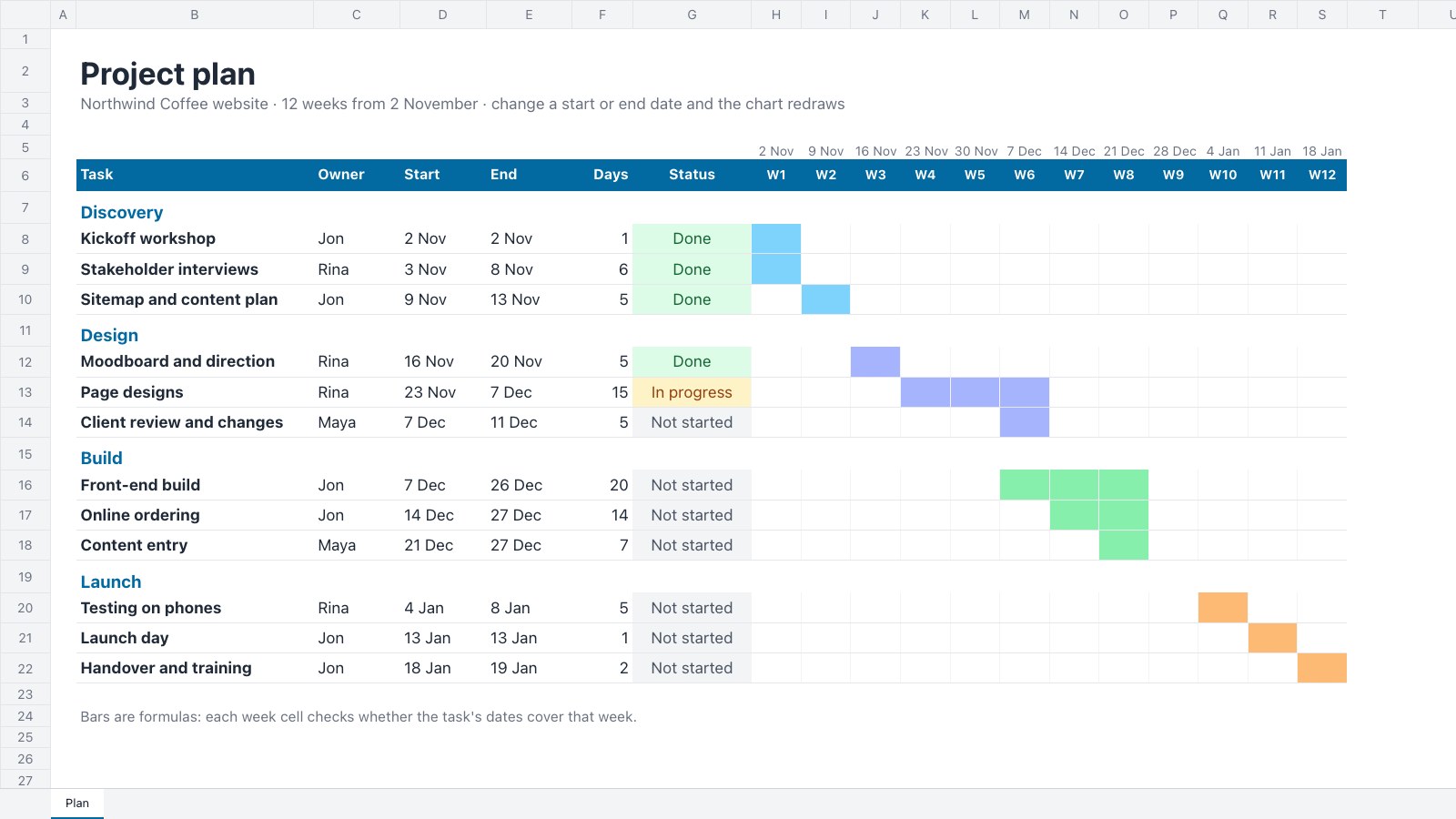
- Agencies running client projects
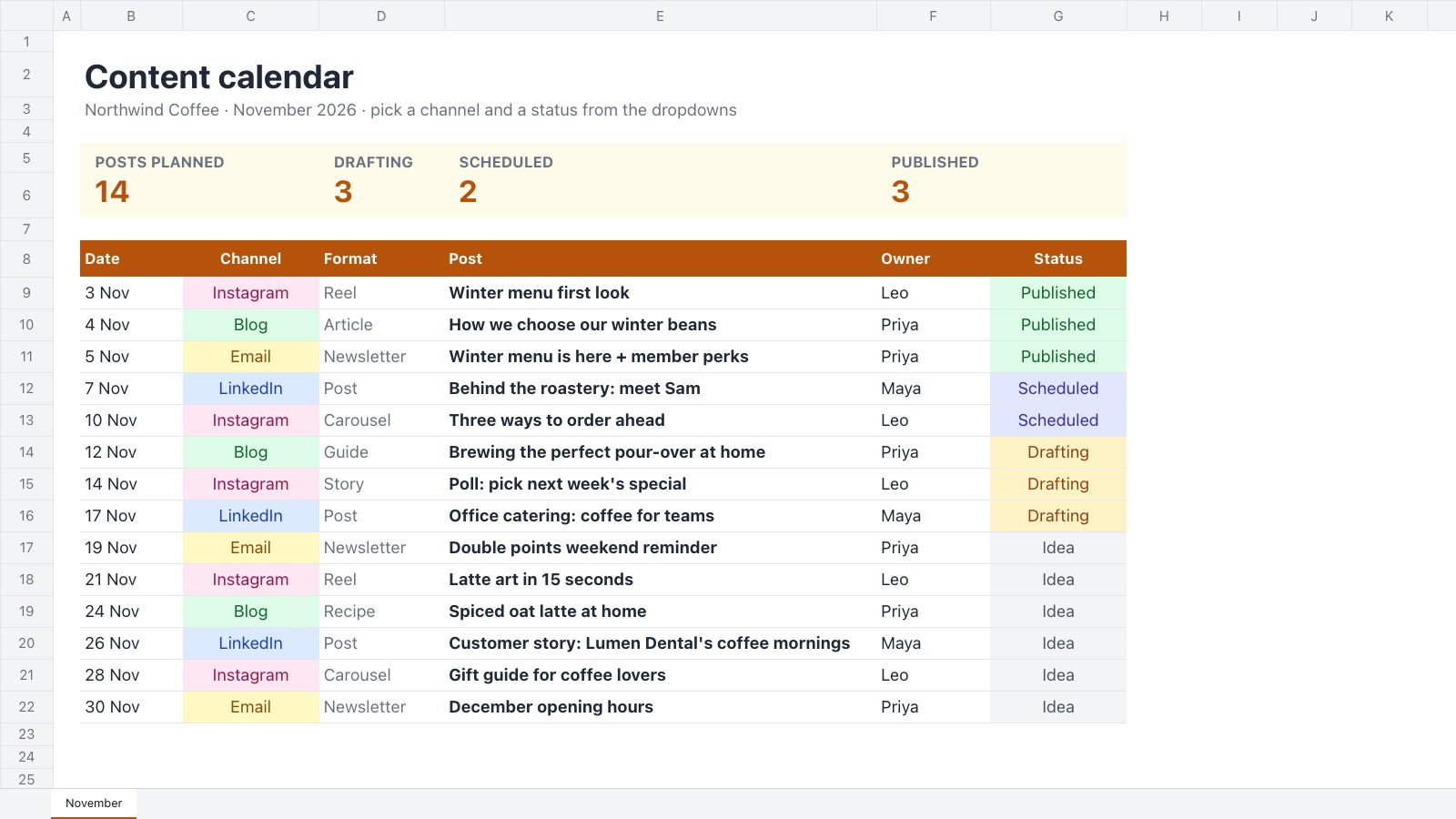
- Content and social teams
- Web designers and developers
- Project managers
Make it yours in four steps.
Open it in Spreadsheets and work through it, or let Docsiv AI do the first pass with your details.
- Step 1
Change the client, campaign and dates in the title, and set the week dates in row 10 to your own flight.
- Step 2
Rename the channels and formats, then type each week's spend into the week cells and recolour the busy weeks.
- Step 3
On Plan and results, set each channel's buy type, rate, CTR and conversion rate, plus your average order value and CPA targets.
- Step 4
Check the agency fee and ad serving costs, then share the sheet with your client for sign-off.
Start from the Media Plan now.
Questions about this template.
Something else on your mind? Ask us in the chat, bottom right of the page.
Is the Media Plan template free?
Yes. Create a free account and it opens in Docsiv's Spreadsheets app, ready to edit and share. The Free plan includes every Docsiv app and 500 AI credits a month.
Can I change the colours, fonts and text?
Yes, all of it. The template uses Inter with #172a3a, #d4532e, #21796d, #3d64a6, #b98410, #fff8db, and you can change any of them, rewrite every word and add or remove rows and columns.
What can I export it as?
Spreadsheets in Docsiv offers: XLSX, CSV and PDF exports. Once it's saved, you can also share it with a link.
Can Docsiv AI write the media plan for me?
Yes. Tell Docsiv AI about the client or project and it can draft the content in this template's style, which you then review and edit. AI uses credits; the Free plan includes 500 a month.
Gantt Chart
PreviewContent Calendar
PreviewOKR Tracker
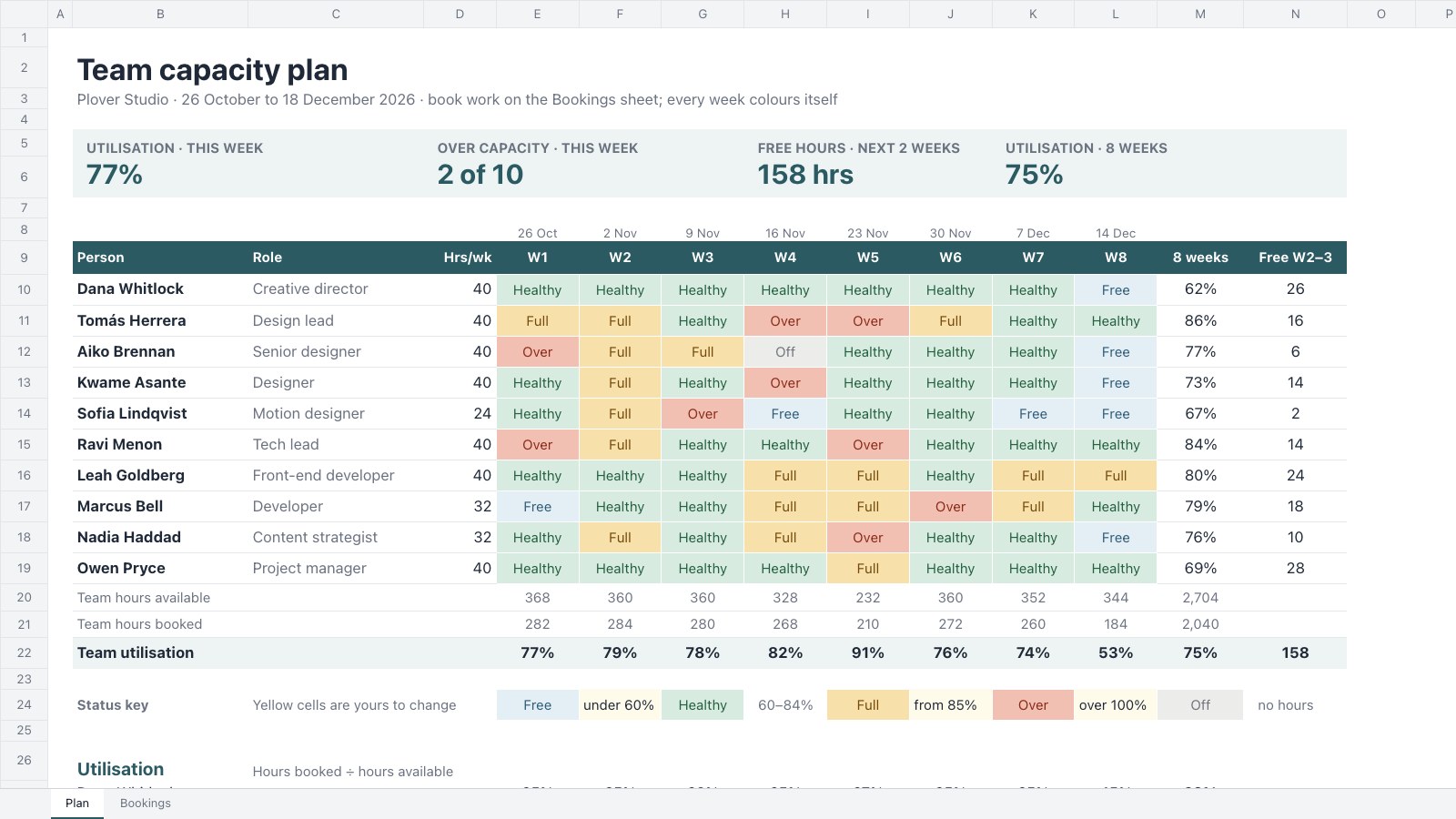
PreviewTeam Capacity Planner
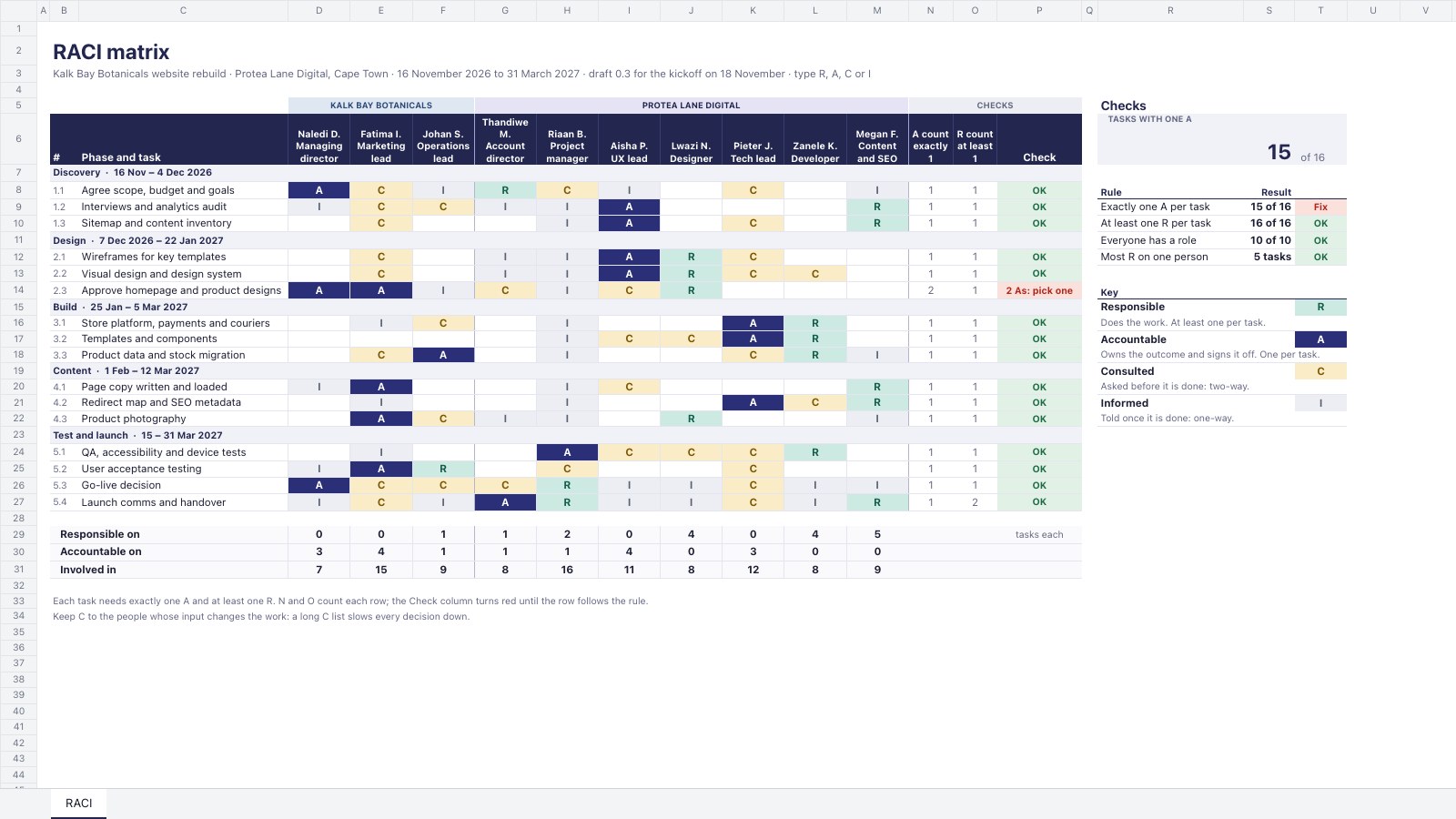
PreviewRACI Matrix
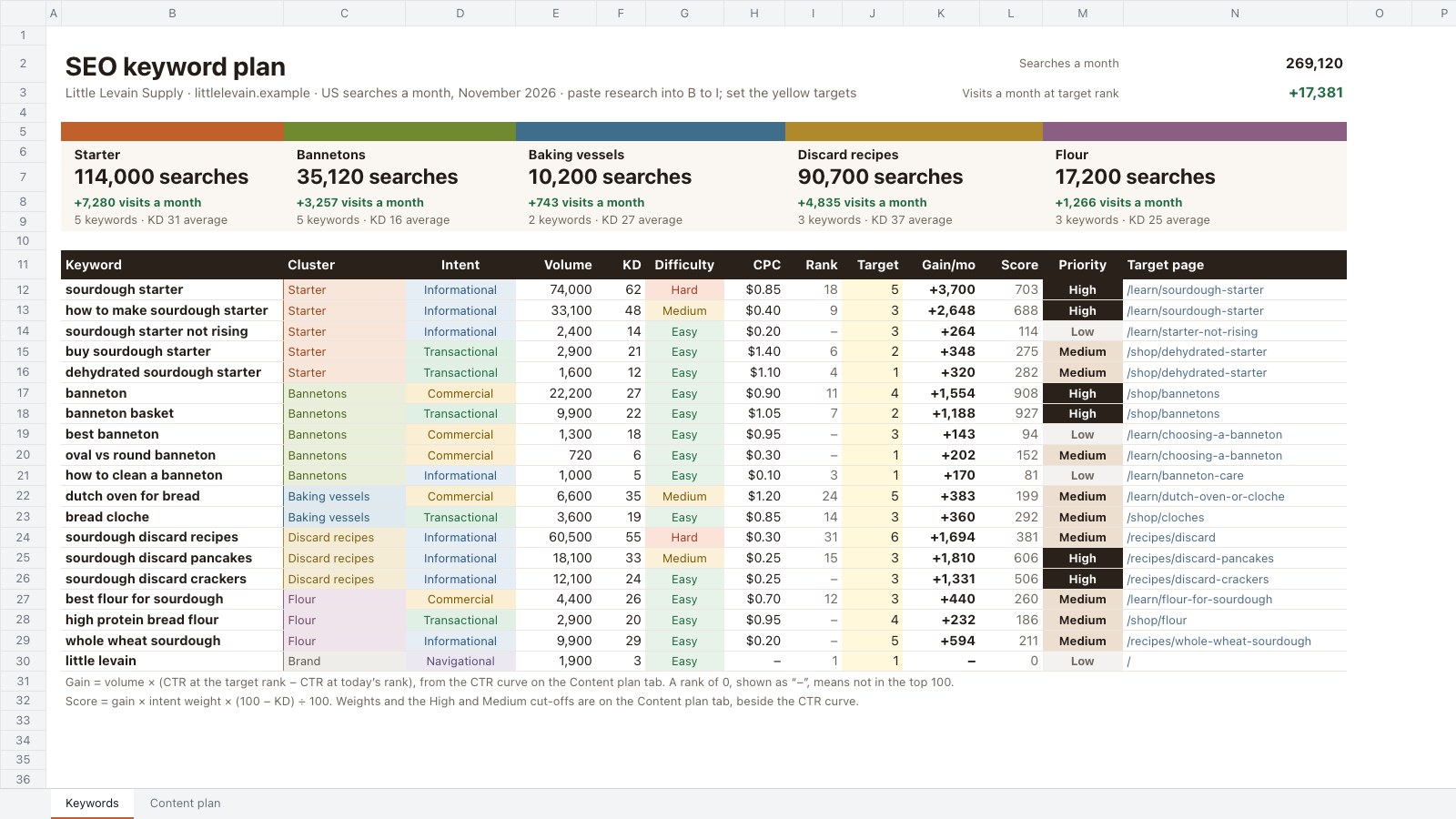
PreviewSEO Keyword Plan
Preview
Starting from a description instead? Try the Online whiteboard.
Start your plan with Docsiv AI
Describe the client or the project and Docsiv AI writes a first draft of your media plan for you to edit, share and send.