

Planning templates
Calendars, roadmaps, Kanban boards, sitemaps, capacity plans and OKRs your team and your client can keep up to date.
Project Kanban Board
A Kanban board for one client project, from To do through In progress and Client review to Done, with owners and due dates on every card.PreviewProject Roadmap
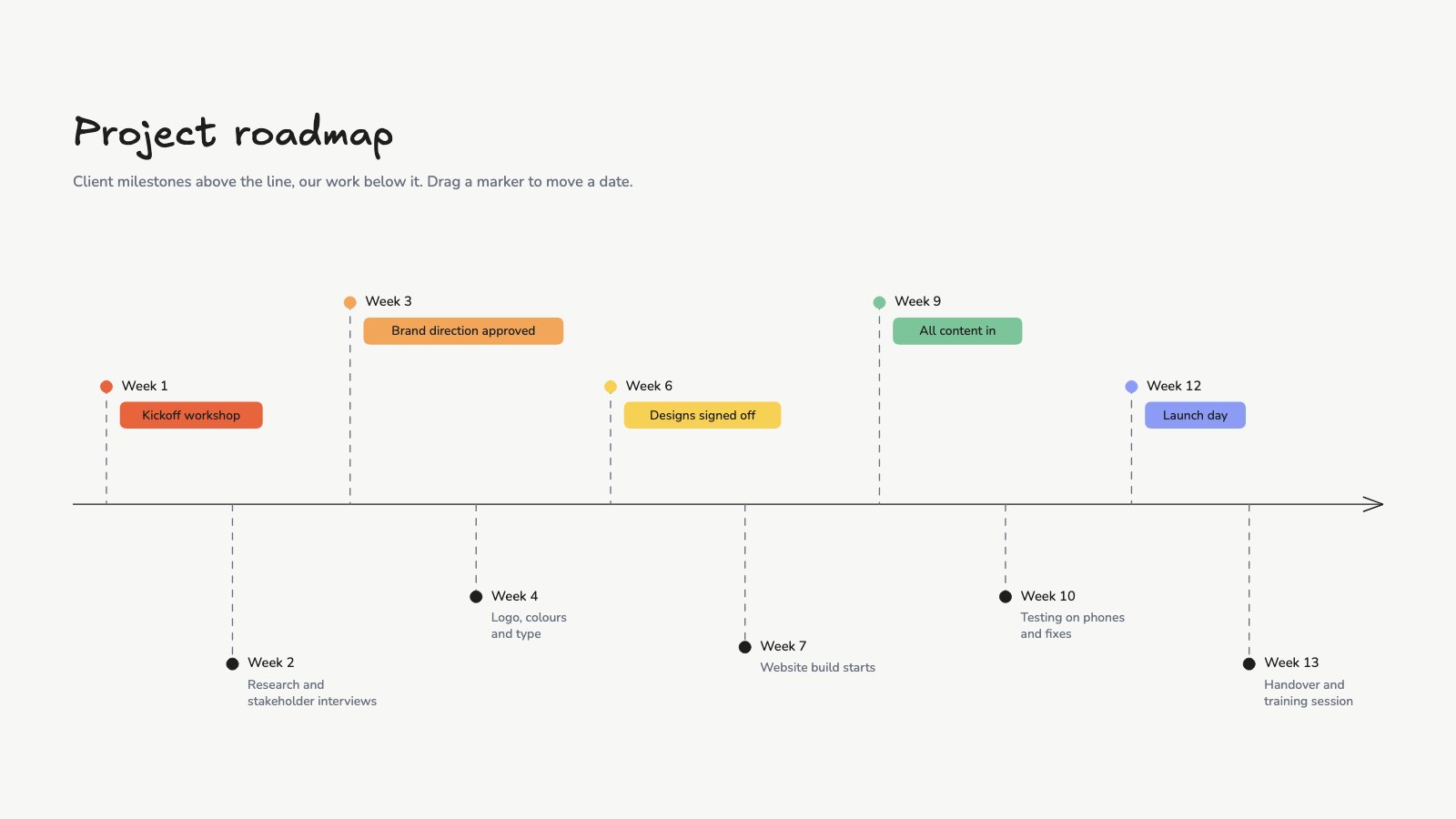
A twelve-week project timeline on one line, with client milestones above it and the studio's work below.PreviewGantt Chart
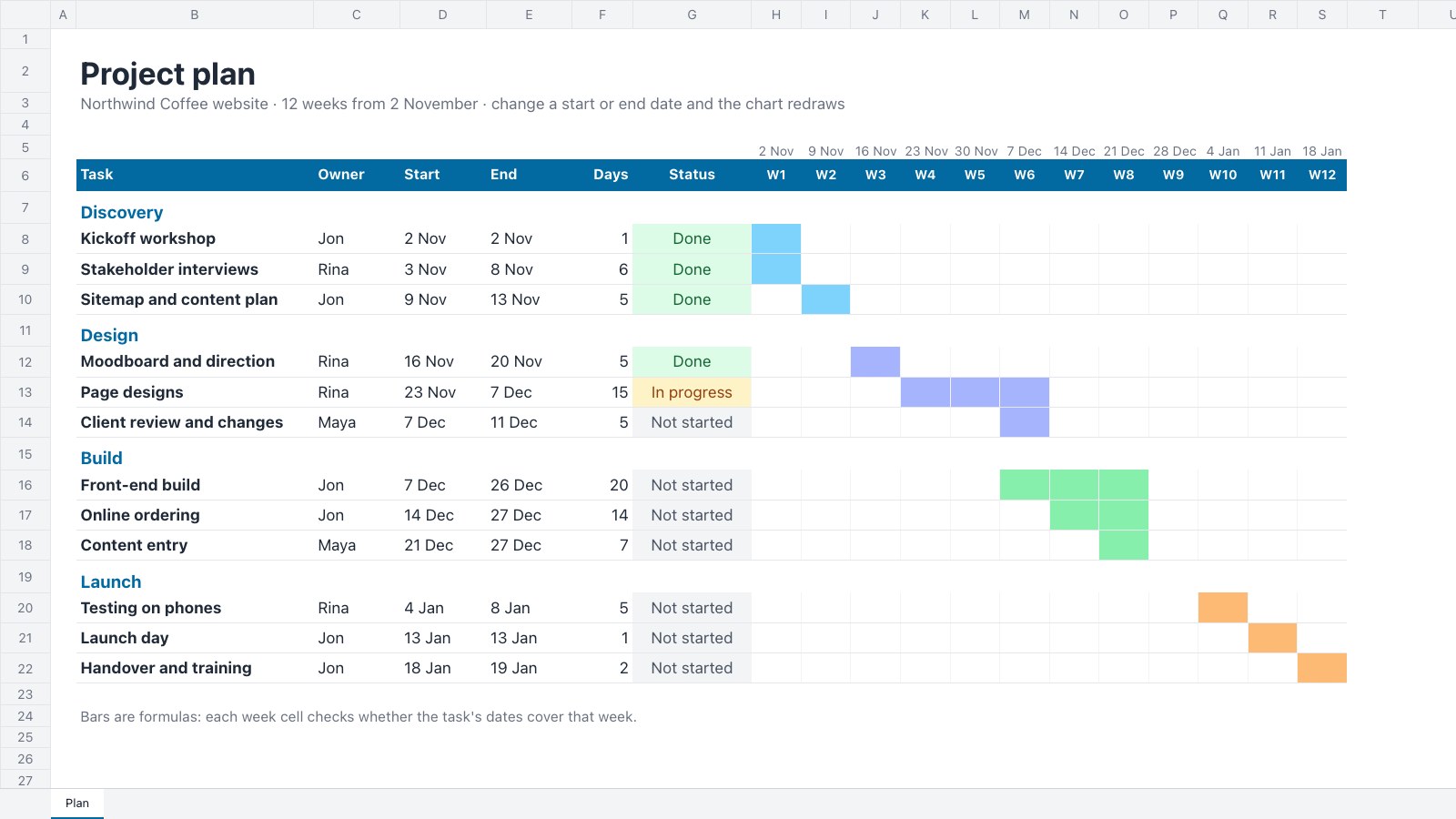
A project plan with a Gantt chart that redraws itself: phases, tasks, owners and dates across twelve weeks.PreviewWebsite Sitemap
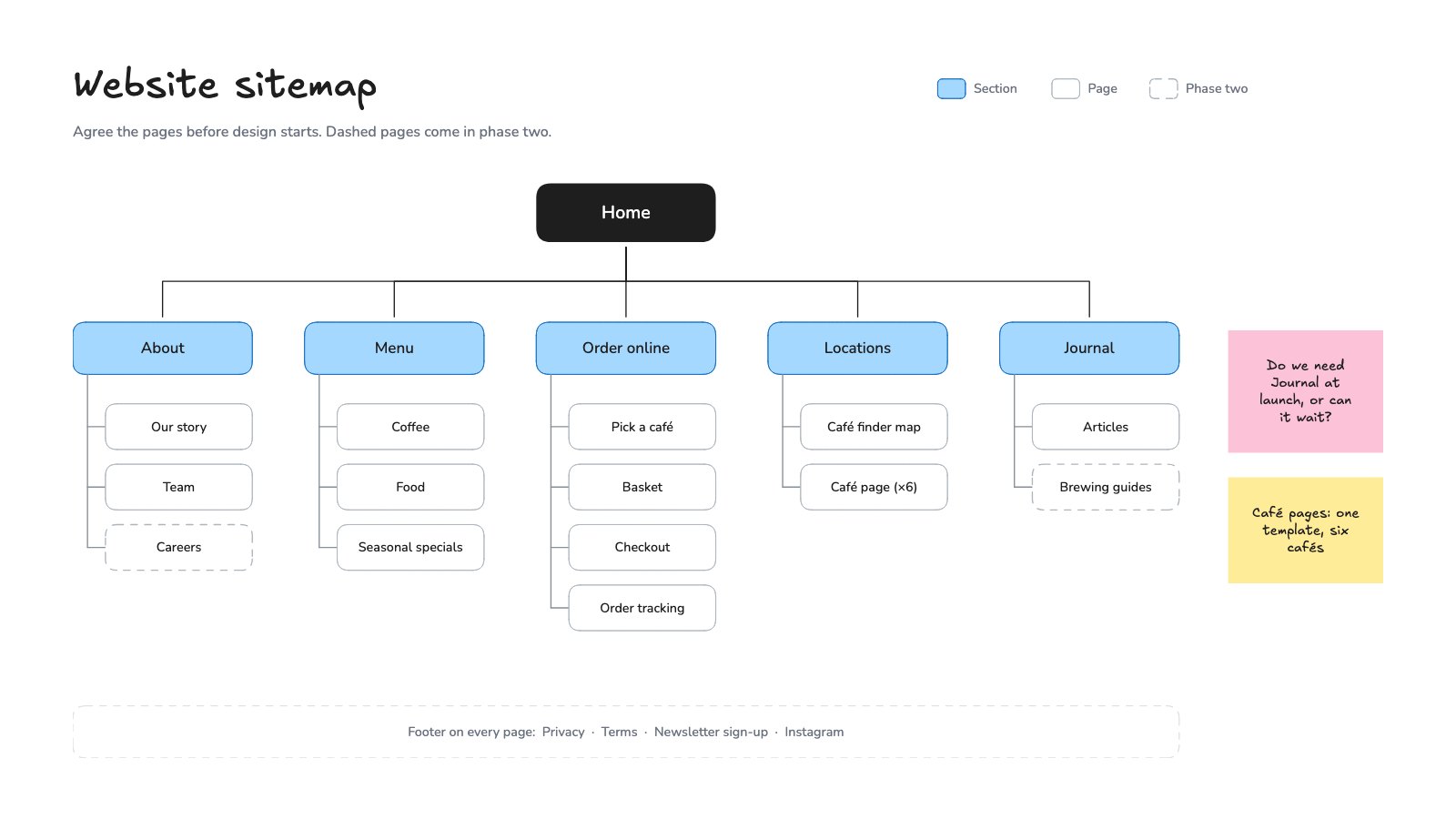
A website sitemap to agree with a client before design starts: Home, the main sections and every page under them, with phase-two pages marked.PreviewContent Calendar
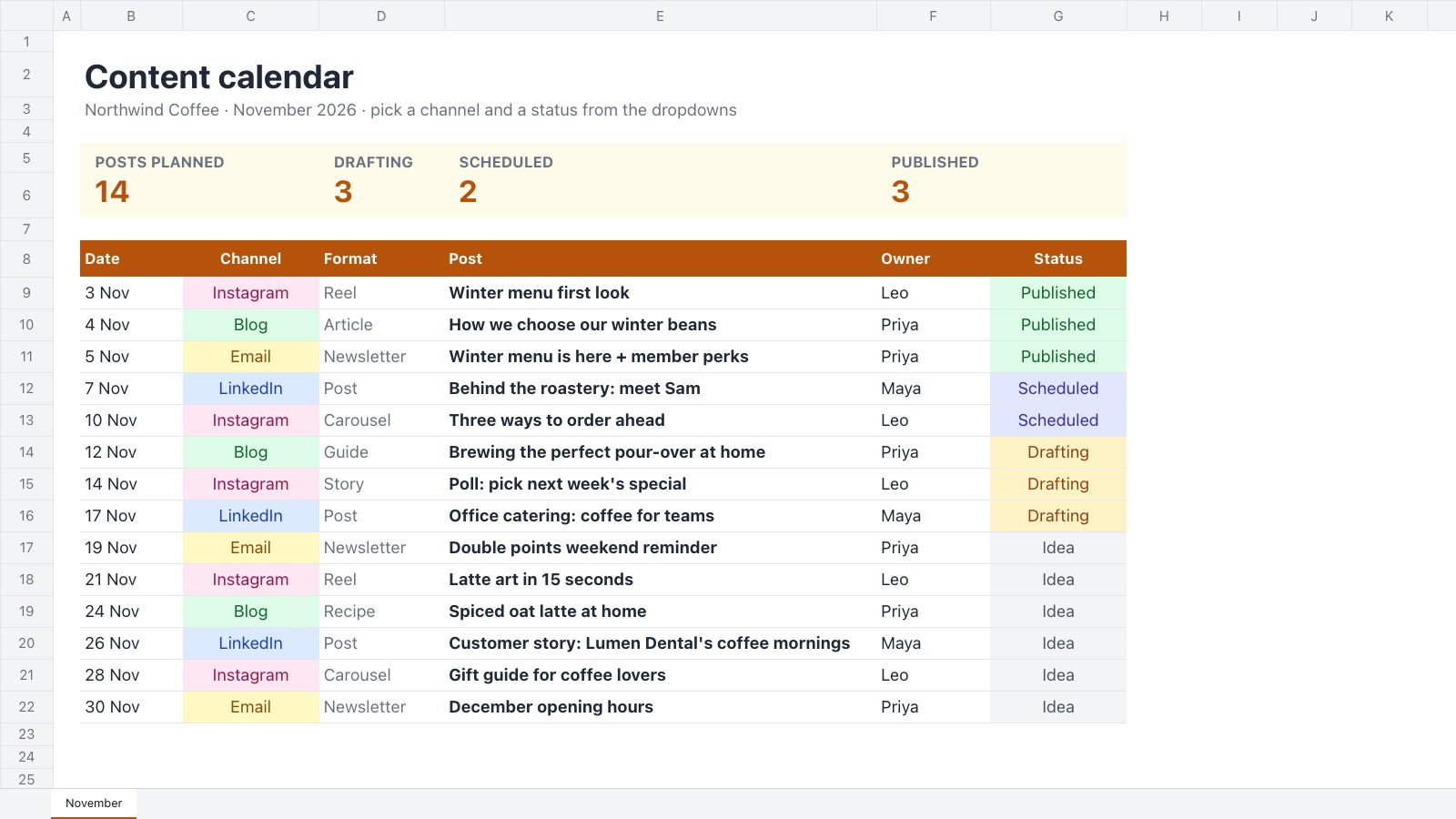
A month of posts in one list: date, channel, format, owner and status, with dropdowns that colour themselves.PreviewContent Calendar Board
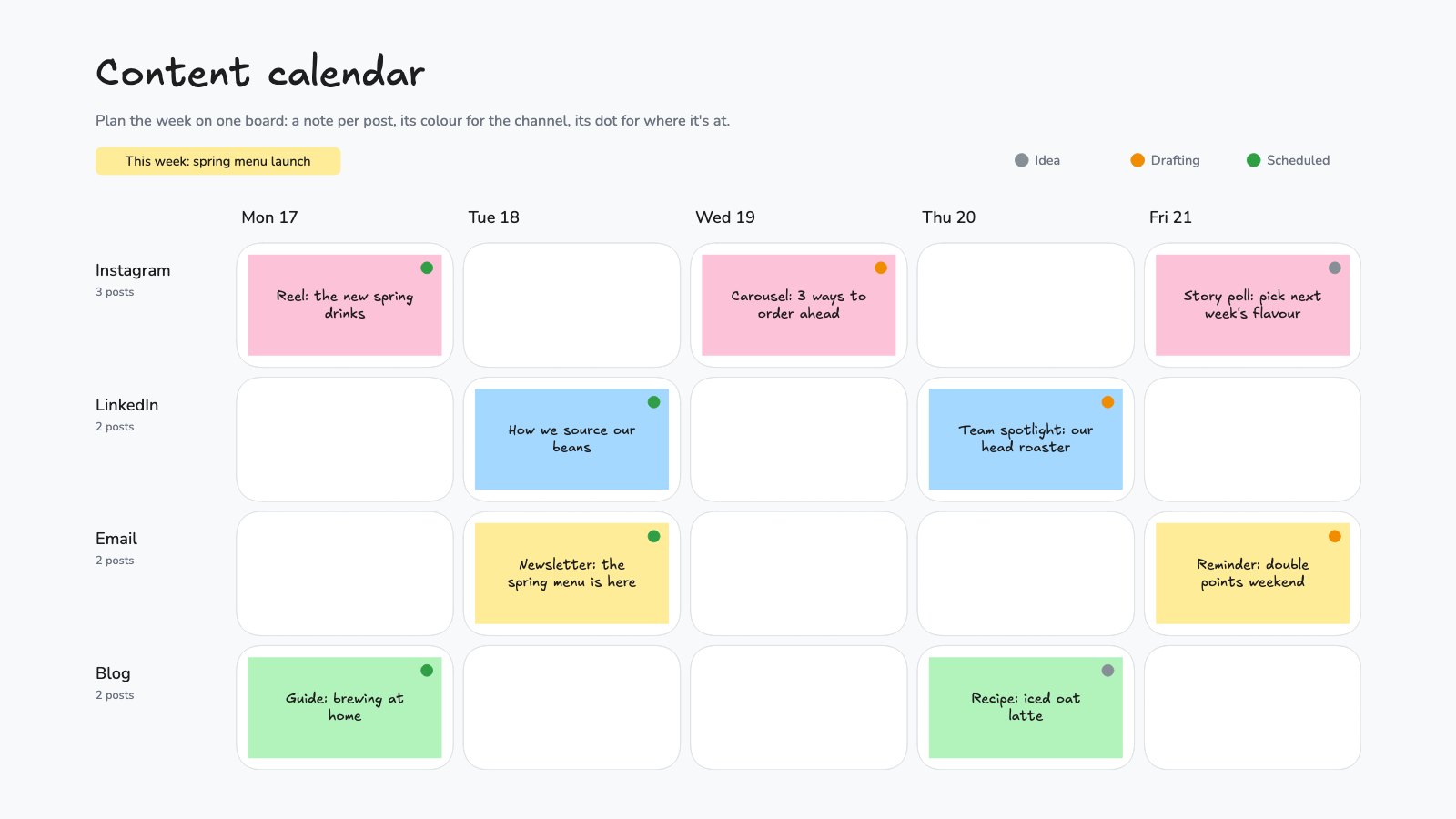
A week of content on one board: days across, channels down, a sticky note per post and a dot for its status.PreviewOKR Tracker
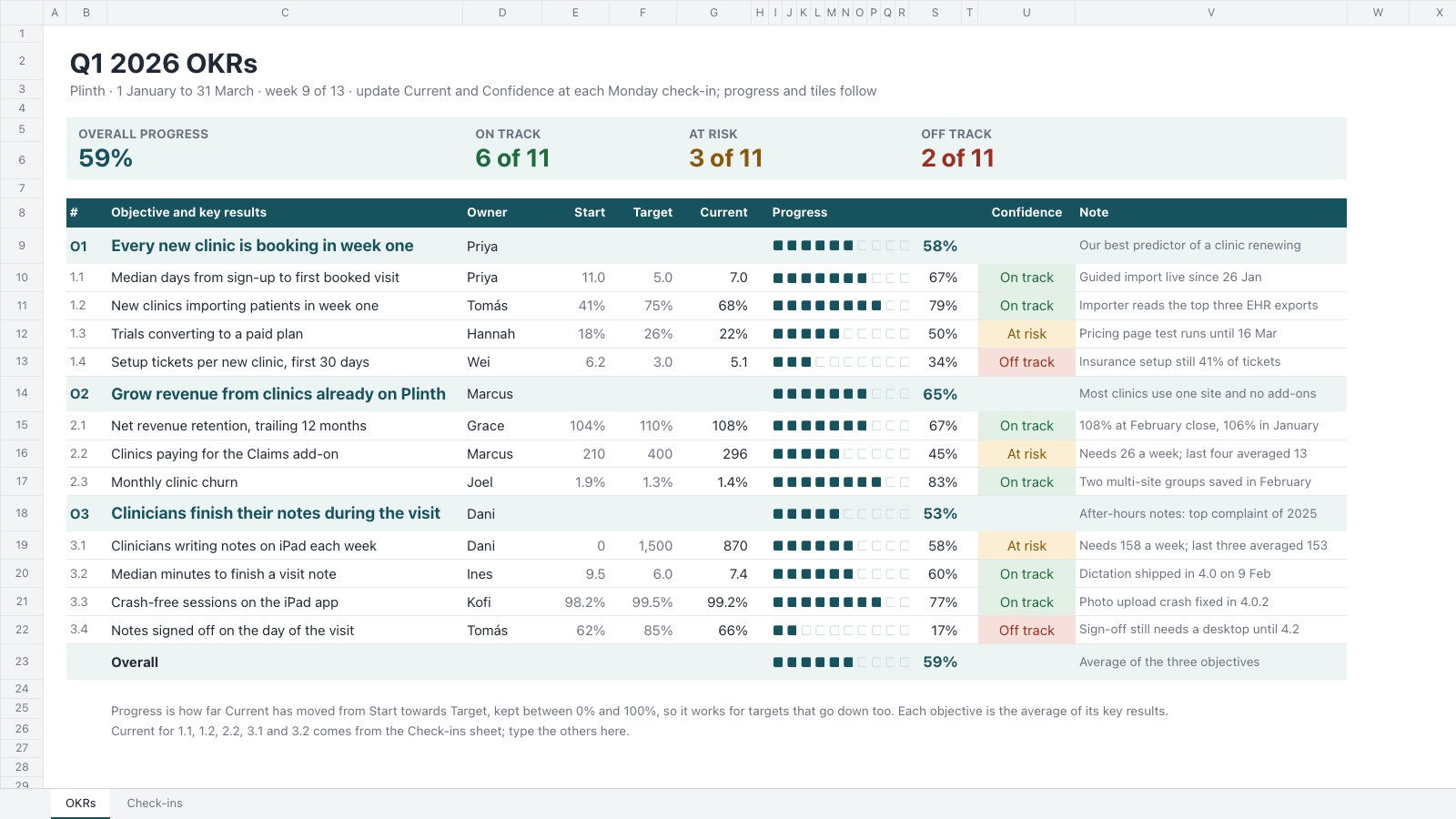
Track a quarter's OKRs in one sheet: three objectives and eleven key results with owners, start, target and current numbers, progress meters, colour-coded confidence and a weekly check-ins log.PreviewTeam Capacity Planner
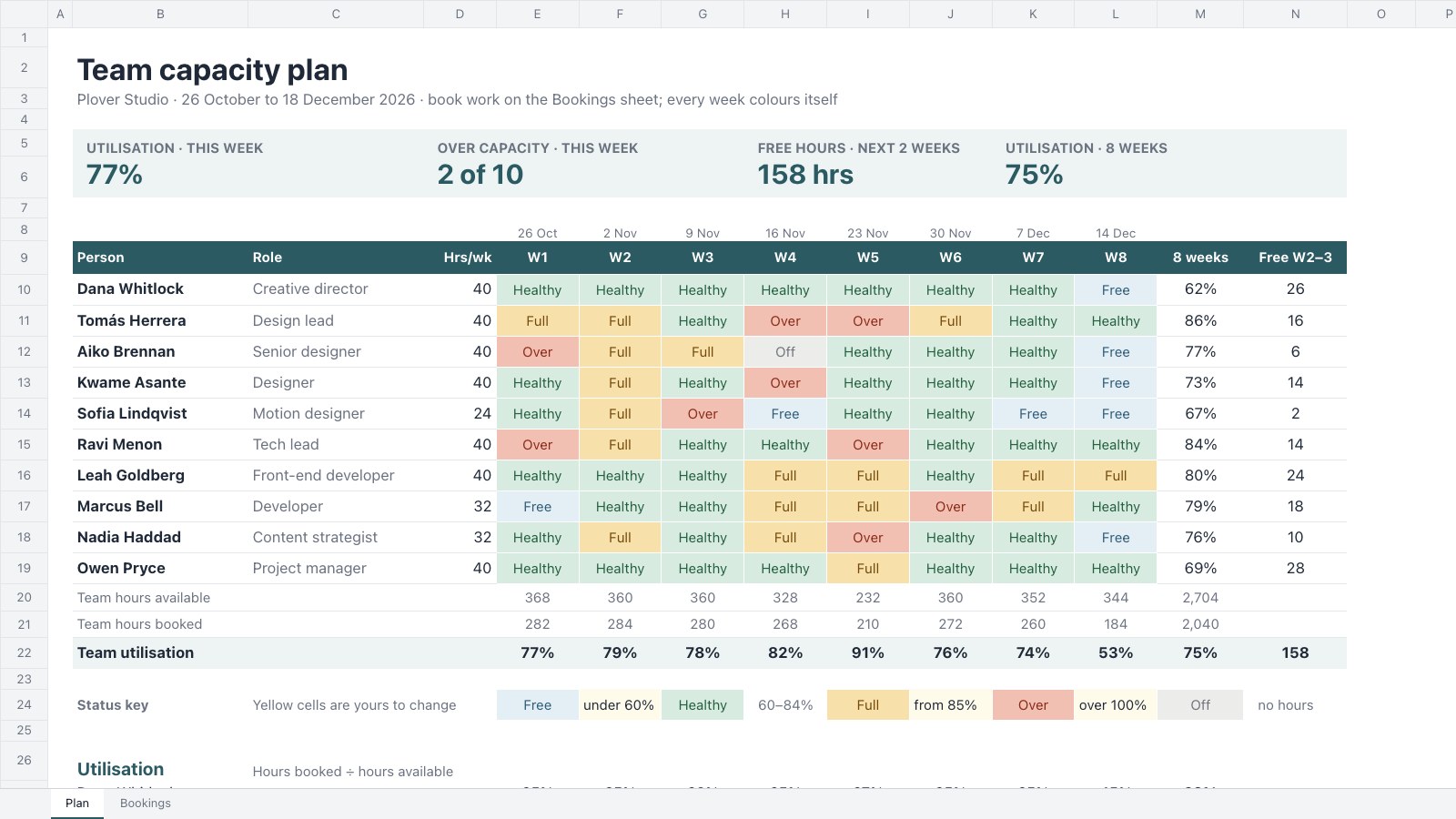
Plan eight weeks of a team’s time: weekly hours less time off, hours booked from a Bookings sheet, utilisation per person and a colour-coded status for every person-week.Preview
A closer look at Project Kanban Board.
A Kanban board for one client project, from To do through In progress and Client review to Done, with owners and due dates on every card. Here’s what it holds.

- 1Four columns: To do, In progress, Client review and Done
- 2Cards with an owner and a due date
- 3Outline colours for studio, client and finished work
- 4A count on every column and room to add cards
About planning templates.
Something else on your mind? Ask us in the chat, bottom right of the page.
Are these planning templates free?
Yes. They open in Docsiv’s Whiteboard and Spreadsheets app with a free account, where you can edit your copy, download it and share it with a link. The Free plan includes every Docsiv app and 500 AI credits a month.
Which app do they open in?
Whiteboard: excalidraw boards, PNG and SVG exports. Spreadsheets: xLSX, CSV and PDF exports.
Can Docsiv AI write the plan for me?
Yes. Choose Customise with Docsiv AI on any template, tell it about the client or the project, and it drafts the content in that template’s style for you to review and edit. AI uses credits; the Free plan includes 500 a month.
Can I change the design?
Yes, all of it: the colours, fonts, photos and every word, and you can add or remove rows and columns. Your brand kit’s colours are in every colour picker.















Describe the plan you need
Docsiv AI drafts it in the style of these templates, with your details in place, ready for you to edit.