

What’s inside the CRM Dashboard.
10 screens with real content in place. Rewrite them, reorder them, or add your own.
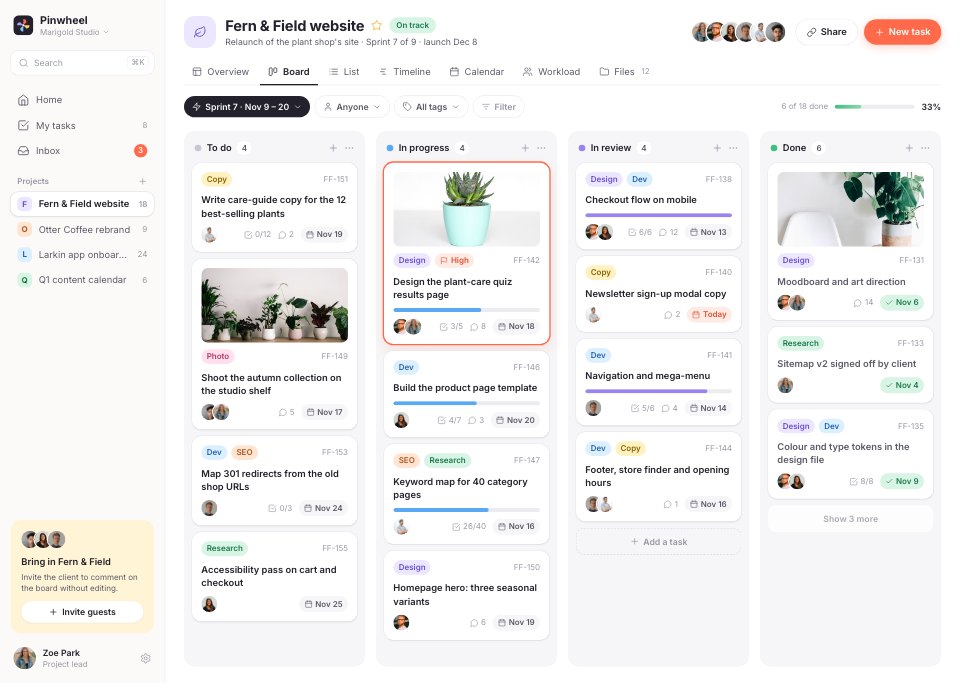
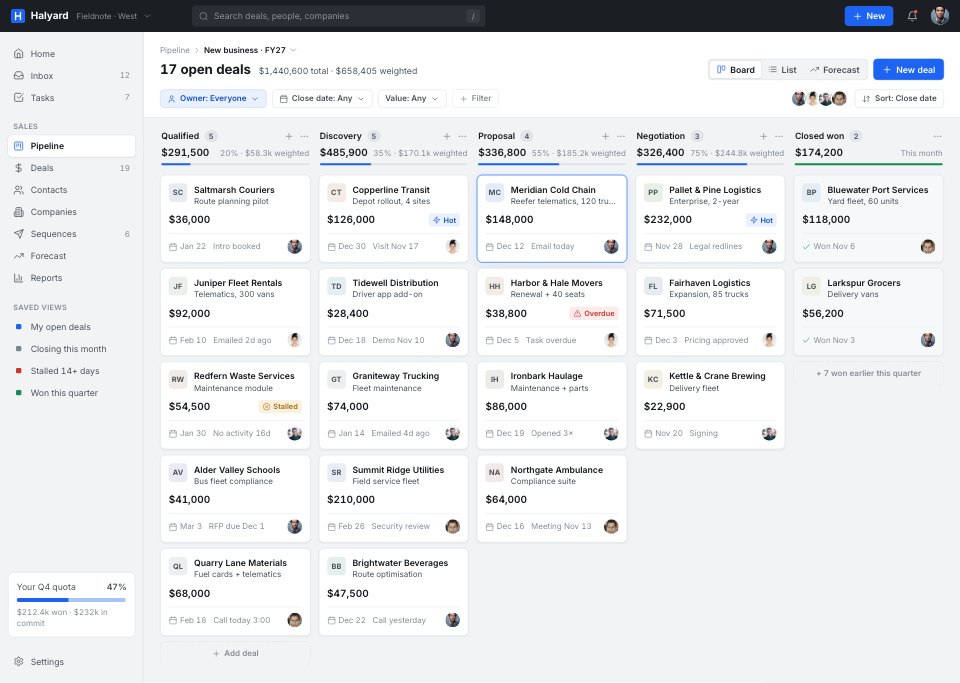
- 1Screen 1Pipeline: a five-stage kanban of deals with values, close dates, owners and flags, stage totals and weighted value
- 2Screen 2Deal detail: stage stepper, deal fields, products, a note composer, the activity timeline, buying group and files
- 3Screen 3Contacts: a compact table with saved views, filters, a three-row selection and bulk actions, and pagination
- 4Screen 4Contact profile: one person's details, deals, emails and meetings
- 5Screen 5Company profile: the account's people, open and won deals, and fleet details
- 6Screen 6Activity inbox: replies, tasks and meetings to act on today
- 7Screen 7Email sequences: every sequence with open and reply rates, and one sequence's steps and latest activity
- 8Screen 8Forecast: quota, won, commit and best case, cumulative bookings against quota, deals to watch and attainment by rep
- 9Screen 9Reports: win rate, cycle length, pipeline created by source, win rate by stage and activities by rep
- 10Screen 10Pipeline settings: stages, probabilities and required fields
When to use it.
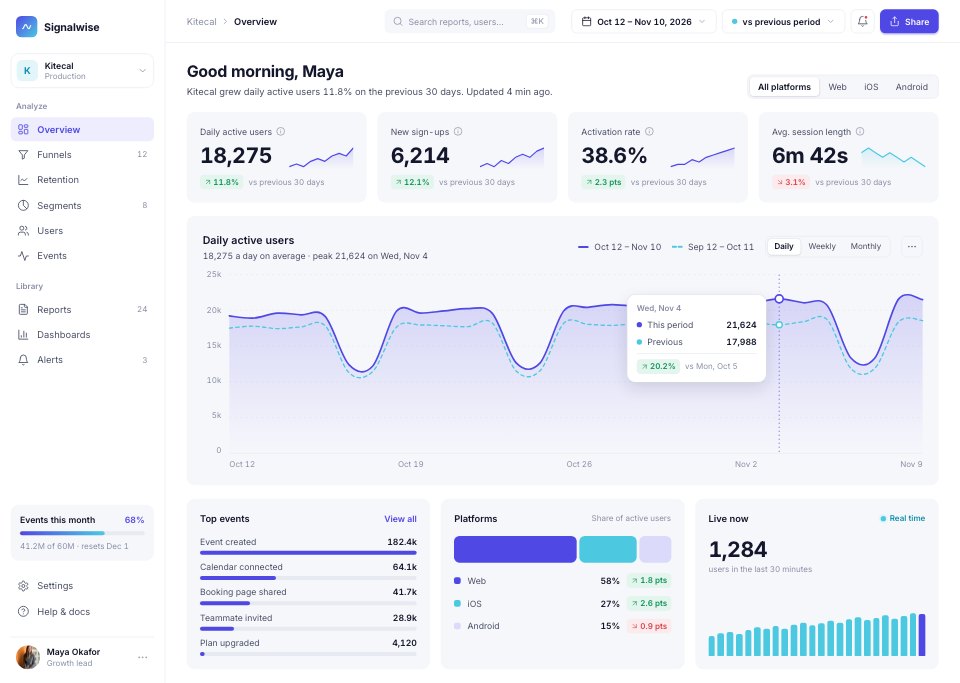
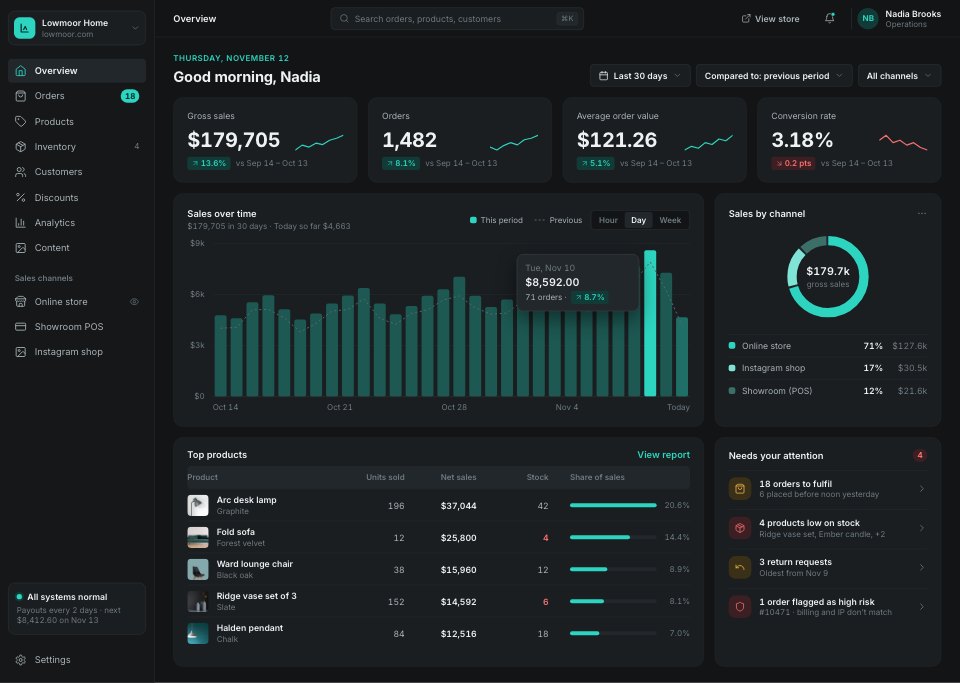
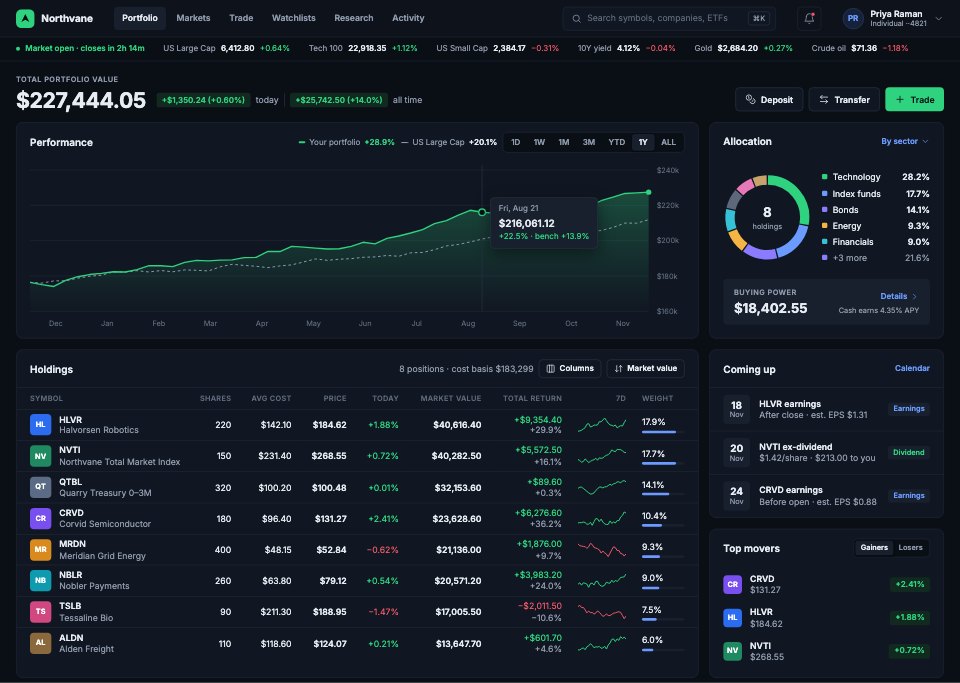
CRM Dashboard is a 10-screen desktop design for a sales CRM, for B2B software teams, sales tool start-ups and designers. It follows one account executive through a five-stage pipeline kanban with weighted value, a deal page with a stage stepper, products and an activity timeline, a compact contacts table with bulk actions, contact and company profiles, an activity inbox, email sequences, a quarter forecast against quota by rep, reports and pipeline settings. A graphite top bar over cool grey, 36px rows and one blue accent make it dense but tidy.
Made for
- SaaS founders and product teams
- Product designers working on dashboards
- Agencies building admin tools for clients
- Developers prototyping a new feature
Make it yours in four steps.
Open it in UI design and work through it, or let Docsiv AI do the first pass with your details.
- Step 1
Rename Halyard and set the blue accent and top bar to your brand.
- Step 2
Change the pipeline stages, deal values and probabilities to match your sales process.
- Step 3
Swap the contacts, companies and reps for your own examples.
- Step 4
Link the screens into a clickable prototype, or export them as FIG, SVG, PNG or PDF for handoff.
Start from the CRM Dashboard now.
Questions about this template.
Something else on your mind? Ask us in the chat, bottom right of the page.
Is the CRM Dashboard template free?
Yes. Create a free account and it opens in Docsiv's UI design app, ready to edit and share. The Free plan includes every Docsiv app and 500 AI credits a month.
Can I change the colours, fonts and text?
Yes, all of it. The template uses Inter with #f2f3f5, #ffffff, #1b1e23, #16191d, #1d64f2, #a9c4fa, and you can change any of them, rewrite every word and add or remove screens and layers.
What can I export it as?
UI design in Docsiv offers: FIG, SVG, PNG and PDF files. Once it's saved, you can also share it with a link.
Can Docsiv AI change it for me?
Yes. Tell Docsiv AI what you need, such as your brand's colours, new wording or another screen, and it makes the changes in UI design for you to review. AI uses credits; the Free plan includes 500 a month.



Start your dashboard design with Docsiv AI
Describe the client or the project and Docsiv AI writes a first draft of your CRM dashboard for you to edit, share and send.