

Dashboard and web app UI templates
Dashboards, admin panels and web apps with real charts, tables and navigation, laid out at desktop size with every screen ready to edit layer by layer.
SaaS Analytics Dashboard
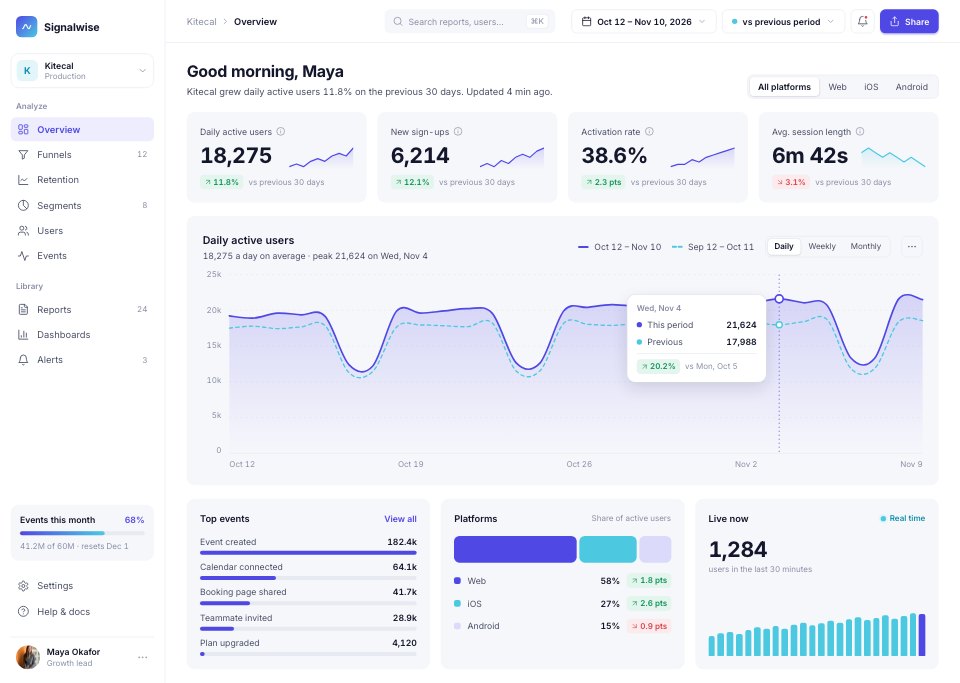
A 10-screen product analytics web app for a SaaS team: daily active users against the previous period, a sign-up-to-paid funnel with drop-off by channel, weekly retention cohorts, segments, user profiles, reports, alerts and workspace settings.PreviewCRM Dashboard
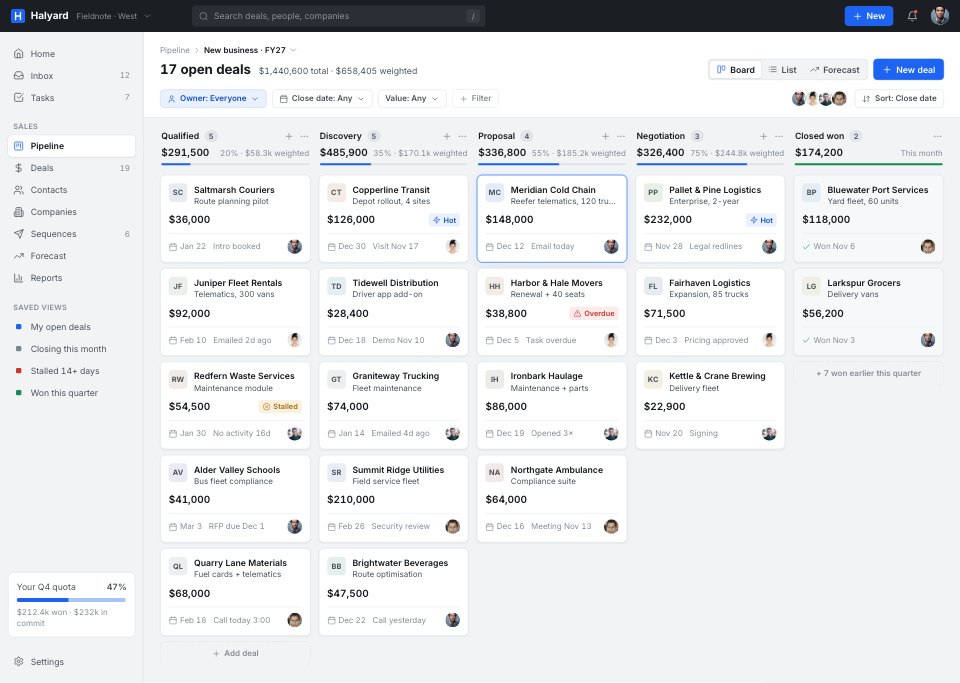
A 10-screen sales CRM for a small B2B team: a pipeline kanban with weighted value, a deal page with stage stepper, products, timeline and buying group, a compact contacts table with bulk actions, and a quarter forecast against quota by rep.PreviewProject Management App
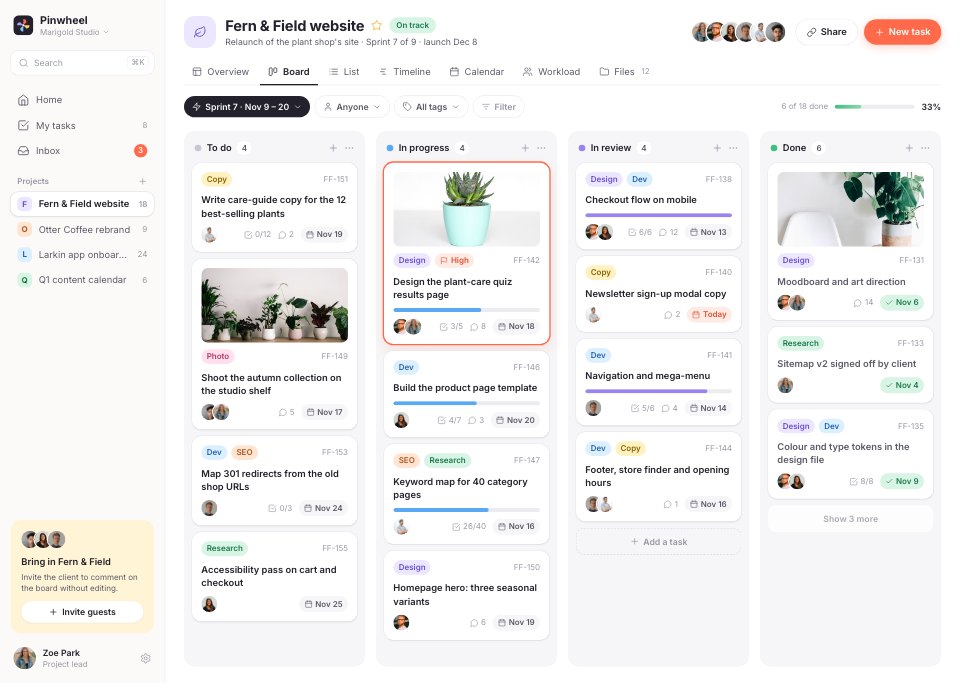
A 10-screen project tool for a small studio team: a sprint board with task cards, a task opened over the board with subtasks, files and comments, a six-week timeline by phase, and a month calendar with today's agenda, plus list, workload and inbox views.PreviewE-commerce Admin
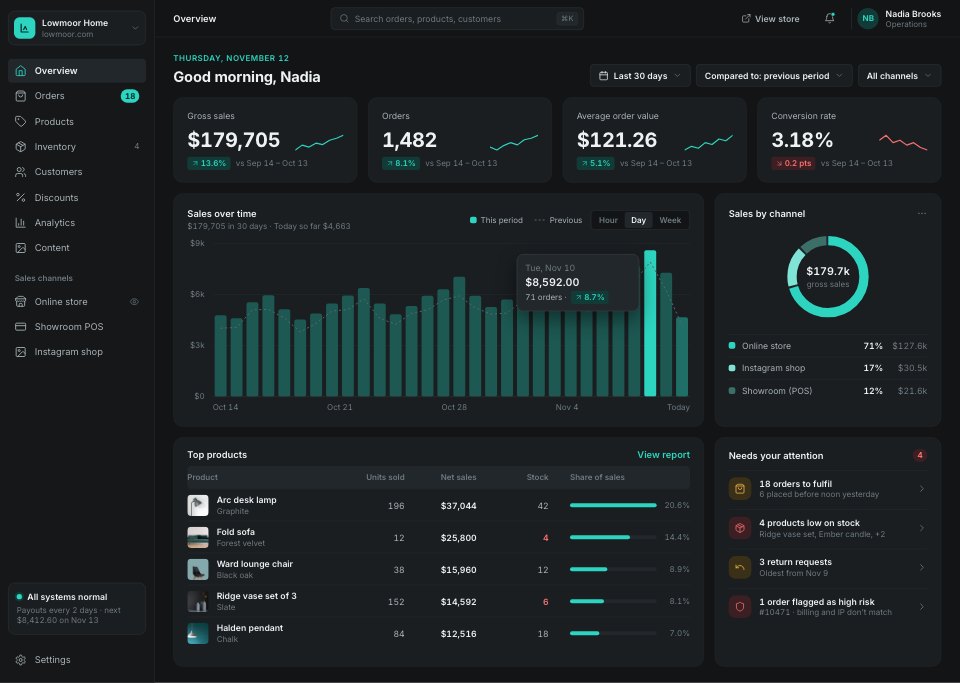
A 10-screen admin for an online homeware shop: sales, orders and channels at a glance, a dense order list, an order ready to fulfil with payment summary and customer, and a product editor with media, variants, pricing and the search listing.PreviewInvesting Dashboard
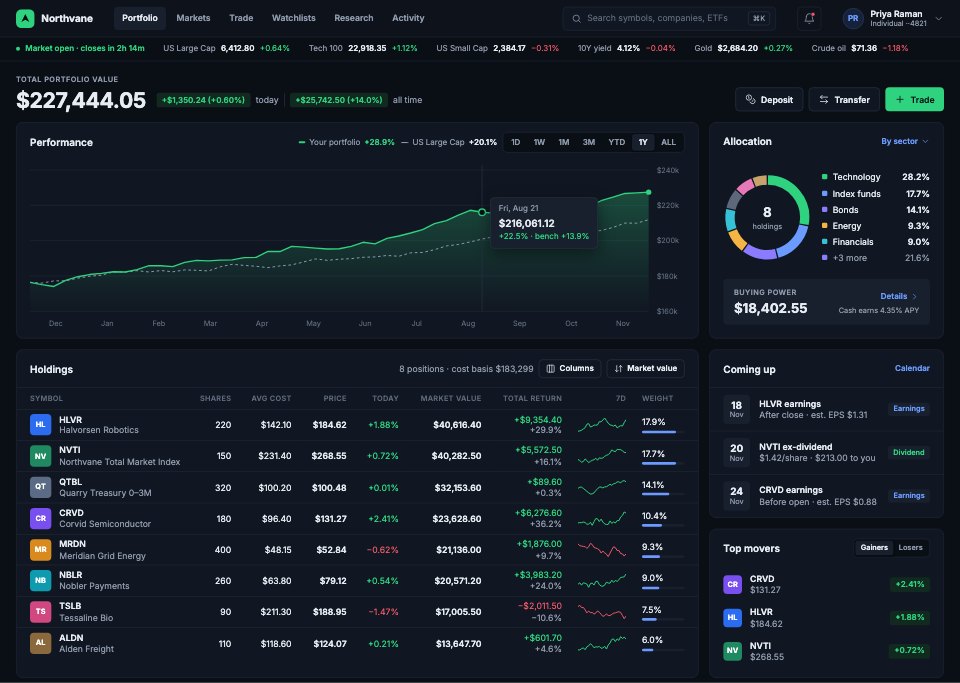
A 10-screen brokerage web app for self-directed investors: the portfolio with performance and allocation, holdings and tax lots, a stock page with candles and analyst views, a trade screen with the order book and an order ticket, watchlists with a heatmap, transactions, research and news, a screener, dividend income and account settings.PreviewPatient Portal
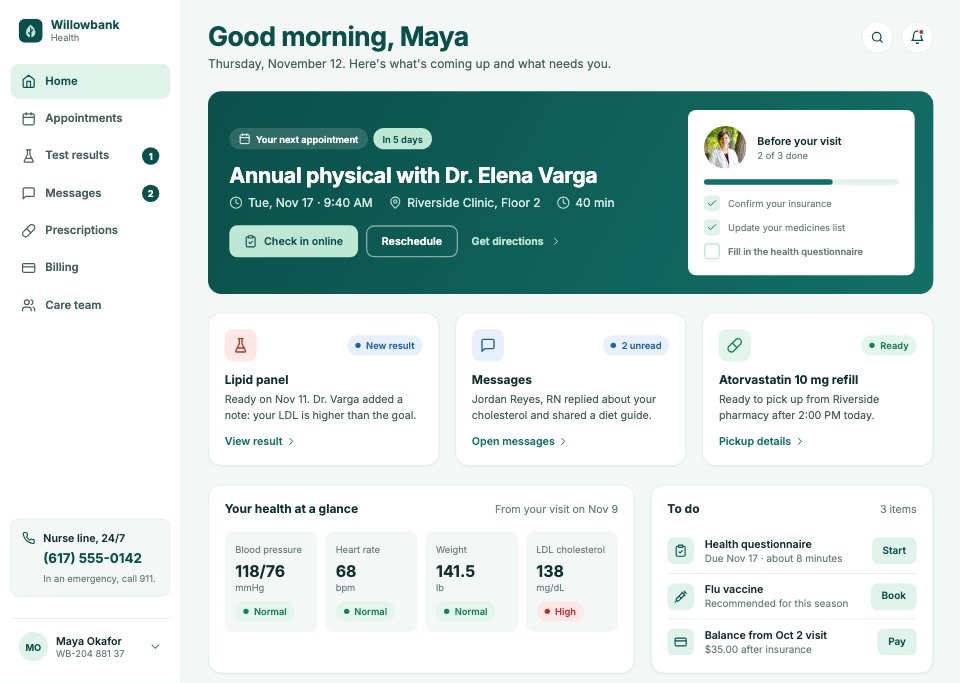
An 11-screen patient portal for a community clinic group: the home with the next visit, appointments, booking a visit and its confirmation, test results and a result explained with ranges and a trend, messages with the care team, prescriptions and refills, billing, the care team and profile settings.PreviewOnline Course Platform
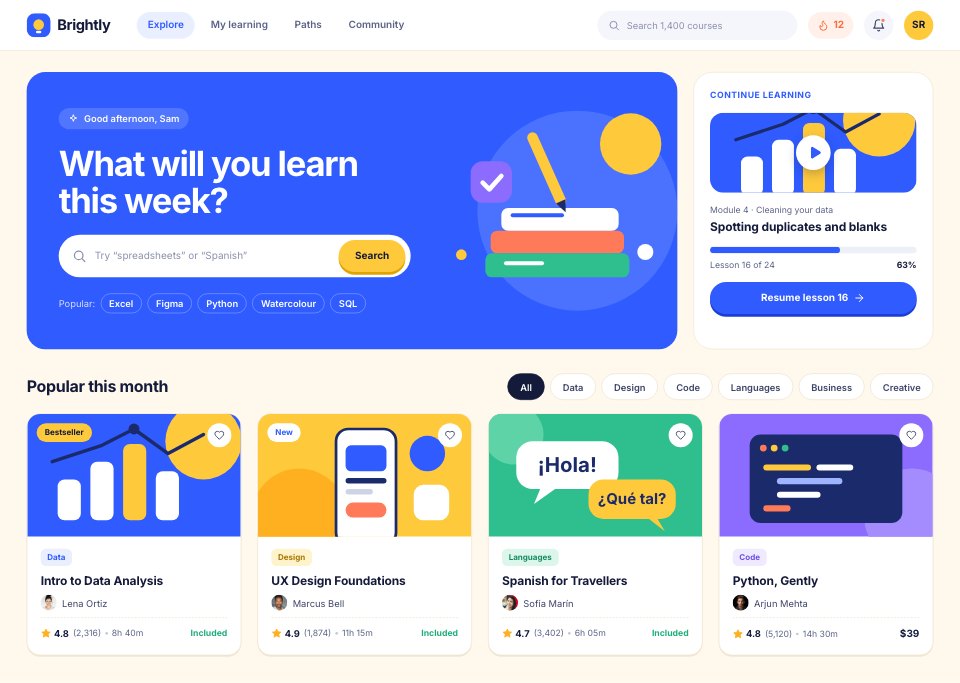
A 10-screen learning platform where Sam browses courses, opens Intro to Data Analysis and starts a Plus trial, watches a lesson with notes, follows a weekly goal with streaks, badges and a league, answers a quiz and sees the results, collects a certificate, reads the instructor’s profile and sets learning goals.Preview
A closer look at SaaS Analytics Dashboard.
A 10-screen product analytics web app for a SaaS team: daily active users against the previous period, a sign-up-to-paid funnel with drop-off by channel, weekly retention cohorts, segments, user profiles, reports, alerts and workspace settings. Here it is screen by screen.
- 1Overview: four KPI cards with sparklines, daily active users against the previous period, top events, platforms and live users
- 2Funnel: sign-up to paid in five steps, conversion between steps, the biggest drop-off and a breakdown by channel
- 3Retention cohorts: the retention curve for all sign-ups against teams of three or more, and a weekly cohort heatmap
- 4Segment detail: a segment's definition, size over time, how it compares with everyone, plan mix, countries and sample users
- 5User profile: one user's properties and funnels, events per day and the event timeline
- 6Events explorer: every tracked event with category, volume, users, trend and change, and the selected event's properties
- 7Reports list: saved reports as cards with chart previews, owners and folders
- 8Report builder: metric, filters, breakdown and chart settings beside a live chart and its data table
- 9Alerts: every alert with its status, and a triggered anomaly with its expected range, likely cause and condition
- 10Settings: workspace, data and notification settings, plan usage and data sources
About dashboard and web app UI templates.
Something else on your mind? Ask us in the chat, bottom right of the page.
Are these dashboard and web app UI templates free?
Yes. They open in Docsiv’s UI design app with a free account, where you can edit your copy, download it and share it with a link. The Free plan includes every Docsiv app and 500 AI credits a month.
Which app do they open in?
UI design: fIG, SVG, PNG and PDF files.
Can Docsiv AI write the dashboard design for me?
Yes. Choose Customise with Docsiv AI on any template, tell it about the client or the project, and it drafts the content in that template’s style for you to review and edit. AI uses credits; the Free plan includes 500 a month.
Can I change the design?
Yes, all of it: the colours, fonts, photos and every word, and you can add or remove pages. Your brand kit’s colours are in every colour picker.














Describe the dashboard design you need
Docsiv AI drafts it in the style of these templates, with your details in place, ready for you to edit.