

Video templates
Title cards, lower thirds, social video frames, podcast intros and storyboards, designed as frames you edit like any design and export for your video editor.
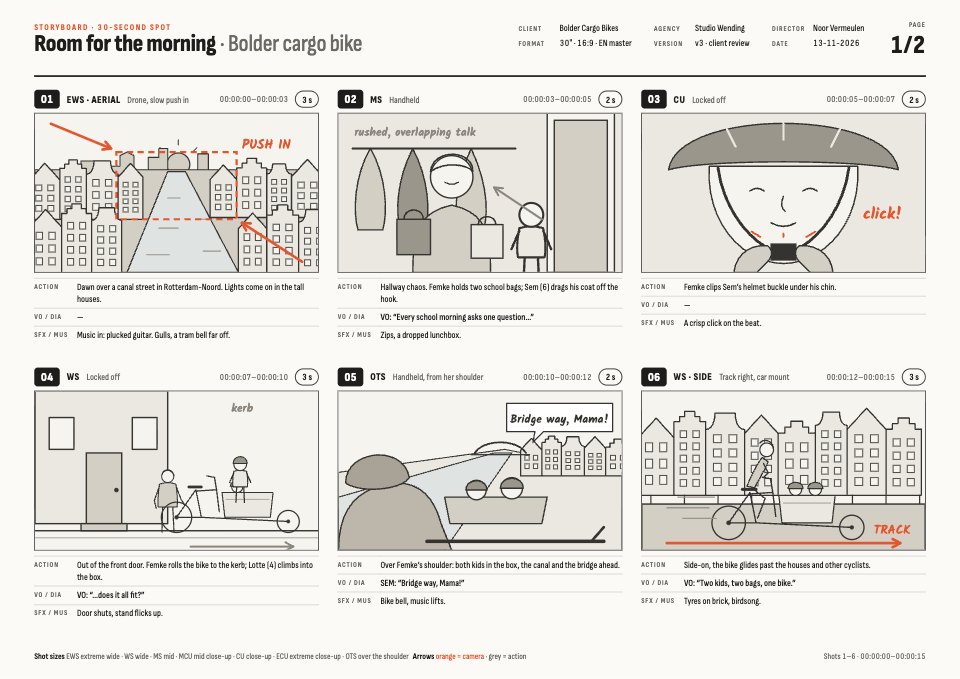
Storyboard
A two-page A4 landscape storyboard for a 30-second spot: twelve numbered frames drawn as pencil sketches, each with shot size, camera move, action, VO or dialogue, SFX and music, length and running timecode, with a crew header, shot-size key and client sign-off.PreviewLower Thirds
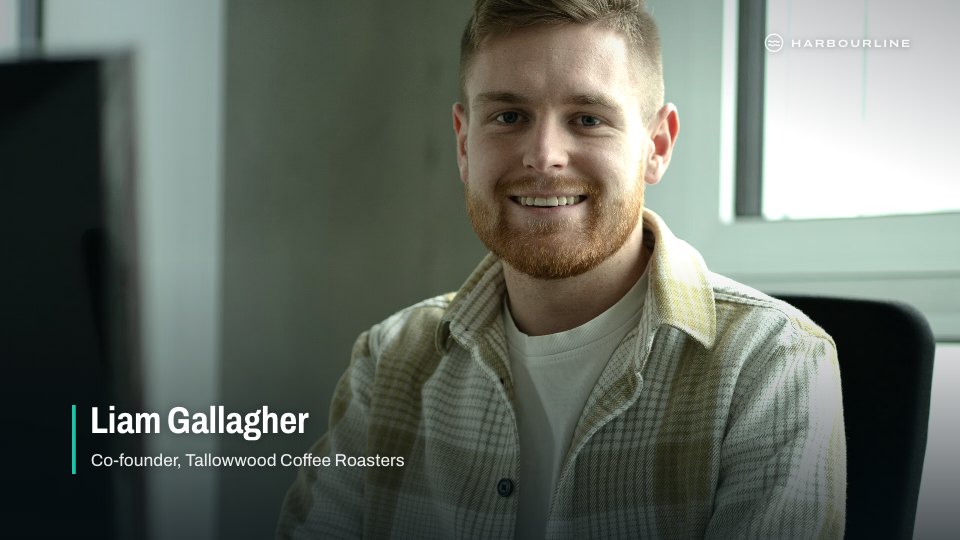
A pack of name-and-title lower thirds in four styles for an interview series, each shown over footage: Rule for interviews, Block for location shoots, Stage for event sessions and Duo for two-shots, all on one baseline inside title-safe.PreviewPodcast Intro & Audiogram
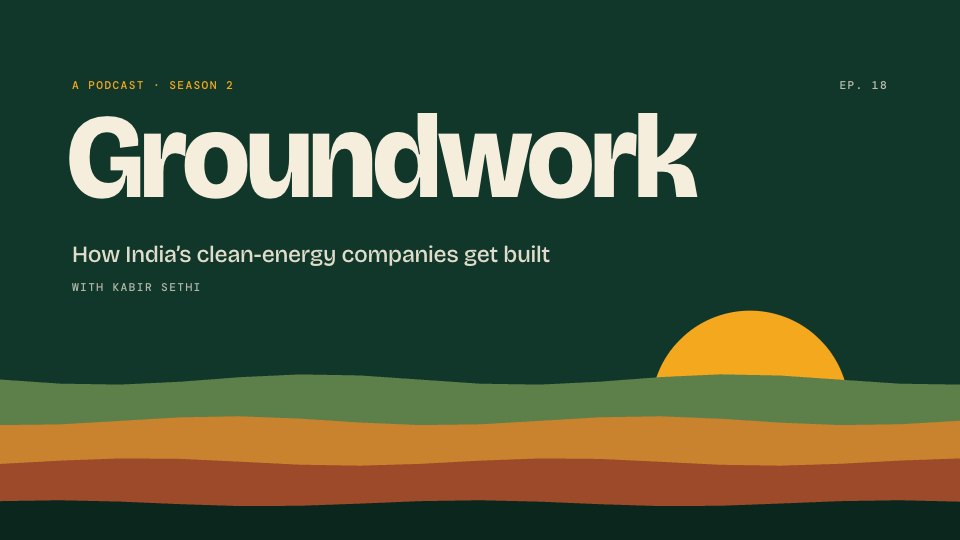
A podcast video package in four key frames: the intro's title card and guest card, a 45-second audiogram with a waveform, word-by-word captions and a progress bar, and the end card with where to listen and the next episode.PreviewSocial Video
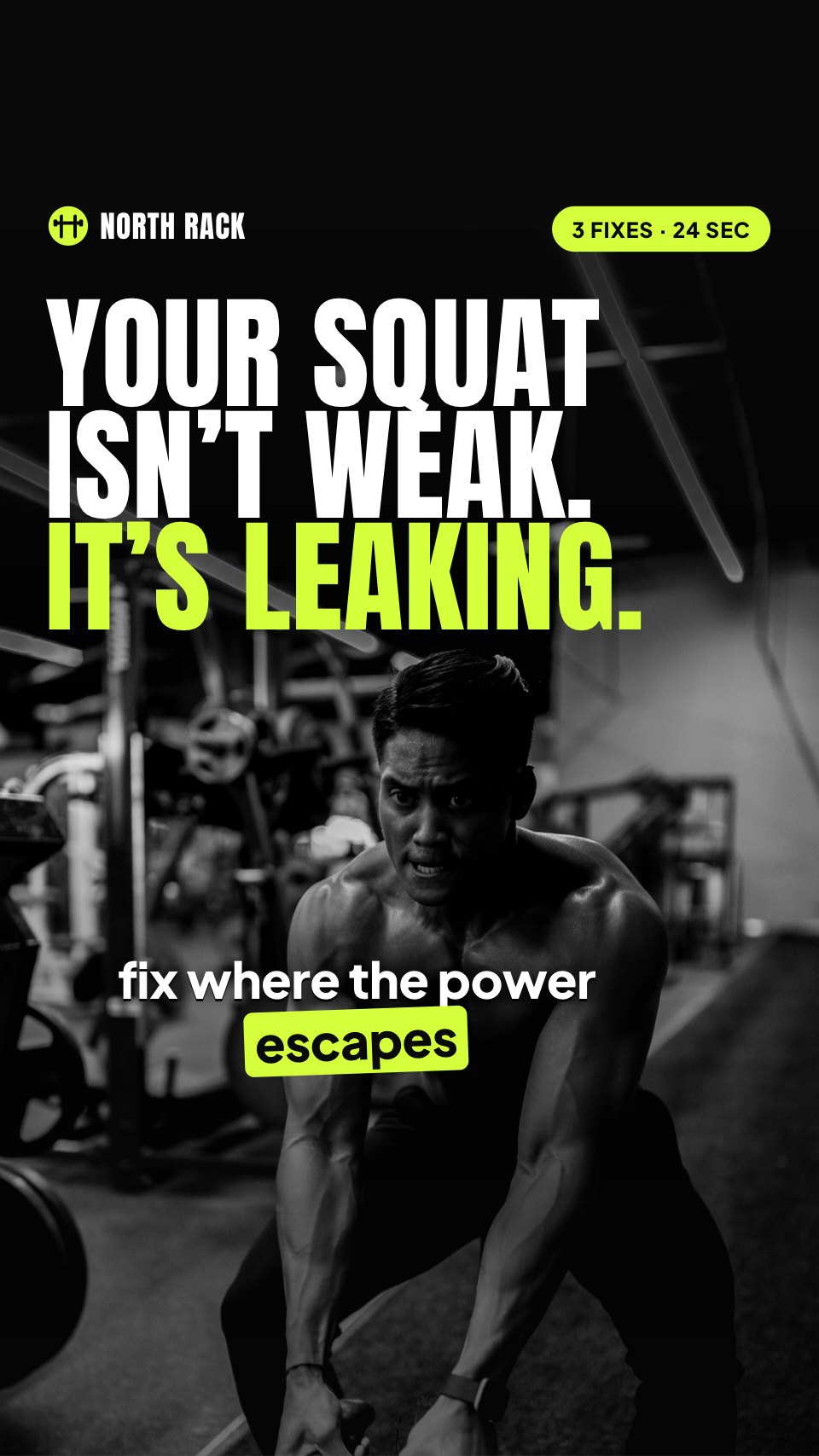
A 24-second 9:16 video for Reels, TikTok and Shorts in key frames: a hook, three coaching points with a tracker that ticks them off, and a call to action with an offer card, every word inside the apps' safe area.PreviewTitle Cards
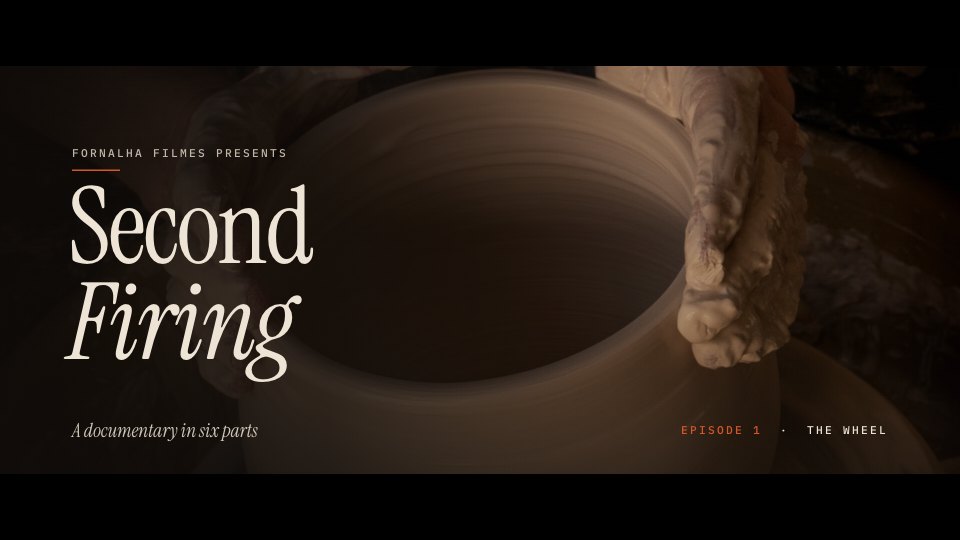
The title package for a documentary series in four 1280×720 key frames: a letterboxed opening title over footage, a chapter card with the shot in a turning circle, a quote card and an end card with credits and the next episode, with the timing of every move.Preview
A closer look at Lower Thirds.
A pack of name-and-title lower thirds in four styles for an interview series, each shown over footage: Rule for interviews, Block for location shoots, Stage for event sessions and Duo for two-shots, all on one baseline inside title-safe. Here it is design by design.
- 1Rule (interview), 4.5 s at 25 fps: the teal line grows upward from the baseline (8 frames, ease-out); the name slides out from behind it 24px to the right (10 frames), the role follows 4 frames later; hold 3.5 s; out in reverse in 8 frames
- 2Block (on location), 5 s: the sand block wipes in left to right (8 frames, ease-out expo), the teal bar wipes in 3 frames behind it and the place tab drops in last; each line of text slides up inside its block with a 2-frame stagger; hold 4 s; blocks wipe out to the left
- 3Stage (event session), 6 s: the teal session block pops in (scale 0.8→1, 6 frames), the ink bar extends to the right behind it (12 frames); the name, talk title and venue fade up 3 frames apart; the session number counts up; hold 4.5 s; slide down out of frame
- 4Duo (two-shot), 5 s: both teal lines draw outward from the centre of the frame to their sides (10 frames); names rise 16px with a 4-frame stagger, left first; the shared place tab between them fades in last; hold 4 s; fade out together over 8 frames
About video templates.
Something else on your mind? Ask us in the chat, bottom right of the page.
Are these video templates free?
Yes. They open in Docsiv’s Designs app with a free account, where you can edit your copy, download it and share it with a link. The Free plan includes every Docsiv app and 500 AI credits a month.
Which app do they open in?
Designs: pNG, PDF and HTML exports.
Can Docsiv AI write the video for me?
Yes. Choose Customise with Docsiv AI on any template, tell it about the client or the project, and it drafts the content in that template’s style for you to review and edit. AI uses credits; the Free plan includes 500 a month.
Can I change the design?
Yes, all of it: the colours, fonts, photos and every word, and you can add or remove pages. Your brand kit’s colours are in every colour picker.



















































Describe the video you need
Docsiv AI drafts it in the style of these templates, with your details in place, ready for you to edit.